Libreto
Notes, Planner, Sketch & PDF
Được thiết kế cho iPhone, iPad
Miễn phí · Mua hàng trong ứng dụng
- Độ tuổi4+
- Danh mụcHiệu Suất
- Nhà phát triểnJC Mobile App Studio LLC
- Ngôn ngữTiếng Anh+ 1 ngôn ngữ khác
- Kích thước27,9 MB
Liên kết đến trang App Store chính thức
Download.org không lưu trữ tệp nào của Libreto. Nút này mở trang ứng dụng trên App Store, nơi JC Mobile App Studio LLC phát hành ứng dụng. Trang được kiểm tra lần cuối: 22/11/2026.
Ảnh chụp màn hình


Giới thiệu
Nhà phát triển chưa cung cấp nội dung này bằng ngôn ngữ của bạn.
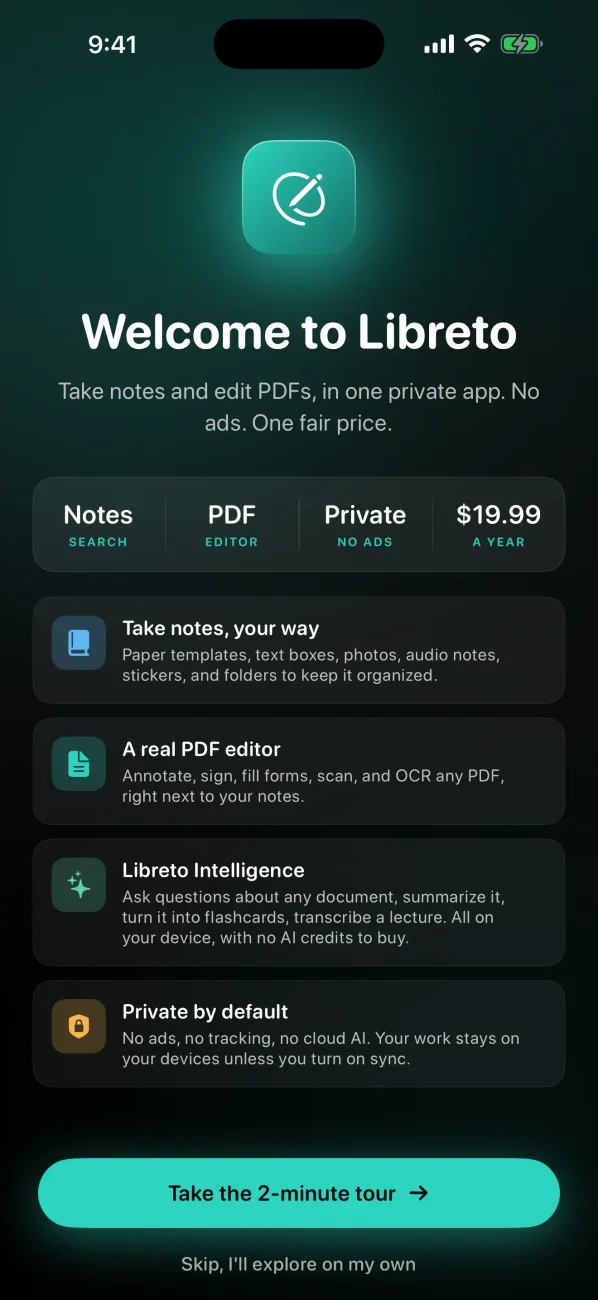
Libreto is a digital notebook, planner, PDF editor and full drawing studio for iPad and iPhone Duo, and a streamlined PDF editor and notes app for iPhone. A notebook that opens like one, private by design, with on-device AI included and one fair price.
START WHERE YOU LEFT OFF
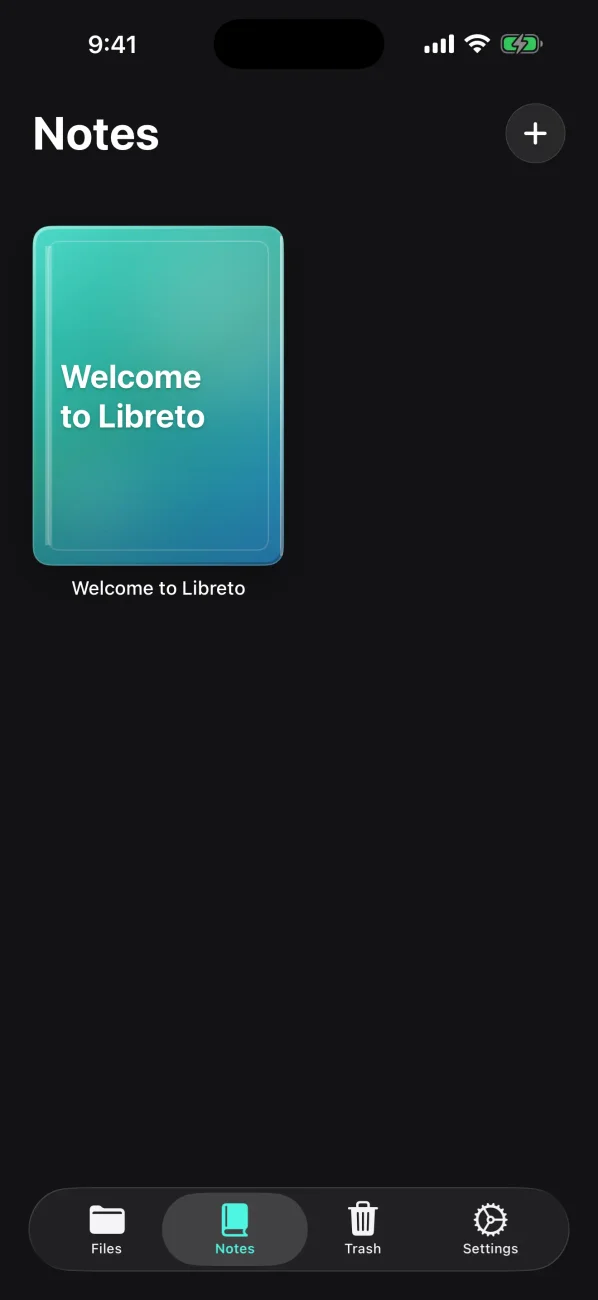
Libreto opens on Start: your latest work up front, and a new Notepad, Planner or Sketchbook one tap away. Everything you make lives in one Library, sorted into notebooks, planners, sketches and PDFs.
A NOTEBOOK THAT OPENS LIKE ONE
Every notebook opens on its cover, full screen: your own photo, a seasonal design, or one you make. Slide the elastic band to the lock to open it, turn pages that curl like paper, and swipe a closed cover to reach the next notebook.
MADE FOR IPHONE DUO
Folded, the cover screen shows the notebook you were writing in, band and all. Unfold it and the notebook lies open across both pages, each one whole on the screen, right where you left off. Every control sits in one row at the top.
NOTEBOOKS FOR APPLE PENCIL (iPad and iPhone Duo)
Lined, dot grid, graph, Cornell and to-do paper, or a photo, in any paper colour. Ink thickens on slow strokes and tapers at the ends, like a real nib. Draw a rough line, box or circle and hold: it snaps clean. Underline, strike out or circle typed words and the mark stays with them. Type around photos, or lay out text frames with columns that run on from page to page. Search your handwriting and convert it to text on-device, in 20+ languages. Add stickers, washi tape, photos and AI art with Image Playground. No Pencil, or another iPhone? Write with a finger.
PLANNERS, YOUR WAY (iPad and iPhone Duo)
Daily, Weekly, Monthly and Pro planners, plus ready-made planners for school, work, fitness and money. Real dates, a tappable Contents page, and every day linked to its month. Light or Dark theme.
DRAW & SKETCH (iPad and iPhone Duo)
A full drawing studio: pressure brushes with textured tips, dual brushes, and brushes made from your own pictures. Layers, groups, Layer Sets, blend modes, layer masks and live adjustment layers you can change at any time. Vector shapes and text with gradients, tapered and dashed lines. Heal, clone, dodge, burn and liquify. Warp and rig your art, and draw on isometric planes. History with branches lets you step back to any point. Symmetry: vertical, horizontal, both axes or radial. Choose a Dark or Light look. Open and save PSD files, or export as PNG or PDF.
PHOTO TOOLS IN SKETCH STUDIO (iPad and iPhone Duo)
Develop RAW photos. Merge shots into panoramas, HDR images, or a crowd-free scene. Mask hair and fur with the Edge Mask Brush, and measure in real units.
PDF TOOLS (iPad and iPhone)
Highlights, ink, shapes, stickers and signatures, with undo and redo for every mark. Reorder, rotate, split and extract pages. On-device OCR and Scan Enhance for scans. Redact for real: the hidden text is destroyed, not just covered. Export as PDF, image, text, Word (RTF) or Markdown.
LIBRETO INTELLIGENCE, ON YOUR DEVICE
Ask questions about any PDF or notebook and get answers with tappable page citations. Summarize a document, a page range or a selection. Turn any document into flashcards and quizzes with spaced-repetition review. Record a lecture, then transcribe and summarize it on-device. All of it runs with Apple Intelligence, right on your device: nothing uploaded, nothing metered, no AI credits. Prefer no AI? One switch hides every AI button.
PRIVATE BY DESIGN
No ads. No tracking. No third-party AI. Your work stays on your devices, with optional private iCloud sync and App Lock with Face ID.
MEMBERSHIP
Unlock every premium feature for $19.99/year with a 3-day free trial, or $2.99/month. Prefer not to subscribe? Buy Libreto once for $59.99 and keep every feature, including future updates, forever.
Terms of Use (Apple standard EULA): https://www.apple.com/legal/internet-services/itunes/dev/stdeula/
Có gì mới
Phiên bản 2.6.4 · 17/11/2026
This update is about polish: more room for your work and a smoother feel throughout.
• A cleaner layout on iPad that uses the whole screen.
• More of the screen for your pages and PDFs on iPhone Duo.
• Smoother page turns.
• Improvements to planners, PDFs and Sketch Studio.
• Bug fixes and performance improvements.
Need help, or have a suggestion to make Libreto better? Email me at contact@jcmobileappstudio.com. I read every message.
Quyền riêng tư của ứng dụng
Những gì JC Mobile App Studio LLC khai báo trên App Store về cách ứng dụng này xử lý dữ liệu.
-
Dữ liệu không được thu thập
Nhà phát triển không thu thập bất kỳ dữ liệu nào từ ứng dụng này.
Phương thức đảm bảo quyền riêng tư có thể khác nhau, chẳng hạn như tuỳ theo các tính năng bạn sử dụng hoặc độ tuổi của bạn.
Thông tin
- Người bán
- JC Mobile App Studio LLC
- Danh mục
- Hiệu Suất
- Phiên bản
- 2.6.4
- Cập nhật
- 17/11/2026
- Phát hành
- 07/06/2026
- Kích thước
- 27,9 MB
- Yêu cầu
- iOS 17.0 trở lên
- Độ tuổi
- 4+
- Giá
- Miễn phí
- Mua hàng trong ứng dụng
- Có
- Ngôn ngữ
- Tiếng Anh, Tiếng Tây Ban Nha
- Bản quyền
- © 2026 JC Mobile App Studio LLC