
LoopPDF
PDF scanner with OCR & iCloud
Được thiết kế cho iPhone, iPad, Mac
Miễn phí
- Độ tuổi4+
- Danh mụcHiệu Suất
- Nhà phát triểnMurani Consultancy BV
- Ngôn ngữTiếng Anh+ 1 ngôn ngữ khác
- Kích thước7,7 MB
Liên kết đến trang App Store chính thức
Download.org không lưu trữ tệp nào của LoopPDF. Nút này mở trang ứng dụng trên App Store, nơi Murani Consultancy BV phát hành ứng dụng. Trang được kiểm tra lần cuối: 12/11/2026.
Ảnh chụp màn hình
Giới thiệu
Nhà phát triển chưa cung cấp nội dung này bằng ngôn ngữ của bạn.
Turn paper into clean PDFs and copy text with OCR using LoopPDF, the free document scanner for iPhone, iPad and Mac.
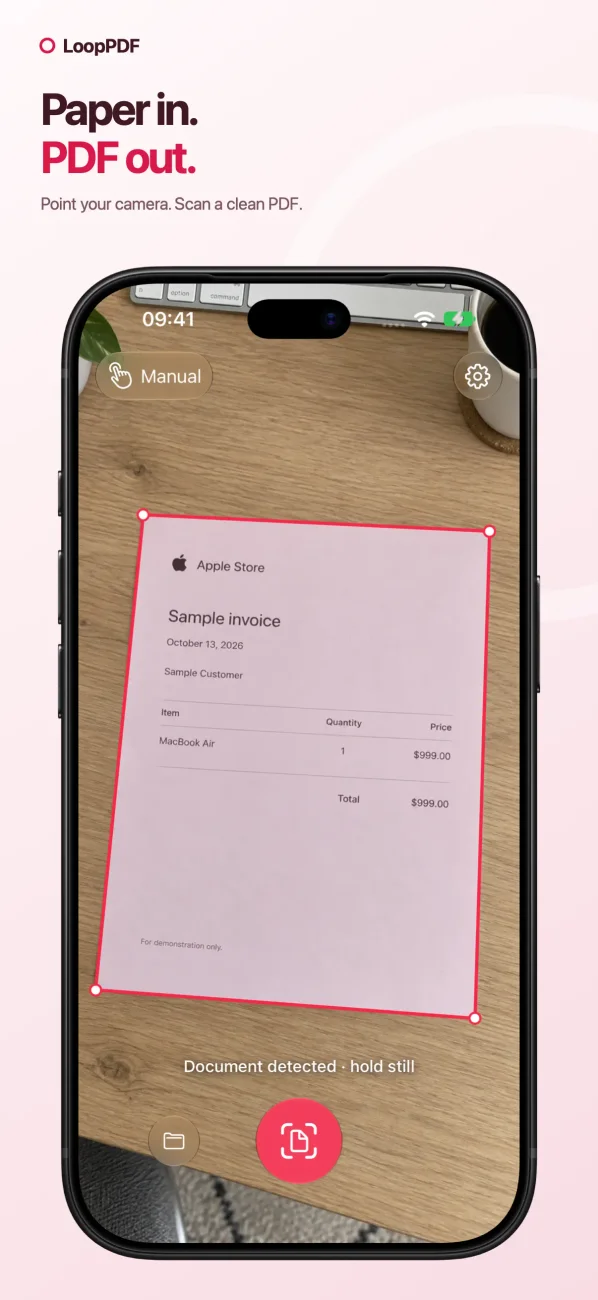
POINT, SCAN, SAVE
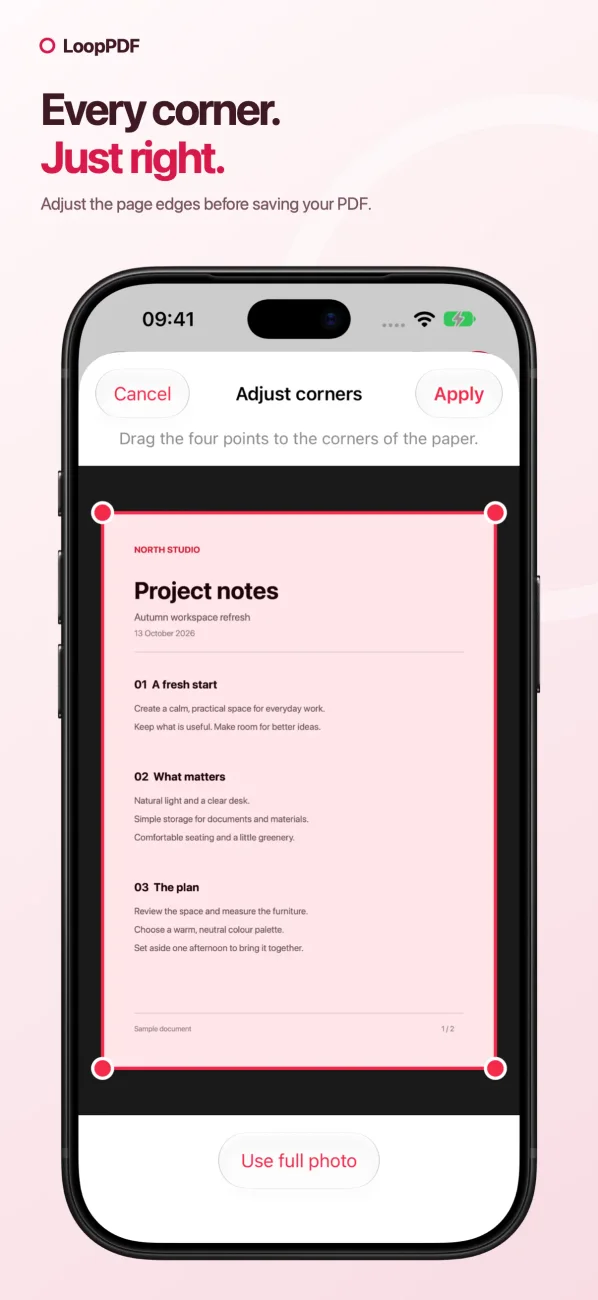
Open the camera and bring all four corners into view. LoopPDF detects the page, counts down and captures it automatically. Tap the scan button whenever you want to capture immediately. Perspective correction straightens pages photographed at an angle.
COPY TEXT WITH OCR
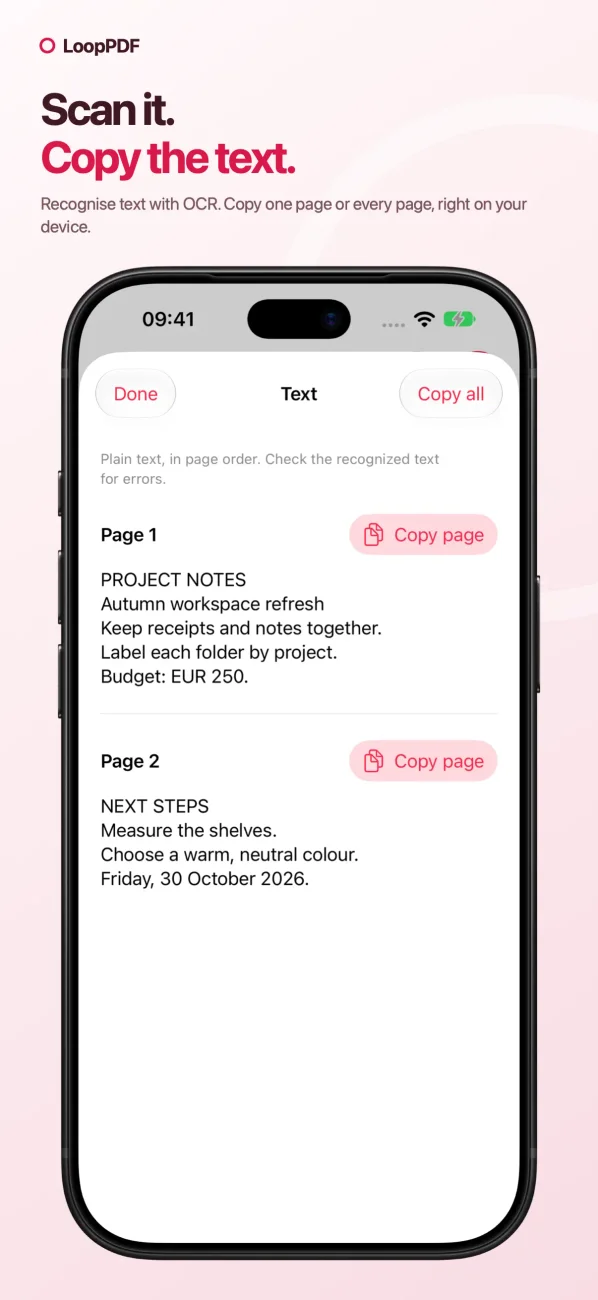
Recognise text in new scans and saved PDFs with Apple Vision. Select and copy text from one page or copy all pages in order. Recognition runs on your device whenever you open Text, so your saved scans can benefit from improvements to Apple's text recognition.
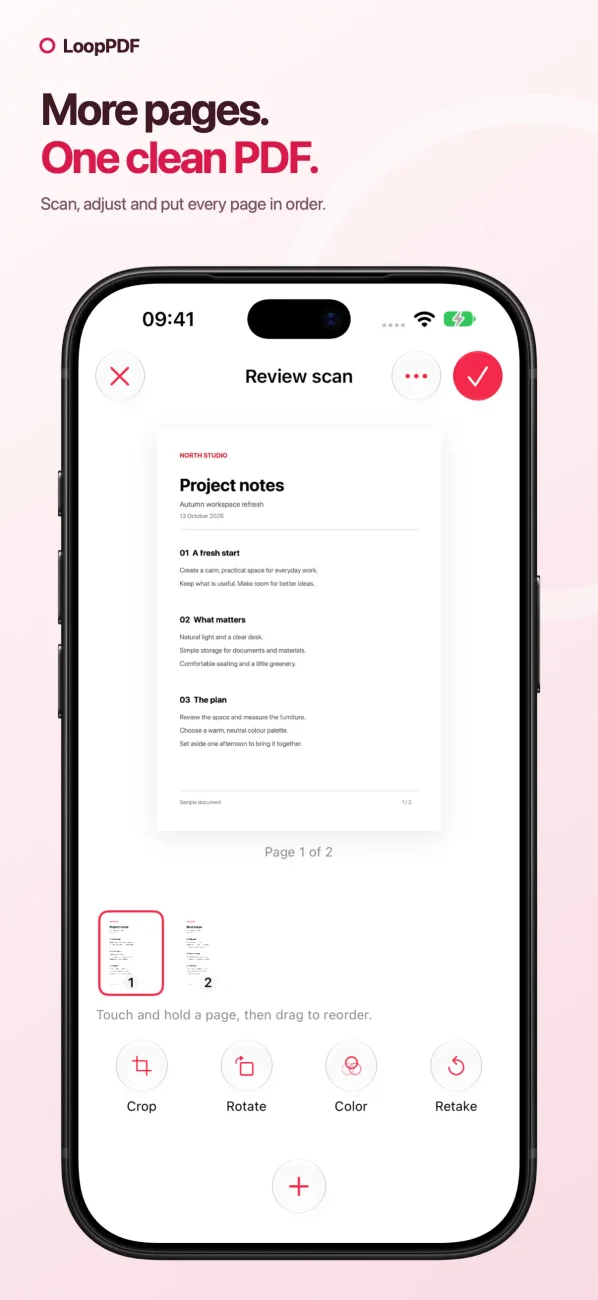
MULTIPLE PAGES, ONE PDF
Scan another page, review the result and drag the thumbnails into the right order. Crop, rotate and adjust the colour treatment before saving. Add more pages to an existing PDF whenever you need to.
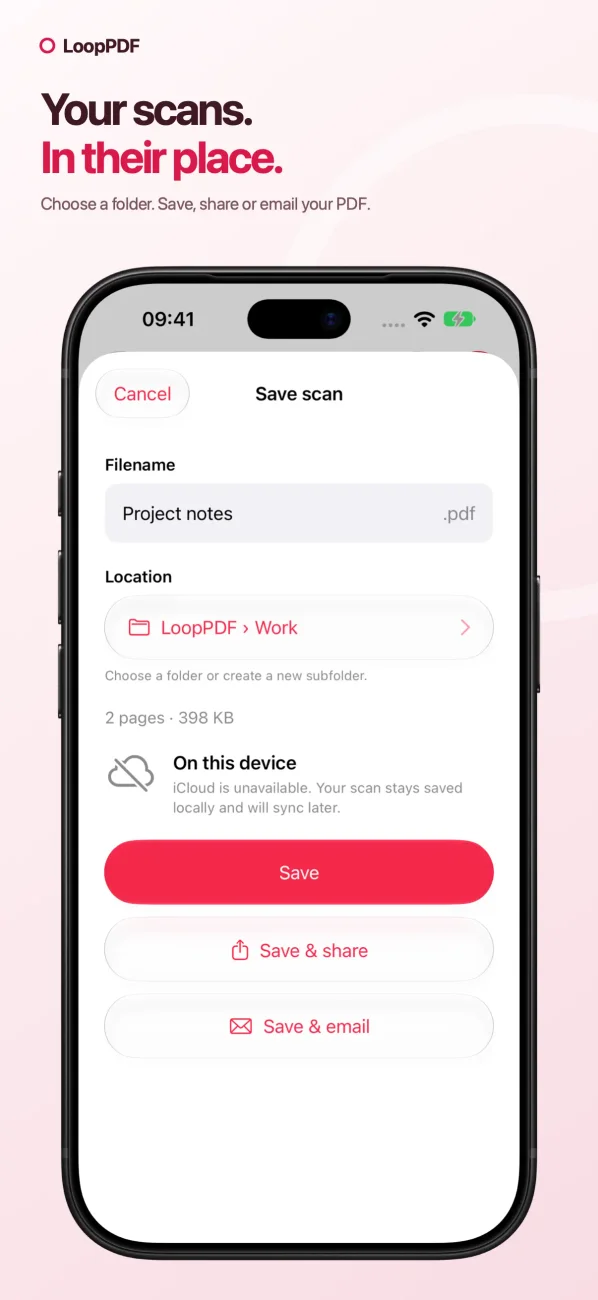
YOUR FILES, ORGANISED
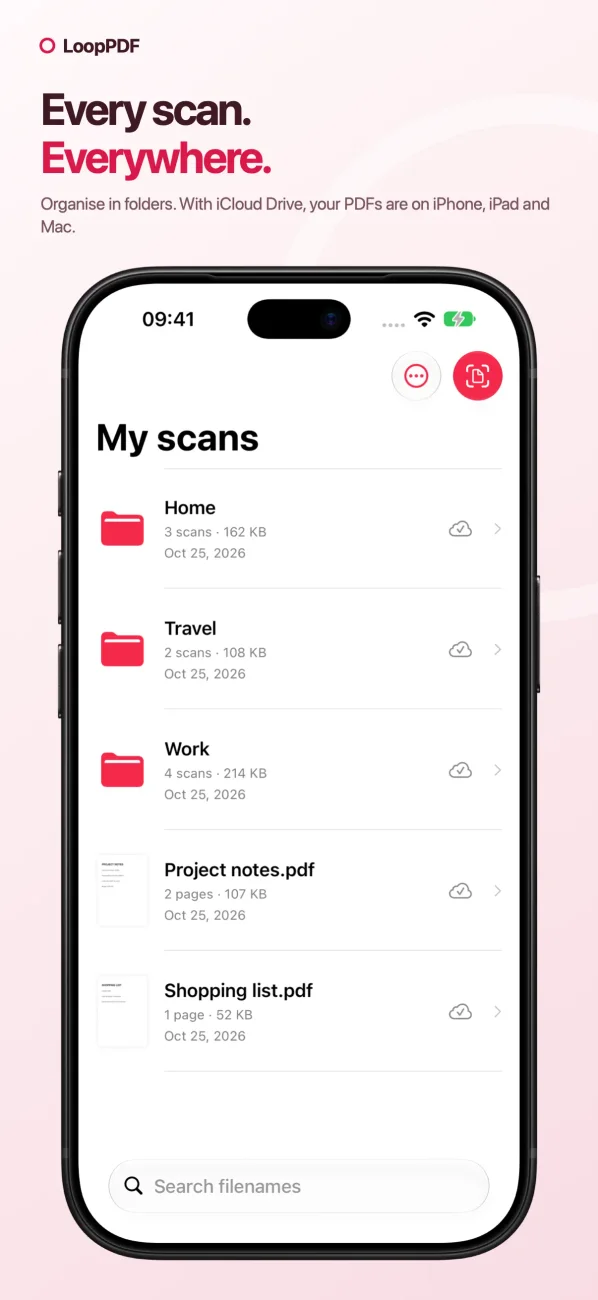
Name your PDF and choose a folder inside LoopPDF. Browse subfolders, search by filename and open scans in the built-in PDF viewer. See page counts, file sizes, dates and sync status at a glance.
READY ON YOUR OTHER DEVICES
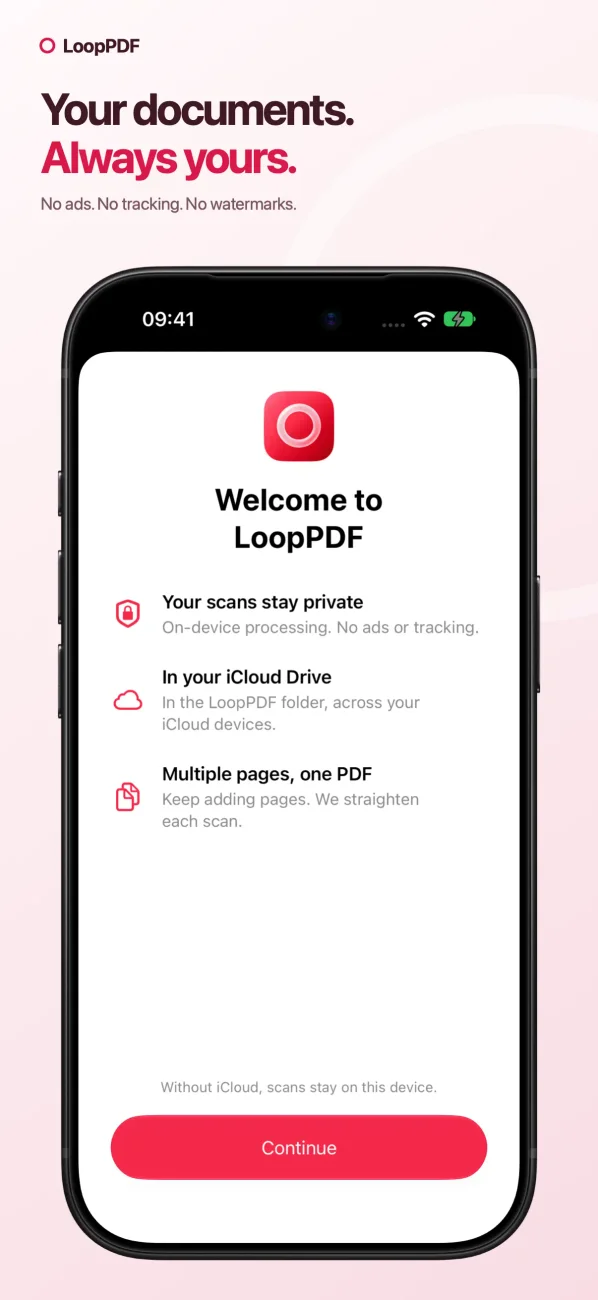
Save PDFs to your LoopPDF folder in iCloud Drive and continue on your iPhone, iPad or Mac using the same Apple Account. If iCloud is unavailable, your scans stay on the device and move to iCloud when it becomes available.
PRESERVE THE DETAILS
Save scans at their original resolution without additional lossy image compression. Keep small details in your documents, with larger files that use more storage.
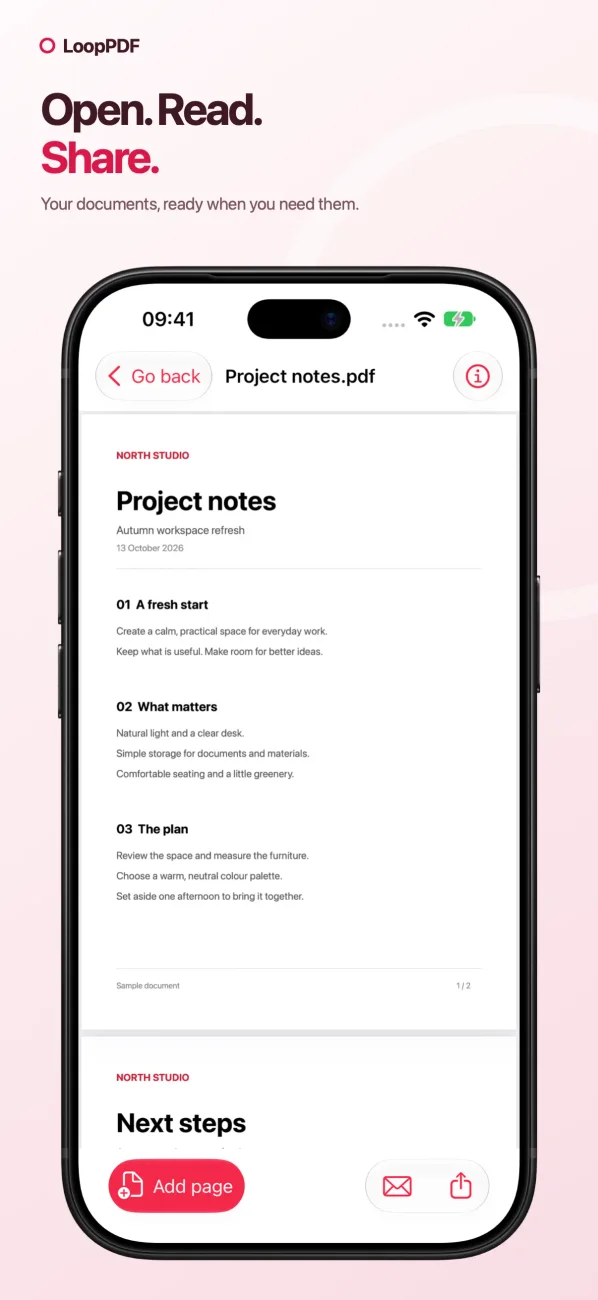
SAVE AND SHARE
Send a PDF through Mail, AirDrop or the system share sheet directly after scanning or from the PDF viewer.
PRIVATE BY DESIGN
Document detection, image processing and OCR happen on your device. We do not receive your scans or add watermarks, logos or other branding. No ads, no subscription, no tracking and no separate LoopPDF account.
MAKE IT YOURS
Choose an automatic capture delay from 0.5 to 4 seconds. On Mac, use the built-in camera, an external webcam or an available Continuity Camera.
Camera access is required for scanning. Syncing requires iCloud Drive and the same Apple Account on your devices. Apple's iCloud storage limits apply.
Support: https://murani.nl/apps/looppdf/#support
Privacy: https://murani.nl/apps/looppdf/#privacy
Có gì mới
Phiên bản 1.2 · 30/10/2026
OCR support
OCR recognises the words in your scans and turns them into text you can copy.
After scanning or opening a saved PDF, tap the text-lines icon at the top. Choose "Copy page" for one page or "Copy all" for the entire document.
Quyền riêng tư của ứng dụng
Những gì Murani Consultancy BV khai báo trên App Store về cách ứng dụng này xử lý dữ liệu.
-
Dữ liệu không được thu thập
Nhà phát triển không thu thập bất kỳ dữ liệu nào từ ứng dụng này.
Phương thức đảm bảo quyền riêng tư có thể khác nhau, chẳng hạn như tuỳ theo các tính năng bạn sử dụng hoặc độ tuổi của bạn.
Thông tin
- Người bán
- Murani Consultancy BV
- Danh mục
- Hiệu Suất
- Phiên bản
- 1.2
- Cập nhật
- 30/10/2026
- Phát hành
- 14/10/2026
- Kích thước
- 7,7 MB
- Yêu cầu
- iOS 18.0 trở lên
- Độ tuổi
- 4+
- Giá
- Miễn phí
- Ngôn ngữ
- Tiếng Anh, Tiếng Hà Lan
- Bản quyền
- © 2026 Murani Consultancy BV
Có thể bạn cũng thích
-
 Foldie LinksHiệu Suất
-
 NotesHub: Notes, Kanban BoardsHiệu Suất
-
 Bookmark Links: PostPocketHiệu Suất
-
 Horizon: Calendar HighlightsHiệu Suất
-
 Precursor: Chặn app theo giờGiới hạn lướt, đặt lại mỗi giờ
-
 oh my hoursHiệu Suất
-
 Supernotes – Shareable NotesRealtime Editing Collaboration
-
 HEY CalendarHiệu Suất
-
 Remind Me FasterHiệu Suất
-
 AdGuard Mail & Temp MailHiệu Suất