- Độ tuổi4+
- Danh mụcTiện Ích
- Nhà phát triển晟阳 俞
- Ngôn ngữTiếng Anh
- Kích thước9,6 MB
Liên kết đến trang App Store chính thức
Download.org không lưu trữ tệp nào của Markdown-IMG. Nút này mở trang ứng dụng trên App Store, nơi 晟阳 俞 phát hành ứng dụng. Trang được kiểm tra lần cuối: 17/11/2026.
Ảnh chụp màn hình
Giới thiệu
Nhà phát triển chưa cung cấp nội dung này bằng ngôn ngữ của bạn.
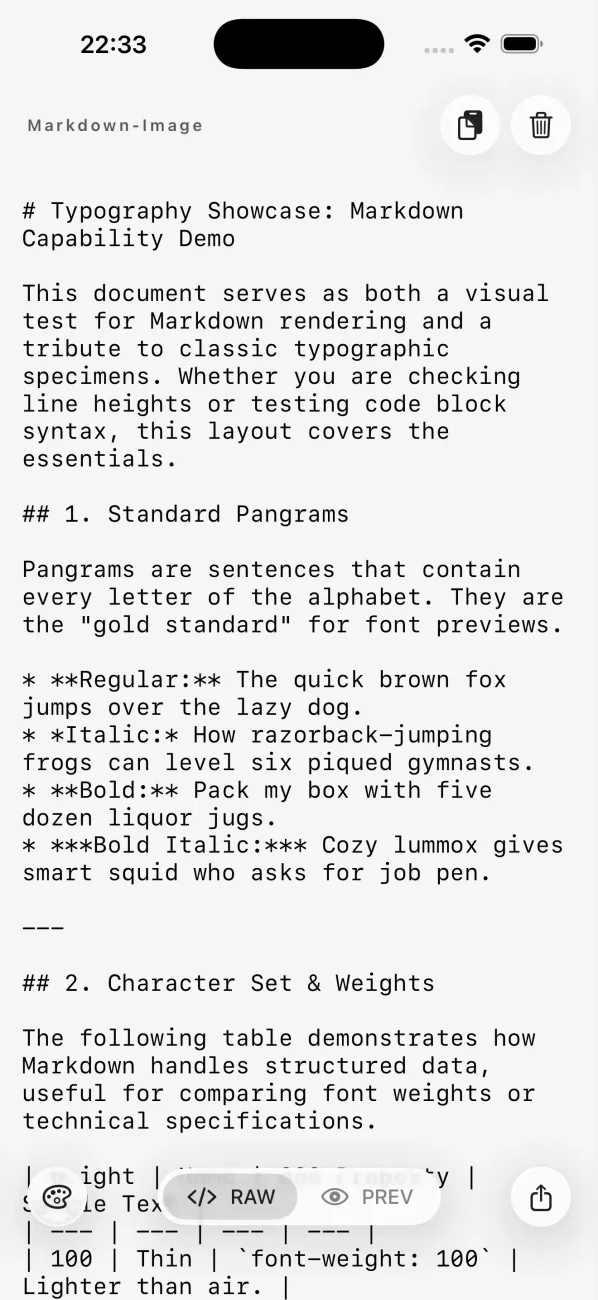
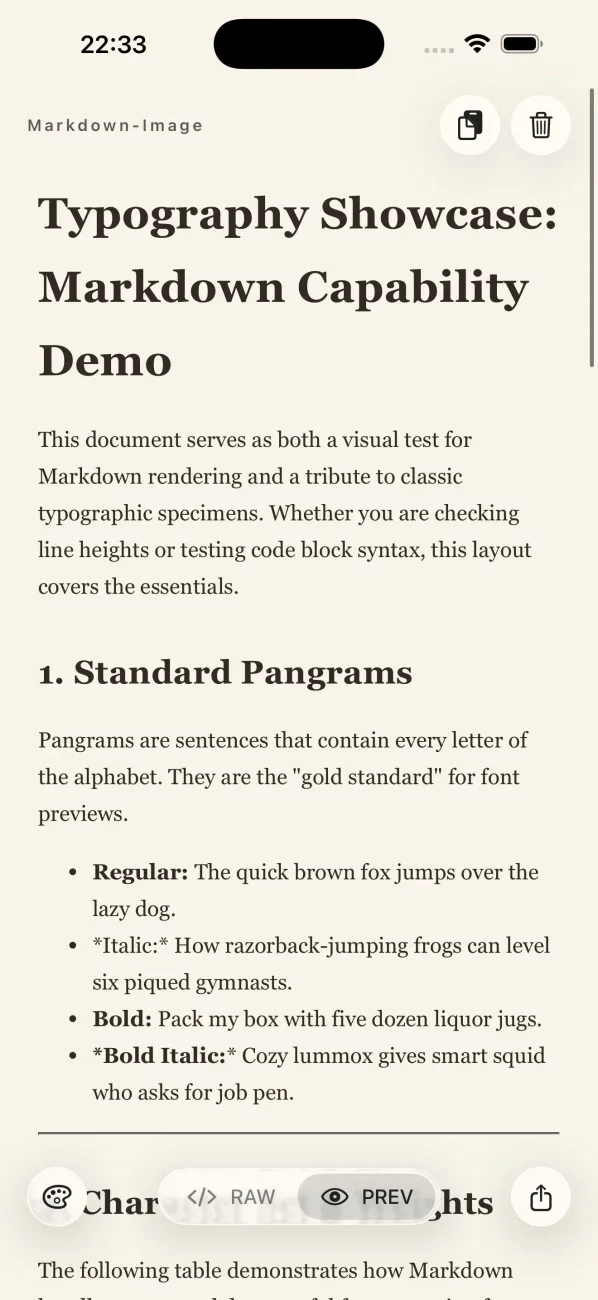
> Write or paste Markdown and get a stunning image — ready to share.
>
> Markdown-IMG gives you a live preview of your Markdown with instant rendering, then exports the entire document as a high-quality image. Whether it's a quick note, a code snippet, a table, or even a Mermaid diagram, the result is a clean, shareable image saved straight to your Photos.
>
> LIVE PREVIEW
> See your Markdown rendered in real time as you type. Scroll through long documents with a smooth, native preview.
>
> MERMAID DIAGRAMS
> Fenced mermaid code blocks are automatically rendered as diagrams, with styling that adapts to your chosen theme.
>
> GITHUB-STYLE TABLES
> Full table support with headers and column alignment — just like you'd write on GitHub.
>
> THREE THEMES
> Choose from Classic, Paper, or Dark. Your theme applies to both the preview and the exported image.
>
> FLEXIBLE EXPORT
> Save as PNG for lossless quality, JPEG for smaller files, or HEIC for the best of both. Images are saved directly to your photo library.
>
> LONG DOCUMENT SUPPORT
> Even lengthy Markdown documents export cleanly. A smart tiled capture system keeps memory usage low while producing a single, seamless image.
>
> NO ADS. NO SUBSCRIPTIONS. NO ACCOUNT REQUIRED.
> Just open the app, write, and export.
Có gì mới
Phiên bản 1.5 · 31/03/2026
Input History
- Your pasted and exported content is now automatically saved to history
- Tap the clock icon to browse past entries — each shows the title and when it was saved
- Tap any entry to restore both the markdown text and the theme
- Swipe to delete entries you no longer need
- Smart deduplication prevents duplicate entries when pasting the same content
Redesigned Navigation
- Switched to a native iOS navigation bar with system Liquid Glass blur
- Content scrolls seamlessly behind the toolbar — just like Photos and Settings
- Paste, History, and Delete actions live in the toolbar for a cleaner layout
Visual Polish
- Soft scroll edge effects on both the editor and preview — content fades at the edges as you scroll
- Fully edge-to-edge layout from top to bottom
Quyền riêng tư của ứng dụng
Những gì 晟阳 俞 khai báo trên App Store về cách ứng dụng này xử lý dữ liệu.
-
Dữ liệu không được thu thập
Nhà phát triển không thu thập bất kỳ dữ liệu nào từ ứng dụng này.
Phương thức đảm bảo quyền riêng tư có thể khác nhau, chẳng hạn như tuỳ theo các tính năng bạn sử dụng hoặc độ tuổi của bạn.
Thông tin
- Người bán
- 晟阳 俞
- Danh mục
- Tiện Ích
- Phiên bản
- 1.5
- Cập nhật
- 31/03/2026
- Phát hành
- 25/02/2026
- Kích thước
- 9,6 MB
- Yêu cầu
- iOS 26.0 trở lên
- Độ tuổi
- 4+
- Giá
- Miễn phí
- Ngôn ngữ
- Tiếng Anh
- Bản quyền
- Copyright © 2026 Soleil. All rights reserved.
Có thể bạn cũng thích
-
 Markdown Format PreviewTiện Ích
-
 PDF to ePUB - ConverterTiện Ích
-
 Text Parser ProTiện Ích
-
 VideoHub: Trình Phát & IPTVStream Cloud, NAS & Máy Chủ
-
 MY PingTiện Ích
-
 Wave ScreenshotTiện Ích
-
 LudyVAC - Video sang Âm thanhChuyển đổi MP3 & Nhạc chuông
-
 ShortformBlockTiện Ích
-
 MiniFolder Trình khởi chạy appNhiều ứng dụng trong 1 widget
-
 Anywhere ProxyTiện Ích