MetalGraph
Build Metal shaders visually
Được thiết kế cho iPad, Mac
Miễn phí · Mua hàng trong ứng dụng
- Độ tuổi4+
- Danh mụcCông Cụ Nhà Phát Triển
- Nhà phát triểnDigital Toys LLC
- Ngôn ngữTiếng Anh
- Kích thước7,2 MB
Liên kết đến trang App Store chính thức
Download.org không lưu trữ tệp nào của MetalGraph. Nút này mở trang ứng dụng trên App Store, nơi Digital Toys LLC phát hành ứng dụng. Trang được kiểm tra lần cuối: 17/11/2026.
Ảnh chụp màn hình

Giới thiệu
Nhà phát triển chưa cung cấp nội dung này bằng ngôn ngữ của bạn.
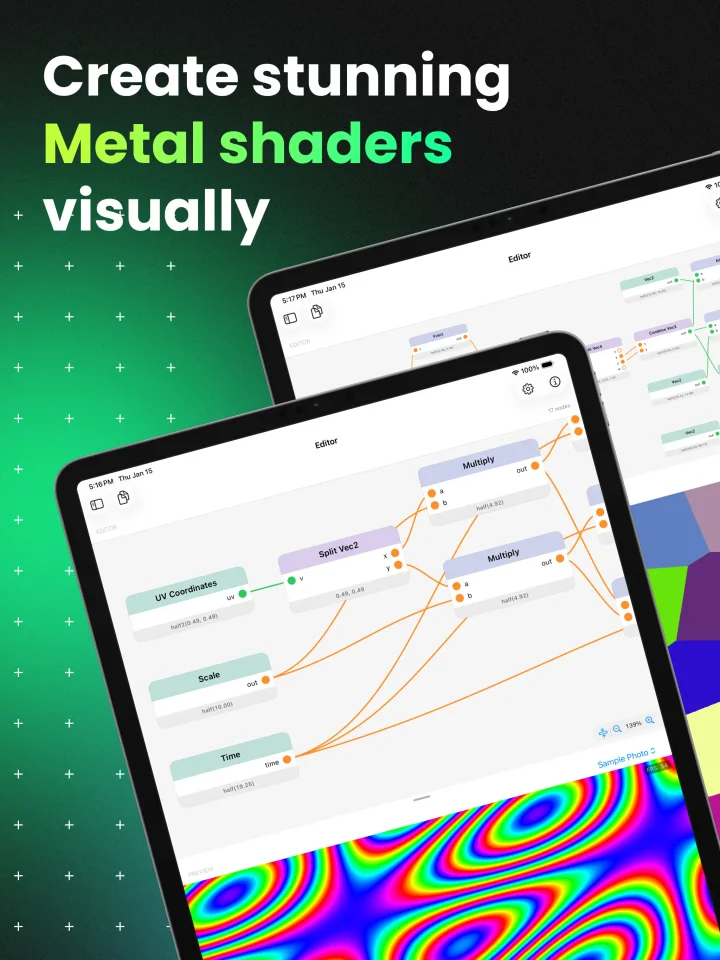
MetalGraph is a visual node-based editor for creating Metal shaders on iPad and Mac. Design stunning visual effects, learn GPU programming concepts, and export production-ready code—all without writing a single line of shader code.
VISUAL SHADER CREATION
• Drag-and-drop node editor with 50+ nodes
• Real-time preview shows your shader instantly
• Connect nodes to build complex effects
• Animated preview with time-based effects
LEARN BY DOING
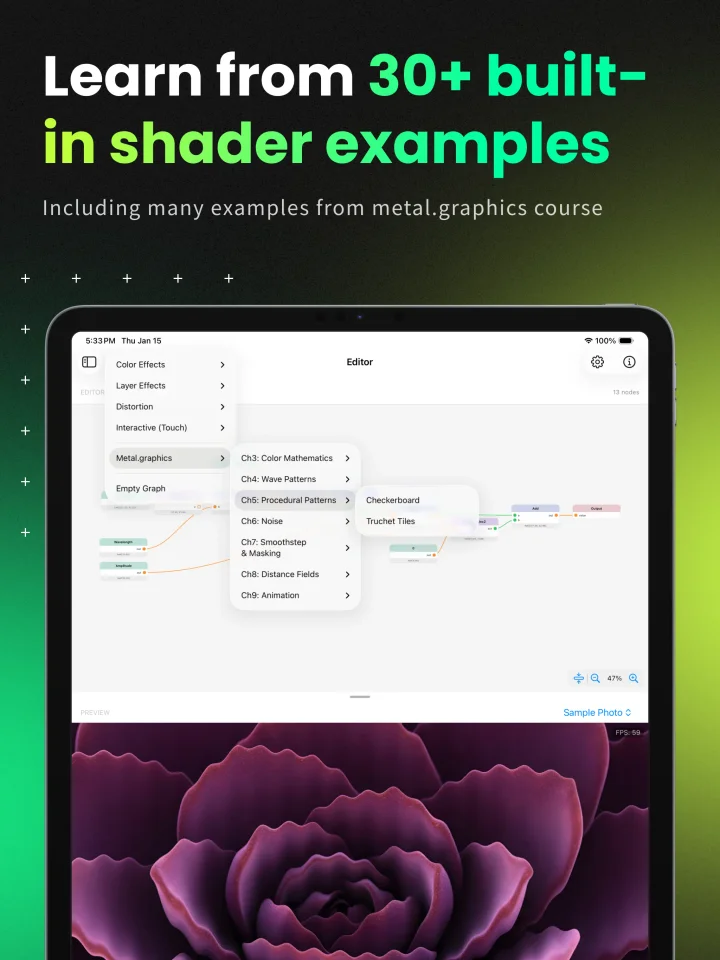
• 30+ built-in examples covering:
- Color effects (gradients, plasma, voronoi)
- Layer effects (glass, chromatic aberration)
- Distortion (waves, ripples)
- Interactive touch effects
• Perfect companion for metal.graphics course
PRODUCTION-READY EXPORT
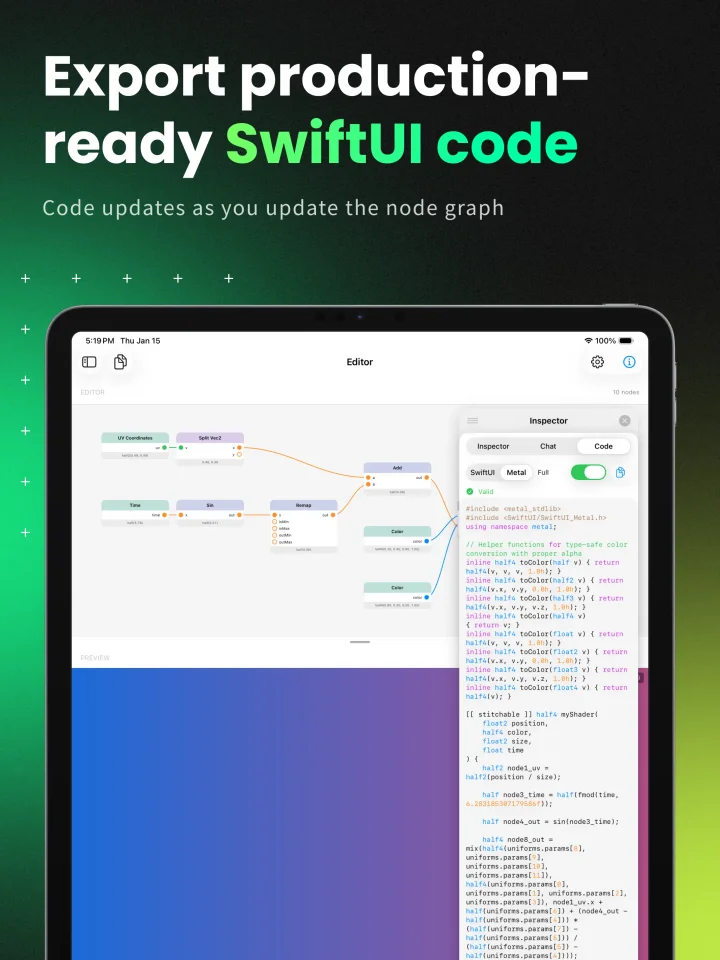
• Generate complete Metal Shading Language code
• SwiftUI-ready .colorEffect and .layerEffect variants
• Copy code directly into your Xcode project
• Syntax-highlighted code display
AI ASSISTANT
• Ask questions about shader techniques
• Get help building complex effects
• Claude and OpenAI integration
ADVANCED FEATURES
• Create reusable custom nodes
• For loops for iterative computations
• Touch-responsive interactive effects
• Multi-window support on iPad
Whether you're learning Metal shaders, prototyping visual effects, or building production graphics—MetalGraph makes GPU programming accessible and fun.
---
From the creator of metal.graphics.
Terms of Use: https://metal.graphics/terms
Có gì mới
Phiên bản 1.10.0 · 25/04/2026
- Drop a wire end in empty space to open a searchable picker that creates and connects a new node in one motion.
- Drag a node from the sidebar onto the canvas to place it where you drop.
- Drag a wire from any input port (not just outputs) to start a connection.
- Fix tap target on "Get MetalGraph Pro" and "Redeem Code" buttons in License settings — the full row is now clickable.
Quyền riêng tư của ứng dụng
Những gì Digital Toys LLC khai báo trên App Store về cách ứng dụng này xử lý dữ liệu.
-
Dữ liệu không liên kết với bạn
Có thể được thu thập nhưng không liên kết với danh tính của bạn.
- Mã định danh
- Dữ liệu sử dụng
- Chẩn đoán
Phương thức đảm bảo quyền riêng tư có thể khác nhau, chẳng hạn như tuỳ theo các tính năng bạn sử dụng hoặc độ tuổi của bạn.
Thông tin
- Người bán
- Digital Toys LLC
- Danh mục
- Công Cụ Nhà Phát Triển
- Phiên bản
- 1.10.0
- Cập nhật
- 25/04/2026
- Phát hành
- 22/01/2026
- Kích thước
- 7,2 MB
- Yêu cầu
- iOS 18.0 trở lên
- Độ tuổi
- 4+
- Giá
- Miễn phí
- Mua hàng trong ứng dụng
- Có
- Ngôn ngữ
- Tiếng Anh
- Bản quyền
- © Digital Toys LLC
Có thể bạn cũng thích
-
 ShaderManiaCông Cụ Nhà Phát Triển
-
 Flutter editorCông Cụ Nhà Phát Triển
-
 FeedbackKit - User InsightsCông Cụ Nhà Phát Triển
-
 Shader PlaygroundCông Cụ Nhà Phát Triển
-
 Noesis A.I.Công Cụ Nhà Phát Triển
-
 Core Image LaboCông Cụ Nhà Phát Triển
-
 CodeShowcaseCông Cụ Nhà Phát Triển
-
 Buildio - Bitrise clientCông Cụ Nhà Phát Triển
-
 Protato: 3D Mockup GeneratorCông Cụ Nhà Phát Triển
-
 Shaderly - GLSL Shader EditorCông Cụ Nhà Phát Triển