- Độ tuổi4+
- Danh mụcTiện Ích
- Nhà phát triểnACCU-SCOPE INC.
- Ngôn ngữTiếng Anh+ 8 ngôn ngữ khác
- Kích thước59,8 MB
Liên kết đến trang App Store chính thức
Download.org không lưu trữ tệp nào của MicroSNAP. Nút này mở trang ứng dụng trên App Store, nơi ACCU-SCOPE INC. phát hành ứng dụng. Trang được kiểm tra lần cuối: 12/11/2026.
Ảnh chụp màn hình

Giới thiệu
Nhà phát triển chưa cung cấp nội dung này bằng ngôn ngữ của bạn.
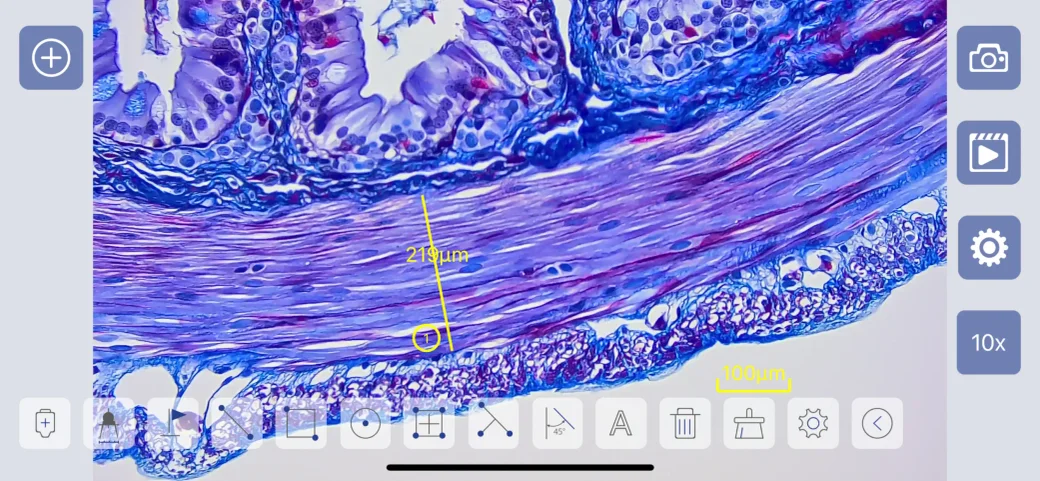
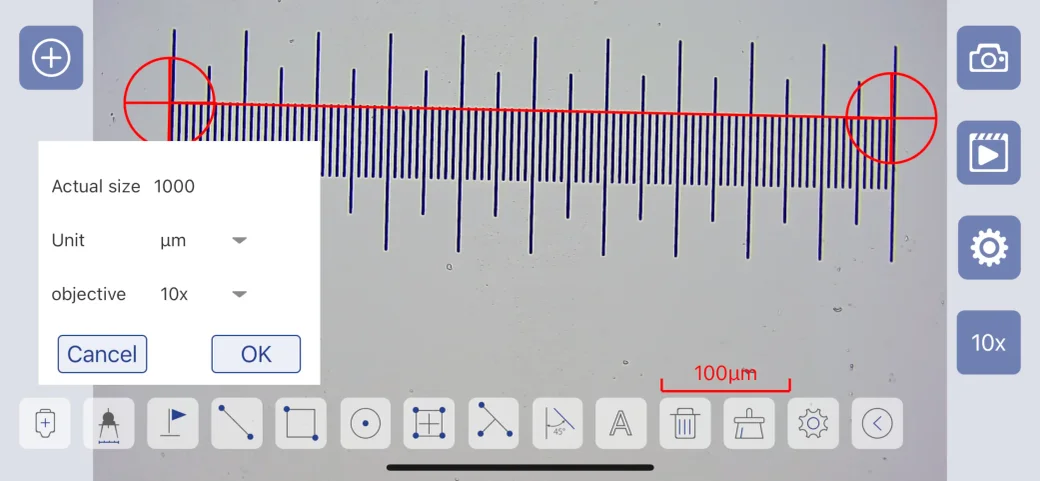
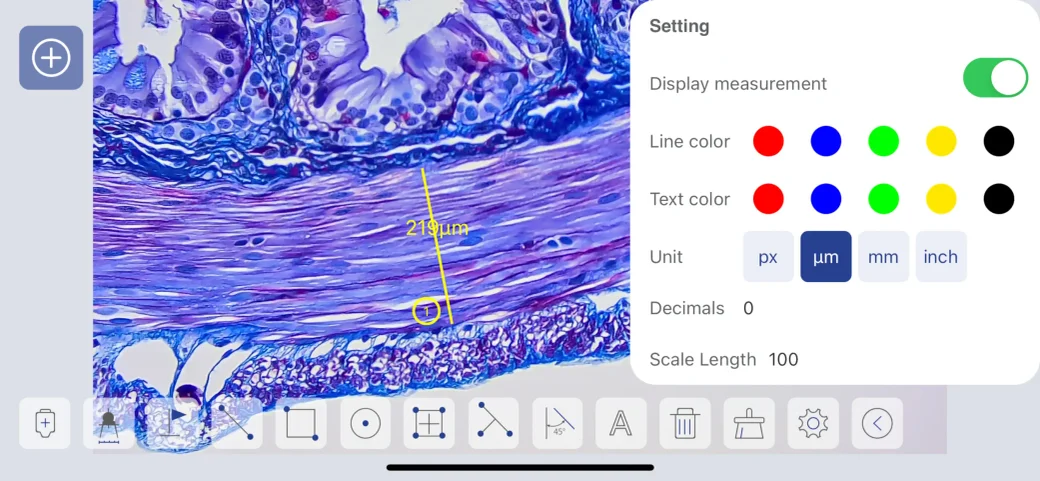
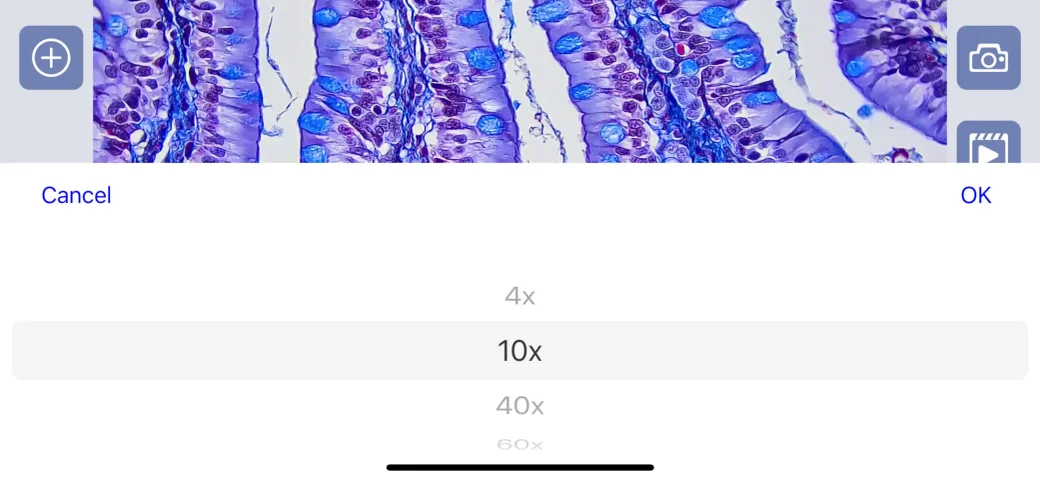
MicroSNAP is a mobile app specifically developed for use with the EXC-100 WiFi-enabled microscopes (required) from ACCU-SCOPE Inc. MicroSNAP allows the user to use their mobile device to view live images, capture images, or capture video from the EXC-100 WiFi-enabled microscopes (the mobile device connects to the built-in WiFi camera of the microscope via IEEE 802.11ac signal). MicroSNAP offers a selection of measurement tools and, after calibrating the camera using the app and a stage micrometer (purchased separately), accurate measurements of features in the sample image can be made.
MicroSNAP and EXC-100 WiFi-enabled microscopes only allow one mobile device connection at a time. When multiple people want to use the same microscope, please disconnect from the camera’s WiFi signal before the next user can operate the camera.
Using MicroSNAP is a “snap”! Plug-in the microscope – the camera gets its power directly from the microscope. Turn the microscope light on by rotating the light intensity control knob – you will hear a click and then see light coming up from the bottom of the microscope. To connect to the microscope, launch the MicroSNAP app, press the [-] button and use the camera on your phone or tablet to scan the QR code on the microscope. Alternatively, you can open the WiFi settings on your mobile device and choose the “MicroSNAP-xxx” network. You may see a message about no internet connection – this is OK as your mobile device is connected to the WiFi camera and not the internet. Next, tap the MicroSNAP icon on your mobile device and you are ready to start using the camera. Even if someone wants to view the sample using the eyepieces of the microscope, you will still see what they see on your mobile device.
IMPORTANT: Always unplug the microscope when not in use.
For more detailed information about the MicroSNAP app for mobile devices and the MicroSNAP app for Windows PC, please visit our Support page https://accu-scope.com/support/instruction-manuals, and scroll down to Manuals – Current Cameras.
Có gì mới
Phiên bản 1.0.2 · 08/04/2024
Version 1.0.2 adds QR code scanning from withing the app to connect to the microscope. As an alternative, you can still connect via your phone or tablet's network settings and choosing the MicroSNAP-xxx network. The microscope is not connected to the internet, so you will see a message that there is no internet connection. This is normal and your phone or tablet will be connected to the microscope and you can view live images on the MicroSNAP app.
Quyền riêng tư của ứng dụng
Những gì ACCU-SCOPE INC. khai báo trên App Store về cách ứng dụng này xử lý dữ liệu.
-
Dữ liệu không được thu thập
Nhà phát triển không thu thập bất kỳ dữ liệu nào từ ứng dụng này.
Phương thức đảm bảo quyền riêng tư có thể khác nhau, chẳng hạn như tuỳ theo các tính năng bạn sử dụng hoặc độ tuổi của bạn.
Thông tin
- Người bán
- ACCU-SCOPE Inc.
- Danh mục
- Tiện Ích
- Phiên bản
- 1.0.2
- Cập nhật
- 08/04/2024
- Phát hành
- 25/01/2024
- Kích thước
- 59,8 MB
- Yêu cầu
- iOS 11.0 trở lên
- Độ tuổi
- 4+
- Giá
- Miễn phí
- Ngôn ngữ
- Tiếng Anh, Tiếng Ả Rập, Tiếng Pháp, Tiếng Nhật, Tiếng Hàn, Tiếng Nga, Tiếng Trung Giản thể, Tiếng Tây Ban Nha, Tiếng Trung Phồn thể
- Bản quyền
- © 2024 ACCU-SCOPE, Inc.