
- Độ tuổi4+
- Danh mụcTiện Ích
- Nhà phát triểnArtem Tverdohleb
- Ngôn ngữTiếng Anh
- Kích thước123,4 MB
Liên kết đến trang App Store chính thức
Download.org không lưu trữ tệp nào của MillClock. Nút này mở trang ứng dụng trên App Store, nơi Artem Tverdohleb phát hành ứng dụng. Trang được kiểm tra lần cuối: 15/11/2026.
Ảnh chụp màn hình


Giới thiệu
Nhà phát triển chưa cung cấp nội dung này bằng ngôn ngữ của bạn.
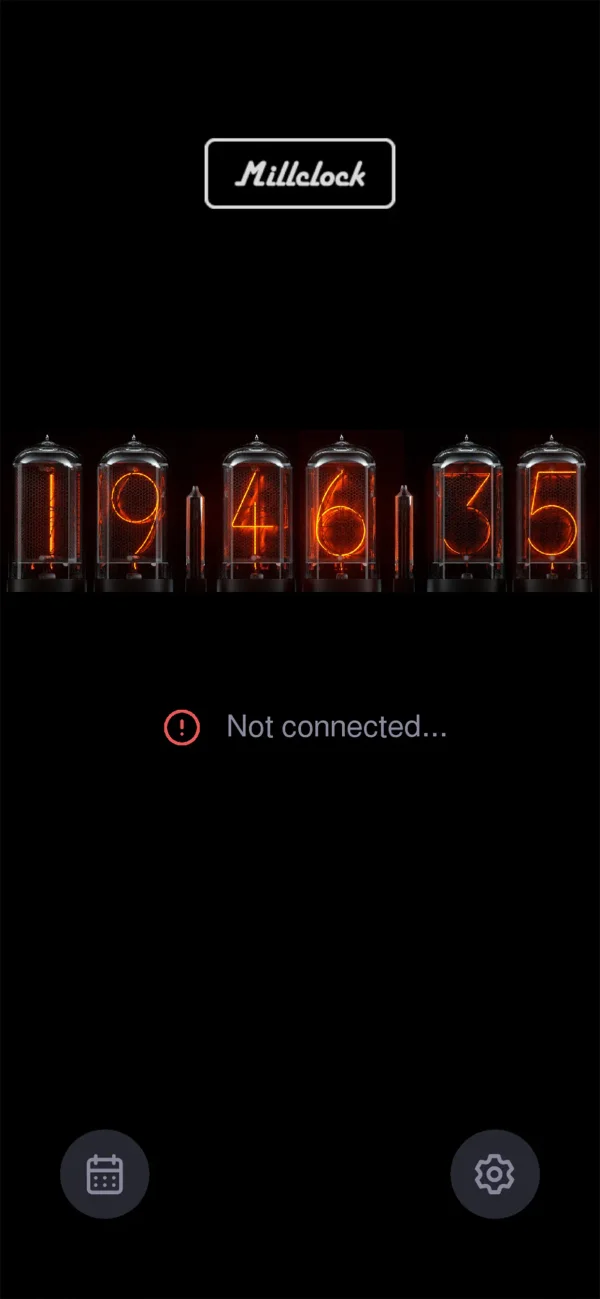
Set the vast array of your clock’s functions via phone
Set these functions and make the owner of a historical clock and a cutting edge functional decor for home and office.
Synchronize time of your Nixie clock with the 4 time reference websites or
Synchronize time of your Nixie clock with the time on your phone
Correct time accuracy manually
Alarm clock
Date auto display
Signal every hour. You can hear the strikes of every hour, shut them down at night, and set their duration.
Smooth/Abrupt transition of digits – beautiful effects of time and date display.
Blinks of Separation colons
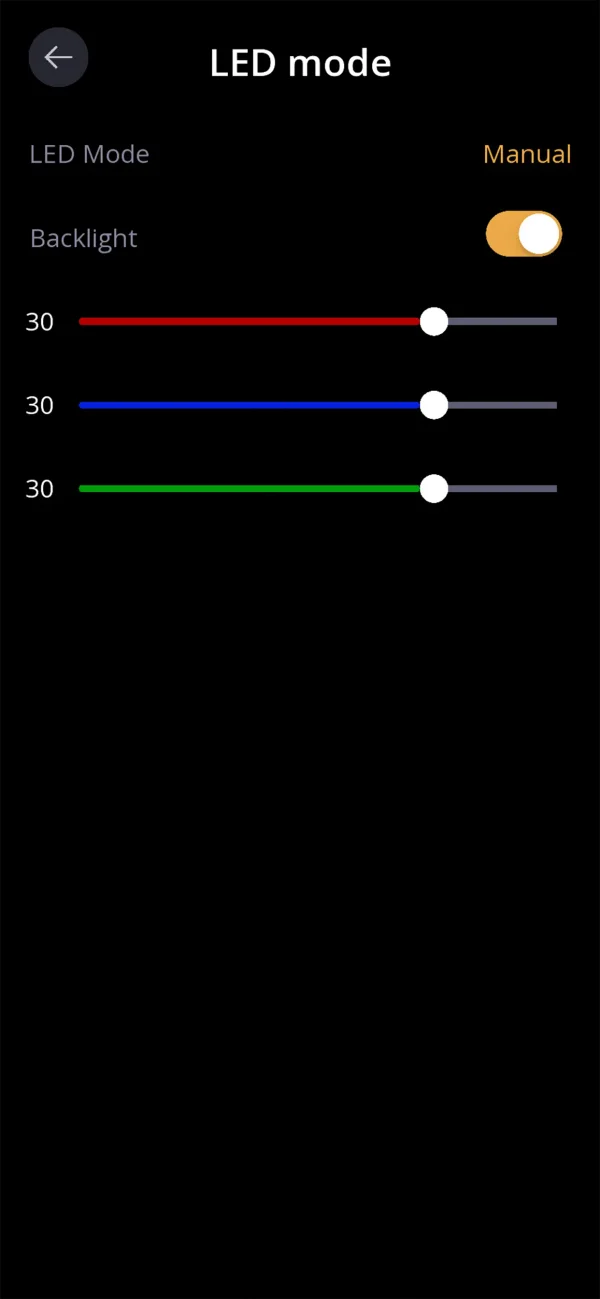
Turn on/off Backlight
Slider for Backlight LED colours
Auto switch to summer/winter time
12/24 hour format
How to set the exact time on your Nixie clock via phone
The main reason why Nixie clock owners connect their clocks to the Internet is to synchronize with the time reference websites. Or they synchronize the clock’s time with their phone’s time. The procedure is quite standard and simple.
1. Enter Wi-Fi mode on the clock.
Push the right button (underlighting) on your Nixie clock and hold it for at least 4 seconds. Or you can push the grid key (#) on your Nixie clock Remote control.
2. Connect to Wi-Fi.
When the LEDs go off download this application, enter the Wi-Fi point of access SSID and password in the application window.
3. Connect your phone to your Nixie clock.
Enter the clock’s SSID and password. By default, the device name is "Millclock_V6" the password is "ML123456". Then, press the “Connect” button. If the connection is successful, the testing LED on the PCB will light steadily. Your Nixie clock receives exact time signals from the 4 websites that are filled in by default. The exact time will appear on your clock.
4. Or synchronize your Nixie clock with your phone’s time.
After the Wi-Fi connection is established, press the “Sync time with phone” button in the application window. Your phone’s time will appear on your clock.
What’s new?
Setting your nixie clock via this version of application is very transparent and simple. It covers all main and superfluous tray of advanced settings. In case, you need help you are welcome to refer to our professional on-line support service.
Có gì mới
Phiên bản 1.1.16 · 24/05/2025
Fix small bugs
Quyền riêng tư của ứng dụng
Những gì Artem Tverdohleb khai báo trên App Store về cách ứng dụng này xử lý dữ liệu.
-
Dữ liệu không được thu thập
Nhà phát triển không thu thập bất kỳ dữ liệu nào từ ứng dụng này.
Phương thức đảm bảo quyền riêng tư có thể khác nhau, chẳng hạn như tuỳ theo các tính năng bạn sử dụng hoặc độ tuổi của bạn.
Thông tin
- Người bán
- Artem Tverdohleb
- Danh mục
- Tiện Ích
- Phiên bản
- 1.1.16
- Cập nhật
- 24/05/2025
- Phát hành
- 31/01/2019
- Kích thước
- 123,4 MB
- Yêu cầu
- iOS 14.0 trở lên
- Độ tuổi
- 4+
- Giá
- Miễn phí
- Ngôn ngữ
- Tiếng Anh
- Bản quyền
- © Artem Tverdohleb
Có thể bạn cũng thích
-
 NixiTubeClockTiện Ích
-
 Custom Digital ClockTiện Ích
-
 Flip Clock 3D : Đồng hồ lậtTrợ lý học tập, Thời gian học
-
 Hacker Clock - Green MatrixTiện Ích
-
 Atomic Clock: Exact TimeTiện Ích
-
 IPSTubeTiện Ích
-
 Desktop Flip ClockTiện Ích
-
 Alarm Clock - Wake Up Easily!Tiện Ích
-
 Clock SecondsTiện Ích
-
 Big Red ClockTiện Ích