
MyNotebook - simple note app -
Ideal for creating lists
Được thiết kế cho iPhone, iPad
Miễn phí
- Độ tuổi4+
- Danh mụcHiệu Suất
- Nhà phát triểnfumio ueda
- Ngôn ngữTiếng Anh+ 1 ngôn ngữ khác
- Kích thước5,0 MB
Liên kết đến trang App Store chính thức
Download.org không lưu trữ tệp nào của MyNotebook - simple note app -. Nút này mở trang ứng dụng trên App Store, nơi fumio ueda phát hành ứng dụng. Trang được kiểm tra lần cuối: 17/11/2026.
Ảnh chụp màn hình
Giới thiệu
Nhà phát triển chưa cung cấp nội dung này bằng ngôn ngữ của bạn.
"My Notebook" Overview
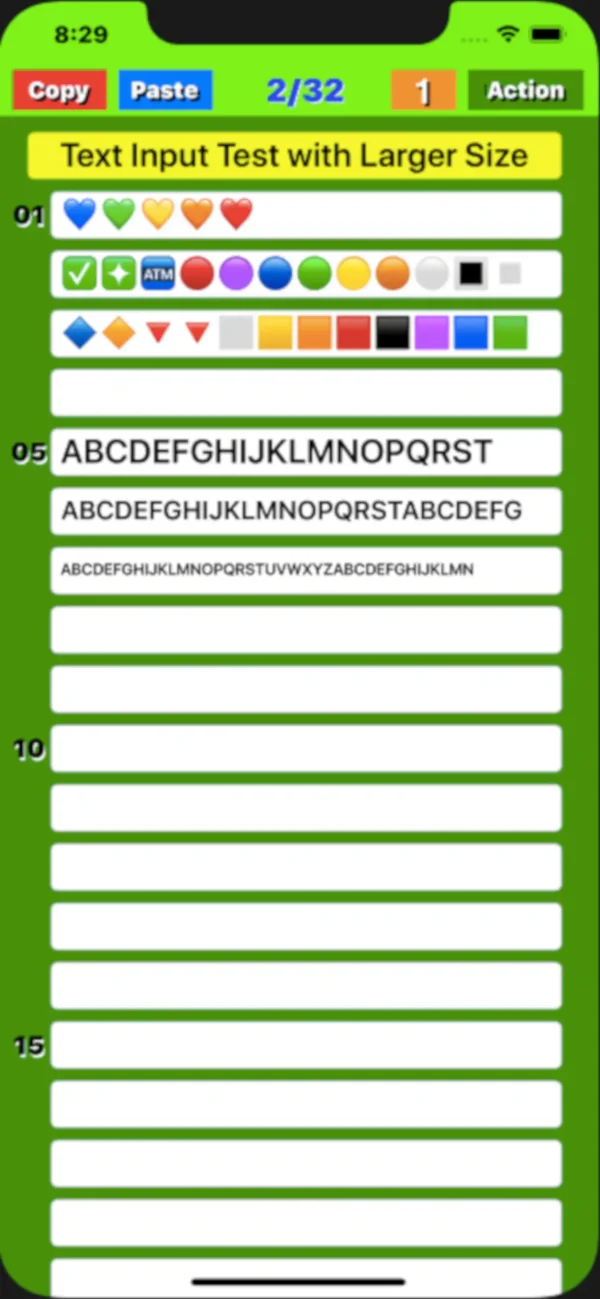
it is suitable for creating checklists, to-do lists, and writing diaries by genre using short sentences. And you may be even trained the ability to create short sentences. Text size can be changed by simply pinching the screen.
(1) Notepad function
● Start up ; The display will start from the last finished page and it will be possible to edit.
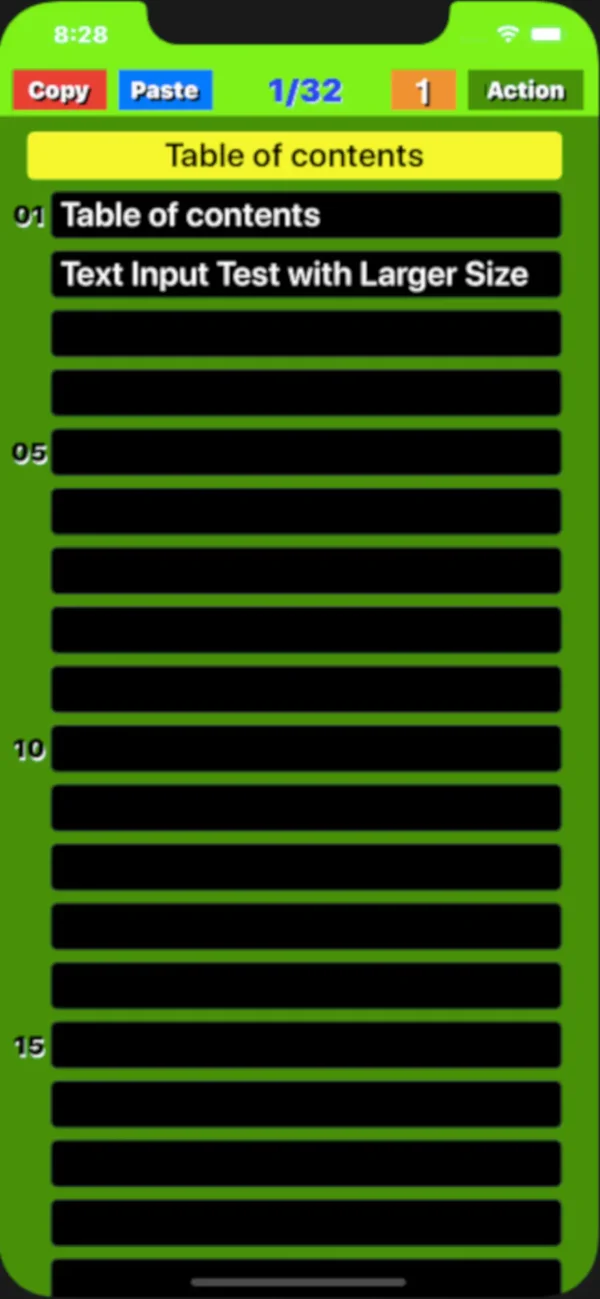
● Page structure ; Consists of one title and 32 lines body.
● Font resizes ; When more than limited number of text is entered, font size automatically become smaller.
● Page turning ; Swipe the screen left / right or tap the left / right frame to page forward.
● Turning speed ; If you set the "Mode" button to "5", you can send 5 pages, if you set it to "1", you can send 1 page at a time.
● Infinite loop; Since it uses an infinite loop type page turning, the page is turned from the page near the rear end to the page near the front end when moving forward, and in the reverse direction when reversing.
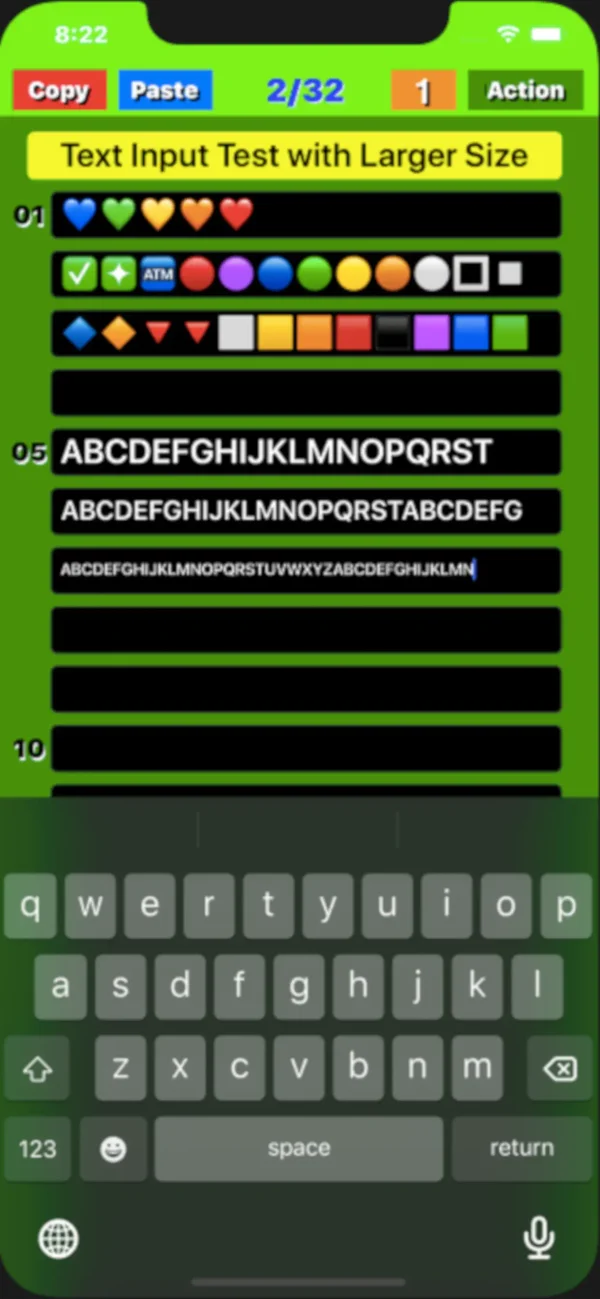
● Character input; Tapping a position where you want to enter a character a cursor appears and a keyboard also appears at the bottom of the screen. Using the keyboard you can enter any character at the cursor position.
● "Done" button; Tapping the "Done" button, you can save the text you entered to your device's memory, for the next startup.
(2) "Copy" function
By tapping the "Copy" button on each page, the entered title and text will be stored in the device's memory. The text is also copied to the clipboard.
(3) "Paste" function
● When you tap the "Paste" button on each page, a screen will pop up asking if you want to overwrite the page with the title and text saved in memory. Tap "Overwrite" on that screen to execute overwriting.
● You can erase all the characters at once by copying a blank page and pasting it on any page.
(4) Table of contents creation function
If you press the Paste button for a few seconds, a screen will pop up asking if you want to create a table of contents. Select Create to create a table of contents.
(5) "Mail" function
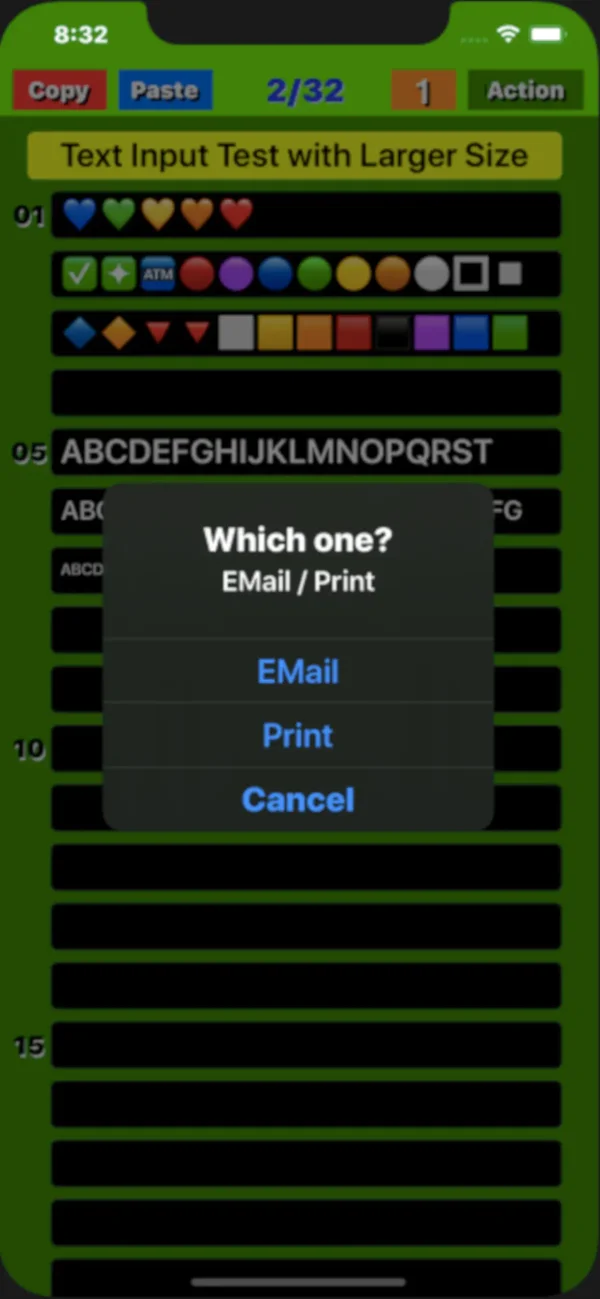
On any page, click the "Action" button, and a selection screen for email or print appears. Select an email and follow the instructions on the email screen. After setting and confirming the title, destination, Cc / Bcc, and sender, click the "Send" button to send, or the "Cancel" button to cancel.
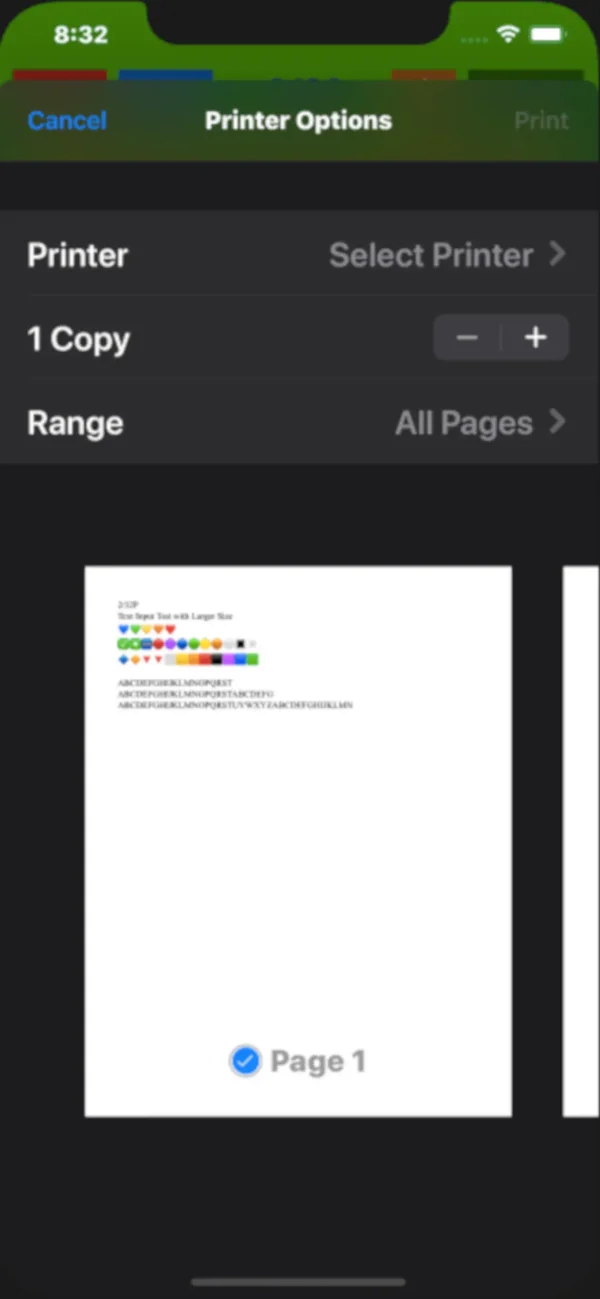
(6) "Print" function (v1.5)
On any page, click the "Action" button, and a selection screen for email or print appears. Select "Print" and follow the instructions on the print screen. After selecting and checking the printer selection, number of prints, and print page range, press "Print" to execute printing. If you want to cancel, press "Cancel".
Có gì mới
Phiên bản 3.2 · 03/11/2025
Confirmed to work properly on iPhone with the latest IOS26.0.1.
Quyền riêng tư của ứng dụng
Những gì fumio ueda khai báo trên App Store về cách ứng dụng này xử lý dữ liệu.
-
Dữ liệu được sử dụng để theo dõi bạn
Có thể được sử dụng để theo dõi bạn trên các ứng dụng và trang web do công ty khác sở hữu.
- Vị trí
- Mã định danh
- Dữ liệu sử dụng
-
Dữ liệu liên kết với bạn
Có thể được thu thập và liên kết với danh tính của bạn.
- Vị trí
- Mã định danh
- Dữ liệu sử dụng
Phương thức đảm bảo quyền riêng tư có thể khác nhau, chẳng hạn như tuỳ theo các tính năng bạn sử dụng hoặc độ tuổi của bạn.
Thông tin
- Người bán
- fumio ueda
- Danh mục
- Hiệu Suất
- Phiên bản
- 3.2
- Cập nhật
- 03/11/2025
- Phát hành
- 21/07/2016
- Kích thước
- 5,0 MB
- Yêu cầu
- iOS 16.6 trở lên
- Độ tuổi
- 4+
- Giá
- Miễn phí
- Ngôn ngữ
- Tiếng Anh, Tiếng Nhật
- Bản quyền
- © 2016 Fumio Ueda self
Có thể bạn cũng thích
-
 đơn giản đếm Ghi chúmật khẩu
-
 Memopad - Simple&Classic NotesHiệu Suất
-
 EZ Notepad plus - Symple noteHiệu Suất
-
 Steno paperHiệu Suất
-
 Tree NotebookHiệu Suất
-
 Color NotepadHiệu Suất
-
 Audio Notebook: Voice RecorderHiệu Suất
-
 Notepad Widget, Sticky NotesHiệu Suất
-
 NOTE'dHiệu Suất
-
 Notepad Notes: Ghi Chú, Sổ TayViệc Cần Làm, Checklist & Memo