PDF Extractor: Split Pages
Extract & save chapters
Được thiết kế cho iPhone, iPad, Mac
Miễn phí
- Độ tuổi4+
- Danh mụcHiệu Suất
- Nhà phát triểnChristoffer Buusmann
- Ngôn ngữTiếng Anh
- Kích thước5,6 MB
Liên kết đến trang App Store chính thức
Download.org không lưu trữ tệp nào của PDF Extractor: Split Pages. Nút này mở trang ứng dụng trên App Store, nơi Christoffer Buusmann phát hành ứng dụng. Trang được kiểm tra lần cuối: 13/11/2026.
Ảnh chụp màn hình

Giới thiệu
Nhà phát triển chưa cung cấp nội dung này bằng ngôn ngữ của bạn.
Extract pages from a PDF or split it by chapter, then save, share or print them as a new PDF. PDF Extractor is free, works offline on Mac, iPhone and iPad, and never uploads your documents.
Pick pages at a glance
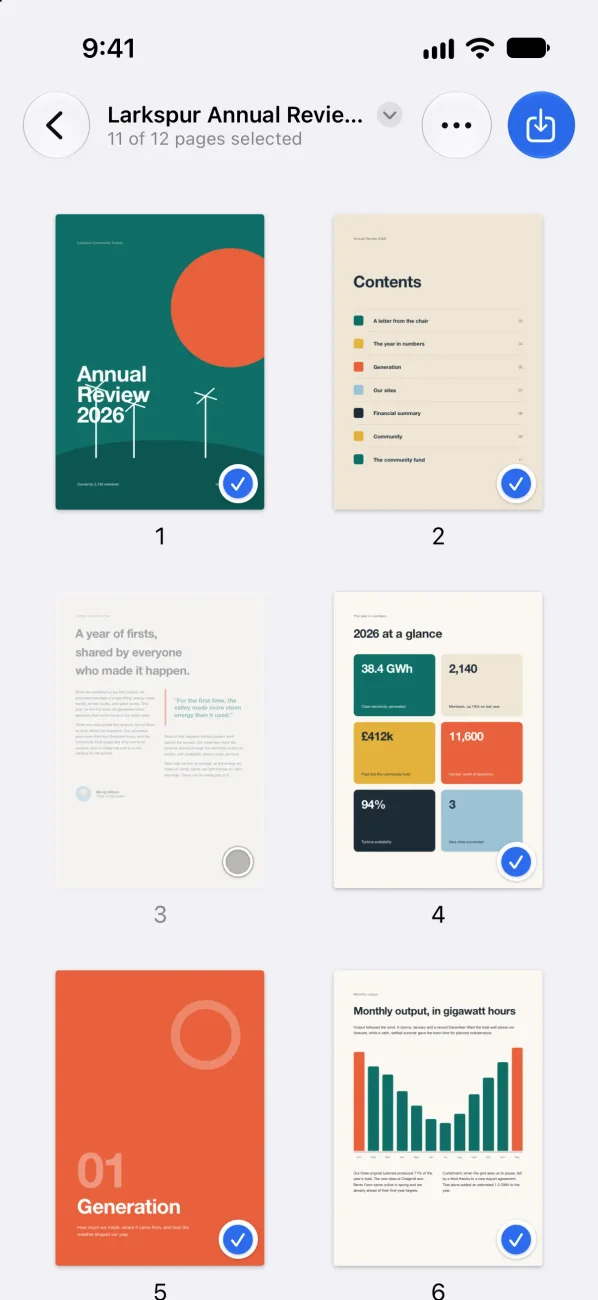
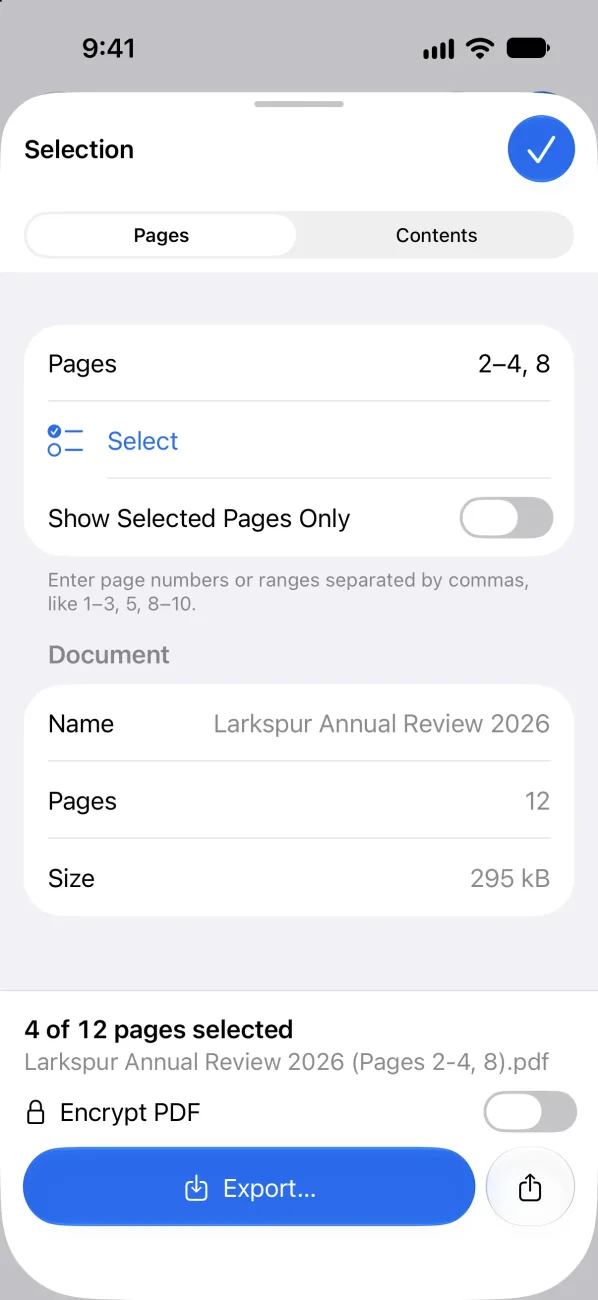
See every page as a thumbnail. Click or tap the pages you want, type a range such as 1-3, 5, 8-10, or select all, odd or even pages. Find Text shows which pages contain a word or phrase. Show only your selection to check it before exporting.
Split a PDF by chapter
If the PDF has bookmarks, choose chapters and sections from its table of contents and their pages are selected for you. Search long manuals by name and combine as many sections as you need.
Keep what matters
Bookmarks for the pages you keep come along, renumbered for the new document. Web links still work, and links between the pages you keep point to the right place. Text stays selectable, graphics stay sharp and rotated pages keep their orientation. Your original file never changes.
Save, share or print
Export a new PDF named after what's inside, such as "Report (Pages 1-3)" or the chapter's title. Share it with another app, print just those pages or preview them with Quick Look.
Password protection
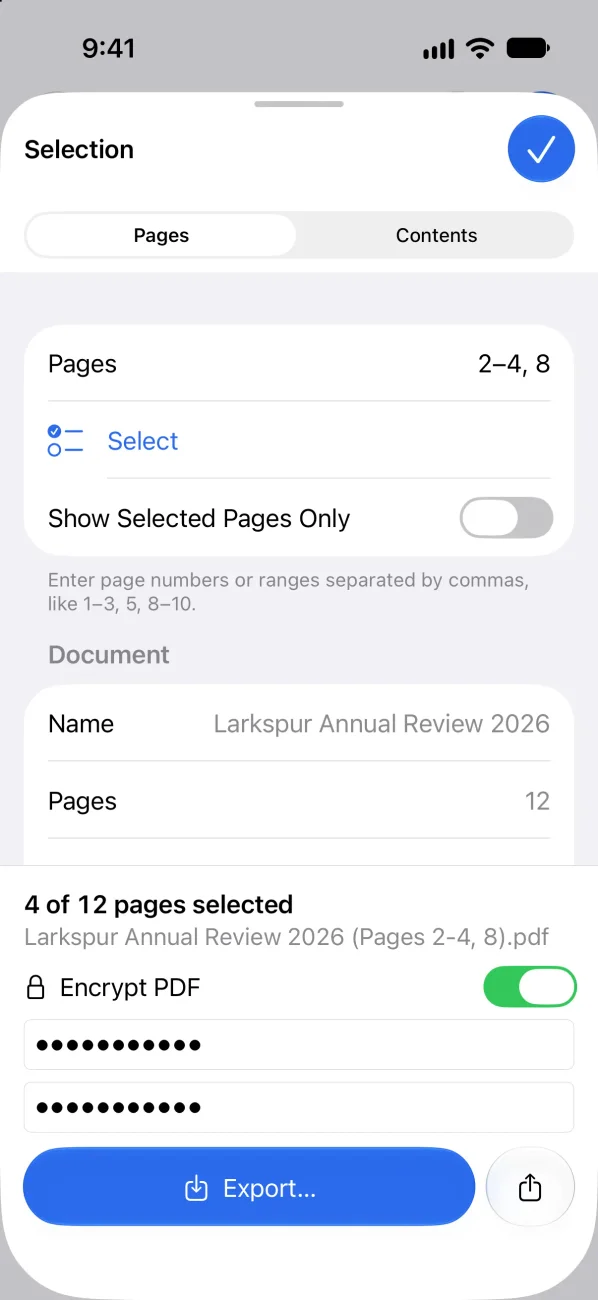
Open locked PDFs with their password. Turn on Encrypt PDF to protect the new file with a password of its own.
Private by design
Everything happens on your device. There are no accounts, ads or analytics, and your PDFs are never uploaded.
Requires macOS 26, iOS 26 or iPadOS 26 or later.
Có gì mới
Phiên bản 1.2 · 06/11/2026
New: Find Text. Search every page for a word or phrase, see where it appears, and add the matching pages to your selection or replace it. Searching on its own never changes your selection.
Quyền riêng tư của ứng dụng
Những gì Christoffer Buusmann khai báo trên App Store về cách ứng dụng này xử lý dữ liệu.
-
Dữ liệu không được thu thập
Nhà phát triển không thu thập bất kỳ dữ liệu nào từ ứng dụng này.
Phương thức đảm bảo quyền riêng tư có thể khác nhau, chẳng hạn như tuỳ theo các tính năng bạn sử dụng hoặc độ tuổi của bạn.
Thông tin
- Người bán
- Christoffer Buusmann
- Danh mục
- Hiệu Suất
- Phiên bản
- 1.2
- Cập nhật
- 06/11/2026
- Phát hành
- 07/10/2026
- Kích thước
- 5,6 MB
- Yêu cầu
- iOS 26.0 trở lên
- Độ tuổi
- 4+
- Giá
- Miễn phí
- Ngôn ngữ
- Tiếng Anh
- Bản quyền
- © 2026 Christoffer Buusmann
Có thể bạn cũng thích
-
 Paradoc: Máy quét tài liệu PDFGhép, nén và khóa PDF
-
 PDF Simple – Compress & MergeHiệu Suất
-
 QuietScan: PDF ScannerHiệu Suất
-
 Leaf - PDF EditorHiệu Suất
-
 PDF Split & ExtractHiệu Suất
-
 PurePDF - Merge & ExtractHiệu Suất
-
 PDF Splitter - Tách PDFTrích xuất và chia trang PDF
-
 Copy Note: Copy with one touchHiệu Suất
-
 HonestPDF: Private PDF ToolsHiệu Suất
-
 PDF Extractor & ConverterHiệu Suất