
- Độ tuổi4+
- Danh mụcHiệu Suất
- Nhà phát triểnVihanti Digital Services Private Limited
- Ngôn ngữTiếng Anh
- Kích thước47,4 MB
Liên kết đến trang App Store chính thức
Download.org không lưu trữ tệp nào của PlanSnap. Nút này mở trang ứng dụng trên App Store, nơi Vihanti Digital Services Private Limited phát hành ứng dụng. Trang được kiểm tra lần cuối: 17/11/2026.
Ảnh chụp màn hình


Giới thiệu
Nhà phát triển chưa cung cấp nội dung này bằng ngôn ngữ của bạn.
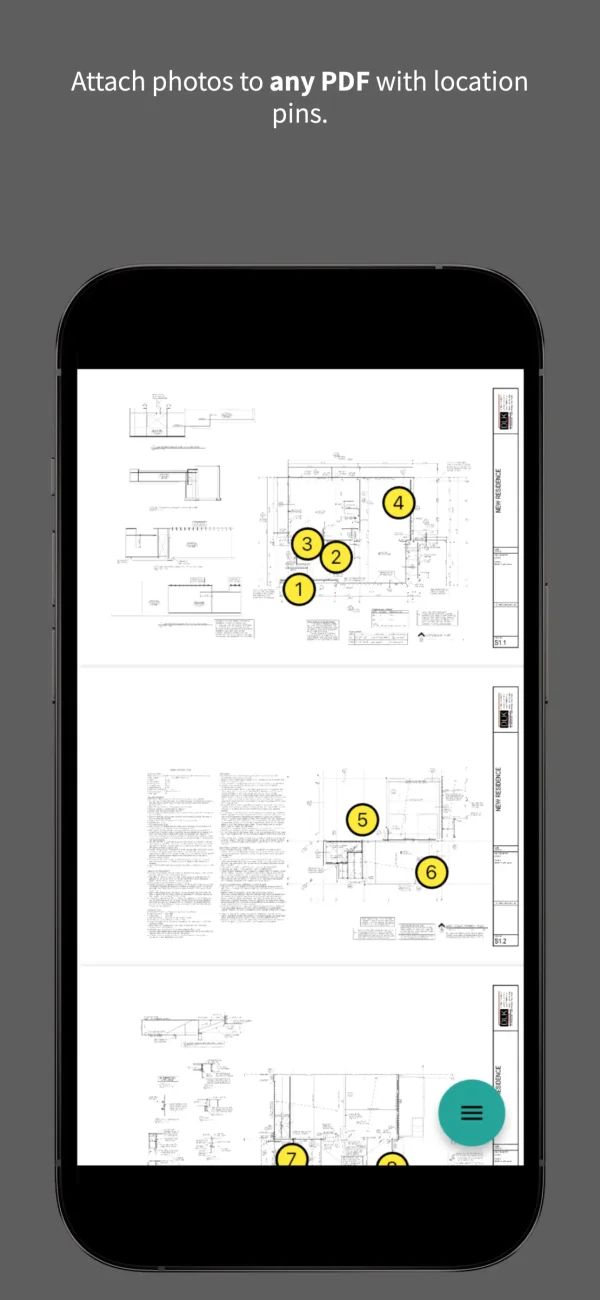
PlanSnap is an easy way to add photos to PDF plans. The app organizes construction pictures by pinning them to specific locations on a plan. Then you can download or share the set of PDF + photos with other team members.
Created by structural design firm DLK Engineering LLC, PlanSnap is designed to help contractors, engineers, and architects share project photos and minimize the need for on-site meetings.
For architects and engineers, upload your PDF set and share the link with a contractor. When the someone adds pictures to the PDF, anyone with the link can view, download, or share them with others. Note that you can also add photos of your hand sketches, screenshots, etc.
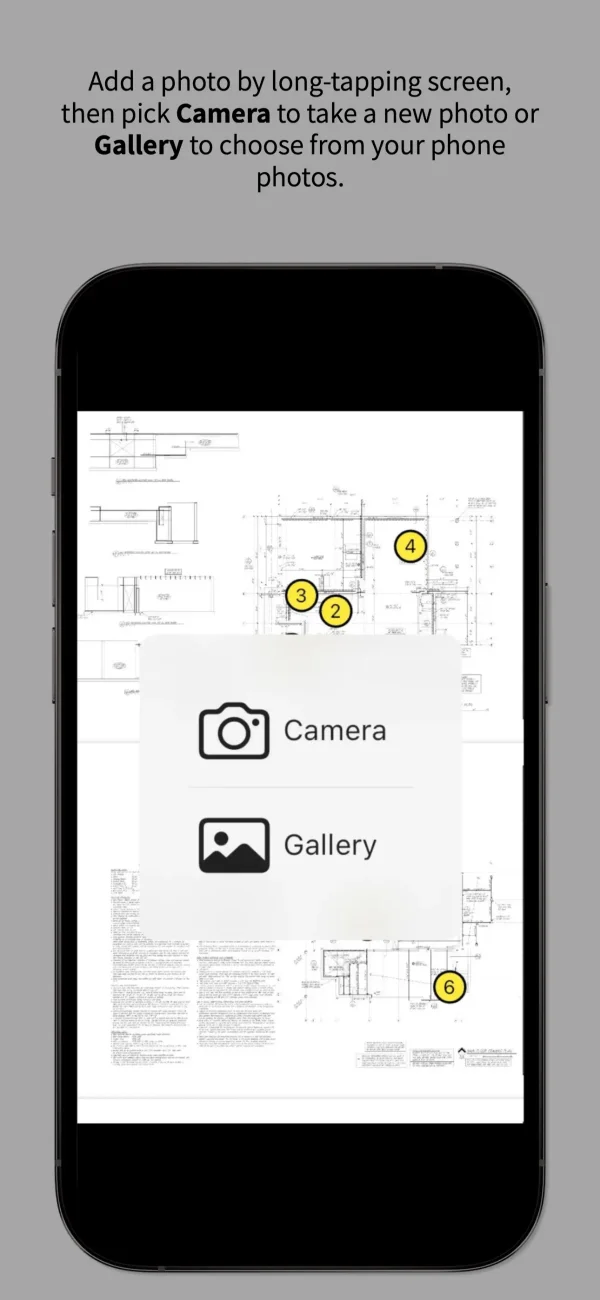
For contractors, upload a new PDF by choosing a file from you phone (or open a previous PlanSnap link), and then start adding photos by long-tapping any spot on the PDF. Then a link can be shared to give other team members access to the PDF with the photos. If there is no reception at the jobsite, leave PlanSnap open so it can upload your photos when you are reconnected. Or, you can just add photos to the PDF from your phone gallery at anytime.
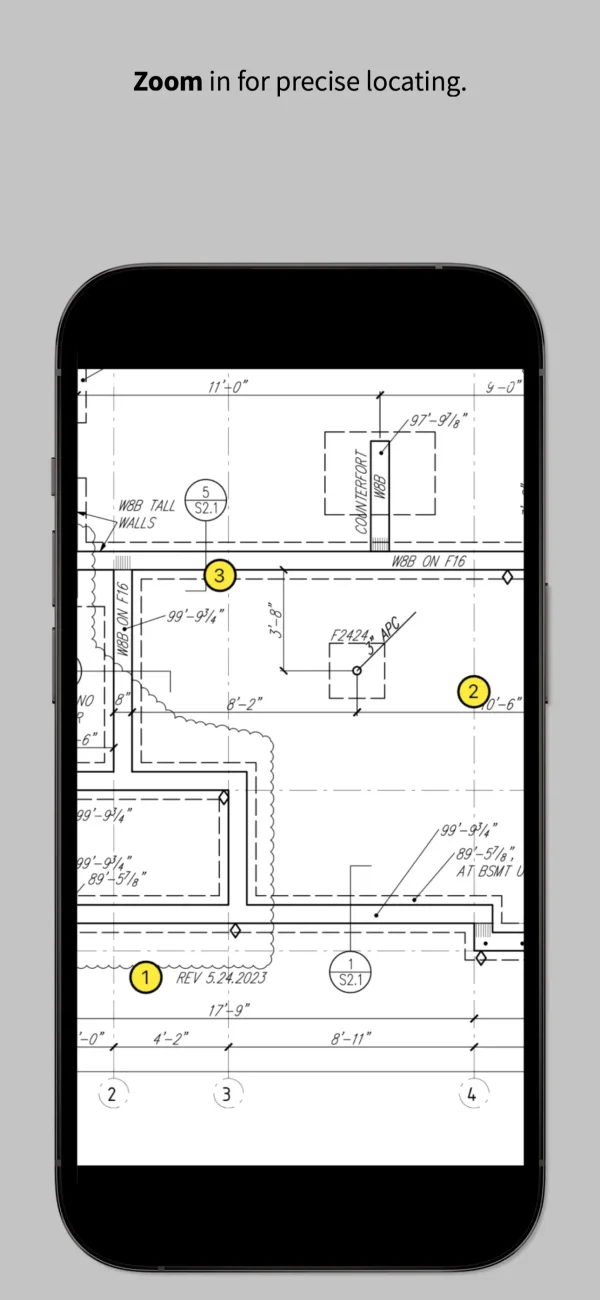
Tip for locating photos: For maximum clarity, pin the photo to the location on the PDF that represents *where you were standing* when you took it, rather than pinning it to the element you photographed.
Tip for sharing links: Save your PlanSnap links (in a shared Note, for instance) so you find them later as needed. And then download your photos to keep a backup copy.
NOTE: Photos are not stored by PlanSnap forever, so make sure to download and keep your photo sets for your own records!
Có gì mới
Phiên bản 1.0.17 · 22/12/2023
- Show recent documents on the main app screen.
- Fix uploading images in poor network conditions.
Quyền riêng tư của ứng dụng
Những gì Vihanti Digital Services Private Limited khai báo trên App Store về cách ứng dụng này xử lý dữ liệu.
-
Dữ liệu không liên kết với bạn
Có thể được thu thập nhưng không liên kết với danh tính của bạn.
- Nội dung của người dùng
Phương thức đảm bảo quyền riêng tư có thể khác nhau, chẳng hạn như tuỳ theo các tính năng bạn sử dụng hoặc độ tuổi của bạn.
Thông tin
- Người bán
- Vihanti Digital Services Private Limited
- Danh mục
- Hiệu Suất
- Phiên bản
- 1.0.17
- Cập nhật
- 22/12/2023
- Phát hành
- 27/10/2023
- Kích thước
- 47,4 MB
- Yêu cầu
- iOS 13.0 trở lên
- Độ tuổi
- 4+
- Giá
- Miễn phí
- Ngôn ngữ
- Tiếng Anh
- Bản quyền
- © 2023 DLK Engineering LLC
Có thể bạn cũng thích
-
 ConDoc Mobile AppHiệu Suất
-
 JobWalk Construction TrackingHiệu Suất
-
 Drawboard PDF Annotate, MarkupHiệu Suất
-
 RenoPlan - Floor Plan CreatorHiệu Suất
-
 BIM 360Hiệu Suất
-
 BluebeamHiệu Suất
-
 Draft PaperHiệu Suất
-
 DrawPlan: Vẽ nhà 3D bằng AIBản vẽ 2D & 3D đúng tỷ lệ
-
 ArcSite: Quick CAD Floor PlansHiệu Suất
-
 Keyplan 3D Lite: Room PlannerHiệu Suất