Presentation Remote Controller
Photo album internet projector
Được thiết kế cho iPhone, iPad
29.000đ · Mua hàng trong ứng dụng
- Độ tuổi4+
- Danh mụcKinh Doanh
- Nhà phát triểnkobunachou ozawa
- Ngôn ngữTiếng Anh+ 8 ngôn ngữ khác
- Kích thước1,5 MB
Liên kết đến trang App Store chính thức
Download.org không lưu trữ tệp nào của Presentation Remote Controller. Nút này mở trang ứng dụng trên App Store, nơi kobunachou ozawa phát hành ứng dụng. Trang được kiểm tra lần cuối: 20/11/2026.
Ảnh chụp màn hình


Giới thiệu
Nhà phát triển chưa cung cấp nội dung này bằng ngôn ngữ của bạn.
“Presentation Remote Controller” is a wireless remote control app that allows you to navigate photo and PDF slides via the internet.
~Key Features~
-Break Through Bluetooth Limits:
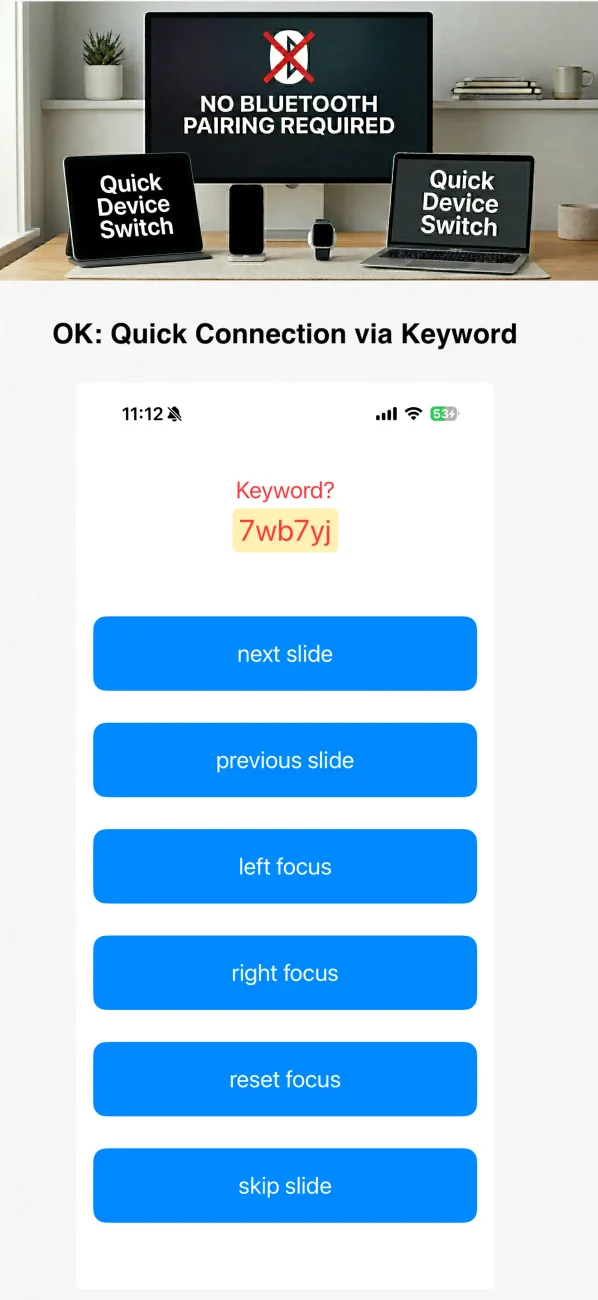
No tedious pairing required. Easily achieve setups impossible with standard Bluetooth, such as remotely operating an iPad directly from an Apple Watch via the internet.
-Control Any Device (No Apple ID Match Required):
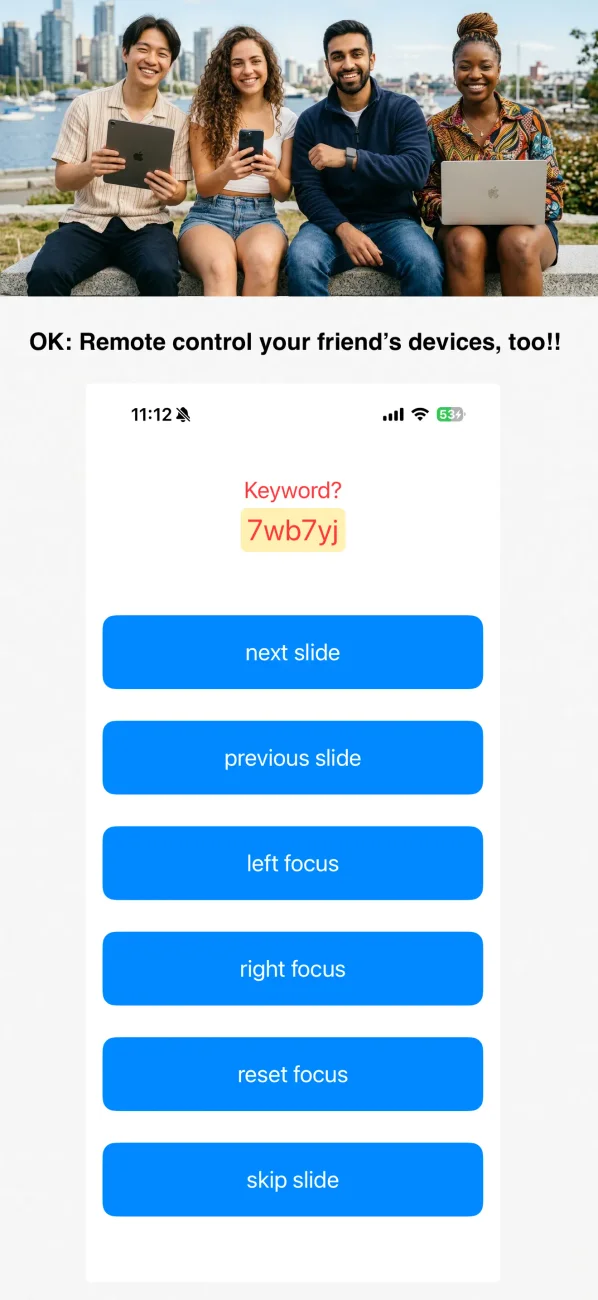
There is no need for iCloud syncing or matching Apple IDs. You can even remotely control a friend’s device simply by sharing your unique keyword.
-Turn Any Device into a Projector with Our Free App:
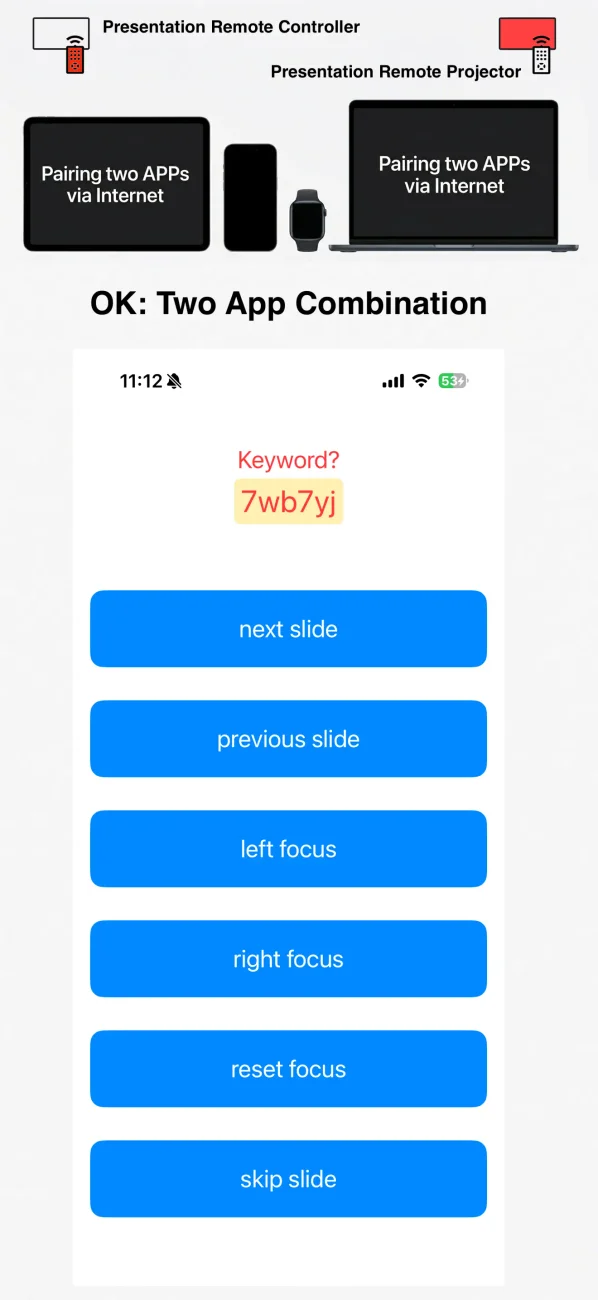
By installing the free companion app (“Presentation Remote Projector”), you can remotely control iPhones, iPads, and even PCs like Apple Silicon Macs (within the iOS app environment).
~ Setup Guide (Connecting Two Apps) ~
1 “Presentation Remote Controller” automatically generates a 6-digit keyword upon launch.
2 Enter that 6-digit keyword into “Presentation Remote Projector”.
3 Tap the "+" button at the top to import your presentation slides from Photos or iCloud.
4 Confirm that the slides (with multiple pages) are correctly displayed.
5 Ensure you are connected to the internet and tap the antenna button in the top-right corner.
6 Return to “Presentation Remote Controller” and press the "Next" button to navigate the slides.
7 Once the remote session is finished, tap the antenna button again to end the connection.
*Steps 2–5 and step 7 are performed within the companion app, “Presentation Remote Projector”.
- Video
Search for our website: "Shin APP Tech"
(User Guide: https://shin-app.tech/en)
Presentation Remote Controller for another device
Subscription:
1 month auto-renewable subscription
*A paid subscription is required to access all features.
Privacy Policy:
https://shin-app.tech/en/privacy-policy
Terms of Use:
https://www.apple.com/legal/internet-services/itunes/dev/stdeula/
Có gì mới
Phiên bản 4.6 · 10/07/2026
-bugs fixed
Quyền riêng tư của ứng dụng
Những gì kobunachou ozawa khai báo trên App Store về cách ứng dụng này xử lý dữ liệu.
-
Dữ liệu không được thu thập
Nhà phát triển không thu thập bất kỳ dữ liệu nào từ ứng dụng này.
Phương thức đảm bảo quyền riêng tư có thể khác nhau, chẳng hạn như tuỳ theo các tính năng bạn sử dụng hoặc độ tuổi của bạn.
Thông tin
- Người bán
- kobunachou ozawa
- Danh mục
- Kinh Doanh
- Phiên bản
- 4.6
- Cập nhật
- 10/07/2026
- Phát hành
- 27/03/2018
- Kích thước
- 1,5 MB
- Yêu cầu
- iOS 26.2 trở lên
- Độ tuổi
- 4+
- Giá
- 29.000đ
- Mua hàng trong ứng dụng
- Có
- Ngôn ngữ
- Tiếng Anh, Tiếng Pháp, Tiếng Đức, Tiếng Ý, Tiếng Nhật, Tiếng Hàn, Tiếng Trung Giản thể, Tiếng Tây Ban Nha, Tiếng Trung Phồn thể
- Bản quyền
- © Shin APP Tech
Có thể bạn cũng thích
-
 Call CheckerKinh Doanh
-
 Double browser Pro 2 in 1điều hướng nhanh
-
 Date & Time Calculator(9 in 1)Kinh Doanh
-
 My Toll Free Number + Fax, VMKinh Doanh
-
 Percentages CalculatorKinh Doanh
-
 P-TimerKinh Doanh
-
 Wallet Digital Business CardKinh Doanh
-
 ProviderJobsKinh Doanh
-
 Mileage: Business Trip TrackerKinh Doanh
-
 CameraVisionKinh Doanh