PresentSync: Slide Remote
Presentation Clicker & Pointer
Được thiết kế cho iPhone, iPad
Miễn phí · Mua hàng trong ứng dụng
- Độ tuổi4+
- Danh mụcHiệu Suất
- Nhà phát triển戈 谢
- Ngôn ngữTiếng Anh+ 4 ngôn ngữ khác
- Kích thước3,2 MB
Liên kết đến trang App Store chính thức
Download.org không lưu trữ tệp nào của PresentSync: Slide Remote. Nút này mở trang ứng dụng trên App Store, nơi 戈 谢 phát hành ứng dụng. Trang được kiểm tra lần cuối: 25/11/2026.
Ảnh chụp màn hình
Giới thiệu
Nhà phát triển chưa cung cấp nội dung này bằng ngôn ngữ của bạn.
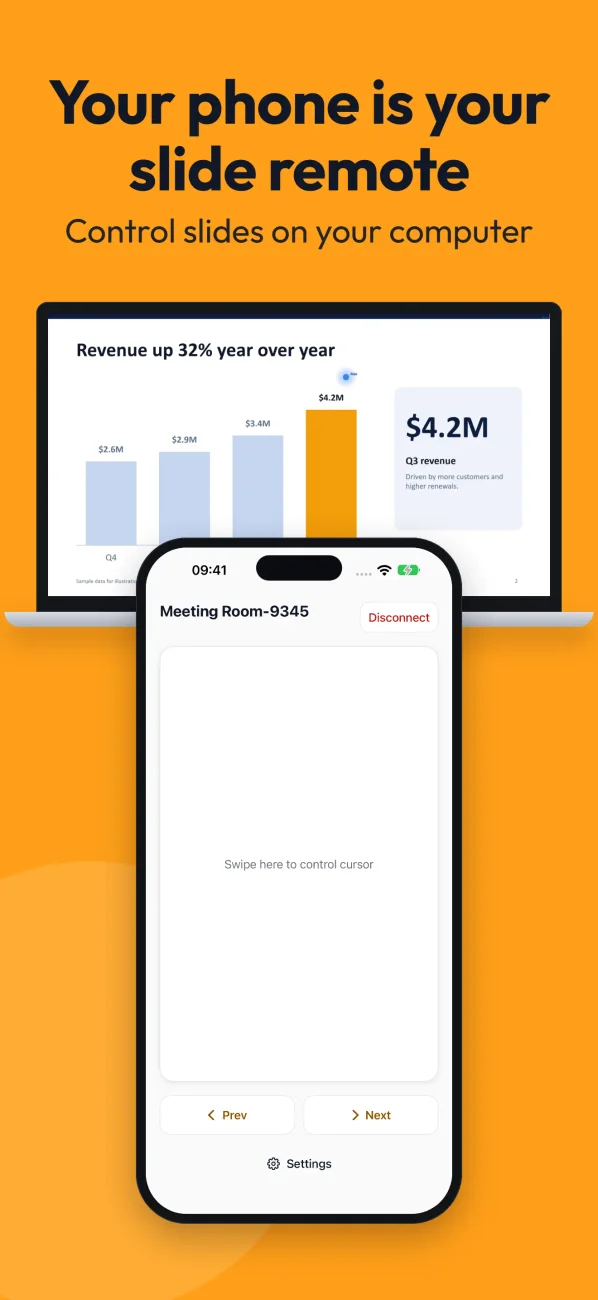
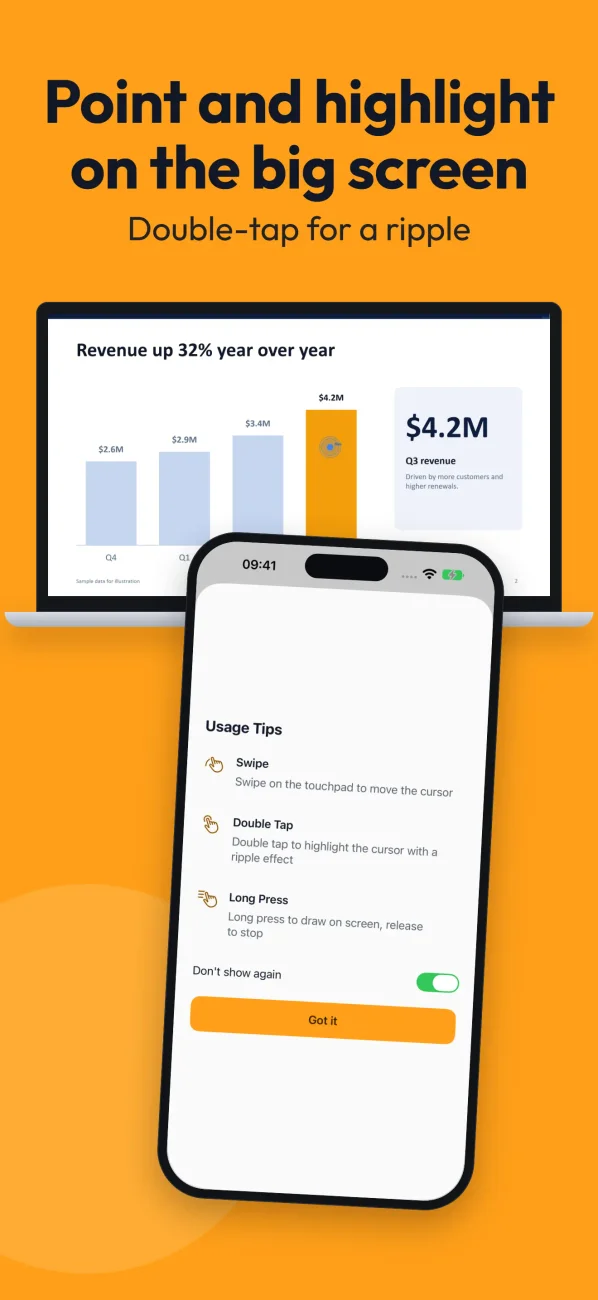
PresentSync turns your iPhone or iPad into a presentation remote for your Windows PC or Mac. Change slides, point on the big screen and draw temporary lines, all from your phone, over the room's Wi‑Fi. No clicker, no USB receiver.
Use your phone as a slide clicker and a virtual laser pointer for presentations, classes and meetings.
WHAT YOU CAN DO
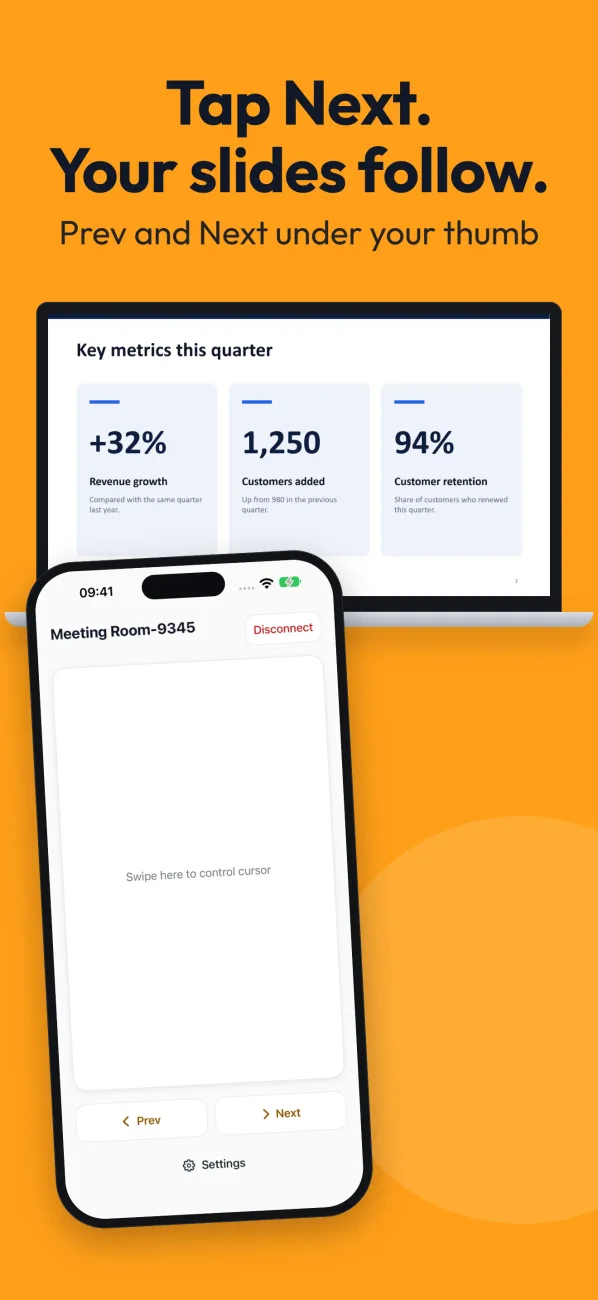
• Next and previous slide with a tap or swipe.
• Move a large on‑screen pointer by dragging on your phone.
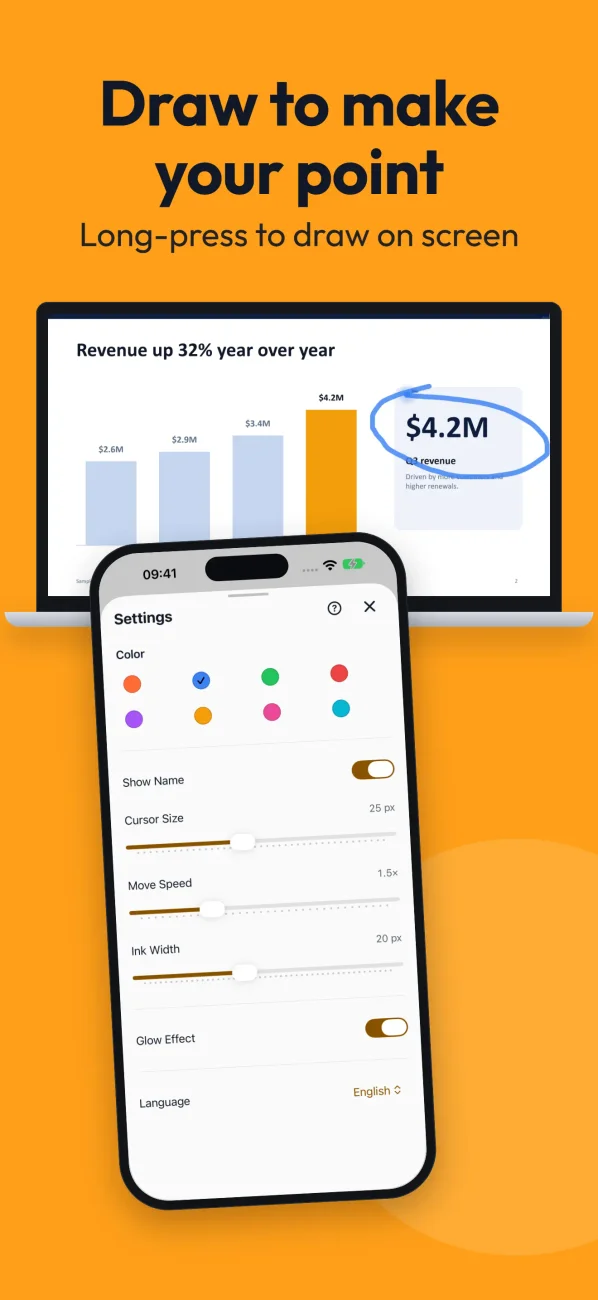
• Press and hold to draw a line that fades after a few seconds. It is a temporary highlight, not a saved annotation.
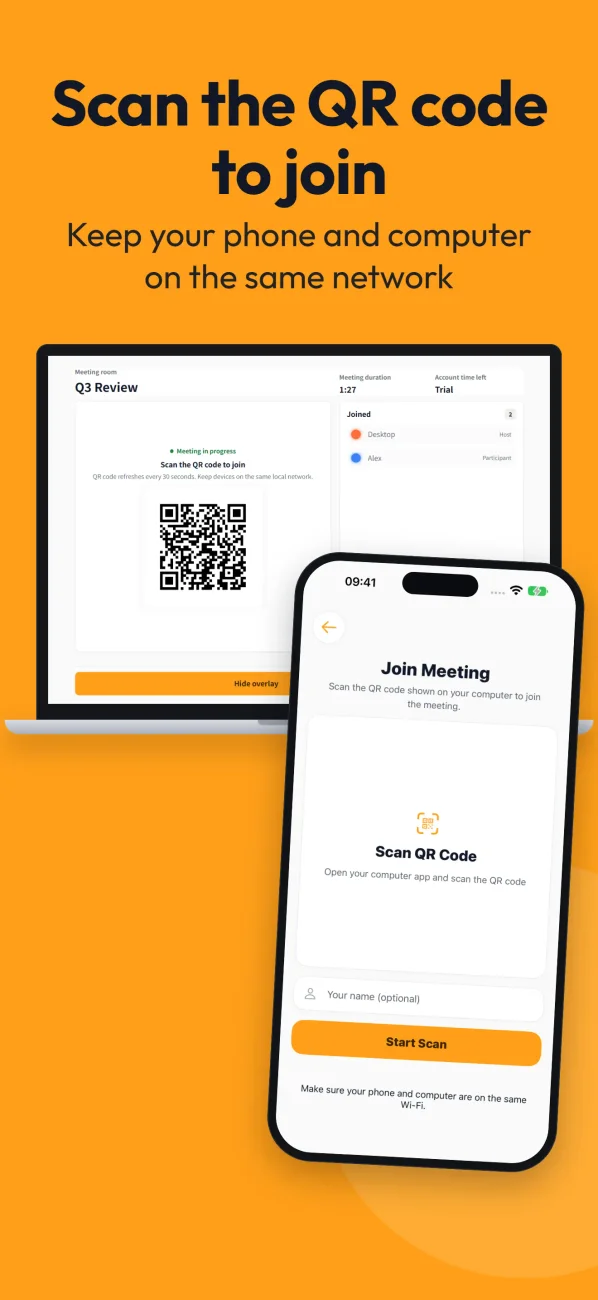
• Let others join the meeting by scanning a QR code; each person gets a named pointer.
WORKS WITH YOUR SLIDES
PresentSync sends slide commands to the computer, so it works with slideshow software that advances with the keyboard: PowerPoint, Keynote, Google Slides, WPS Office, PDF presentations and more. The pointer and lines appear on the computer screen, not as a laser.
HOW IT WORKS
1. Install the free PresentSync desktop app on the Windows PC or Mac connected to the projector or screen.
2. Sign in on your phone, then scan the QR code on the computer.
3. Start a meeting and present. Phone and computer need to be on the same Wi‑Fi network.
WHO IT IS FOR
Teachers and lecturers, corporate trainers, meeting hosts, students giving talks, and anyone who presents from a laptop and wants to walk away from the keyboard.
PLANS
The free plan lets you host one meeting at a time with up to 5 connected phones and up to 30 minutes of hosting per day. Personal removes the time limit. Pro adds two meetings at once and up to 10 connected phones. Plans and prices are shown on the App Store purchase screen; manage your account in the app.
A PresentSync desktop app is required to control the computer.
Privacy: https://presentsync.net/privacy.html
Terms: https://presentsync.net/terms.html
Có gì mới
Phiên bản 1.1.7 · 24/11/2026
After you create an account, a new page shows how to install PresentSync on your computer. Share or copy the download link and open it on your computer. Until you sign in on a computer, the home screen shows a reminder, which you can close. Consistent button names in English, Japanese and Spanish. Minor fixes.
Quyền riêng tư của ứng dụng
Những gì 戈 谢 khai báo trên App Store về cách ứng dụng này xử lý dữ liệu.
-
Dữ liệu liên kết với bạn
Có thể được thu thập và liên kết với danh tính của bạn.
- Mục mua
- Vị trí
- Thông tin liên hệ
- Nội dung của người dùng
- Mã định danh
- Dữ liệu sử dụng
- Chẩn đoán
Phương thức đảm bảo quyền riêng tư có thể khác nhau, chẳng hạn như tuỳ theo các tính năng bạn sử dụng hoặc độ tuổi của bạn.
Thông tin
- Người bán
- 戈 谢
- Danh mục
- Hiệu Suất
- Phiên bản
- 1.1.7
- Cập nhật
- 24/11/2026
- Phát hành
- 29/04/2026
- Kích thước
- 3,2 MB
- Yêu cầu
- iOS 16.0 trở lên
- Độ tuổi
- 4+
- Giá
- Miễn phí
- Mua hàng trong ứng dụng
- Có
- Ngôn ngữ
- Tiếng Anh, Tiếng Nhật, Tiếng Trung Giản thể, Tiếng Tây Ban Nha, Tiếng Trung Phồn thể
- Bản quyền
- Copyright © 2026 GE XIE
Có thể bạn cũng thích
-
 小钱iSaveMoneyHiệu Suất
-
 ElvarOne: AI AgentHiệu Suất
-
 Presenter Remote: Slides & TVHiệu Suất
-
 Wireless PresenterHiệu Suất
-
 Control My Mac: RemoteHiệu Suất
-
 POP Clean: Clean Up iPhoneHiệu Suất
-
 Aquarium Tracker: Theo dõi bểChỉ số nước, việc & sinh vật
-
 Zip Extractor : Unzip FIleHiệu Suất
-
 Pocket AI — No InternetHiệu Suất
-
 Nota AI:Meeting Recorder AgentHiệu Suất