PresentSync: Slide Remote
Presentation Clicker & Pointer
Designed for iPhone, iPad
Free · In-app purchases
- Age rating4+
- CategoryProductivity
- Developer戈 谢
- LanguagesEnglish+ 4 more
- Size3.0 MB
Links to the official App Store page
Download.org hosts no file of PresentSync: Slide Remote. The button opens its official App Store page, published by 戈 谢. Listing last checked on Nov 16, 2026.
Screenshots


About
PresentSync turns your iPhone or iPad into a presentation remote for your Windows PC or Mac. Change slides, point on the big screen and draw temporary lines, all from your phone, over the room's Wi‑Fi. No clicker, no USB receiver.
Use your phone as a slide clicker and a virtual laser pointer for presentations, classes and meetings.
WHAT YOU CAN DO
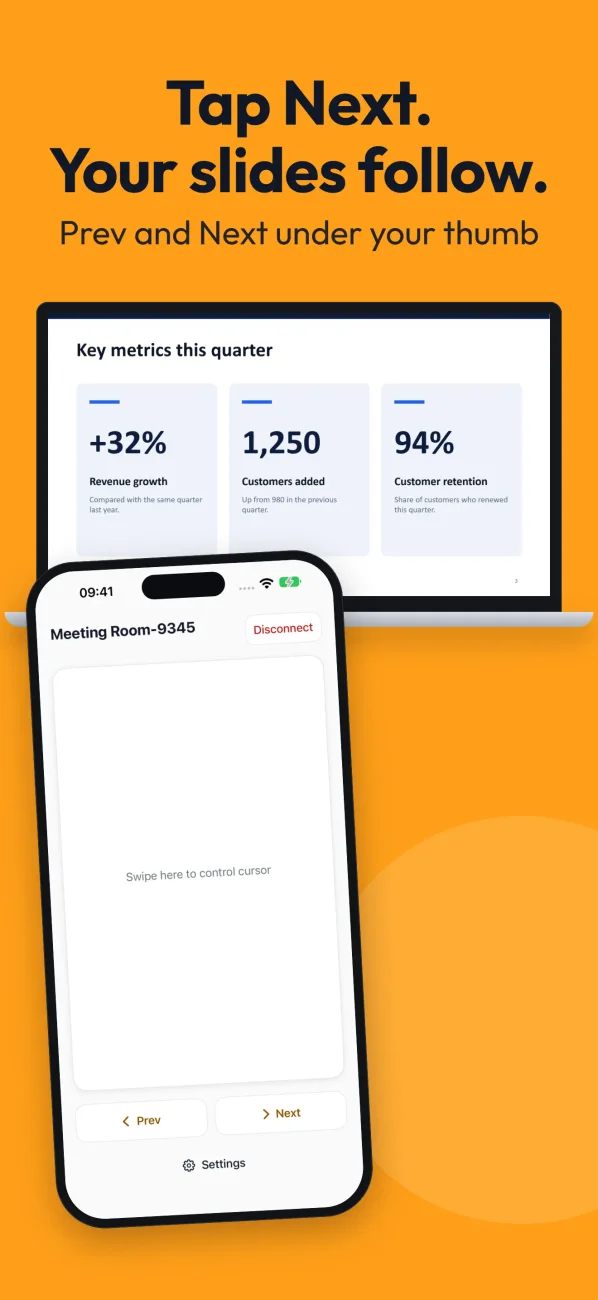
• Next and previous slide with a tap or swipe.
• Move a large on‑screen pointer by dragging on your phone.
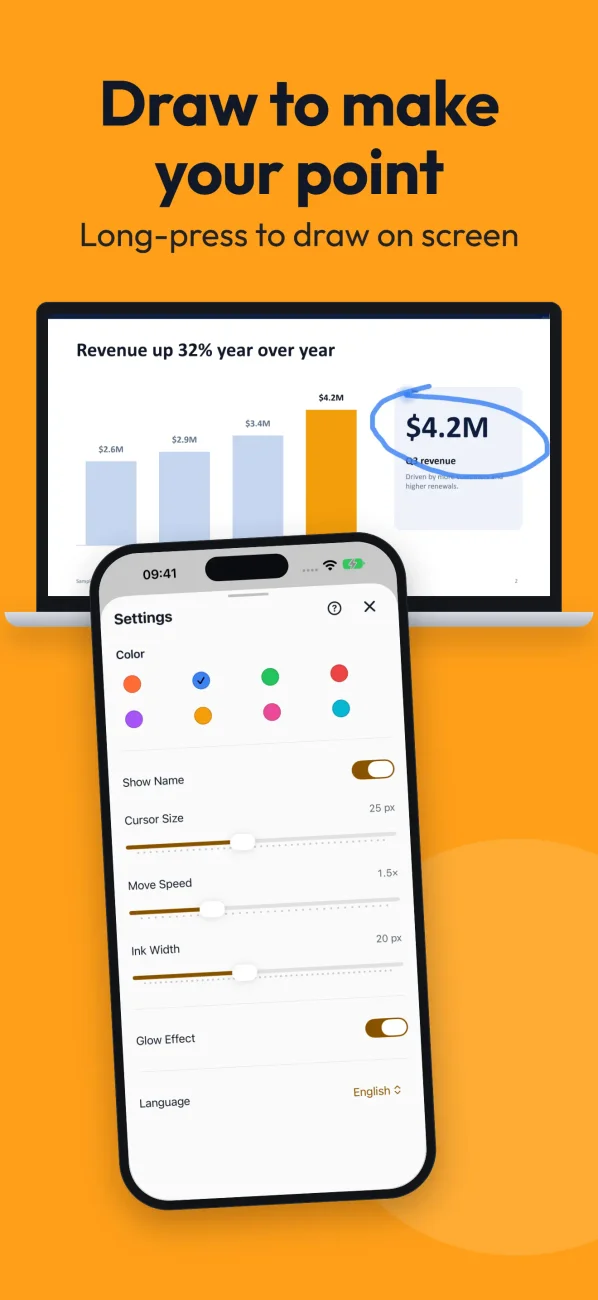
• Press and hold to draw a line that fades after a few seconds. It is a temporary highlight, not a saved annotation.
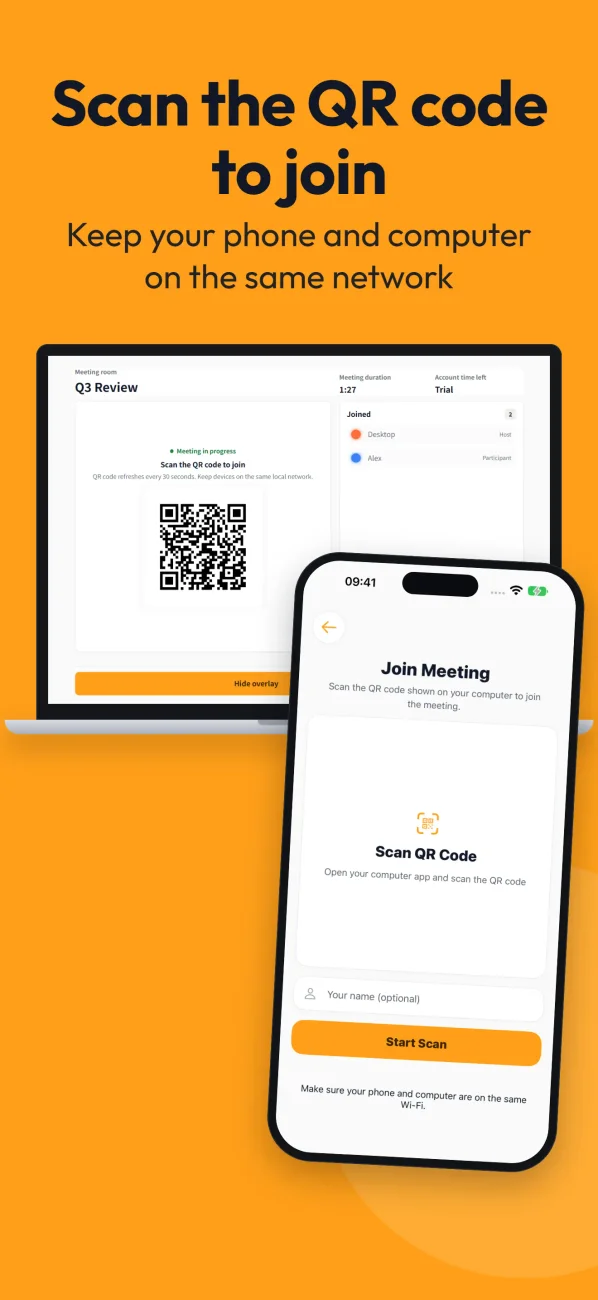
• Let others join the meeting by scanning a QR code; each person gets a named pointer.
WORKS WITH YOUR SLIDES
PresentSync sends slide commands to the computer, so it works with slideshow software that advances with the keyboard: PowerPoint, Keynote, Google Slides, WPS Office, PDF presentations and more. The pointer and lines appear on the computer screen, not as a laser.
HOW IT WORKS
1. Install the free PresentSync desktop app on the Windows PC or Mac connected to the projector or screen.
2. Sign in on your phone, then scan the QR code on the computer.
3. Start a meeting and present. Phone and computer need to be on the same Wi‑Fi network.
WHO IT IS FOR
Teachers and lecturers, corporate trainers, meeting hosts, students giving talks, and anyone who presents from a laptop and wants to walk away from the keyboard.
PLANS
The free plan lets you host one meeting at a time with up to 5 connected phones and up to 30 minutes of hosting per day. Personal removes the time limit. Pro adds two meetings at once and up to 10 connected phones. Plans and prices are shown on the App Store purchase screen; manage your account in the app.
A PresentSync desktop app is required to control the computer.
Privacy: https://presentsync.net/privacy.html
Terms: https://presentsync.net/terms.html
What’s new
Version 1.1.6 · Nov 15, 2026
We made small improvements to our App Store listing and updated the app name in Chinese.
App privacy
What 戈 谢 declares on the App Store about how this app handles data.
-
Data linked to you
May be collected and linked to your identity.
- Purchases
- Location
- Contact info
- User content
- Identifiers
- Usage data
- Diagnostics
Privacy practices may vary, for example with the features you use or your age.
Information
- Seller
- 戈 谢
- Category
- Productivity
- Version
- 1.1.6
- Updated
- Nov 15, 2026
- Released
- Apr 29, 2026
- Size
- 3.0 MB
- Requires
- iOS 16.0 or later
- Age rating
- 4+
- Price
- Free
- In-app purchases
- Yes
- Languages
- English, Japanese, Simplified Chinese, Spanish, Traditional Chinese
- Copyright
- Copyright © 2026 GE XIE
You might also like
-
 小钱iSaveMoneyProductivity
-
 ElvarOne: AI AgentYour AI agent team
-
 Presenter Remote: Slides & TVLaser Pointer, PDF, Clicker
-
 Wireless PresenterControl slides with your phone
-
 Control My Mac: RemoteMouse, Trackpad & Keyboard
-
 POP Clean: Clean Up iPhoneAI Clean UP iPhone Speed Clean
-
 Aquarium Tracker: Tank ManagerWater Tests, Tasks & Livestock
-
 Zip Extractor : Unzip FIleArchive Unarchive Zip File
-
 Pocket AI — No InternetOffline AI Chatbot & Assistant
-
 Nota AI:Meeting Recorder AgentOffline AI Smart Note Taker