QuickDocs: AI Document Scanner
Scan, Sign & Export to PDF
Được thiết kế cho iPhone, iPad
Miễn phí
- Độ tuổi4+
- Danh mụcHiệu Suất
- Nhà phát triểnJake Sandhu
- Ngôn ngữTiếng Anh
- Kích thước11,6 MB
Liên kết đến trang App Store chính thức
Download.org không lưu trữ tệp nào của QuickDocs: AI Document Scanner. Nút này mở trang ứng dụng trên App Store, nơi Jake Sandhu phát hành ứng dụng. Trang được kiểm tra lần cuối: 20/11/2026.
Ảnh chụp màn hình



Giới thiệu
Nhà phát triển chưa cung cấp nội dung này bằng ngôn ngữ của bạn.
Here's everything you need to fill in:
Promotional Text:
Scan any document instantly with AI. Auto-classify receipts, invoices, IDs & contracts. Extract text with OCR, e-sign, annotate, and export as PDF, Word or Excel. 7 scan modes. 100% on-device.
Description:
QuickDocs is the AI-powered document scanner that turns your iPhone into a professional scanning studio. Scan, organise, sign, and share documents in seconds — all processed on your device for complete privacy.
SCAN ANYTHING
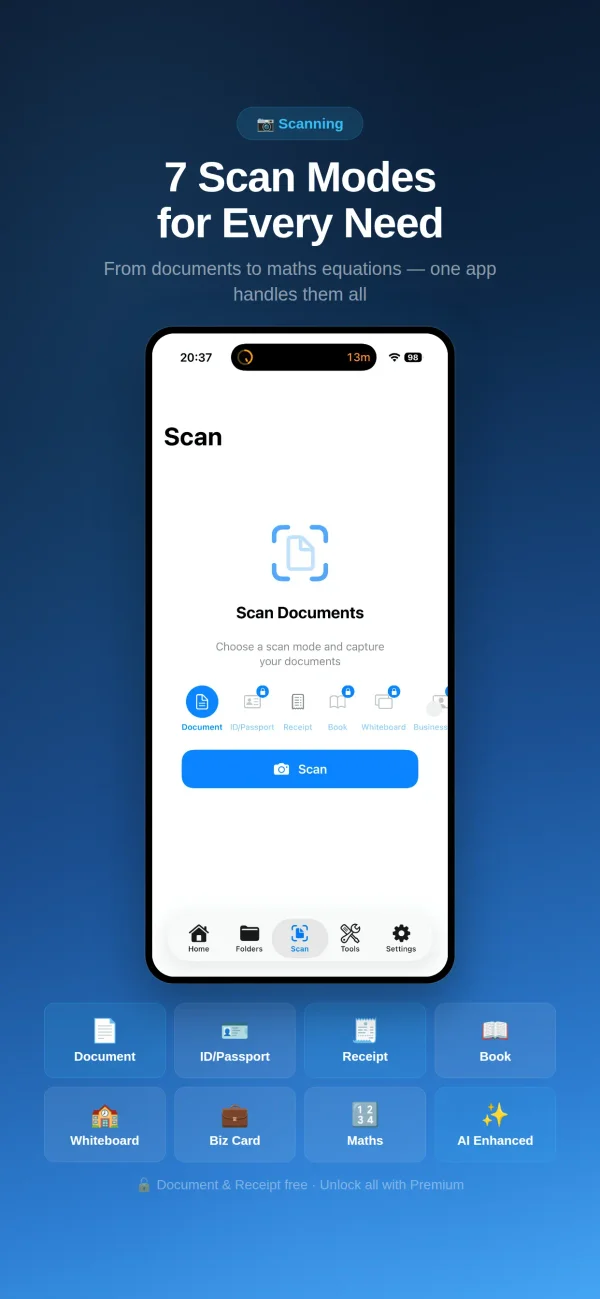
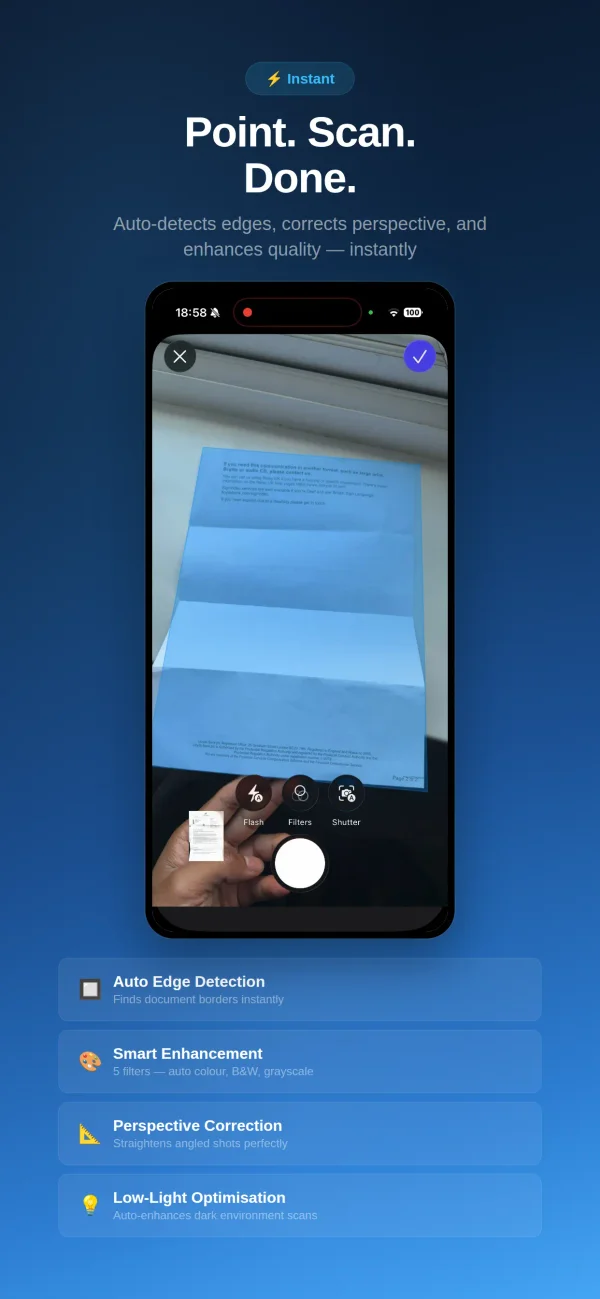
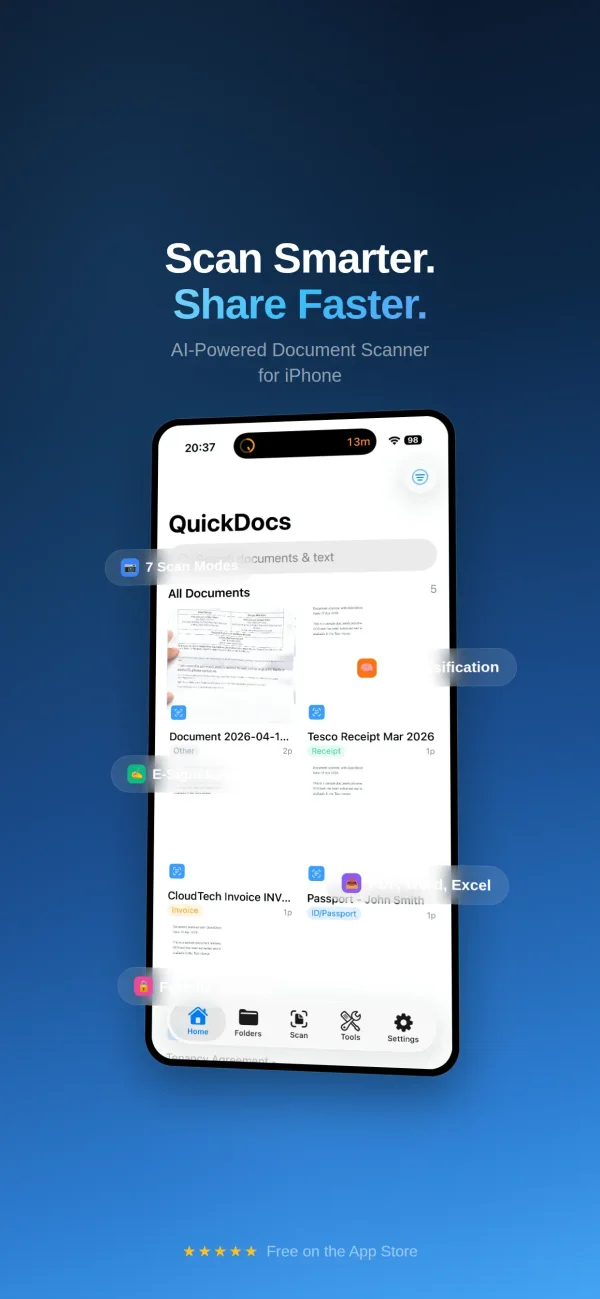
Point your camera at any document and QuickDocs instantly detects edges, corrects perspective, and enhances quality. Choose from 7 specialised scan modes: Document, ID/Passport, Receipt, Book, Whiteboard, Business Card, and Maths.
AI THAT WORKS FOR YOU
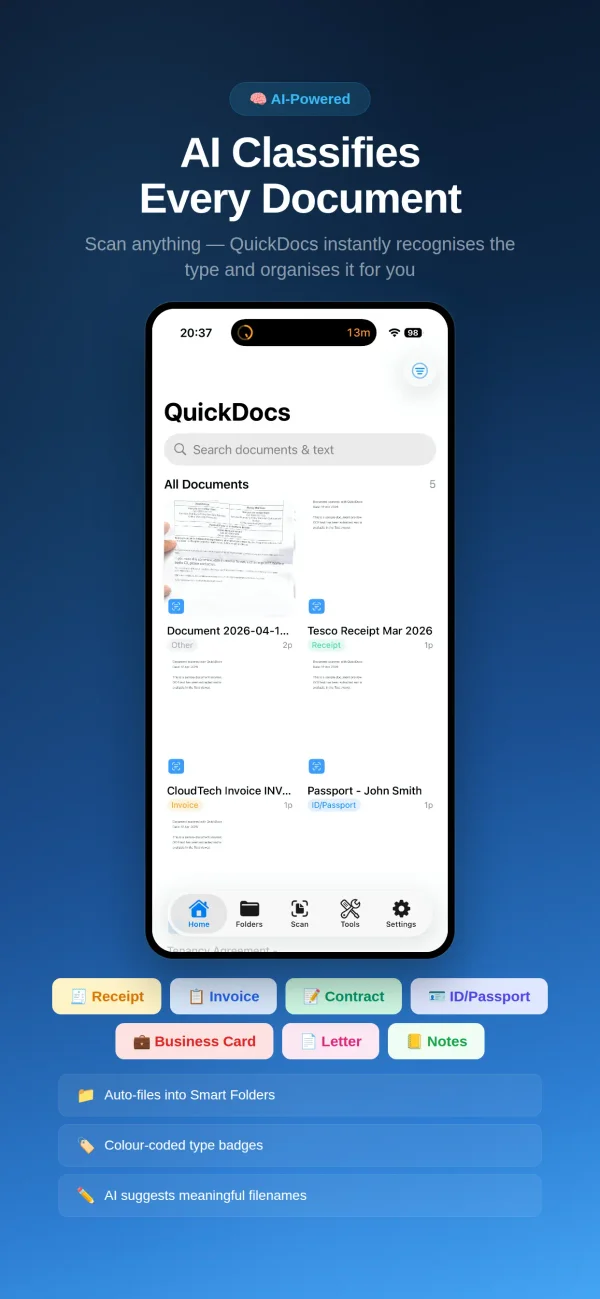
QuickDocs automatically identifies what you scanned — receipt, invoice, contract, ID — and files it into the right smart folder. AI suggests meaningful filenames like "Tesco_Receipt_Mar2026" instead of "Scan_001". Key data is extracted automatically: totals from receipts, dates from invoices, details from IDs.
POWERFUL OCR
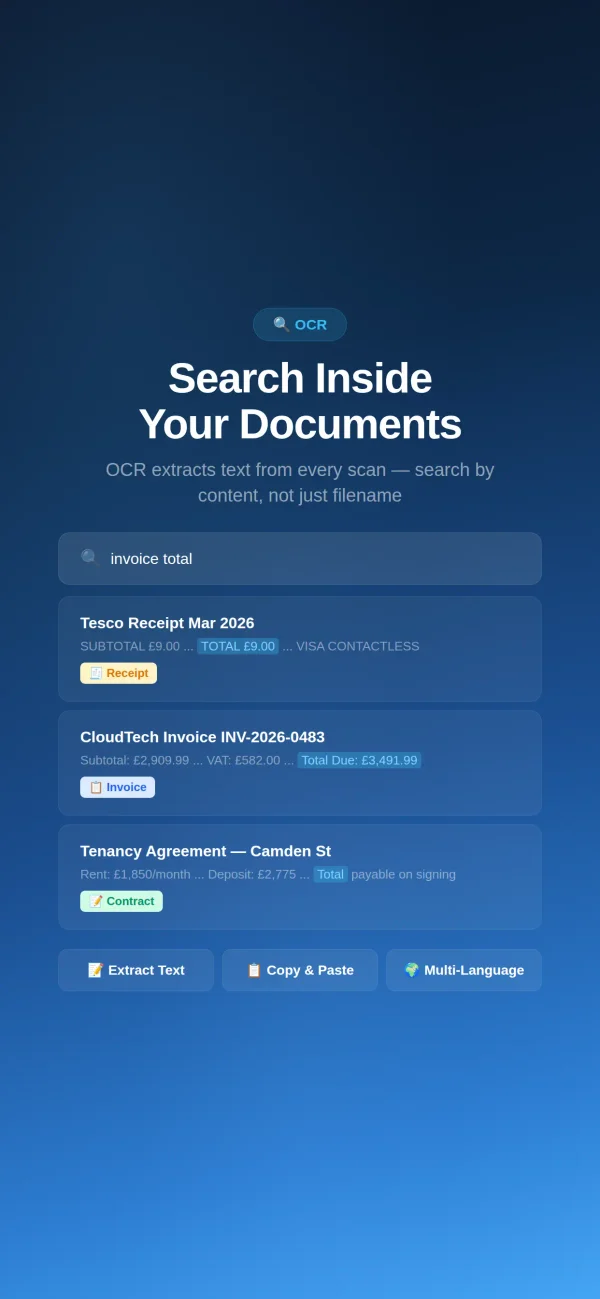
Extract editable text from any scan using Apple Vision. Search across all your documents by content, not just filename. Copy, paste, and export extracted text instantly. Multi-language support included.
E-SIGNATURES
Draw, type, or upload your signature. Place it anywhere on any document with drag-and-drop precision. Save up to 10 signatures for quick reuse across all your documents.
PROFESSIONAL PDF TOOLS
Merge multiple documents into one. Split multi-page PDFs apart. Compress files to reduce size. Password protect sensitive documents. Reorder, add, or delete pages within any document.
ANNOTATIONS & STAMPS
Highlight text, draw freehand, add text boxes, and place stamps like APPROVED, CONFIDENTIAL, or DRAFT. Create custom stamps. Add text or image watermarks. Redact sensitive information permanently.
EXPORT ANYWHERE
Export as searchable PDF, Word, Excel, or plain text. Share via AirDrop, WhatsApp, email, or any app on your phone. Print directly to any AirPrint printer.
SMART ORGANISATION
Documents auto-sort into smart folders by type. Create custom colour-coded folders. Search across all documents and OCR text. Favourites, recycle bin with 30-day recovery, and bulk operations.
BUILT FOR PRIVACY
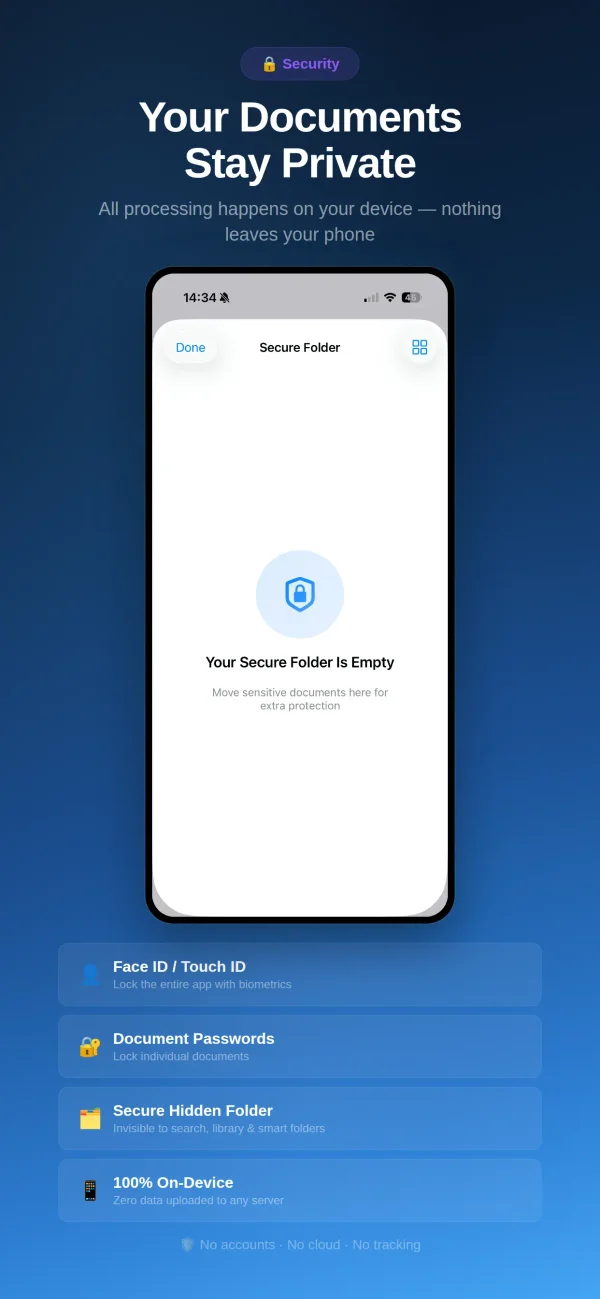
All scanning and AI processing happens entirely on your device. No documents are uploaded to any server. No accounts required. Face ID/Touch ID app lock, per-document passwords, and a hidden secure folder keep everything private.
FREE TO START
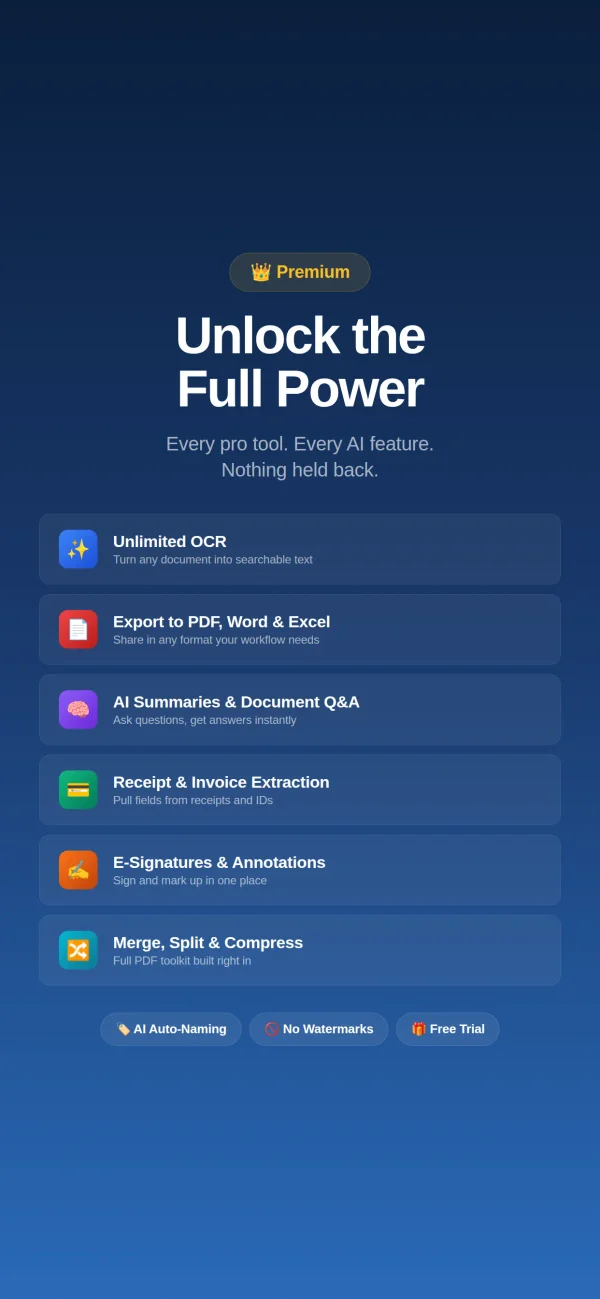
Scan unlimited documents for free. Upgrade to Premium for unlimited OCR, all export formats, e-signatures, annotations, PDF tools, and more.
PREMIUM PLANS
Unlock unlimited OCR, AI features, all export formats, e-signatures,
and the full PDF toolkit with a Quick Docs Premium subscription.
Weekly, monthly, annual, and lifetime options available. Start with
a free plan.
Terms of Service: https://quickdocs.tech/terms
Privacy Policy: https://quickdocs.tech/privacy
Có gì mới
Phiên bản 1.0.1 · 18/04/2026
- The scanner is presented as a full-screen cover with dismissal disabled, so tapping outside a reviewed thumbnail no longer exits the scanning flow completely.
Quyền riêng tư của ứng dụng
Những gì Jake Sandhu khai báo trên App Store về cách ứng dụng này xử lý dữ liệu.
-
Dữ liệu không được thu thập
Nhà phát triển không thu thập bất kỳ dữ liệu nào từ ứng dụng này.
Phương thức đảm bảo quyền riêng tư có thể khác nhau, chẳng hạn như tuỳ theo các tính năng bạn sử dụng hoặc độ tuổi của bạn.
Thông tin
- Người bán
- Jake Sandhu
- Danh mục
- Hiệu Suất
- Phiên bản
- 1.0.1
- Cập nhật
- 18/04/2026
- Phát hành
- 17/04/2026
- Kích thước
- 11,6 MB
- Yêu cầu
- iOS 18.0 trở lên
- Độ tuổi
- 4+
- Giá
- Miễn phí
- Ngôn ngữ
- Tiếng Anh
- Bản quyền
- © 2026 QuickDocs
Có thể bạn cũng thích
-
 Notebooker AIHiệu Suất
-
 Taskly AIHiệu Suất
-
 Tomato HourHiệu Suất
-
 Expiry Tracker – Foods & MoreHiệu Suất
-
 FlashScan - Simple doc scannerHiệu Suất
-
 Notelane - Markdown EditorHiệu Suất
-
 VimlikeHiệu Suất
-
 Dịch Tiếng Hà Lan Trực TiếpHội thoại hai chiều, AI
-
 AppMare: AI App BuilderHiệu Suất
-
 FirstNet FusionHiệu Suất