ReadSync - PDF Reader
Read, Highlight & Sync PDFs
Được thiết kế cho iPhone, iPad, Mac
Miễn phí · Mua hàng trong ứng dụng
- Độ tuổi4+
- Danh mụcHiệu Suất
- Nhà phát triểnAlper Albayrak
- Ngôn ngữTiếng Anh+ 10 ngôn ngữ khác
- Kích thước4,5 MB
Liên kết đến trang App Store chính thức
Download.org không lưu trữ tệp nào của ReadSync - PDF Reader. Nút này mở trang ứng dụng trên App Store, nơi Alper Albayrak phát hành ứng dụng. Trang được kiểm tra lần cuối: 12/11/2026.
Ảnh chụp màn hình
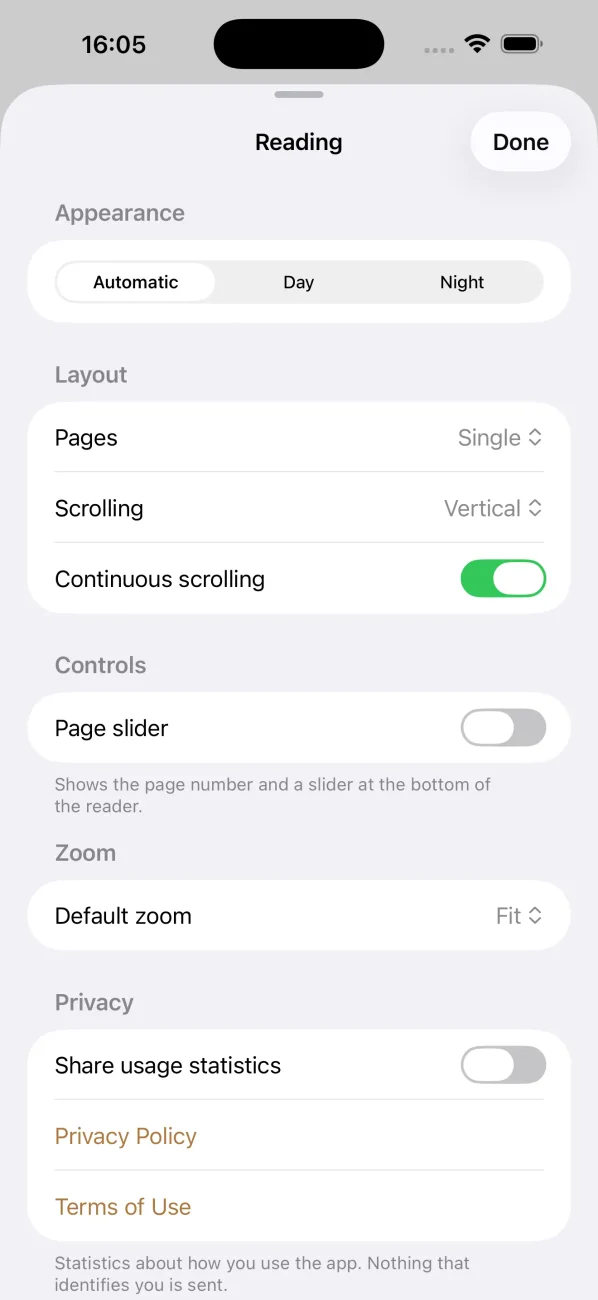
Giới thiệu
Nhà phát triển chưa cung cấp nội dung này bằng ngôn ngữ của bạn.
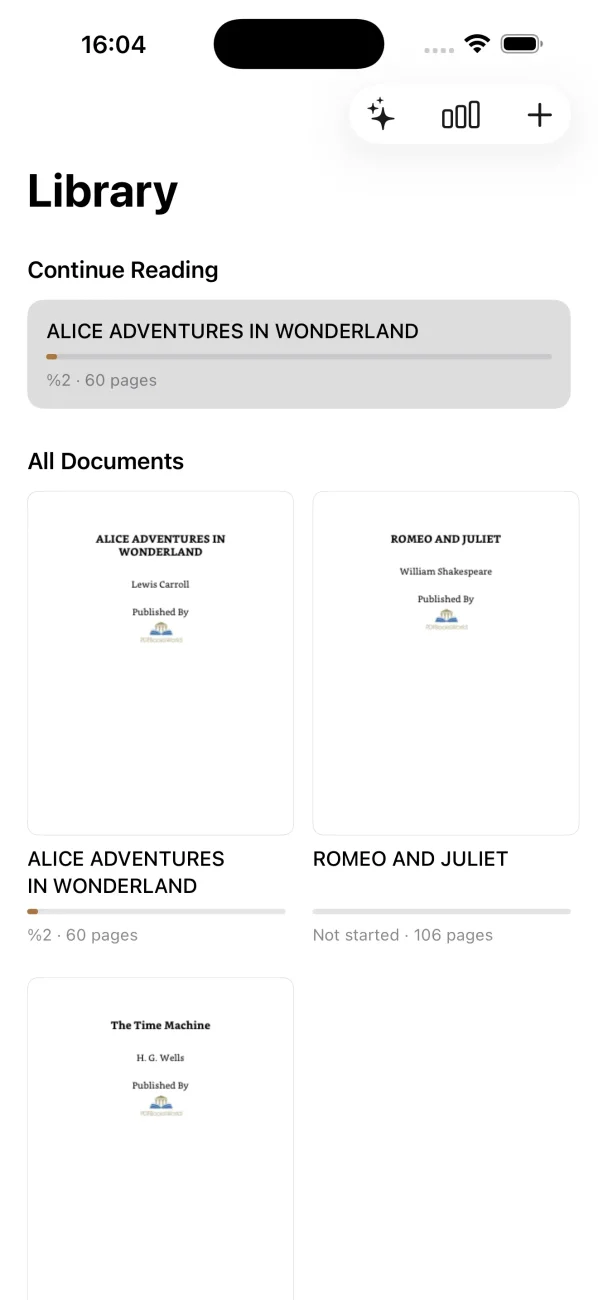
ReadSync remembers where you stopped reading — on every device.
Open a PDF on your Mac, read to page 120, then pick up your iPhone. ReadSync opens the same document on the same page. Your highlights, notes and bookmarks are already there.
WHY READSYNC
• Your reading position syncs automatically through iCloud — in the free version too
• No account to create, no subscription, no company server holding your files
• Works completely offline — syncing is a layer on top, never a requirement
PICK UP WHERE YOU LEFT OFF
• A Continue Reading row at the top of your library, most recent first
• A Home Screen widget that opens the document on the page you left
• Nothing to press: the page is saved as you read and travels with you
• Handoff: the document open on your Mac appears on your iPhone, and opens on the same page
READING
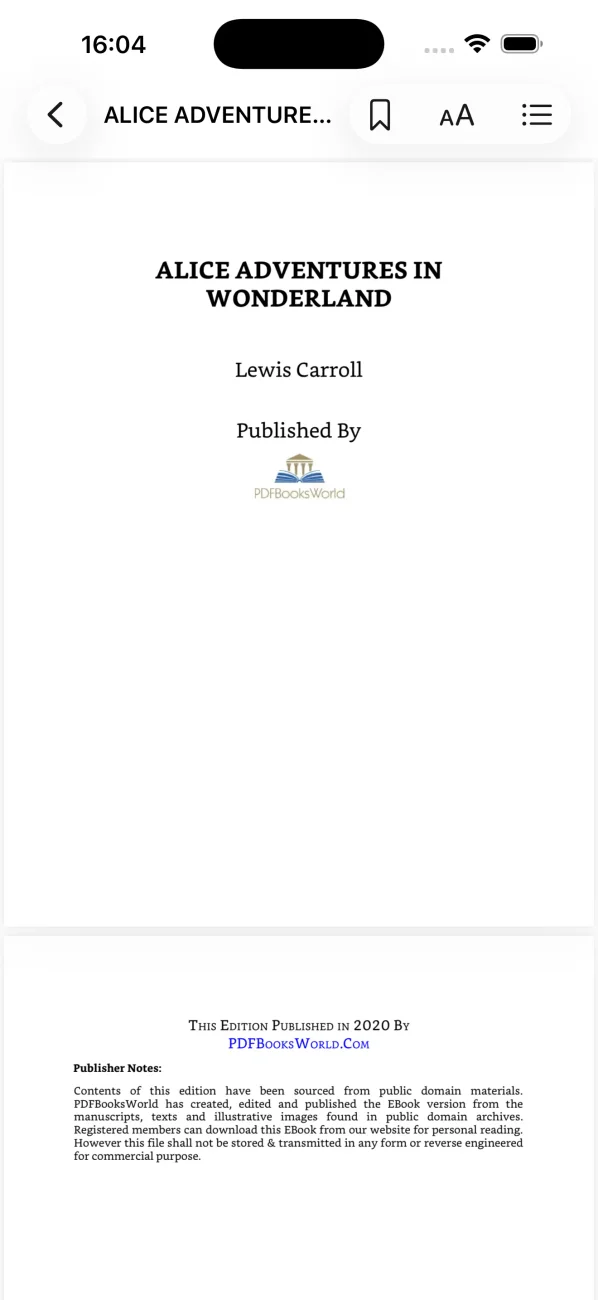
• A quiet reader that hides its controls while you read
• A reading lock that turns off selection, highlights and notes, so you can scroll and zoom without triggering anything by accident
• Keep the screen awake while a document is open
• Night mode that darkens the page without draining the colour from your highlights
• Single or two-page layout, vertical or horizontal scrolling
• Adjustable default zoom
• Translate any passage you select into your own language, on your device with Apple's built-in translation
• Look up any word in the dictionary without leaving the page
• Password-protected PDFs open too — remember the password once, in your iCloud Keychain, and your other devices open them without asking
HIGHLIGHTS AND NOTES
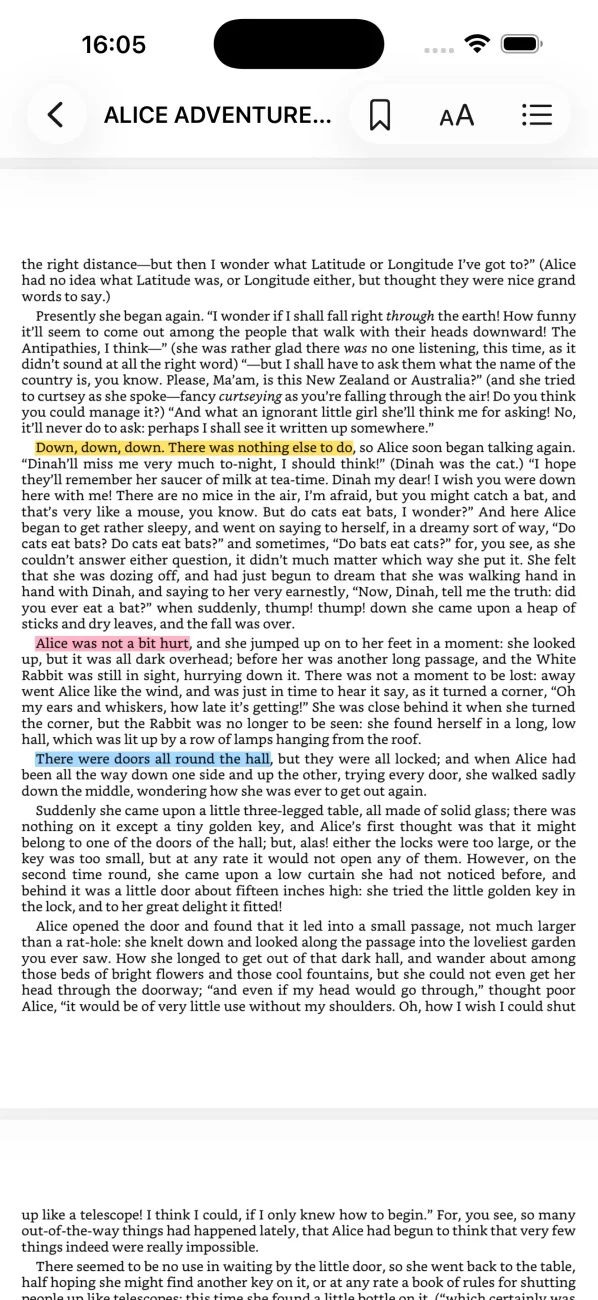
• Five highlight colours
• Attach a note to any passage
• Every highlight and note in one list — tap to jump straight to the page
• Export everything from a document as a single file, to Notes, Mail or Files
• Nothing is written into the PDF itself; your original file stays untouched
FINDING YOUR PLACE
• Full-text search inside the document
• The PDF's own table of contents
• Bookmarks for the pages you want to come back to
YOUR LIBRARY
• Add files from Files or iCloud Drive
• Open a PDF in ReadSync from Mail, Safari, Messages or any app's share sheet
• Leave a file where it is, or copy it into ReadSync so it syncs across your devices
• Cover, progress and page count at a glance
• Sort by last read, title or date added
• Search your library by title
READING STATS
• Total reading time, and how much of it was this week
• A chart of the last seven days
• Progress for every document you have started
FREE AND PRO
The free version is a whole reader, not a demo: iCloud sync, night mode, search, table of contents, bookmarks, translation and all five highlight colours, with room for 5 documents and 10 highlights or notes in each one.
ReadSync Pro lifts both limits and opens reading stats and note export. It is a one-time purchase — there is no subscription.
A limit only ever stops you adding something new. Everything already in your library stays open, in full, whether you buy or not.
PRIVACY
ReadSync is built entirely with Apple's own frameworks and stores everything in your private iCloud database. Your documents are never uploaded to anyone else's server. Anonymous usage statistics are sent only if you agree when asked, and never include your files, page contents, notes or highlights.
Có gì mới
Phiên bản 2.2 · 24/10/2026
Your PDFs, from anywhere. Open a PDF in ReadSync straight from Mail, Safari, Messages or any app's share sheet — on your Mac, also from Finder or the Dock.
Also in this version:
• A reading lock for when you only want to read: selection, highlights and notes are off, scrolling and zooming stay on
• Keep the screen awake while a document is open
• Password-protected PDFs open now. Remember the password once and your other devices open them too, through your iCloud Keychain
• Handoff: the document open on your Mac appears on your iPhone, and opens on the same page
• Look up any word in the dictionary, right from the selection
• Search your library by title
• Removing a document asks first and tells you what goes with it
• A Settings screen in the library, with Pro, privacy and support in one place
Quyền riêng tư của ứng dụng
Những gì Alper Albayrak khai báo trên App Store về cách ứng dụng này xử lý dữ liệu.
-
Dữ liệu không liên kết với bạn
Có thể được thu thập nhưng không liên kết với danh tính của bạn.
- Dữ liệu sử dụng
- Chẩn đoán
Phương thức đảm bảo quyền riêng tư có thể khác nhau, chẳng hạn như tuỳ theo các tính năng bạn sử dụng hoặc độ tuổi của bạn.
Thông tin
- Người bán
- Alper Albayrak
- Danh mục
- Hiệu Suất
- Phiên bản
- 2.2
- Cập nhật
- 24/10/2026
- Phát hành
- 07/08/2026
- Kích thước
- 4,5 MB
- Yêu cầu
- iOS 18.0 trở lên
- Độ tuổi
- 4+
- Giá
- Miễn phí
- Mua hàng trong ứng dụng
- Có
- Ngôn ngữ
- Tiếng Anh, Tiếng Hà Lan, Tiếng Pháp, Tiếng Đức, Tiếng Ý, Tiếng Ba Lan, Tiếng Rumani, Tiếng Nga, Tiếng Tây Ban Nha, Tiếng Thổ Nhĩ Kỳ, Tiếng Ukraina
- Bản quyền
- © 2026 Alper Albayrak