ScreenCommand
External Monitor & TV Browser
Được thiết kế cho iPhone, iPad
119.000đ
- Độ tuổi17+
- Danh mụcHiệu Suất
- Nhà phát triểnSimple Products Studio
- Ngôn ngữTiếng Anh+ 17 ngôn ngữ khác
- Kích thước15,9 MB
Liên kết đến trang App Store chính thức
Download.org không lưu trữ tệp nào của ScreenCommand. Nút này mở trang ứng dụng trên App Store, nơi Simple Products Studio phát hành ứng dụng. Trang được kiểm tra lần cuối: 14/11/2026.
Ảnh chụp màn hình


Giới thiệu
Nhà phát triển chưa cung cấp nội dung này bằng ngôn ngữ của bạn.
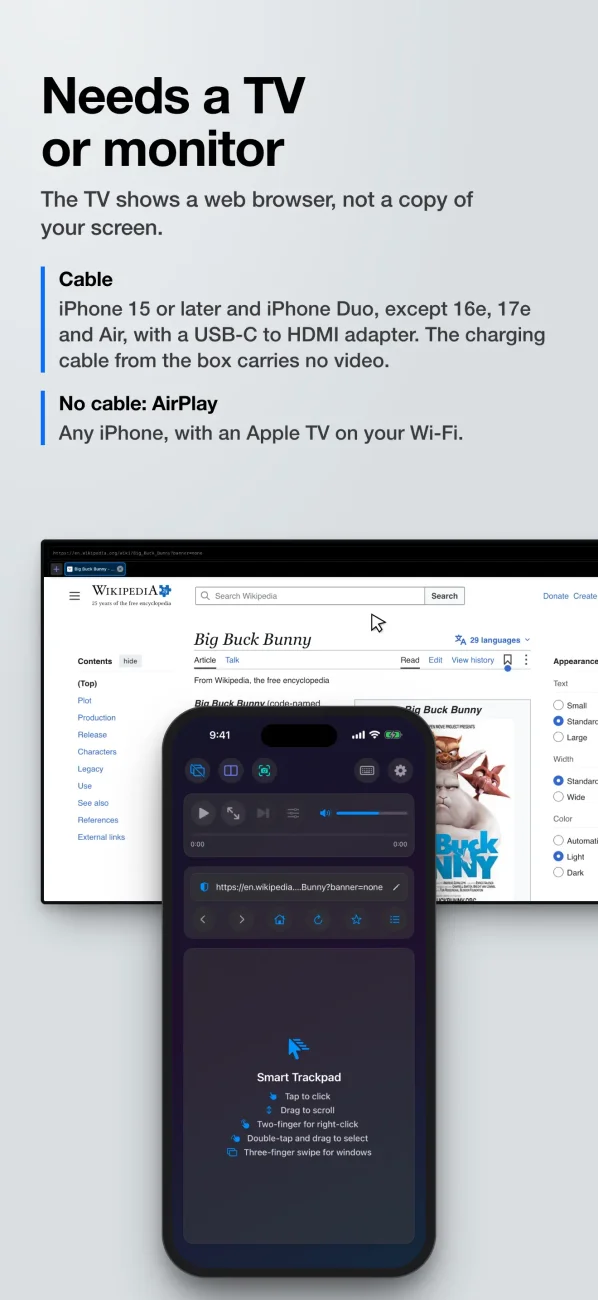
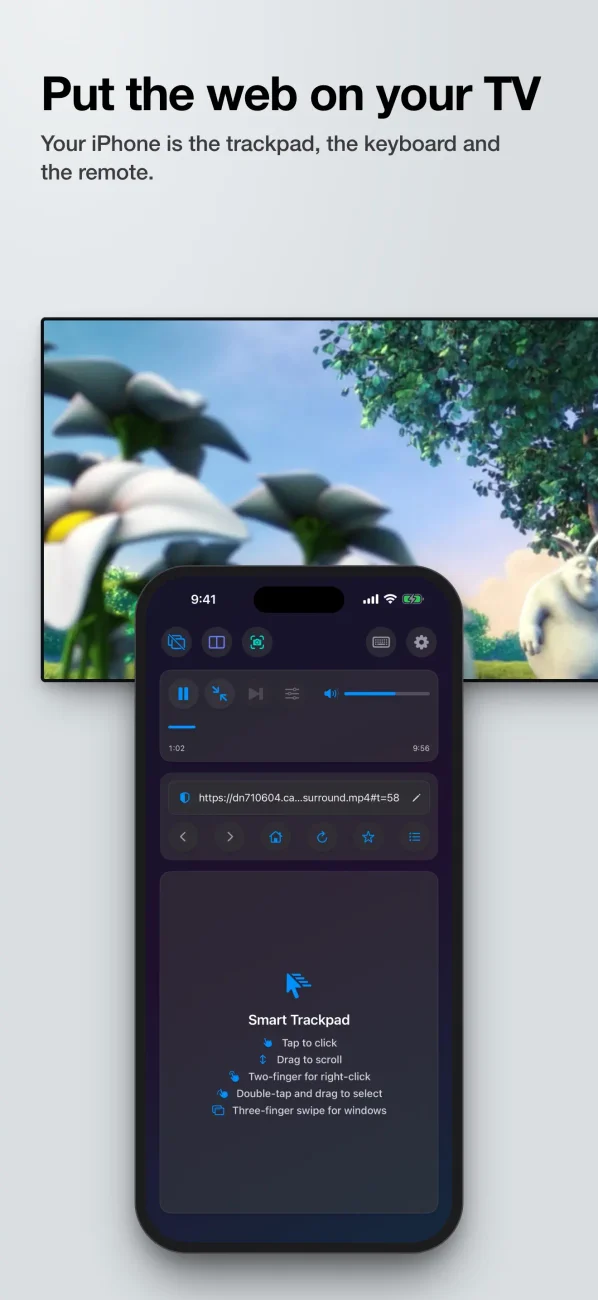
REQUIRES AN EXTERNAL MONITOR OR TV. ScreenCommand shows its own web browser on the TV, and your iPad or iPhone becomes the trackpad and keyboard. It doesn't copy your screen, and other apps can't run on the TV. Without a display, the app opens to a "Connect External Monitor" setup screen; no on-device browsing.
CABLE: USB-C iPad, or iPhone 15 or later and iPhone Duo, except iPhone 16e, iPhone 17e and iPhone Air, with a USB-C to HDMI or DisplayPort adapter. The charging cable from the box carries no video. Netflix, Prime Video, Apple TV+, Paramount+, Peacock and other streaming services play this way.
AIRPLAY: any iPad or iPhone, with an Apple TV on your Wi-Fi. Start Screen Mirroring with ScreenCommand open; the TV shows only the browser. Websites, YouTube and other web video play, with slight cursor lag. Streaming services need a cable.
Turn your iPad or iPhone and an external monitor or TV into a desktop browsing workstation, even on a non-M iPad, where iPadOS extended display isn't available.
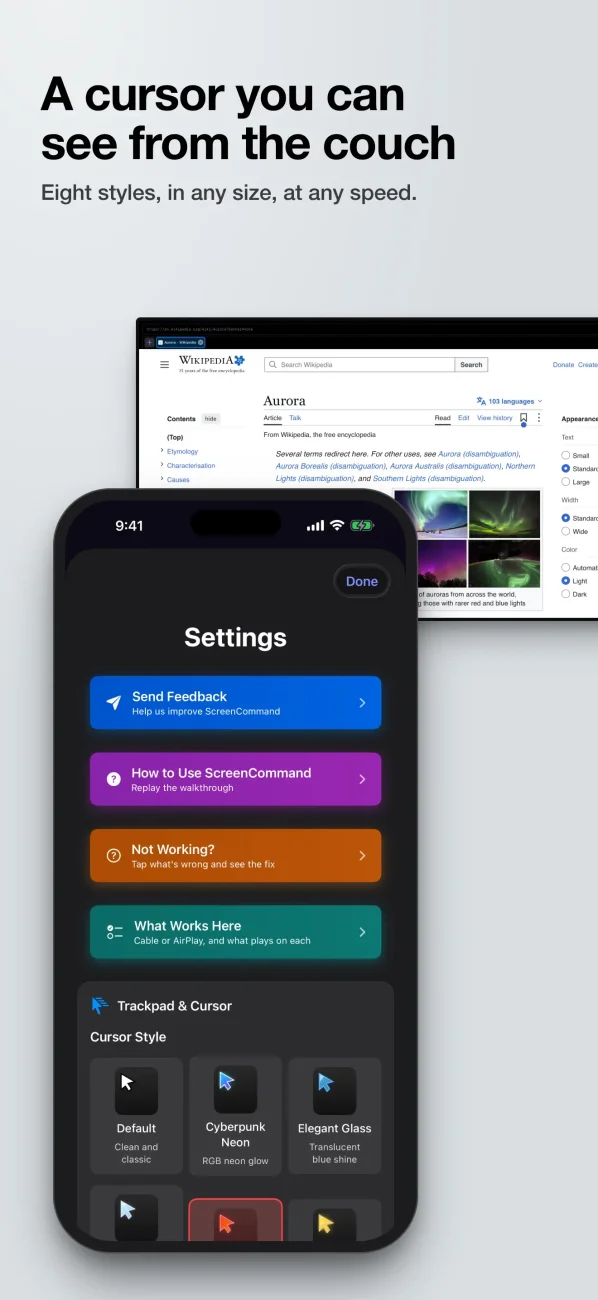
The big screen gets a full desktop-class browser. Your iPad or iPhone becomes the trackpad and keyboard: 8 cursor styles, up to 12 persistent tabs, YouTube quality up to 4K, and Netflix and other streaming over a cable. A hardware keyboard works too, and so does a mouse on iPad. Pay once, no subscription.
SEAMLESS EXTERNAL DISPLAY
• Full web browsing on your external monitor
• Automatic display detection - plug and play
• Optimized for 1080p, 4K, and ultrawide displays
ADVANCED CURSOR & CONTROLS
• Eight stunning cursor styles: Default, Cyberpunk Neon, Elegant Glass, Liquid Crystal, Gaming Pro, Luxury Gold, Aurora Borealis, Minimal Dark
• Smooth trackpad navigation with gesture support
• Use a Bluetooth or USB mouse or trackpad on iPad
• Natural scrolling with two-finger gestures
• Precise click, double-click, and right-click support
INTELLIGENT KEYBOARD INPUT
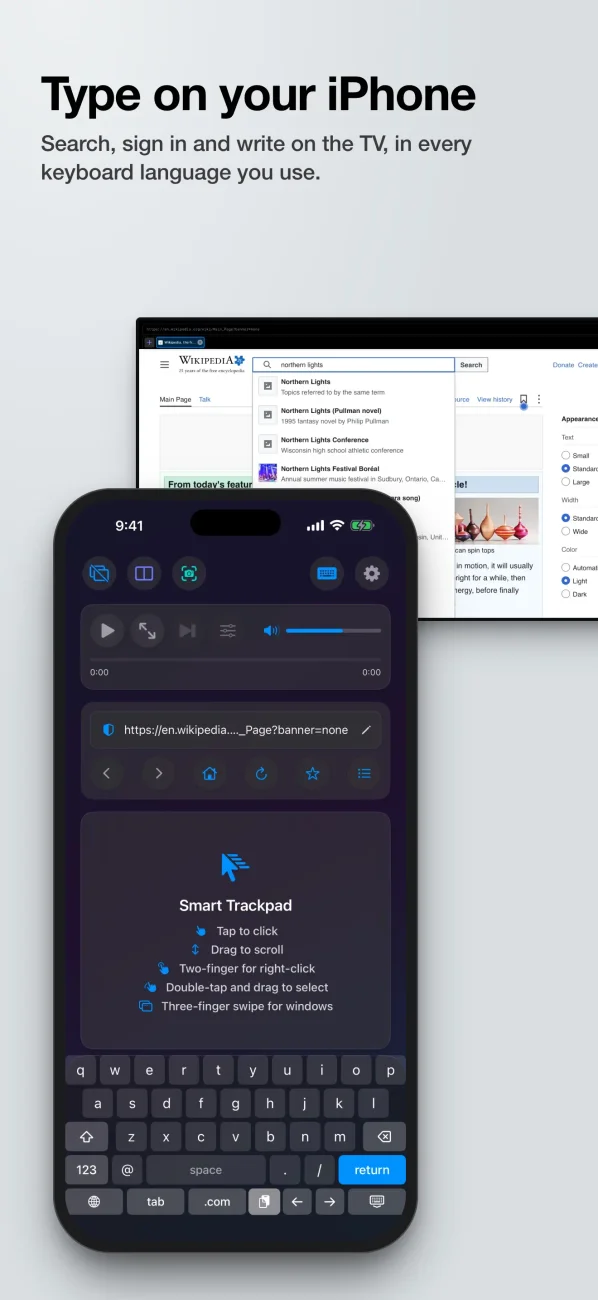
• Full keyboard support for web forms and search
• Type on a hardware keyboard, with shortcuts like ⌘L, ⌘T and ⌘R
• Smart URL bar: type a web address or a search query
• Automatic input field detection and focus
MEDIA CONTROLS
• Play/pause video with one tap
• Change YouTube video quality on the fly, up to 4K (2160p), even in fullscreen
• Adjust media volume with an on-screen slider
• Seek through videos with intuitive progress bar
• Cinema mode for distraction-free viewing
POWERFUL BROWSING FEATURES
• Up to 4 browser windows with 12 tabs each, saved between sessions
• Two windows side by side on the TV
• Password AutoFill for sign-ins on the TV
• Desktop mode for full website compatibility
• "What Works Here" shows how your device connects
• Pop-up blocker with a per-site switch
CUSTOMIZATION
• Adjustable cursor size (0.2x - 5.0x)
• Adjustable mouse speed for precision or speed (0.5x - 5.0x)
• Configure homepage URL
• Auto-launch browser on monitor connect
PRIVACY FIRST
• No data collection or tracking
• No third-party analytics
• All processing happens locally on your device
• No internet connection required (except for browsing)
PERFECT FOR:
• Professionals who need a larger workspace
• Students doing research on a bigger screen
• Content creators managing social media
• Anyone wanting desktop browsing from an iPad or iPhone
HOW IT WORKS:
1. Connect your iPad or iPhone to an external monitor (USB-C or HDMI adapter), or AirPlay to an Apple TV
2. Launch ScreenCommand
3. Browser automatically opens on your external display
4. Use your iPad or iPhone as a trackpad and control center
5. Enjoy desktop-class browsing!
REQUIREMENTS:
• iPad with a USB-C port on iPadOS 17.0 or later (no M-series chip required)
• Or iPhone on iOS 17.0 or later. A cable needs USB-C video out (iPhone 15 or later, except iPhone 16e, iPhone 17e and iPhone Air); any iPhone can use AirPlay
• External monitor or TV
• USB-C to HDMI/DisplayPort adapter (or direct USB-C connection), or an Apple TV for wireless AirPlay (wired recommended for the lowest cursor latency)
Có gì mới
Phiên bản 2.6 · 13/11/2026
ScreenCommand 2.6 makes the TV easier to use from the sofa with a mouse and keyboard.
• Back, Forward, Reload and Home are now on the TV's address bar too, with zoom buttons, so a mouse never has to reach for the iPad.
• Your favorites on the TV: the star on the TV's address bar opens them in a menu, folders included, and a click opens one in the page's place. In the same menu, Add to Favorites saves the page on screen and Remove from Favorites takes it out. It's the same list as on the iPad or iPhone, so a change on either shows on both.
• Hide the address bar and tabs for a full view of the page, from the TV's address bar or with ⇧⌘F. A small handle at the top of the TV brings them back.
• A dark look for the TV's address bar and tabs, and for websites that have a dark mode: Settings, External Monitor, Appearance on the TV.
• Websites can be made bigger, text and images together: Page Zoom, in the same place, is remembered from now on. The TV's zoom buttons and ⌘+ and ⌘- change it too.
• Text Size, also there, makes only the text on websites bigger, not the pictures or the layout, unlike Page Zoom.
• Bolder Text, in the same place, makes thin or grey text on websites thicker and darker, easier to read from across the room.
• Portrait monitors: turn the picture 90° in Settings › External Monitor › Rotation, for a monitor on its side.
• Show a site in its mobile version from the shield in the address bar, where the site has one.
• The new Aa button on the TV's address bar opens a page menu with Text Size, Bolder Text, Mobile Website for the site on screen and Dark Appearance, all with the mouse, from the sofa.
• Subtitles: a new menu next to Quality while a video plays, fullscreen too, on YouTube and on sites whose videos have subtitles.
• A pop-up that a click opens for another site now waits in a tab behind the page instead of taking you away from it. Settings can also block every pop-up. A quiet banner on the TV, once per page, counts the pop-ups stopped and says where in Settings to change that, then goes away by itself.
• Another site that a click on a video player tries to open in the page's place waits in a tab too, and clicks reach video players that a site shrinks to fit.
• When a site asks you to verify you're human, Verify Here opens it on the iPad or iPhone for a tap, and the TV carries on.
• A smoother mouse: the cursor no longer jumps on busy pages, a quick click always counts as a click, and the wheel scrolls without sliding the page sideways. The TV says when the mouse moves over to the iPad.
• New on an iPhone's first launch: how will you connect to your TV? Pick a cable or an Apple TV, and see plainly what works with your iPhone model, before the walkthrough.
• If Screen Mirroring started before ScreenCommand, your TV shows a copy of your iPhone. The connect screen now says so, and how to put the browser on the TV.
• The charging cable that came with your iPad or iPhone carries no video. The connect screen, What Works Here and Not Working? now say which cable or adapter to use.
• iPhone 18 Pro, iPhone 18 Pro Max and iPhone Duo connect by cable.
Questions or feedback? support@screencommand.app
Quyền riêng tư của ứng dụng
Những gì Simple Products Studio khai báo trên App Store về cách ứng dụng này xử lý dữ liệu.
-
Dữ liệu không được thu thập
Nhà phát triển không thu thập bất kỳ dữ liệu nào từ ứng dụng này.
Phương thức đảm bảo quyền riêng tư có thể khác nhau, chẳng hạn như tuỳ theo các tính năng bạn sử dụng hoặc độ tuổi của bạn.
Thông tin
- Người bán
- Simple Products Labs LLC
- Danh mục
- Hiệu Suất
- Phiên bản
- 2.6
- Cập nhật
- 13/11/2026
- Phát hành
- 22/08/2026
- Kích thước
- 15,9 MB
- Yêu cầu
- iOS 17.0 trở lên
- Độ tuổi
- 17+
- Giá
- 119.000đ
- Ngôn ngữ
- Tiếng Anh, Tiếng Ả Rập, Tiếng Hà Lan, Tiếng Pháp, Tiếng Đức, Tiếng Indonesia, Tiếng Ý, Tiếng Nhật, Tiếng Hàn, Tiếng Mã Lai, Tiếng Ba Lan, Tiếng Bồ Đào Nha + 6 ngôn ngữ khác
- Bản quyền
- © 2026 Simple Products Labs LLC