smrtkbd
Smart Keyboard
Được thiết kế cho iPhone, iPad
Miễn phí · Mua hàng trong ứng dụng
- Độ tuổi4+
- Danh mụcHiệu Suất
- Nhà phát triểnMichael Klug
- Ngôn ngữTiếng Tây Ban Nha+ 3 ngôn ngữ khác
- Kích thước16,5 MB
Liên kết đến trang App Store chính thức
Download.org không lưu trữ tệp nào của smrtkbd. Nút này mở trang ứng dụng trên App Store, nơi Michael Klug phát hành ứng dụng. Trang được kiểm tra lần cuối: 13/11/2026.
Ảnh chụp màn hình
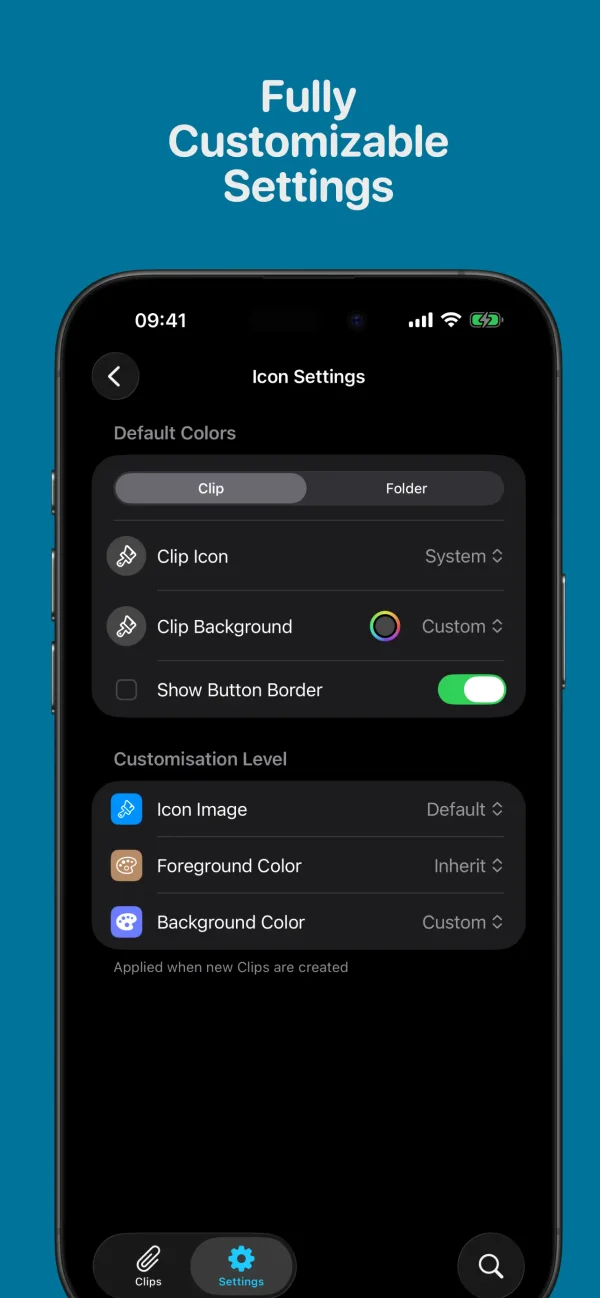
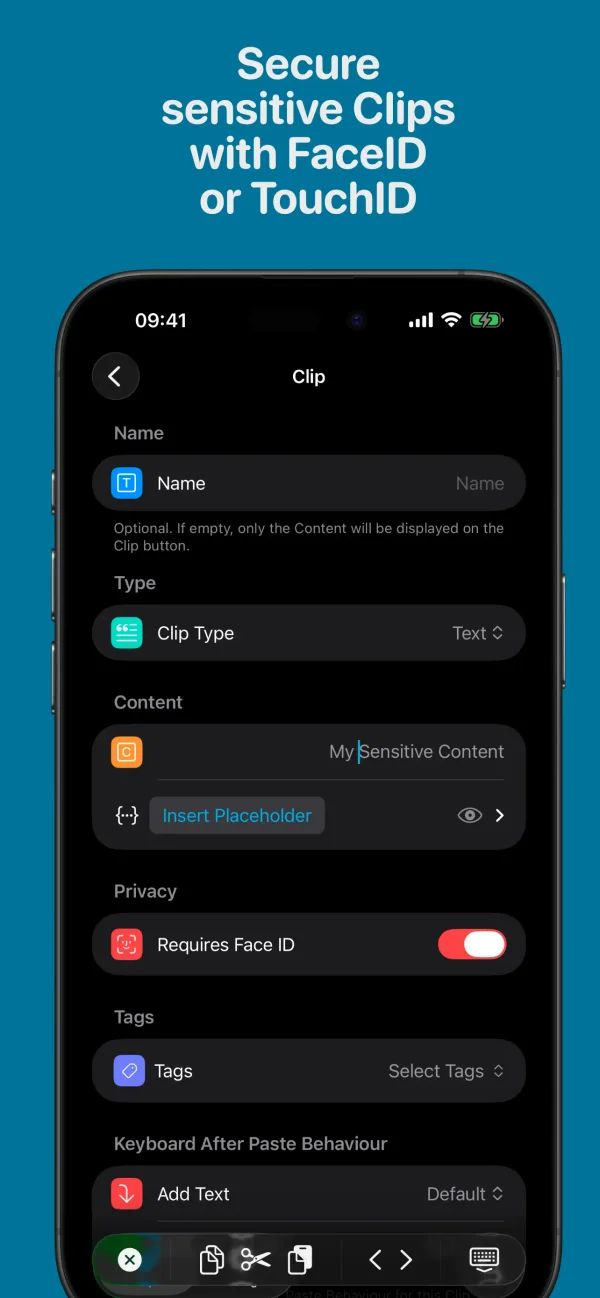
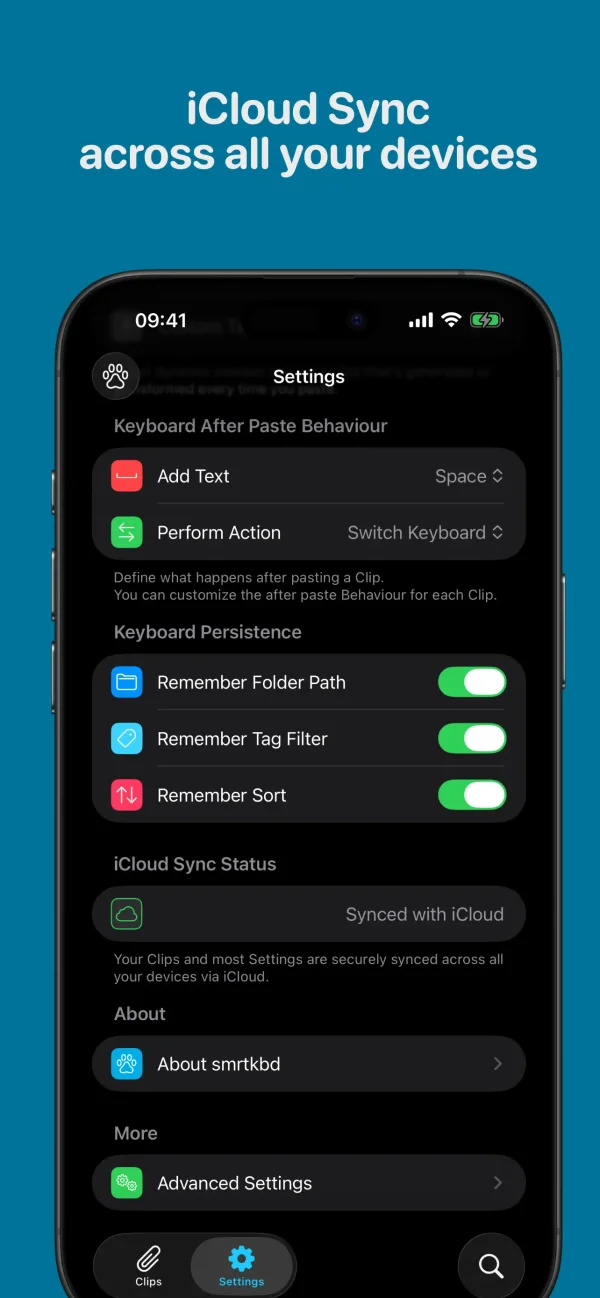
Giới thiệu
Nhà phát triển chưa cung cấp nội dung này bằng ngôn ngữ của bạn.
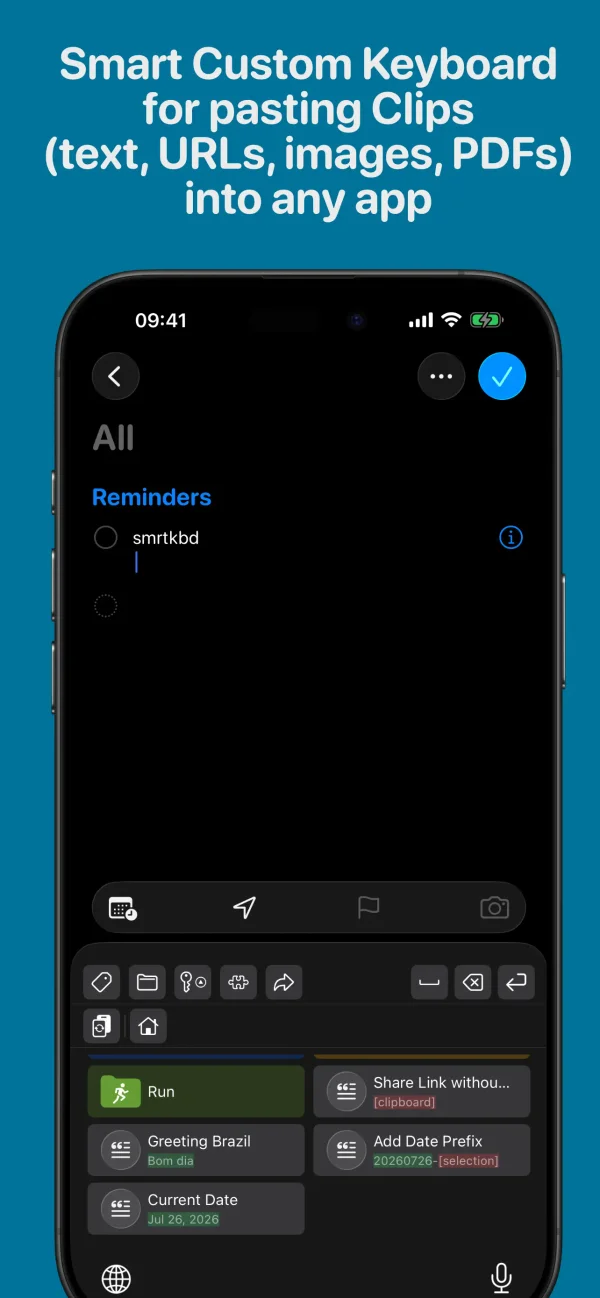
smrtkbd is a smart system keyboard for iPhone and iPad that lets you save the things you type most - and paste them into any app with a single tap.
Stop retyping the same email, address, phone number, canned reply, code snippet, link or template. Save it once as a Clip, then pull it up from the smrtkbd keyboard wherever you type - in Mail, Messages, Notes, Safari, banking apps, forms, chat apps, anywhere.
Custom System Keyboard
Enable smrtkbd once in iOS Settings, and it's available in every app with a text field. Switch to it with the globe key, tap a Clip, and it's inserted right where the cursor is.
Clip Library
Save four kinds of Clips:
• Text — signatures, canned replies, addresses, IDs, boilerplate
• URLs — links you share often
• Images — logos, screenshots, memes
• PDFs — receipts, forms, documents
Organize with:
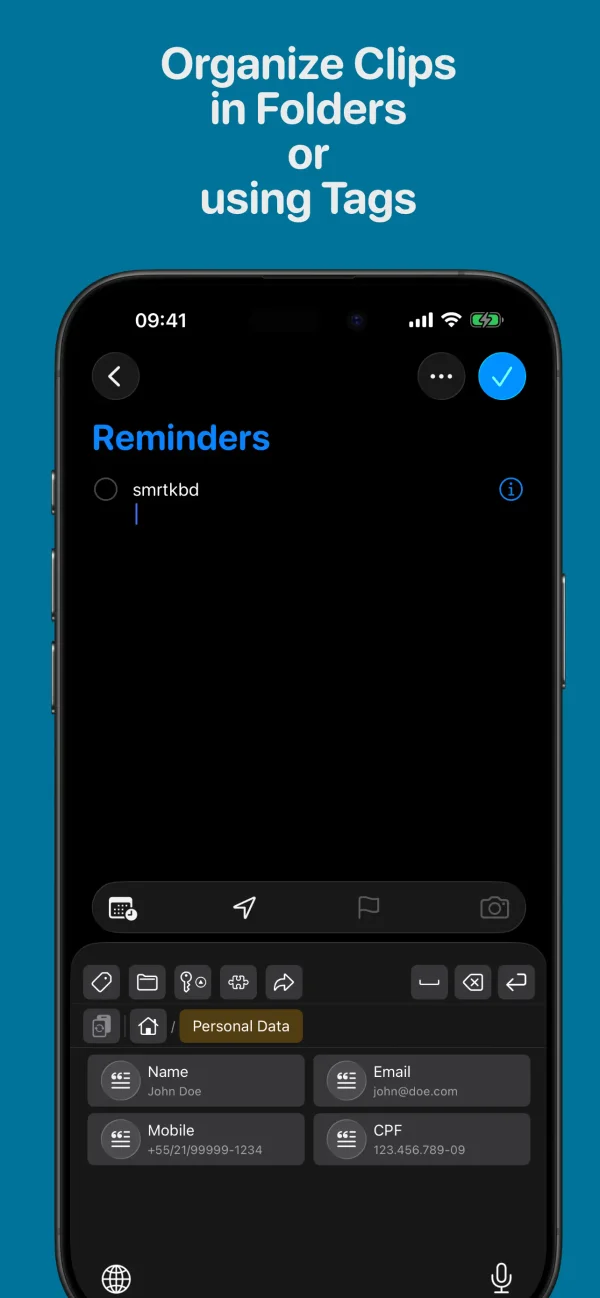
• Folders — nest Clips exactly the way you think
• Tags — colored SF-Symbol tags for cross-cutting groups
• Sort — by name, date created, or most recently used
• Full-text search across names, contents and tags
• Bulk create — paste a list and turn each line into a Clip
Smart Placeholders
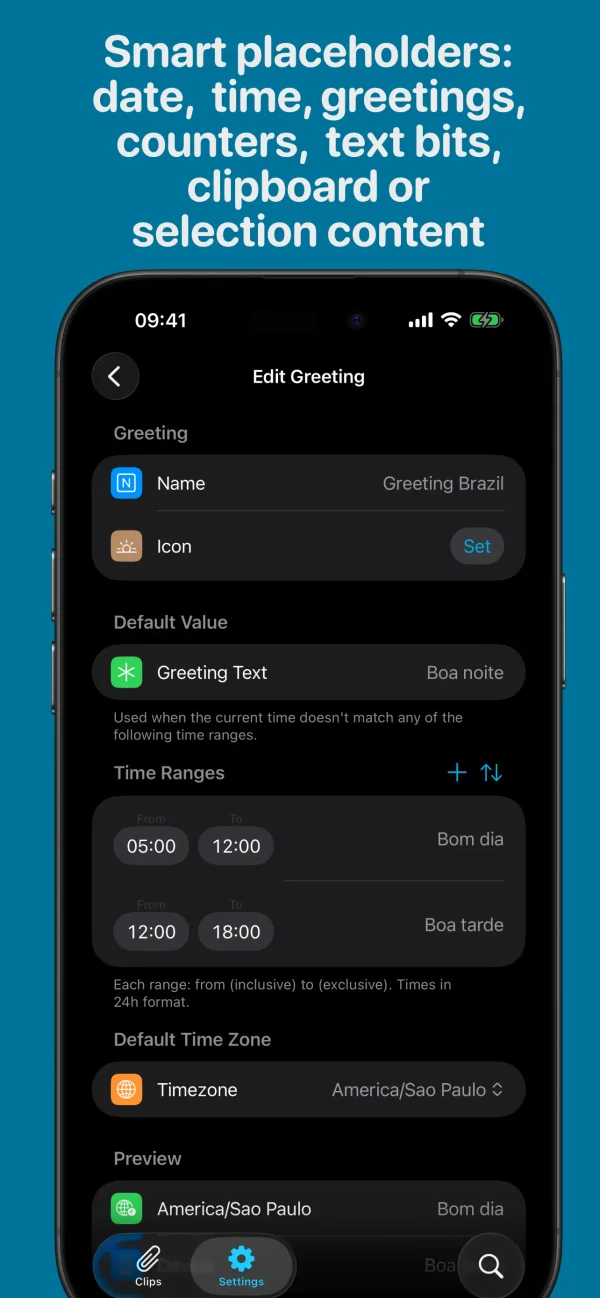
Clips aren't just static text. Drop in smart placeholders that fill themselves in when you paste:
• Dates & times in any format
• Time- and timezone-aware greetings ("Good morning", "Guten Abend", …)
• Counters that increment on every use
• Text Bits — small reusable pieces you can compose into bigger Clips
• Clipboard & selection tweaks — transform the current clipboard or selected text (uppercase, lowercase, trim, and more) before pasting
Build your own dynamic templates without any scripting.
Secure Clips
Mark sensitive Clips as secure — recovery codes, IDs, private notes — and require Face ID or Touch ID before they can be viewed or pasted.
iCloud Sync
Your Clips stay in sync across all your devices via your private iCloud account using Apple's CloudKit. Nothing goes through our servers - because we don't have any.
Privacy First
• Nothing you type is collected, stored or transmitted
• No analytics, no tracking, no ads
• No third-party SDKs harvesting your data
• Your Clips live on your device and in your private iCloud account — nowhere else
Even when Full Access is enabled, no data leaves your device.
Granting Full Access is optional for the basic use of the keyboard, but required for features like:
• Access to Clipboard and Clipboard Notifications (required for pasting Images or PDFs, resolve Clipboard Placeholders inside Clips, update preview of relevant Clips).
• Communicate back to the smrtkbd main App (e.g. storing last used time/date of a Clip).
• Open the main App or the iOS Settings from within the keyboard extension.
Designed for iOS
• Native SwiftUI interface
• Light, Dark and System appearance
• iPhone and iPad
• Fully localized in English, German, Spanish and Brazilian Portuguese
• Configurable paste behavior (add return, space, switch keyboard, or nothing)
• Usage tracking so your most-used Clips are always one tap away
Có gì mới
Phiên bản 1.0.2 · 07/10/2026
Minor bug fixes.
If you like smrtkbd, please rate in on the AppStore!
Quyền riêng tư của ứng dụng
Những gì Michael Klug khai báo trên App Store về cách ứng dụng này xử lý dữ liệu.
-
Dữ liệu không được thu thập
Nhà phát triển không thu thập bất kỳ dữ liệu nào từ ứng dụng này.
Phương thức đảm bảo quyền riêng tư có thể khác nhau, chẳng hạn như tuỳ theo các tính năng bạn sử dụng hoặc độ tuổi của bạn.
Thông tin
- Người bán
- Michael Klug
- Danh mục
- Hiệu Suất
- Phiên bản
- 1.0.2
- Cập nhật
- 07/10/2026
- Phát hành
- 06/08/2026
- Kích thước
- 16,5 MB
- Yêu cầu
- iOS 26.1 trở lên
- Độ tuổi
- 4+
- Giá
- Miễn phí
- Mua hàng trong ứng dụng
- Có
- Ngôn ngữ
- Tiếng Tây Ban Nha, Tiếng Đức, Tiếng Anh, Tiếng Bồ Đào Nha
- Bản quyền
- © 2026 Michael Klug
Có thể bạn cũng thích
-
 Re/memberHiệu Suất
-
 Uniclip - Universal ClipboardHiệu Suất
-
 QuickMark: Markdown EditorHiệu Suất
-
 Big Decision: Decide NowHiệu Suất
-
 AI Markdown Formatter: OneTextHiệu Suất
-
 Chuyển Đổi Ảnh: PNG JPEG HEICNén Hàng Loạt & Xuất PDF Nhanh
-
 Habit Tracker: Routine TrackerHiệu Suất
-
 Papersort – Document OrganizerHiệu Suất
-
 1List (Reminders)Hiệu Suất
-
 Balane TextDeck: Phím tắtLối tắt, mẫu văn bản, sao chép