- 対象年齢4+
- カテゴリ仕事効率化
- 開発元Michael Klug
- 言語スペイン語ほか3言語
- サイズ16.5 MB
App Storeの公式ページにリンクしています
Download.orgはsmrtkbdのファイルを一切ホストしていません。ボタンを押すと、Michael Klugが公開しているApp Storeのアプリページが開きます。ページの最終確認:2026/11/13。
スクリーンショット
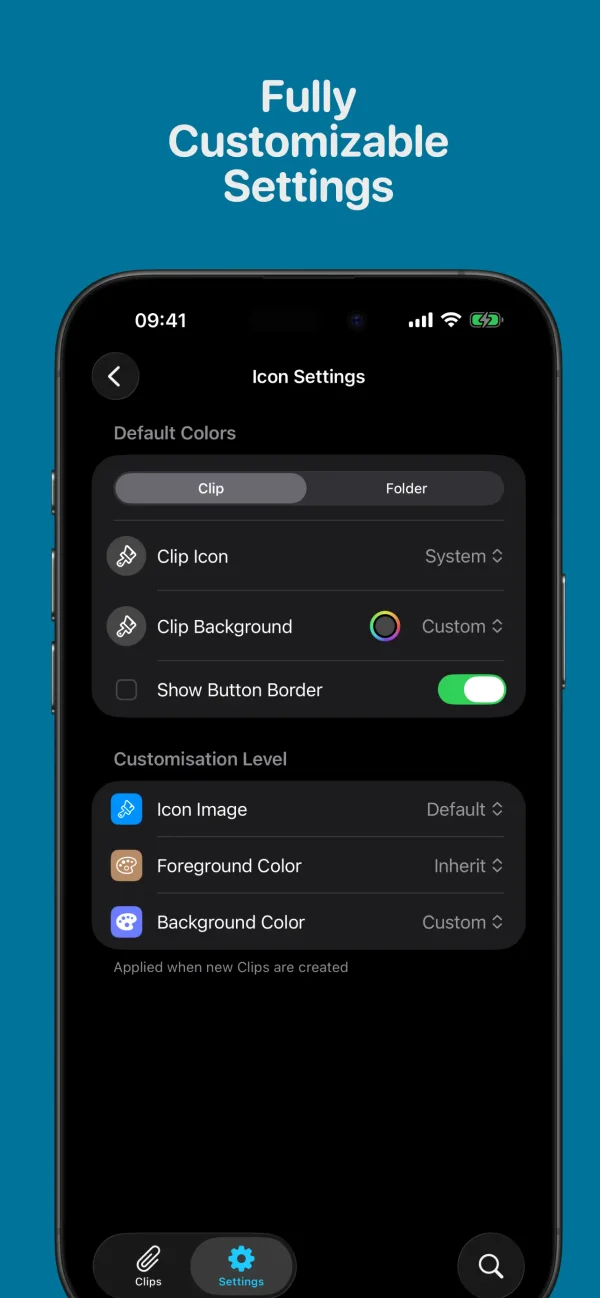
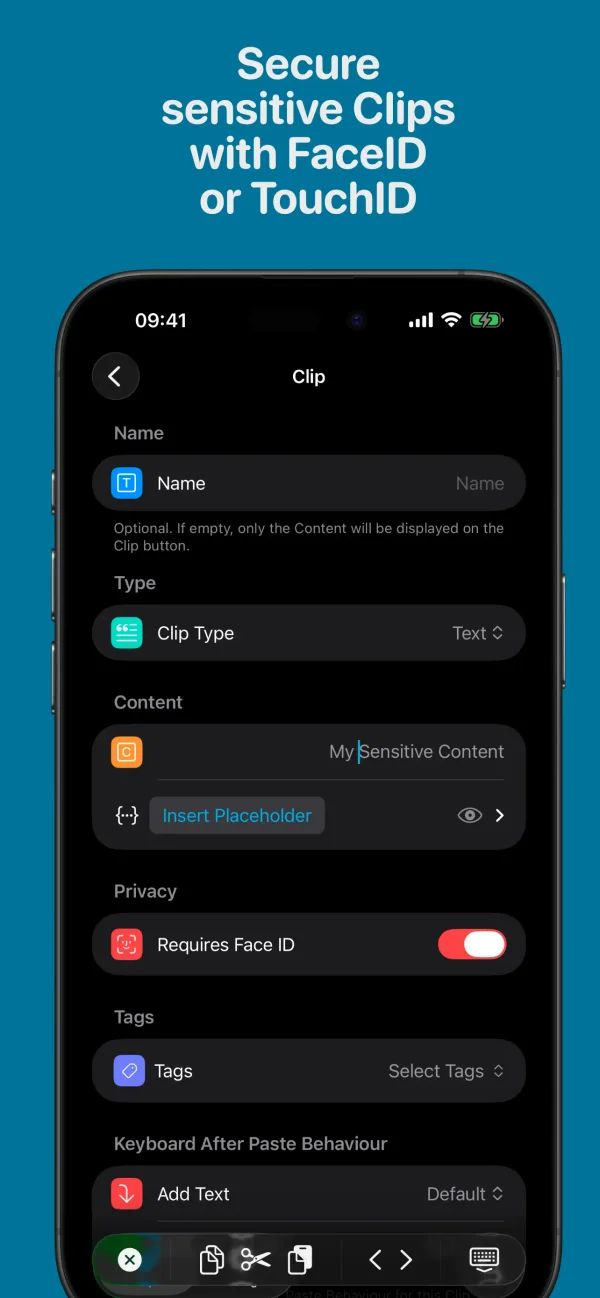
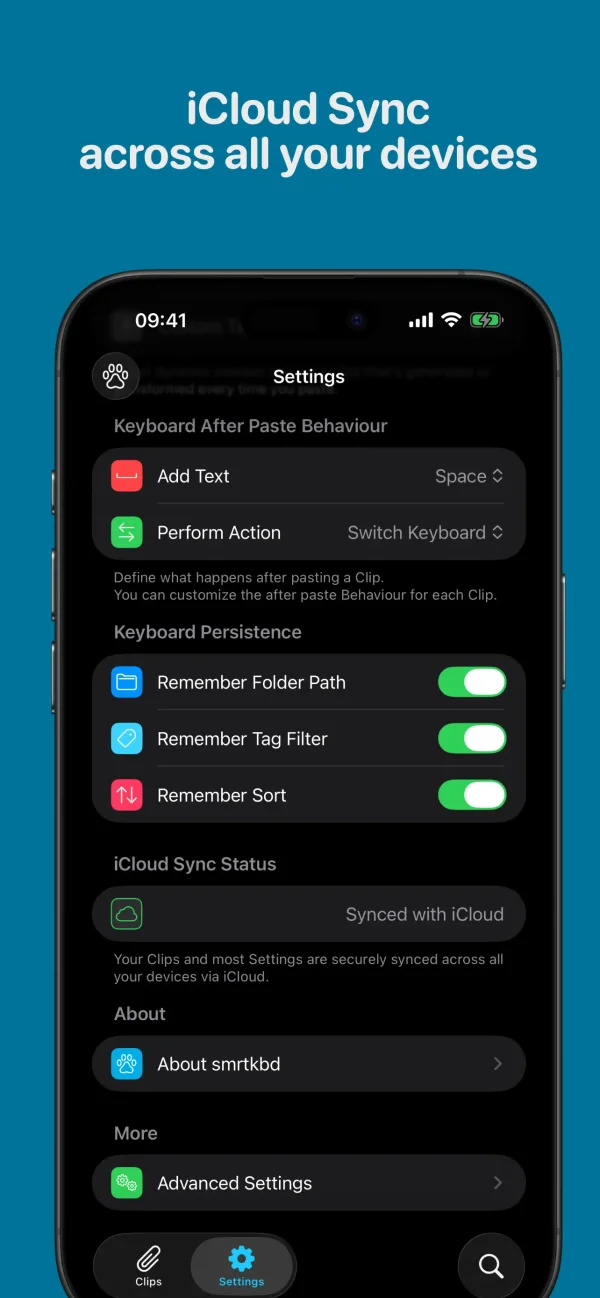
概要
開発元はこのテキストをお使いの言語で提供していません。
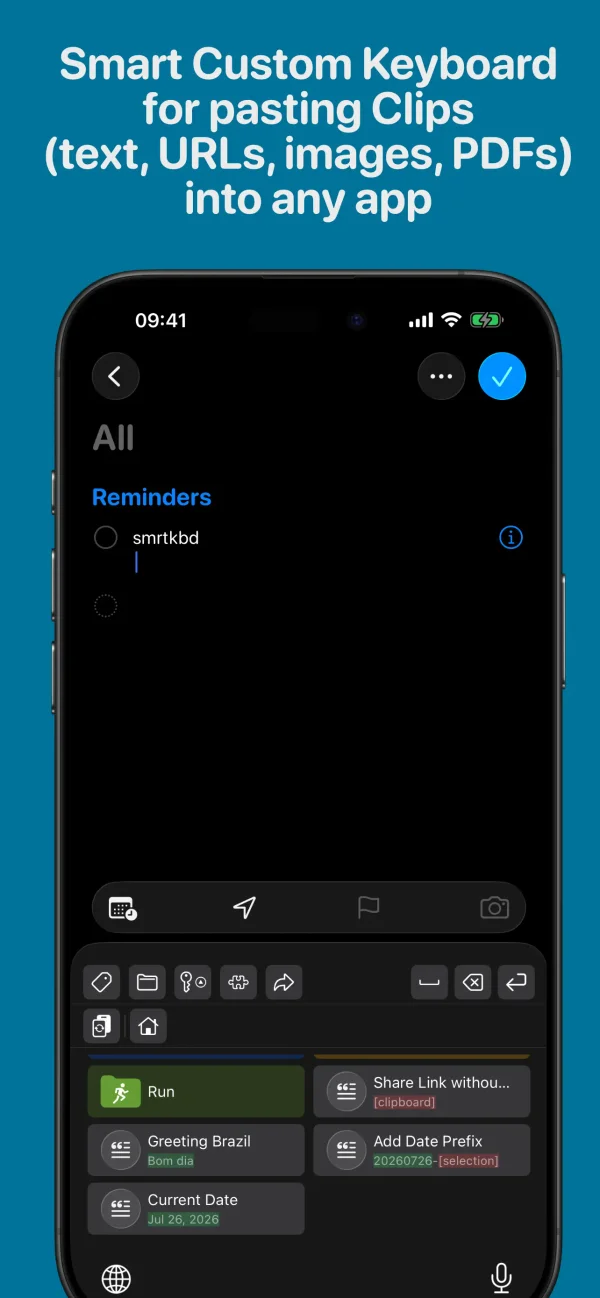
smrtkbd is a smart system keyboard for iPhone and iPad that lets you save the things you type most - and paste them into any app with a single tap.
Stop retyping the same email, address, phone number, canned reply, code snippet, link or template. Save it once as a Clip, then pull it up from the smrtkbd keyboard wherever you type - in Mail, Messages, Notes, Safari, banking apps, forms, chat apps, anywhere.
Custom System Keyboard
Enable smrtkbd once in iOS Settings, and it's available in every app with a text field. Switch to it with the globe key, tap a Clip, and it's inserted right where the cursor is.
Clip Library
Save four kinds of Clips:
• Text — signatures, canned replies, addresses, IDs, boilerplate
• URLs — links you share often
• Images — logos, screenshots, memes
• PDFs — receipts, forms, documents
Organize with:
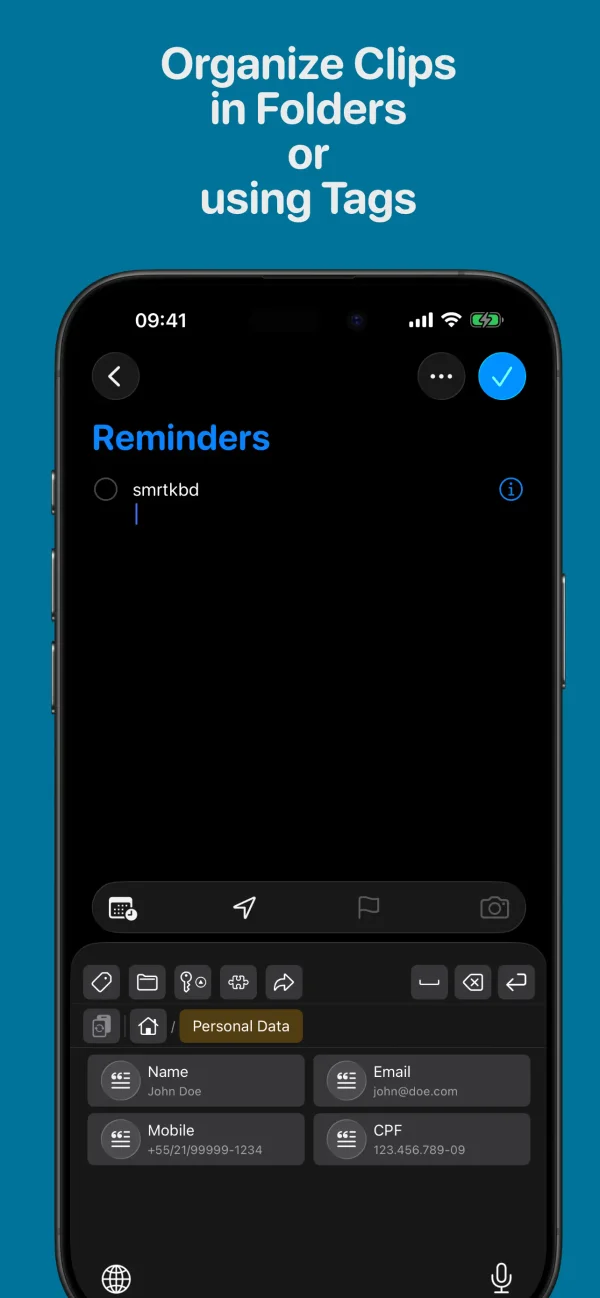
• Folders — nest Clips exactly the way you think
• Tags — colored SF-Symbol tags for cross-cutting groups
• Sort — by name, date created, or most recently used
• Full-text search across names, contents and tags
• Bulk create — paste a list and turn each line into a Clip
Smart Placeholders
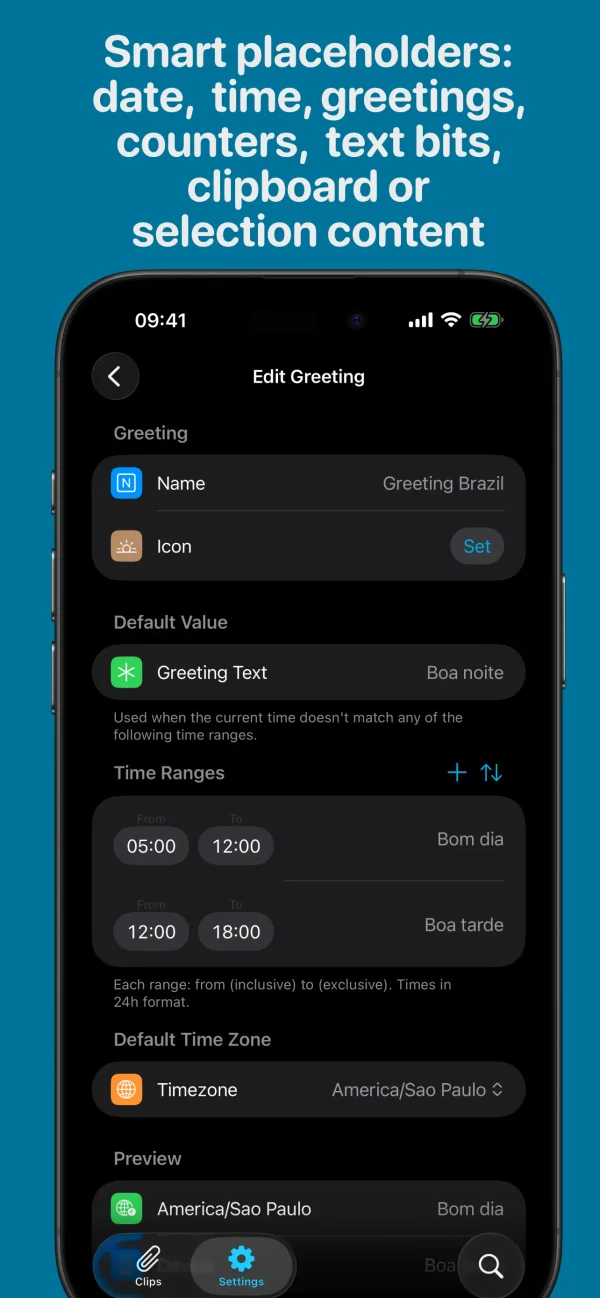
Clips aren't just static text. Drop in smart placeholders that fill themselves in when you paste:
• Dates & times in any format
• Time- and timezone-aware greetings ("Good morning", "Guten Abend", …)
• Counters that increment on every use
• Text Bits — small reusable pieces you can compose into bigger Clips
• Clipboard & selection tweaks — transform the current clipboard or selected text (uppercase, lowercase, trim, and more) before pasting
Build your own dynamic templates without any scripting.
Secure Clips
Mark sensitive Clips as secure — recovery codes, IDs, private notes — and require Face ID or Touch ID before they can be viewed or pasted.
iCloud Sync
Your Clips stay in sync across all your devices via your private iCloud account using Apple's CloudKit. Nothing goes through our servers - because we don't have any.
Privacy First
• Nothing you type is collected, stored or transmitted
• No analytics, no tracking, no ads
• No third-party SDKs harvesting your data
• Your Clips live on your device and in your private iCloud account — nowhere else
Even when Full Access is enabled, no data leaves your device.
Granting Full Access is optional for the basic use of the keyboard, but required for features like:
• Access to Clipboard and Clipboard Notifications (required for pasting Images or PDFs, resolve Clipboard Placeholders inside Clips, update preview of relevant Clips).
• Communicate back to the smrtkbd main App (e.g. storing last used time/date of a Clip).
• Open the main App or the iOS Settings from within the keyboard extension.
Designed for iOS
• Native SwiftUI interface
• Light, Dark and System appearance
• iPhone and iPad
• Fully localized in English, German, Spanish and Brazilian Portuguese
• Configurable paste behavior (add return, space, switch keyboard, or nothing)
• Usage tracking so your most-used Clips are always one tap away
新機能
バージョン 1.0.2 · 2026/10/7
Minor bug fixes.
If you like smrtkbd, please rate in on the AppStore!
アプリのプライバシー
このアプリのデータの取り扱いについて、Michael KlugがApp Storeで申告している内容です。
-
データの収集なし
開発元はこのアプリからデータを収集しません。
プライバシーの取り扱いは、ご利用の機能やお客様の年齢などに応じて異なる場合があります。
情報
- 販売元
- Michael Klug
- カテゴリ
- 仕事効率化
- バージョン
- 1.0.2
- 更新日
- 2026/10/7
- リリース
- 2026/8/6
- サイズ
- 16.5 MB
- 必要条件
- iOS 26.1以降
- 対象年齢
- 4+
- 価格
- 無料
- アプリ内課金
- あり
- 言語
- スペイン語, ドイツ語, 英語, ポルトガル語
- 著作権
- © 2026 Michael Klug
こちらもおすすめ
-
 Re/member仕事効率化
-
 Uniclip - Universal Clipboard仕事効率化
-
 QuickMark: Markdown Editor仕事効率化
-
 Big Decision: Decide Now仕事効率化
-
 AI Markdown Formatter: OneTextMarkdown画像・PDF・Officeファイルを簡単変換
-
 画像変換・サイズ変更 - PNG JPEG HEIC写真をPDF化&一括圧縮、軽くしてすぐ共有
-
 Habit Tracker: Routine Tracker仕事効率化
-
 Papersort – Document Organizer仕事効率化
-
 1List (Reminders)仕事効率化
-
 Balane TextDeck: 定型文ショートカットプロンプト・テンプレートをワンタップでコピペ