SpinCanvas
Paint on a spinning wheel
Được thiết kế cho iPhone, iPad
Miễn phí · Mua hàng trong ứng dụng
- Độ tuổi4+
- Danh mụcĐồ Họa & Thiết Kế
- Nhà phát triểnKosuke Goto
- Ngôn ngữTiếng Anh+ 1 ngôn ngữ khác
- Kích thước4,8 MB
Liên kết đến trang App Store chính thức
Download.org không lưu trữ tệp nào của SpinCanvas. Nút này mở trang ứng dụng trên App Store, nơi Kosuke Goto phát hành ứng dụng. Trang được kiểm tra lần cuối: 12/11/2026.
Ảnh chụp màn hình

Giới thiệu
Nhà phát triển chưa cung cấp nội dung này bằng ngôn ngữ của bạn.
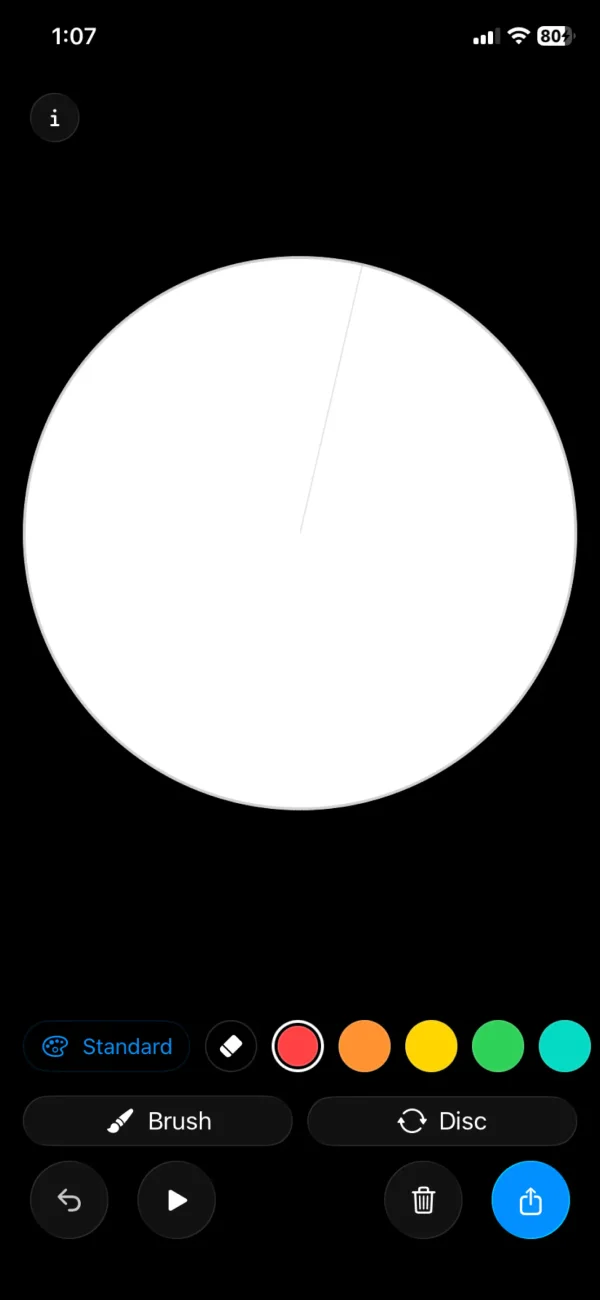
SpinCanvas is a painting app where you lay color onto a spinning disc, like a pottery wheel.
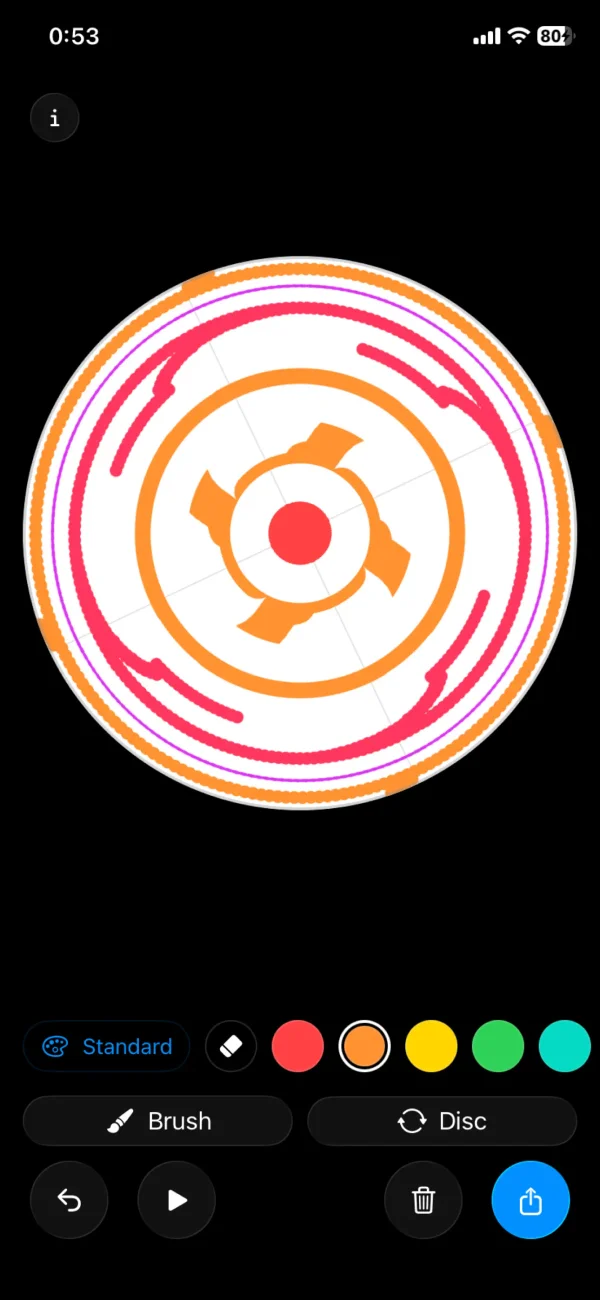
Touch the disc while it spins, and even a still finger draws rings and arcs as the disc turns beneath it. Move your finger to make spirals. Turn on symmetry mode and you get kaleidoscope-like patterns.
You don't have to try to draw well. Just touch, and it becomes art.
WHY YOU'LL LOVE IT
• Relax and let your hand move without thinking
• Create geometric and mandala-style designs in seconds
• Draw together with kids
• Make your own profile icon or phone wallpaper
DRAW
• Just touch the disc. Hold still for rings, move for spirals
• Pause the disc to draw carefully while it's still
• Symmetry mode mirrors every stroke into 2–12 segments
• Eraser turns painted areas transparent again
• Undo removes your last stroke
COLORS
• Six palettes: Standard, Japanese, Pastel, Neon, Monochrome, and Earth
• Create any color with the color picker
• Recently used colors are kept automatically
BRUSHES
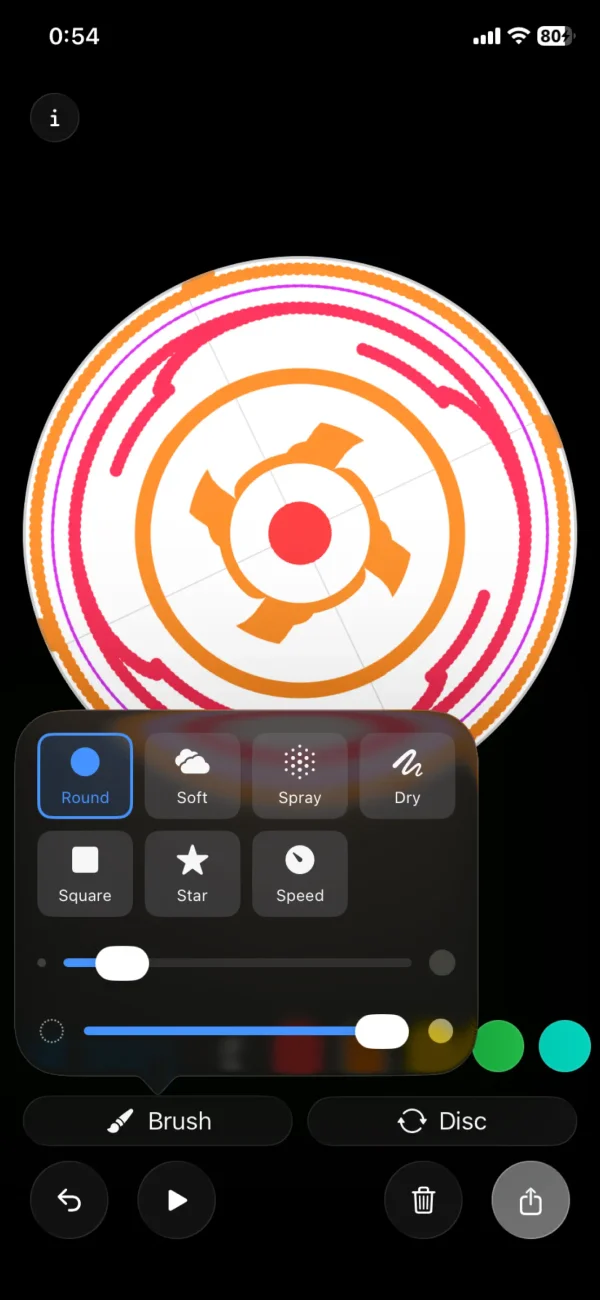
• Round, Soft, Spray, Dry, Square, and Star
• A "Speed" brush that gets thinner the faster the disc spins
• Adjustable size and opacity
DISC
• Rotation speed and reverse rotation
• Base color: white, black, any color, or a transparency checker
• Wood and ceramic textures
• Concentric, radial, and grid guide lines
EXPORT
• Save as PNG to Photos or share directly
• High-resolution export at 2K, 4K, or wallpaper size
• Transparent, white, black, or custom backgrounds
• Choose whether to include the disc base
SPINCANVAS PRO
One purchase unlocks every feature forever. No subscription.
• All brushes
• Free brush size and rotation speed with sliders, plus reverse rotation
• Disc base colors, textures, and guide l
• Undo up to 50 steps (5 in the free version)
• High-resolution export and custom backg
• Export without the logo watermark
The free version includes the round brush, every palette, symmetry mode, and standard-size export.
On iPhone in portrait, the palette and toolbar sit below the disc. In landscape and on iPad, all settings appear in a side panel next to the disc.
No account is required, and your artwork never leaves your device.
Quyền riêng tư của ứng dụng
Những gì Kosuke Goto khai báo trên App Store về cách ứng dụng này xử lý dữ liệu.
-
Dữ liệu không được thu thập
Nhà phát triển không thu thập bất kỳ dữ liệu nào từ ứng dụng này.
Phương thức đảm bảo quyền riêng tư có thể khác nhau, chẳng hạn như tuỳ theo các tính năng bạn sử dụng hoặc độ tuổi của bạn.
Thông tin
- Người bán
- Kosuke Goto
- Danh mục
- Đồ Họa & Thiết Kế
- Phiên bản
- 1.0
- Cập nhật
- 23/09/2026
- Phát hành
- 23/09/2026
- Kích thước
- 4,8 MB
- Yêu cầu
- iOS 26.0 trở lên
- Độ tuổi
- 4+
- Giá
- Miễn phí
- Mua hàng trong ứng dụng
- Có
- Ngôn ngữ
- Tiếng Anh, Tiếng Nhật
- Bản quyền
- © Kosuke Goto
Có thể bạn cũng thích
-
 Spinoodle: Spin ArtĐồ Họa & Thiết Kế
-
 Drawing from LifeĐồ Họa & Thiết Kế
-
 KaleidoPen - Spin Symmetry ArtĐồ Họa & Thiết Kế
-
 Artist ToolsĐồ Họa & Thiết Kế
-
 One MandalaĐồ Họa & Thiết Kế
-
 Pigments Studio: Color WheelĐồ Họa & Thiết Kế
-
 DrawVibeĐồ Họa & Thiết Kế
-
 Zen Brush 3Đồ Họa & Thiết Kế
-
 Drawing PracticeĐồ Họa & Thiết Kế
-
 Mandala Maker 360Đồ Họa & Thiết Kế