- Độ tuổi4+
- Danh mụcHiệu Suất
- Nhà phát triểnNIK
- Ngôn ngữTiếng Anh
- Kích thước4,1 MB
Liên kết đến trang App Store chính thức
Download.org không lưu trữ tệp nào của Task Tree. Nút này mở trang ứng dụng trên App Store, nơi NIK phát hành ứng dụng. Trang được kiểm tra lần cuối: 14/11/2026.
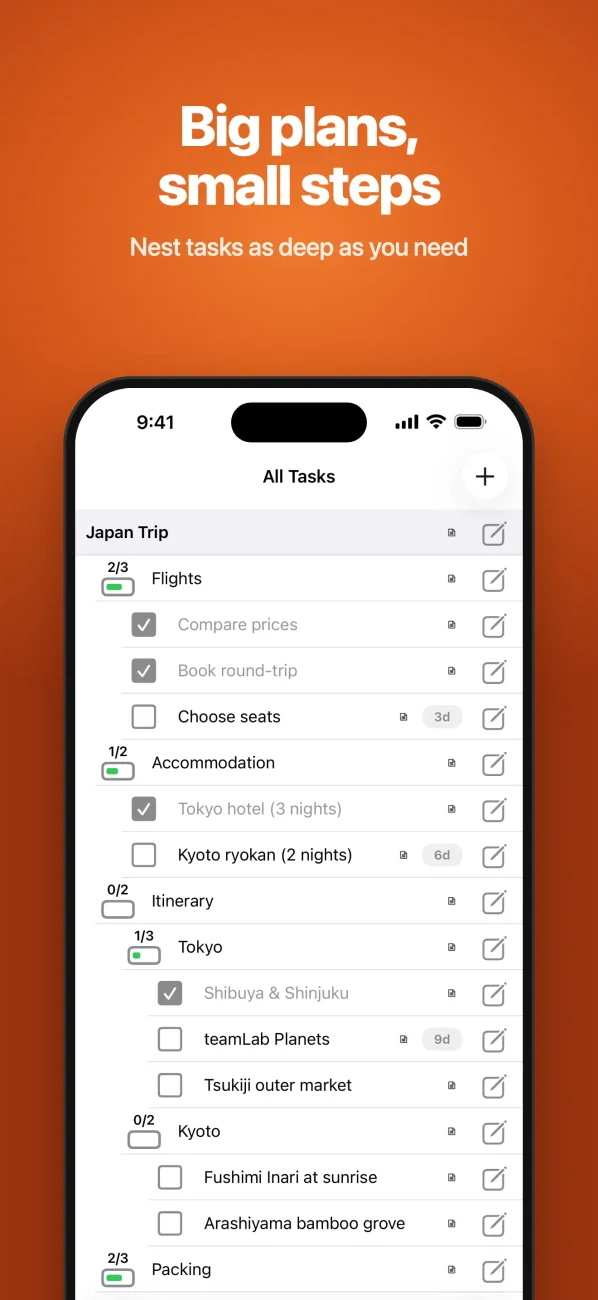
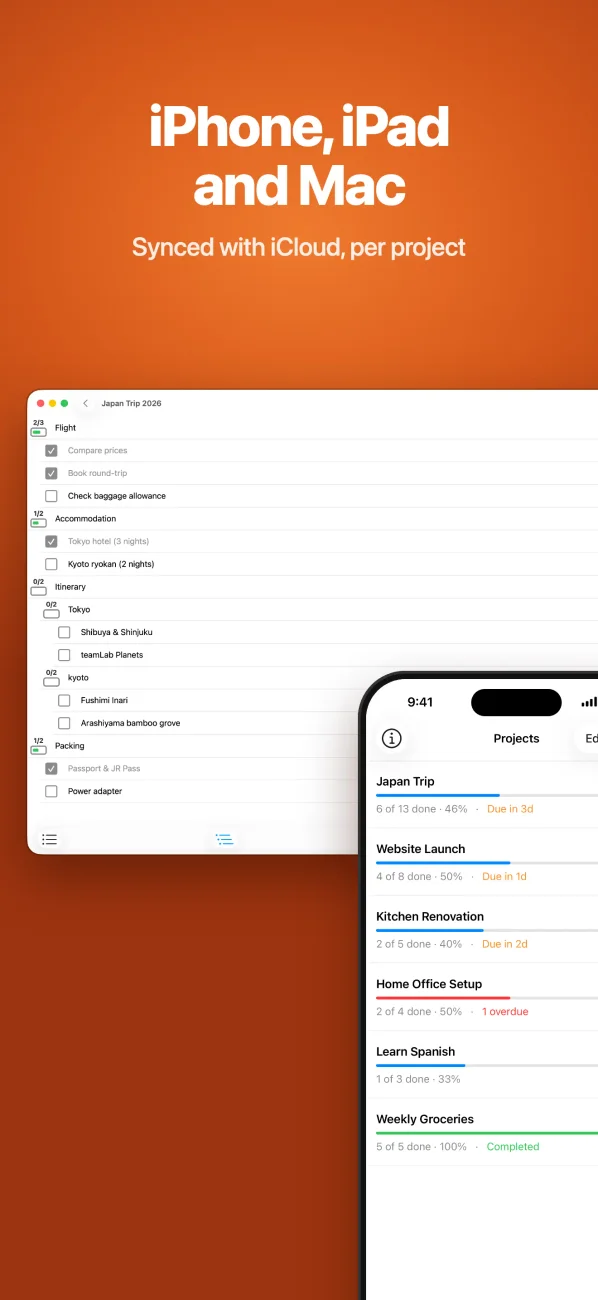
Ảnh chụp màn hình



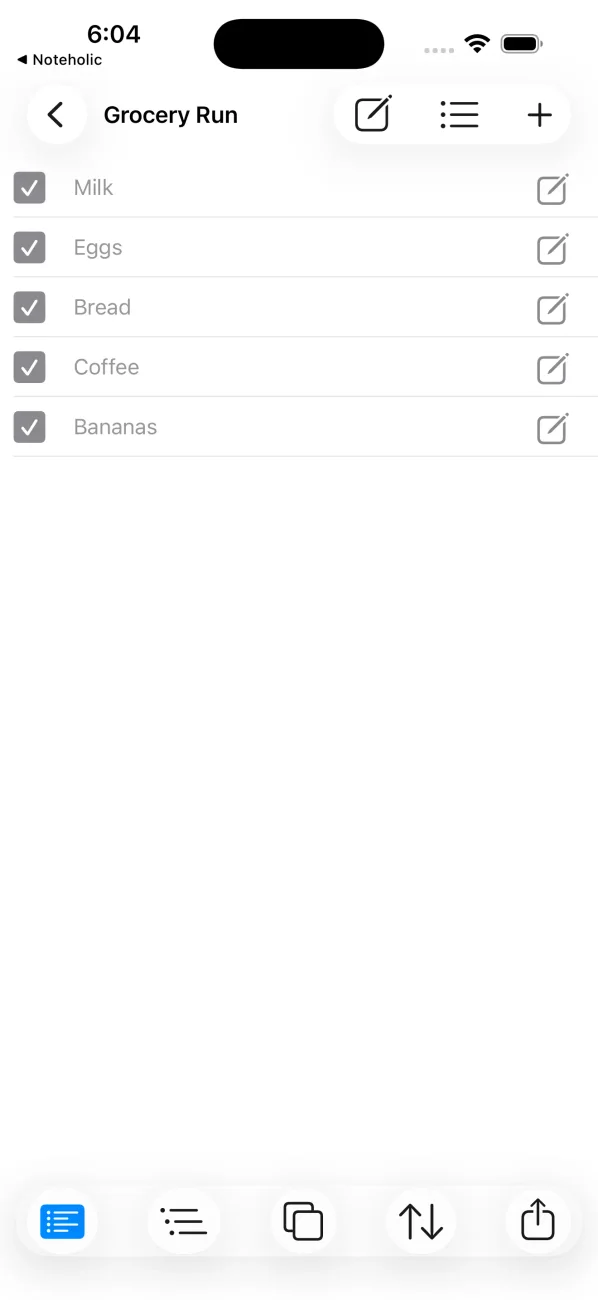
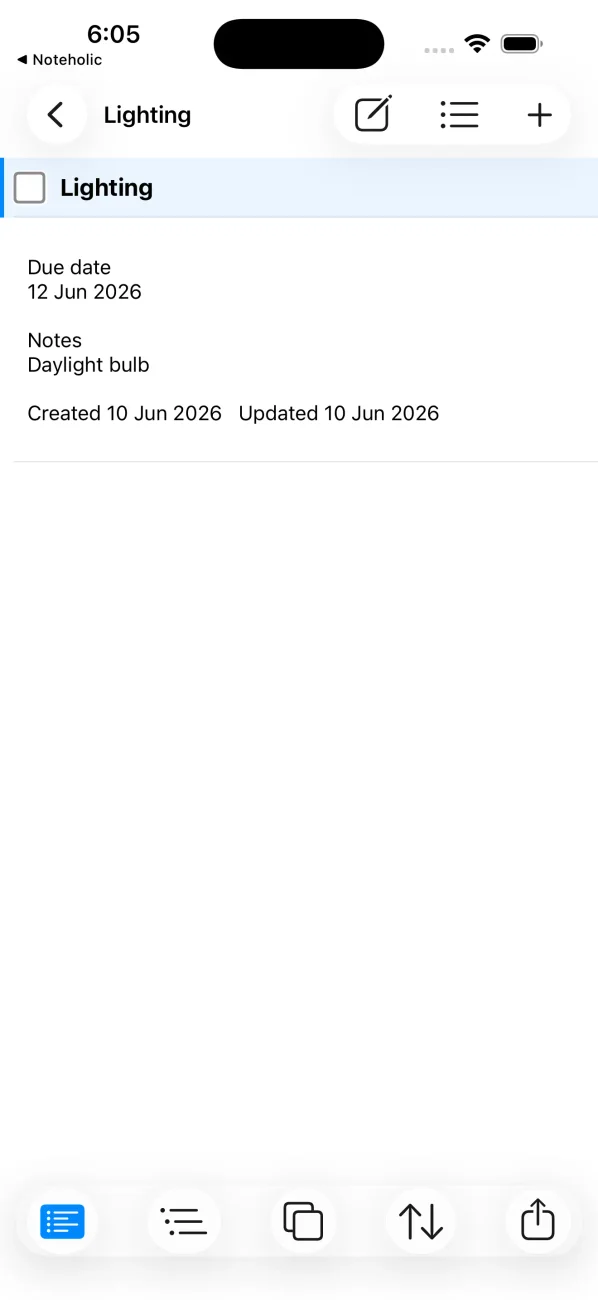
Giới thiệu
Nhà phát triển chưa cung cấp nội dung này bằng ngôn ngữ của bạn.
Task Tree — Organize anything as a tree
Task Tree is a simple, powerful task manager built around tree‑structured tasks. Break any goal into projects, tasks, and subtasks — to any depth — and watch progress roll up automatically from the smallest detail to the big picture.
Planning a trip, shipping a product, or just keeping a to‑do list? Task Tree keeps everything in a clear hierarchy that's easy to navigate.
WHY TASK TREE
• Think in trees — Nest tasks as deeply as you need. Big goals become projects; projects break down into
tasks and subtasks.
• Automatic progress — Check off the leaves and every parent task and project updates its progress for
you.
• See the whole picture — The Projects screen shows each project's progress, completion count, and due
status at a glance.
FEATURES
• Unlimited subtask depth
• Projects with live progress bars and due‑date tracking
• Inline due dates with a built‑in calendar
• Move a task (and its subtasks) anywhere — or promote it to its own project
• Duplicate a task and its entire subtree
• Drill‑down and full hierarchy views
• iCloud backup & restore — keep your tree safe
• Noteholic integration — send a tree to Noteholic, or import a note as a project (indentation becomes
your hierarchy)
Simple enough for a grocery list, structured enough for a big project. Plant your first tree today.
Có gì mới
Phiên bản 2.3 · 29/10/2026
Task Tree is now on the Mac!
• Task Tree for Mac: Get Task Tree on the Mac App Store, with a menu bar, keyboard shortcuts and right-click menus.
• iCloud Sync fixes: Fixed issues that could keep changes from reaching your other devices.
• About screen: Now shows your app version and iCloud sync status, and lets you reopen these release notes at any time.
Using iCloud Sync for the first time? Swipe right on a project in the project list and tap Sync. New projects sync automatically.
Quyền riêng tư của ứng dụng
Những gì NIK khai báo trên App Store về cách ứng dụng này xử lý dữ liệu.
-
Dữ liệu không được thu thập
Nhà phát triển không thu thập bất kỳ dữ liệu nào từ ứng dụng này.
Phương thức đảm bảo quyền riêng tư có thể khác nhau, chẳng hạn như tuỳ theo các tính năng bạn sử dụng hoặc độ tuổi của bạn.
Thông tin
- Người bán
- NIK International Pty Ltd
- Danh mục
- Hiệu Suất
- Phiên bản
- 2.3
- Cập nhật
- 29/10/2026
- Phát hành
- 13/11/2012
- Kích thước
- 4,1 MB
- Yêu cầu
- iOS 17.0 trở lên
- Độ tuổi
- 4+
- Giá
- Miễn phí
- Ngôn ngữ
- Tiếng Anh
- Bản quyền
- © 2017 NIK International Pty Ltd