
TaskLoop Planner
Tasks you type like you talk
Được thiết kế cho iPhone, iPad, iPod touch
Miễn phí · Mua hàng trong ứng dụng
- Độ tuổi4+
- Danh mụcHiệu Suất
- Nhà phát triểnEugenio Chessa
- Ngôn ngữTiếng Anh+ 4 ngôn ngữ khác
- Kích thước9,7 MB
Liên kết đến trang App Store chính thức
Download.org không lưu trữ tệp nào của TaskLoop Planner. Nút này mở trang ứng dụng trên App Store, nơi Eugenio Chessa phát hành ứng dụng. Trang được kiểm tra lần cuối: 12/11/2026.
Ảnh chụp màn hình
Giới thiệu
Nhà phát triển chưa cung cấp nội dung này bằng ngôn ngữ của bạn.
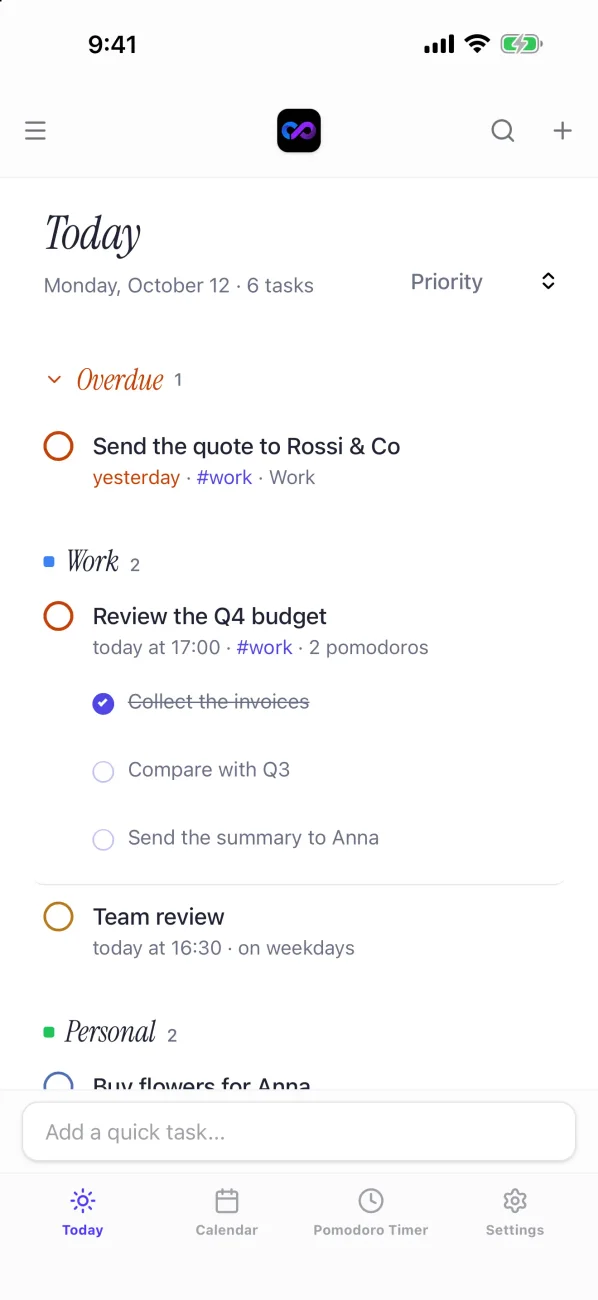
TaskLoop turns the way you talk into a tidy to-do list. Write "call Marco friday at 9 #work" and TaskLoop sets the date, the time and the tag for you. The title stays clean.
WRITE IT DOWN, FAST
• Natural language in English, Italian, Spanish, French and German
• Dates, times and #tags read straight from your sentence
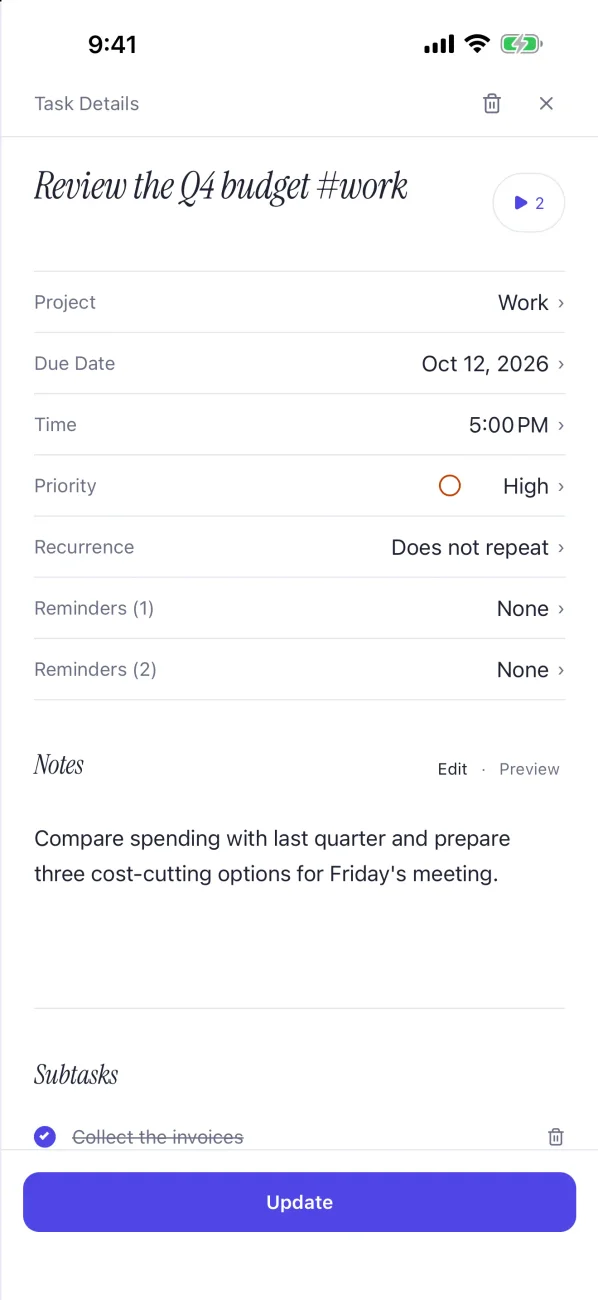
• Subtasks you can tick off right in the list
PLAN YOUR DAY
• Today, Next 7 days, Overdue and All views
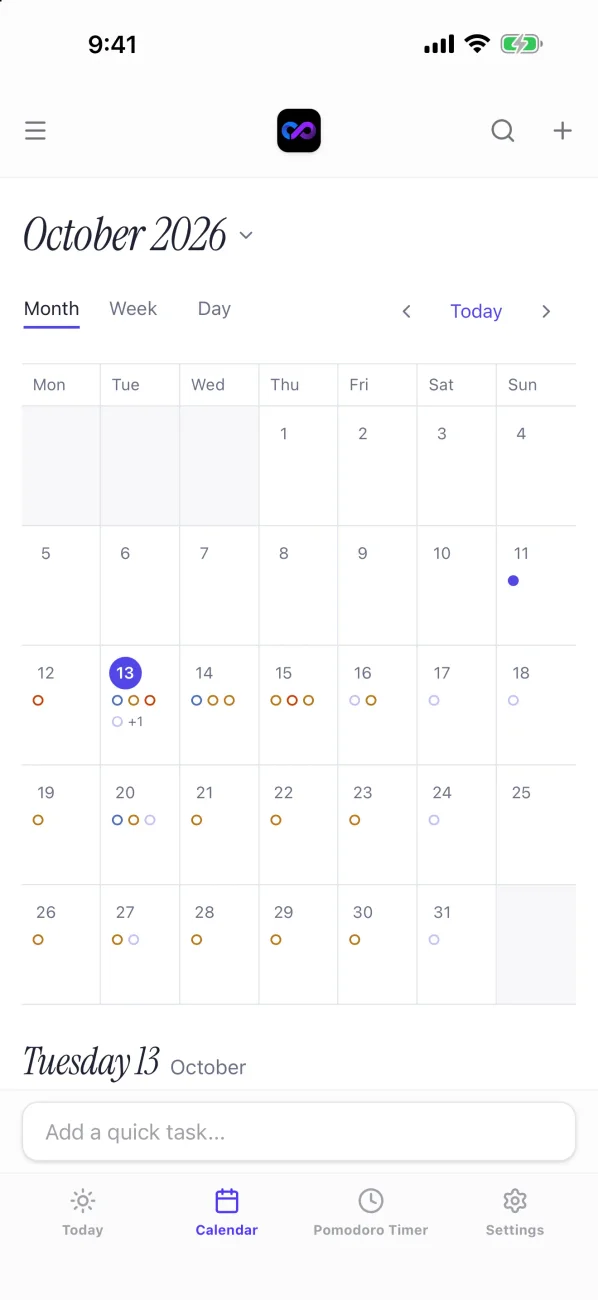
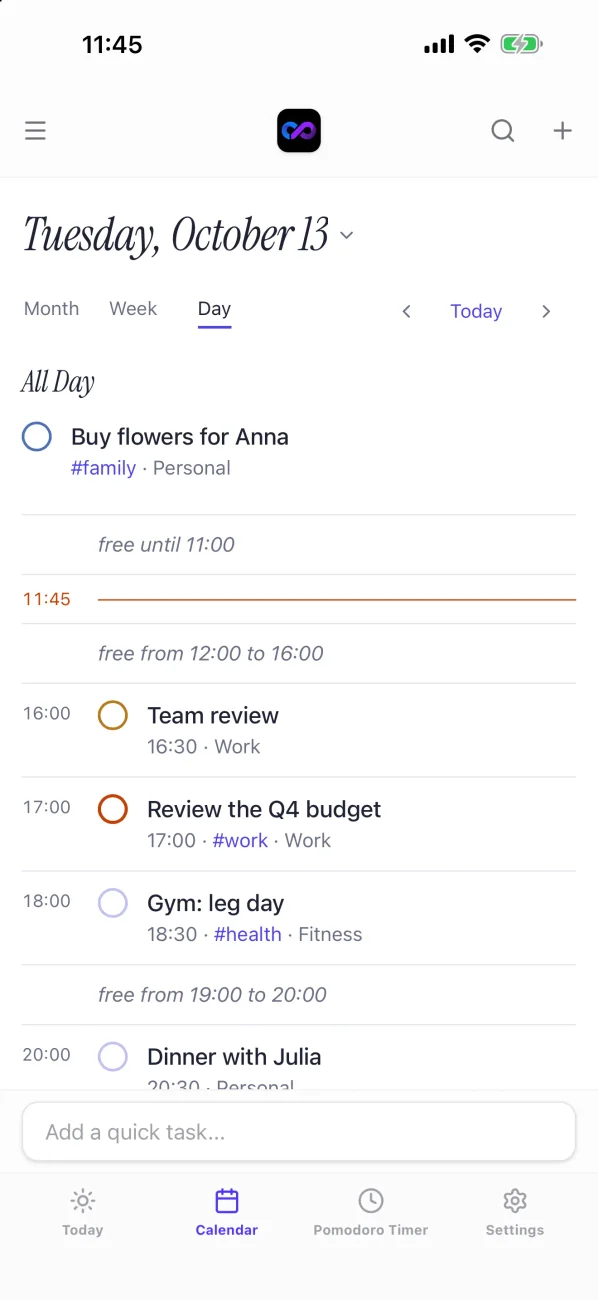
• Calendar with month, week and day views — drag a task to a new hour
• Projects with nested subprojects and colors
• Two reminders per task: on time, 5 or 30 minutes, 1 hour or 1 day early
• Import events from your iPhone and iPad calendars (iCloud and other accounts) as tasks
FOCUS
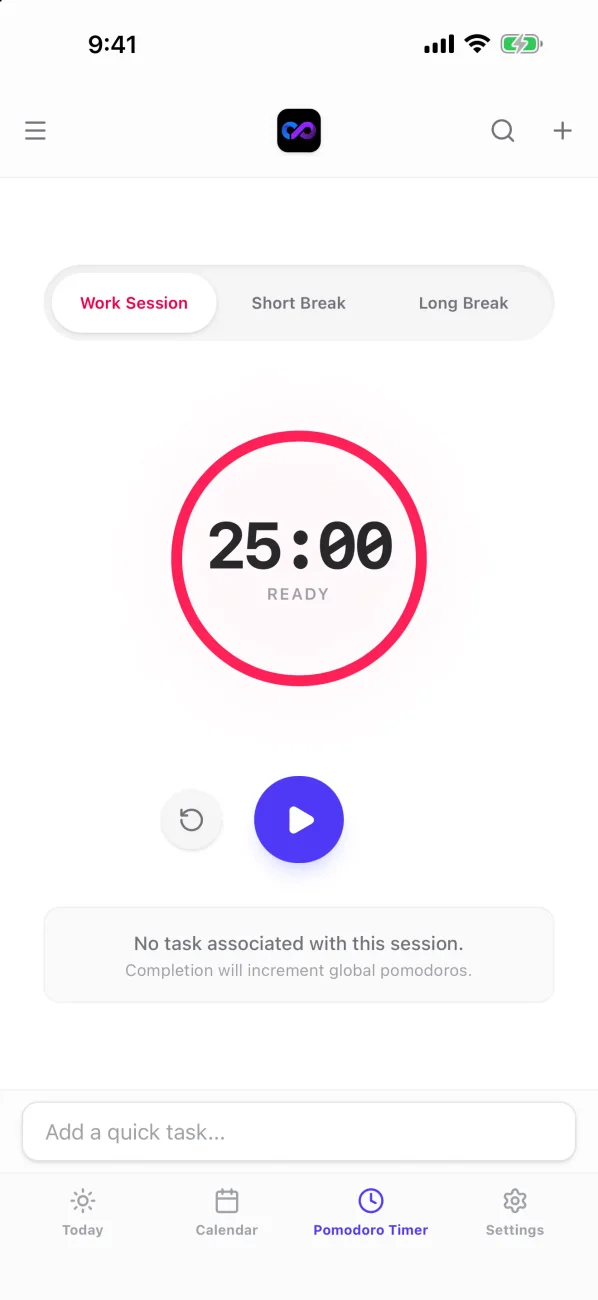
• Pomodoro timer started from the task you're working on
• Search everything from one box
YOUR DATA, YOUR DEVICE
• Offline-first: every task is saved on your device first
• No account needed to start
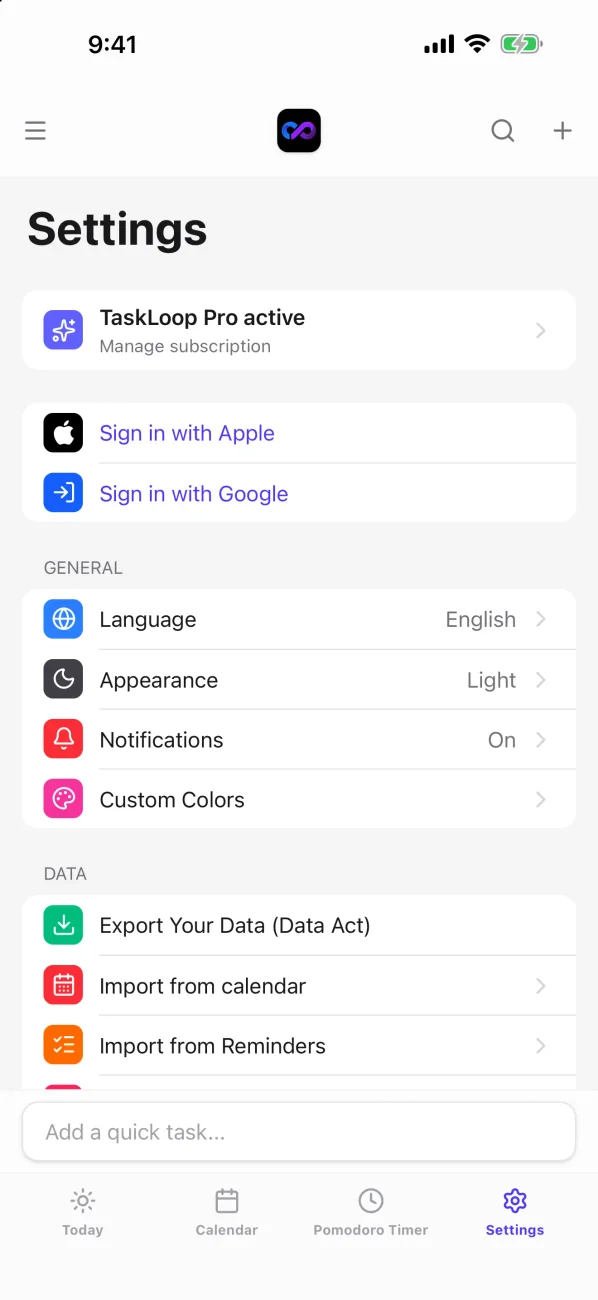
• Optional sync with Sign in with Apple or Google; servers in the EU
• Export your whole database to JSON at any time
• Delete your account and all your data from Settings
TASKLOOP PRO
Pro unlocks unlimited projects and subprojects, recurring tasks, file and image attachments in the cloud and custom colors — on every device you sign in to. Available as a monthly or yearly subscription with a free trial.
Payment is charged to your Apple ID at confirmation of purchase. The subscription renews automatically unless it is cancelled at least 24 hours before the end of the current period. Manage or cancel it in your App Store account settings.
Terms of Use: https://www.apple.com/legal/internet-services/itunes/dev/stdeula/
Privacy Policy: https://taskloop.app/privacy.html
Có gì mới
Phiên bản 1.0.8 · 28/10/2026
What's new
- Reminder actions: long-press a task notification for "Complete", "In 1 hour" or "Tomorrow", without opening the app.
- Add tasks with Siri.
- Pro themes to change how the app looks.
- A getting-started guide on first launch, available again from Settings.
- iPad: a dedicated landscape layout, with side-by-side Settings and a larger Pomodoro timer.
- Sign out without losing your tasks: choose whether to keep them on the device or remove them.
- "Export your data" now opens the iOS share sheet (Save to Files, AirDrop, Mail).
Fixes
- More reliable sync: a task added right before leaving the app reaches your other devices right away.
- No more duplicate reminders.
- The icon badge updates at midnight.
- Deleting every project no longer deletes your tasks.
Quyền riêng tư của ứng dụng
Những gì Eugenio Chessa khai báo trên App Store về cách ứng dụng này xử lý dữ liệu.
-
Dữ liệu liên kết với bạn
Có thể được thu thập và liên kết với danh tính của bạn.
- Mục mua
- Thông tin liên hệ
- Nội dung của người dùng
- Mã định danh
Phương thức đảm bảo quyền riêng tư có thể khác nhau, chẳng hạn như tuỳ theo các tính năng bạn sử dụng hoặc độ tuổi của bạn.
Thông tin
- Người bán
- Eugenio Chessa
- Danh mục
- Hiệu Suất
- Phiên bản
- 1.0.8
- Cập nhật
- 28/10/2026
- Phát hành
- 28/10/2026
- Kích thước
- 9,7 MB
- Yêu cầu
- iOS 15.0 trở lên
- Độ tuổi
- 4+
- Giá
- Miễn phí
- Mua hàng trong ứng dụng
- Có
- Ngôn ngữ
- Tiếng Anh, Tiếng Pháp, Tiếng Đức, Tiếng Ý, Tiếng Tây Ban Nha
- Bản quyền
- © 2026 Eugenio Chessa
Có thể bạn cũng thích
-
 Hans4DHiệu Suất
-
 Vareio QuestHiệu Suất
-
 Snagbox: Bookmark & Link SaverHiệu Suất
-
 Screenshot to Task: ShotodoHiệu Suất
-
 Cutter ClosetHiệu Suất
-
 JobGuard AIHiệu Suất
-
 Nemos: Đọc sau & Dấu trangGhi âm chép lời & ghi chú
-
 NoDi: Lofi Pomodoro TimerHiệu Suất
-
 DoTicker: To Do ListHiệu Suất
-
 Supremo Remote DesktopHiệu Suất