
CaptureHub 1.13.1 for Windows
Turns a recorded workflow into a click-by-click HTML report and slides
Screenshots



Description
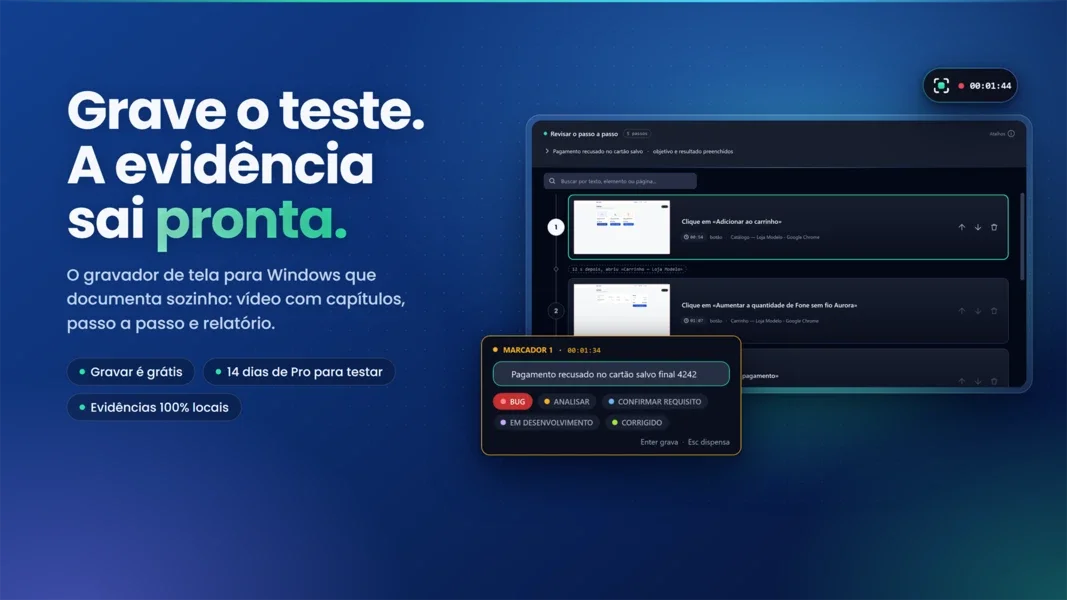
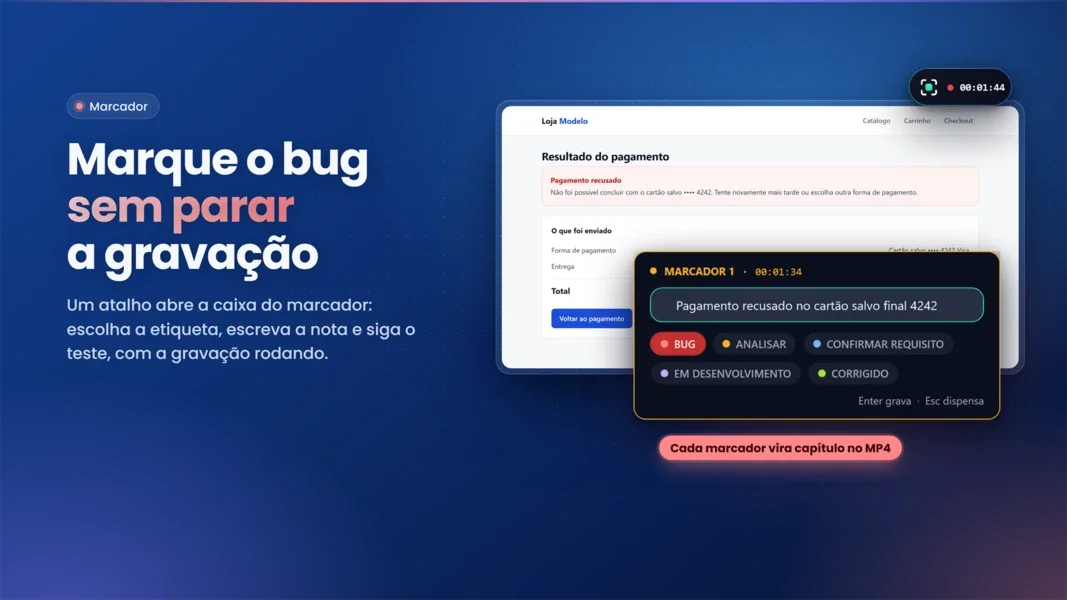
CaptureHub records whatever happens on a Windows screen and keeps the evidence in a form other people can follow. In Pro, each click is written up as a step: the screen as it looked at that moment, plus the real name of the button that was pressed. From there it builds a PowerPoint deck and an HTML report that stays in one file. Markers dropped during recording turn into chapters in the video.
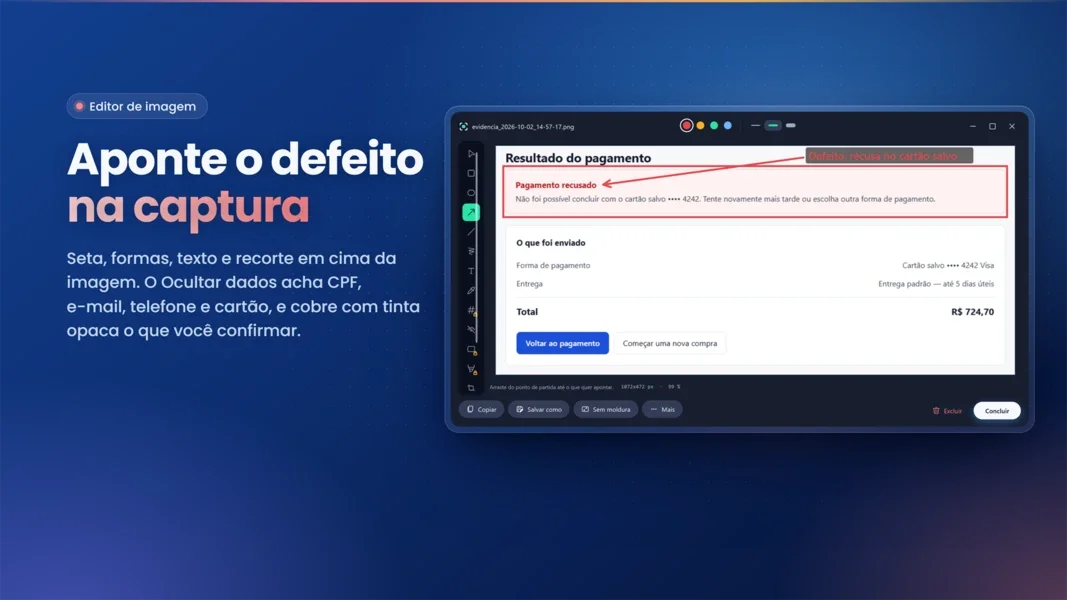
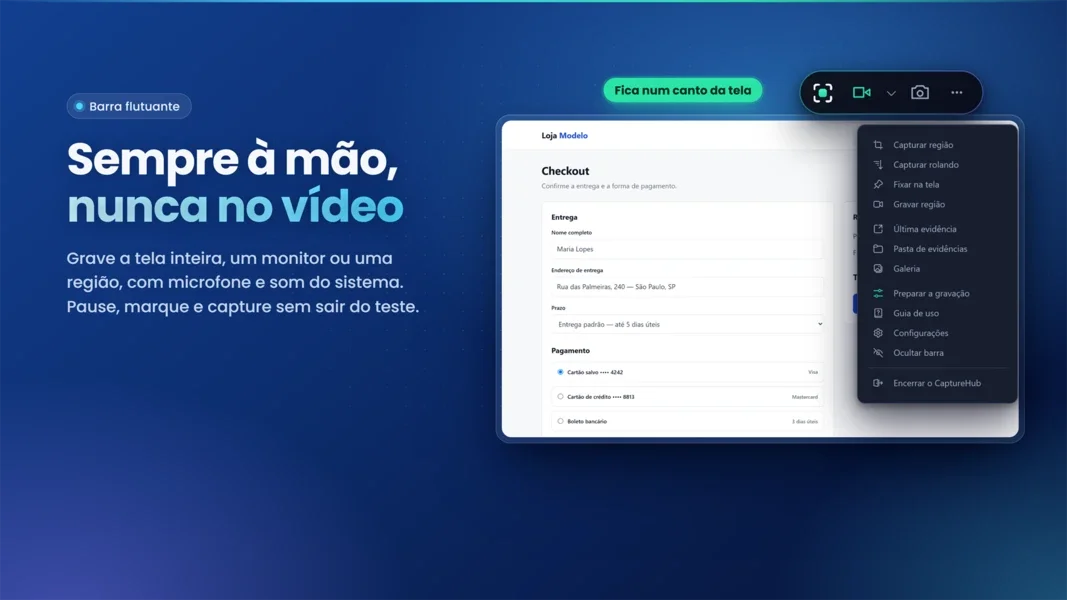
Recording covers the full screen, one monitor or a region you select, with microphone and system audio. There is no time limit and nothing is stamped on the frames. The same tool takes screenshots, including scrolling captures. An editor handles annotation and lets you hide personal data; you can also mask sensitive content before saving.
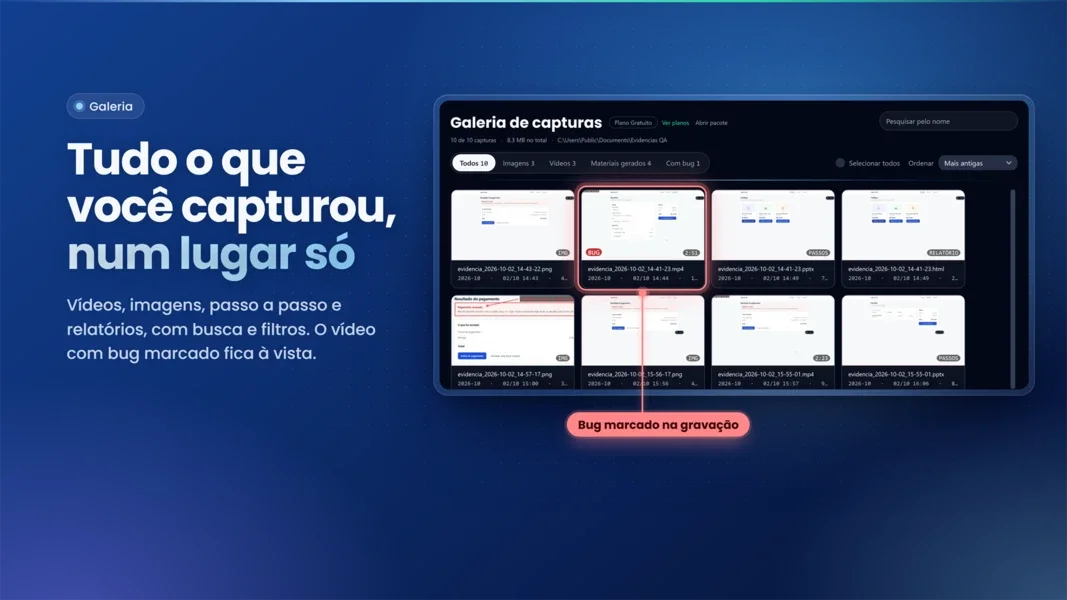
Smaller jobs are covered too. Dropping a GIF into a ticket works because CaptureHub makes lightweight ones. Text can be pulled out of an image, and QR codes and barcodes can be read. A gallery with search and filters keeps the output findable. Everything is processed and stored on the local machine, so it runs offline.
The interface is in Brazilian Portuguese. Pro adds drawing on the screen and a webcam view during recording, and has a 14-day free trial.
Download files
dd358b0b6f1543c7903d61c9932bad3a4bc8569ad229e125f021fb9eab44b12b
No digital signatureSystem requirements
Available on:
Minimum OS:
Windows 10 or later
Additional information
Developer
Latest release
Size
Category
File type
SHA-256
dd358b0b6f1543c7903d61c9932bad3a4bc8569ad229e125f021fb9eab44b12b