
Command line data transfer for scripts and direct server work
You are on macOS — this is the Windows version. See the macOS version
Screenshots
Description
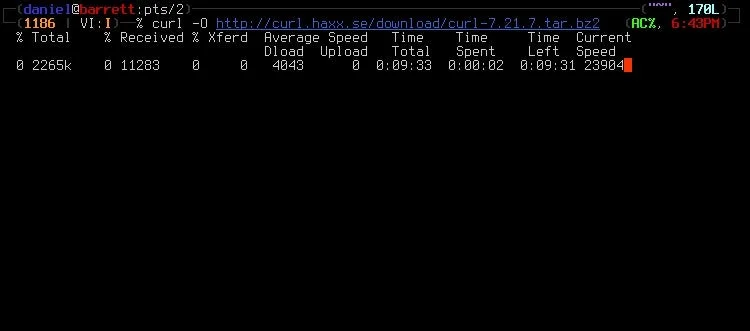
curl is a command line tool for moving data to or from a server. The basic syntax is the URL followed by the options you want, so a GET request that saves a file starts with the address and adds the output flag. Downloads resume where they stopped if the connection drops, and files go the other way with POST or PUT uploads.
Upload parameters can be supplied through HTML forms or by sending binary data straight to the server. Authentication and encryption are handled as part of the transfer, which matters when the endpoint is not public.
The protocol list covers web, file and mail traffic: HTTP and HTTPS, FTP, SFTP and SCP, LDAP, POP3, IMAP and SMTP. Scripts can call curl and drive automated interaction with servers, and experienced users can set advanced configurations for the cases that need them. It runs on Windows, Linux and macOS.
Download files
89cb71930f4242d884e8e349463455932ab1d089b20f4f99318261a3cbff9167
ca5b0fd6e7a6dbde210281f545c73a89784f2e88104a2cdfe0b73ea3dfed5b3a
b0af3896433242213f6d1388a104115e6dfdd3b16727e5b00c2ab0f48fbc904a
47bbc89aa5bd40279aa83a7e1988b0148487ba802032670fce3890941ab8f3d2
3e1a6c28194f0e2197efed90c1fedd766649b90c1257d49ee176dfccff75498e
System requirements
Available on:
Additional information
Developer
Latest release
Size
Category
File type
SHA-256
89cb71930f4242d884e8e349463455932ab1d089b20f4f99318261a3cbff9167