
EncryptOnClick 2.4.16.0 for Windows
Password-protects files with AES-256 encryption
Screenshots
Description
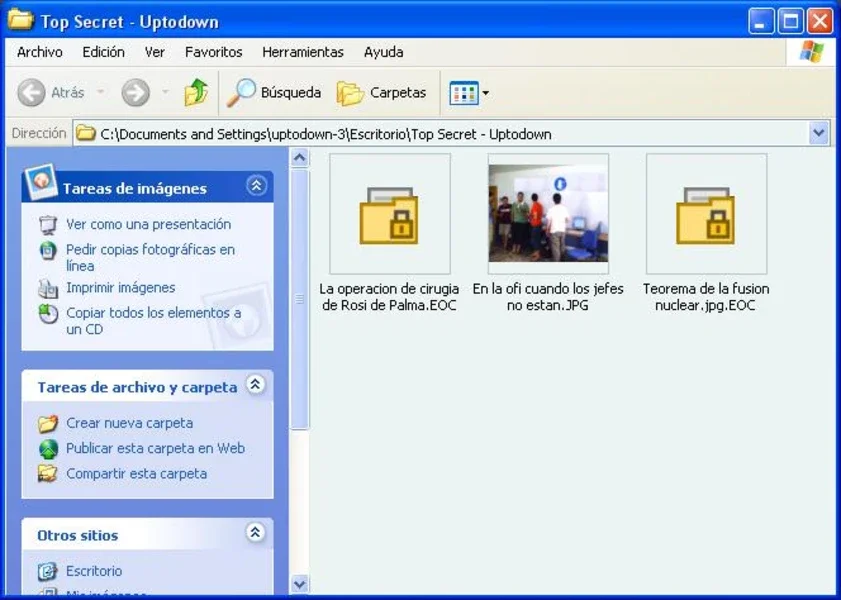
EncryptOnClick encrypts a file and puts a password on it, so only someone with the password can open it. It does this with AES and a 256-bit key. That is the whole job: pick a document, set a password, and the file is locked.
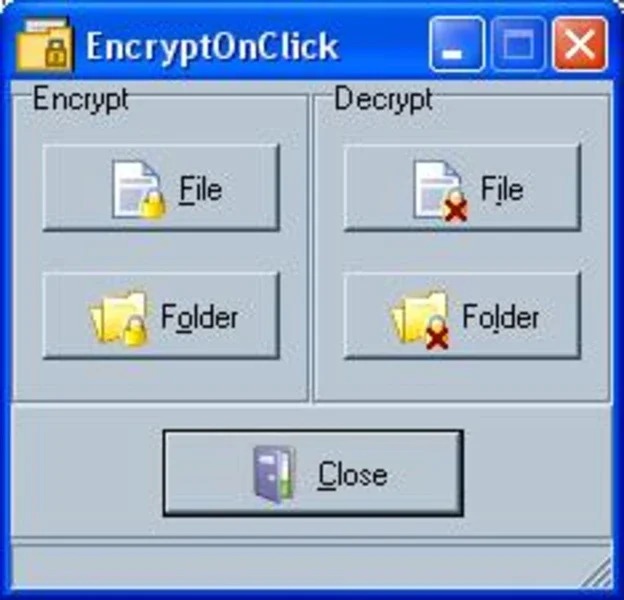
The interface is four buttons, and every feature sits behind them. To encrypt, you choose a document in a dialog box and type a password; there is nothing else to configure. Decryption runs the same steps in reverse, and the same four buttons cover it. The encryption itself is AES with a 256-bit key, applied to the file you selected. Files stay password-protected until someone decrypts them with the right password.
One thing to plan for: decrypting on another computer means EncryptOnClick has to be installed on that machine first. The program is free and runs on Windows.
Download files
aee0d778966e224fbe71d9d5c395c9ca9ea59b370f64ce72db1eef8fad37eae5
Signed by 2BrightSparks Pte. Ltd. · valid until May 28, 2028d23f54b4b5d197c235668f4f0da366d6821b4c239d587fafe1174a014835fc56
Signed by 2BrightSparks Pte. Ltd. · valid until May 26, 20251c260bf847a7cb9f6d05449fe6b5b269fc6d4572f3992da7a0698d5c785fd873
d5c10f48ea2bebffe5d93d42420e53b56ac52fd8b2cc029f84b02edb9a866498
759850cd625b9705cdb664f5804ccce0dcf835043d46ef75f7a3acfa2e2dd5ec
System requirements
Available on:
Minimum OS:
Windows Windows XP or later
Additional information
Developer
Latest release
Size
Category
File type
SHA-256
aee0d778966e224fbe71d9d5c395c9ca9ea59b370f64ce72db1eef8fad37eae5





