
GoodSync 12.11.14.4 for Windows
Syncs files across disks, USB keys, and laptops without size limits
You are on macOS — this is the Windows version. See the macOS version
Screenshots
Description
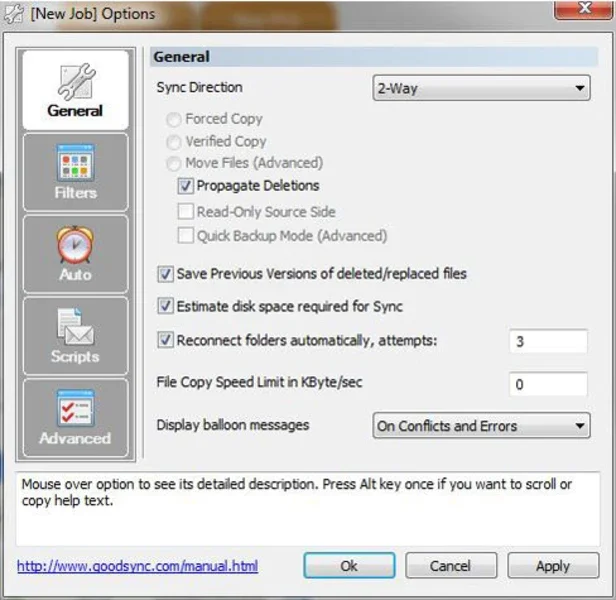
GoodSync synchronizes stored data between a hard disk, USB key, laptop, or two folders on the same hard disk. It is a free application.
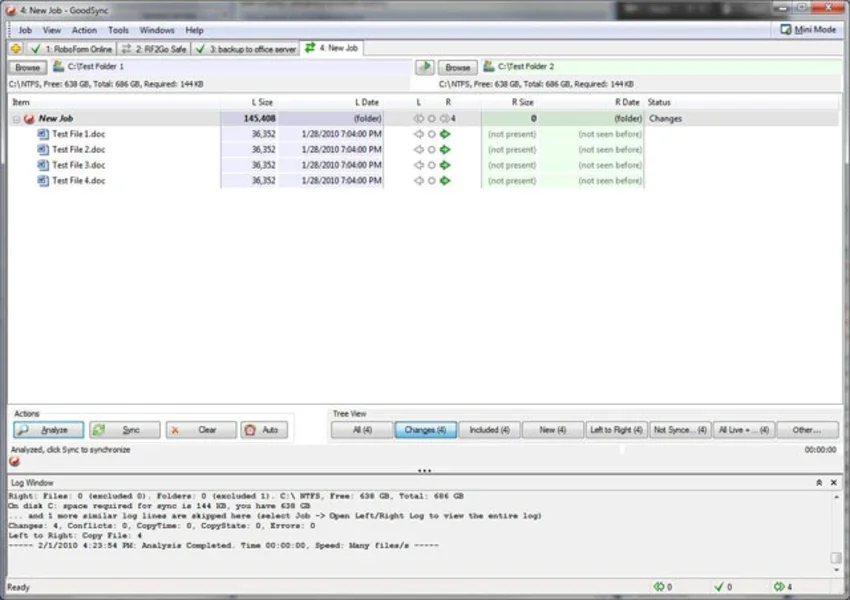
There is no file size limit, so large files are handled the same as small ones. The program supports any filesystem. It uses an algorithm to synchronize and locate repeated and transformed files, and scan results are shown automatically. That matters when you want to see what changed before anything is copied. The scan runs on its own and displays the differences, leaving the decision to you or to the sync job you set up. Folders on the same disk work the same way as a USB key plugged into a laptop. Since the algorithm looks for repeated and transformed files, it can spot matches that are not byte-for-byte identical, which helps when the same data has been copied around and edited. The interface shows the scan output without an extra step, so you can check the list before committing to a sync.
GoodSync runs on Windows and is developed by Goodsync.com.
Download files
b087f8c462d624068bbad64387609e9b31f0106524f70a389cef900a8c9746f3
Signed by Siber Systems · valid until Jan 3, 202736d7b8eb8f903c3dd9782c5a70b704678027290fcfcfbc7e89d89f78843a0eee
Signed by Siber Systems · valid until Jan 3, 20278c41536b7b73fe75b5eaf1f31c37836febfe994130bd0b7b93d055f4fdcb66fb
Signed by Siber Systems · valid until Jan 3, 20278dd6a201894f89f55ee6cf16b127b5f852fec2b967483b29b33265cbfa1cf6d4
Signed by Siber Systems · valid until Jan 3, 20276d6b1c6f08768159378fae382c6326ac92089533664cbd3a6d8c15151e56fb5a
Signed by Siber Systems · valid until Jan 3, 2027System requirements
Available on:
Additional information
Developer
Latest release
Size
Category
File type
SHA-256
b087f8c462d624068bbad64387609e9b31f0106524f70a389cef900a8c9746f3





