
Greenfish Icon Editor Pro 1.72 for Windows
SHA-256 listed
Creates and edits icons, and pulls them out of EXE files
All ages
Age rating
Screenshots
Description
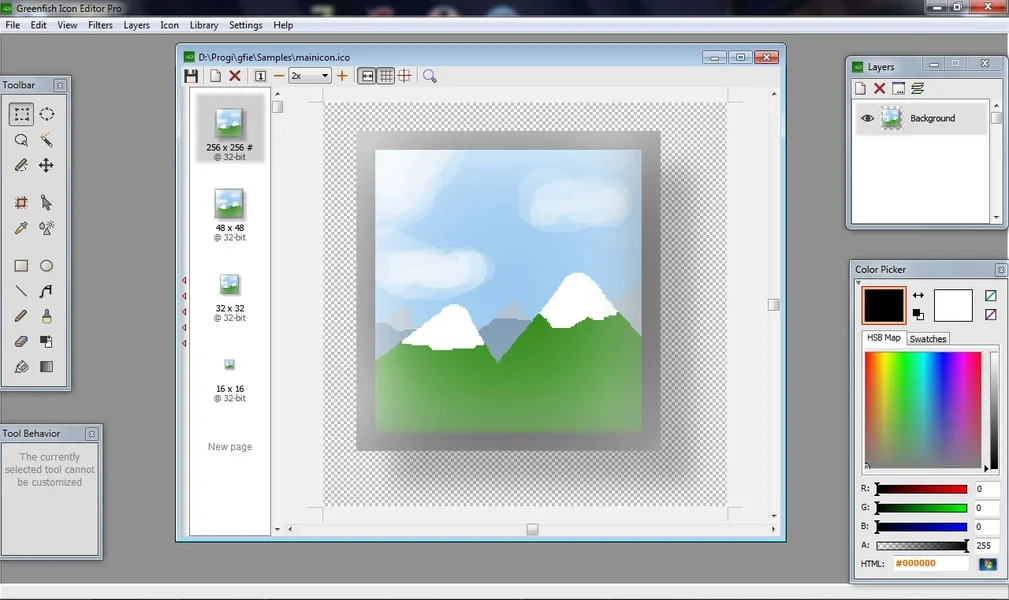
Greenfish Icon Editor Pro pulls every icon out of system libraries and EXE files, so you can edit icons that already live inside an application. It also designs new ones for your own programs. The download is unsigned, so browsers will warn you about it.
- Layers, filters and gradient tools, with drawing tools and special filters of their own
- Converts other images into icons
- Opens icon files and works with other graphic formats
- Keyboard shortcuts and drag-and-drop for files
- Windowed menus you arrange yourself
Longtime users call it simple, fast and lightweight, and say it runs straight from a folder without installing. There is no standard installer. It runs fine once unpacked. Feedback is limited and mostly dated.
Download files
Filegreenfish-icon-editor-pro-1.72.zipZIP
Version1.72
ReleasedNov 24, 2026
Size926.9 KB
SHA-256
Get
40ec6a39dfe820b430f1625a1f7c3218667abc3f6c6657dcee4d65abc7fe4143
File4.5EXE
Version4.5
ReleasedJun 23, 2025
Size43.9 MB
SHA-256
Get
1cddb81ba7e9e50e3a6ae28e64bdc496fcd8df2fd4abd5ad4eccecf3b5b9987d
No digital signatureFilegreenfish-icon-editor-pro-4.3.exeEXE
Version4.3
ReleasedApr 29, 2025
Size19.4 MB
SHA-256
Get
f17a097a7713771ee7e22548fe00cad4d659839a8de95f1feb6b4563c66622a3
Filegreenfish-icon-editor-pro-3.6.exeEXE
Version3.6
ReleasedJun 18, 2020
Size4.7 MB
SHA-256
Get
a5a17d9b8f00a993f221ef9ccbac40c9a5ff42d493049753d63005dca356ad84
Filegreenfish-icon-editor-pro-1.31.zipZIP
Version1.31
ReleasedDec 18, 2007
Size741.5 KB
SHA-256
Get
3a53cd938c580f5dc949331166268b2290d2b4f2d183829d9b04b31c91486146
System requirements
Available on:
Additional information
Developer
Latest release
1.72 · Nov 24, 2026
Size
926.9 KB
File type
ZIP
SHA-256
40ec6a39dfe820b430f1625a1f7c3218667abc3f6c6657dcee4d65abc7fe4143