HDDExpert 1.20.1.55 for Windows
Checks hard drive health, temperature, and errors on Windows
Screenshots
Description
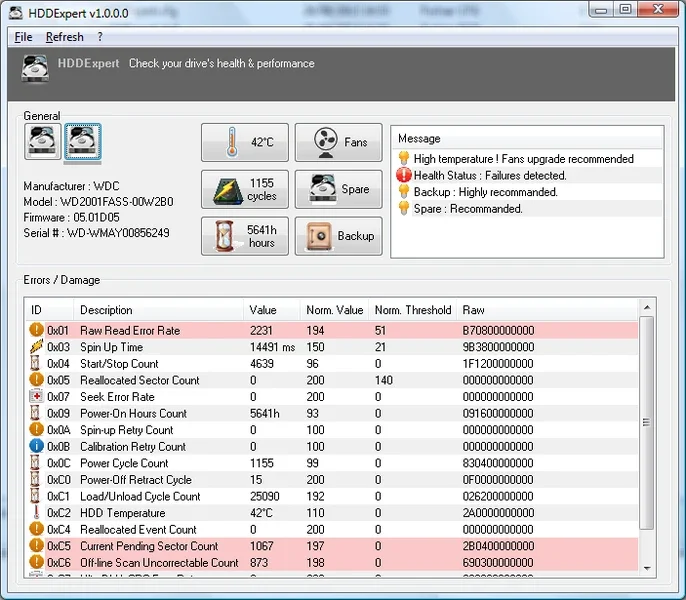
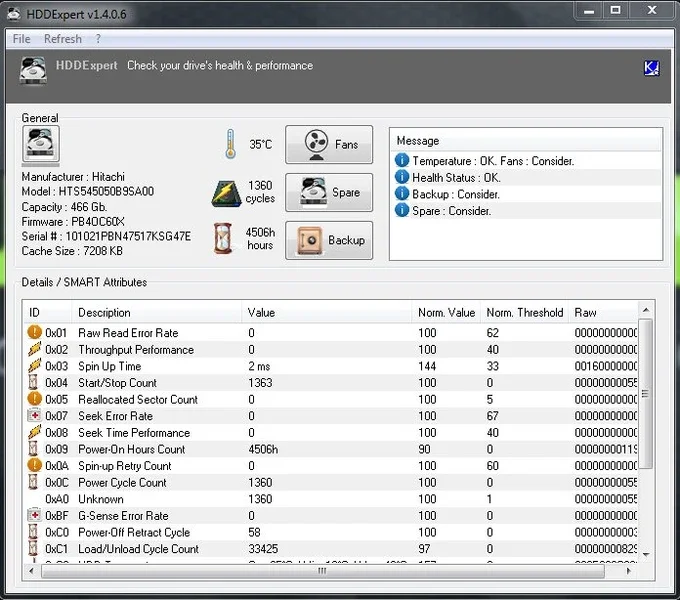
Open HDDExpert and it reads the drive's S.M.A.R.T. data to show its health, errors, performance, and temperature. There is no setup or scan to start; the main window fills with the current values as soon as it launches, and the layout keeps them visible without extra clicks. It also lists the drive's power-on cycles and total hours of operation, plus secondary details like model, capacity, and serial number.
Each value is translated into plain language, so you can see whether the drive is running hot or logging errors without knowing what the raw attributes mean. HDDExpert is built for beginners and novices, and it presents the data in terms any user can follow. The point is to catch a drive that is degrading before it fails, giving you a chance to act while it still works. When maintenance is needed, the program suggests webpages where fans and other PC parts can be bought. It runs on Windows, and opening it is all that is needed to check health, errors, performance, or temperature.
Download files
fb660d04bf75760c3a2d9680df3e17f842558eb842dd05e9bda0e4e0988d5464
Signed by KC SOFTWARES SASU · valid until Apr 5, 2024fb660d04bf75760c3a2d9680df3e17f842558eb842dd05e9bda0e4e0988d5464
Signed by KC SOFTWARES SASU · valid until Apr 5, 2024806b874311d03c49fc3cc53a9514e3781ae7ff980e42b206b337281cace1163f
e1d55f79917b5ae3f66ba0cf0d56aa77c67aaa4477fc7586bad0a9788afacdf9
e5a54187fdce5c40b612089a69122e045c9f05aff4ef90fafc912ad66c22b6c5
System requirements
Available on:
Minimum OS:
Windows Windows 7 or later
Additional information
Developer
Latest release
Size
Category
File type
SHA-256
fb660d04bf75760c3a2d9680df3e17f842558eb842dd05e9bda0e4e0988d5464





