
iPhone Unlock(4uKey) 3.3.0 for Windows
Removes iOS screen locks, Apple ID, Screen Time and MDM from a PC
Screenshots
Description
iPhone Unlock(4uKey) installs on a Windows computer, where you launch it and connect the iOS device with an original USB cable. Detection is automatic. If the device is not recognized, the software walks you through starting Recovery Mode or DFU Mode.
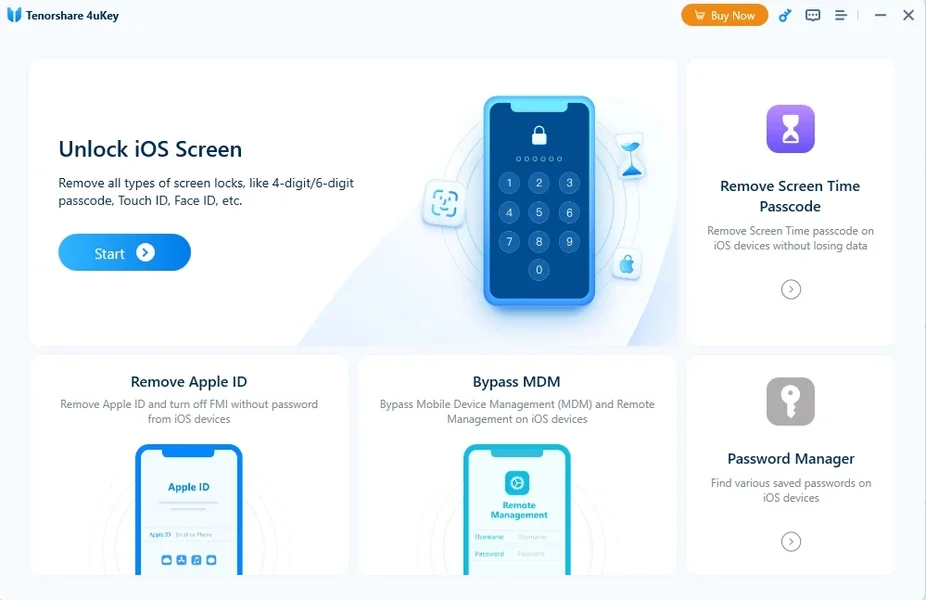
Lock removal takes several types of passcode: four digits, six digits, Touch ID and Face ID. You pick a save path, the latest official firmware for that device downloads there, and Start Unlock begins the process. It runs several minutes, the device stays connected the whole time, and screen locks are gone within minutes. All data is erased and iOS is updated to the latest version, so make a backup first. Afterwards a new passcode, Touch ID or Face ID can be set, and data can be restored from an earlier iTunes or iCloud backup.
Apple ID removal works when the password is forgotten, when a third-party Apple ID is logged in, or when the account is disabled; the current Apple ID goes without the original password. A new Apple ID can then be logged in or registered, iTunes backup and sync work, and purchases and downloads go through iTunes. iCloud and Apple ID services come back, including Apple Music playback and podcast downloading. The previous account can no longer locate, lock or restrict the device remotely, log in remotely, erase it remotely or take local data, and Find My iPhone can be switched on or off with iCloud privacy visibility adjusted.
Screen Time passcodes are removed with no data loss on all iOS versions, covering forgotten passcodes, exhausted usage limits and app restriction locks; Downtime and App Limits lift and device data stays. MDM removal clears the remote management screen, the supervised-device message and the missing administrator password on hardware supervised by enterprises, schools and other institutions, restoring normal functions. No professional knowledge or outside help is needed.
Download files
5589cfc27975ac2e89e3ec29caba544abf5fe9c0531e28e3dc22342996cbb704
Signed by Tenorshare Co., Ltd. · valid until Jul 11, 2024System requirements
Available on:
Additional information
Developer
Latest release
Size
Category
File type
SHA-256
5589cfc27975ac2e89e3ec29caba544abf5fe9c0531e28e3dc22342996cbb704