
Recordzilla 1.7 for Windows
Captures screen video and audio on Windows, on demand or on a schedule
Screenshots
Description
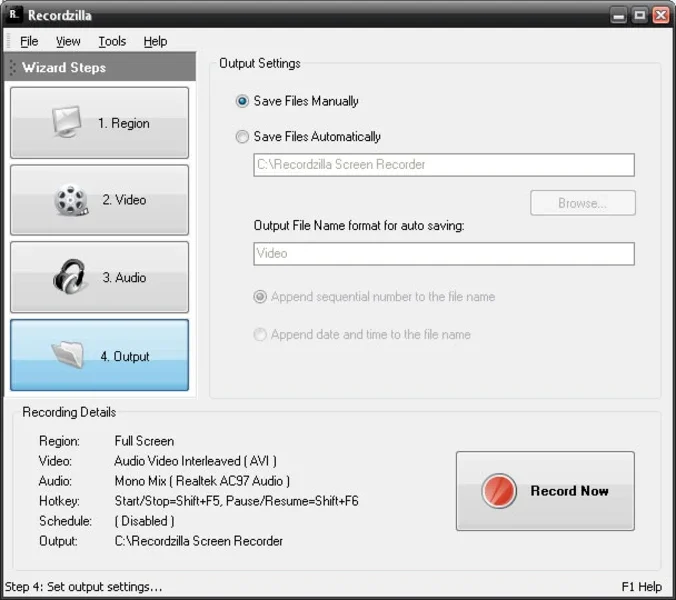
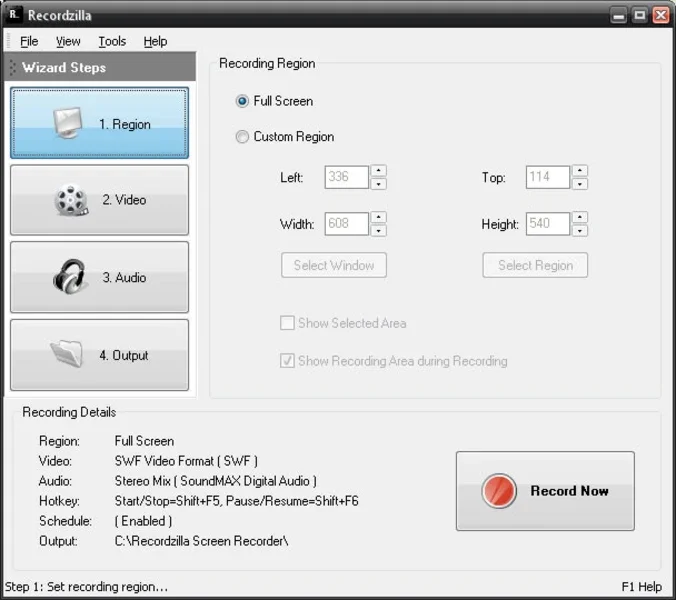
Recordzilla captures video and audio from the screen. You choose what it takes in: the whole desktop, the active window only, or a screen area you select. That covers the usual jobs, from recording mouse movement and menu clicks to capturing a game in progress.
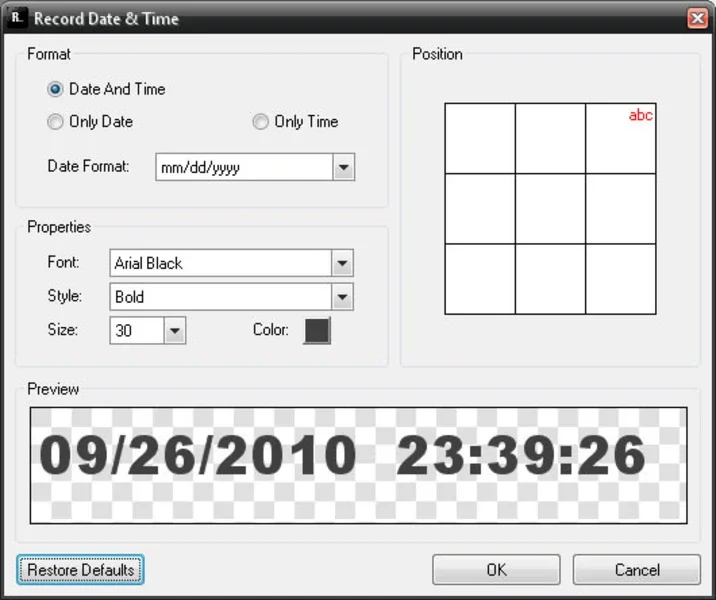
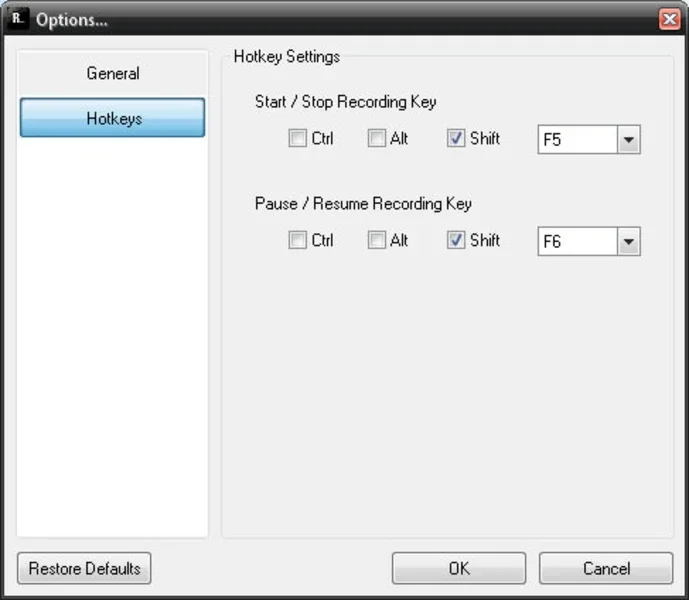
Audio comes from a microphone or from the computer's speakers, and microphone audio can be combined with the video. Conversation recording works with Skype, MSN Messenger and other instant messaging programs. Recordings are saved as AVI, WMV, SWF or FLV, and both output resolution and video quality can be adjusted. You can put the date and time on a recorded video. The program supports keyboard shortcuts.
Recording can also start at a set time, so a session you know about in advance runs without you there to begin it.
Download files
b476c615827b376f1b14f4cd8a7b025f02336a907a8a1ffb1252b6f870167025
Signed by Softdiv Software Sdn Bhd · valid until Mar 5, 2021a1b6d84d25cc311cc3cd4d3386e1bc4ee3b500458e54a6360a2a56d52525a4cf
d39e2faab114b1932a41a0fe106ab971e3f80c948e4c80a01b407ea92b529789
251027e3e09f0cda43c0b8d276251b3e74ce87e42a24592e116922b39f0958c0
6b0168e0a8cc1cc81586f50126230029097610e0f8f43288ce46b0704b8b2584
System requirements
Available on:
Additional information
Developer
Latest release
Size
Category
File type
SHA-256
b476c615827b376f1b14f4cd8a7b025f02336a907a8a1ffb1252b6f870167025