Screenrec 5.0.13 for Windows
SHA-256 listed
One-click screen recording and screenshots with instant private links
All ages
Age rating
Screenshots
Description
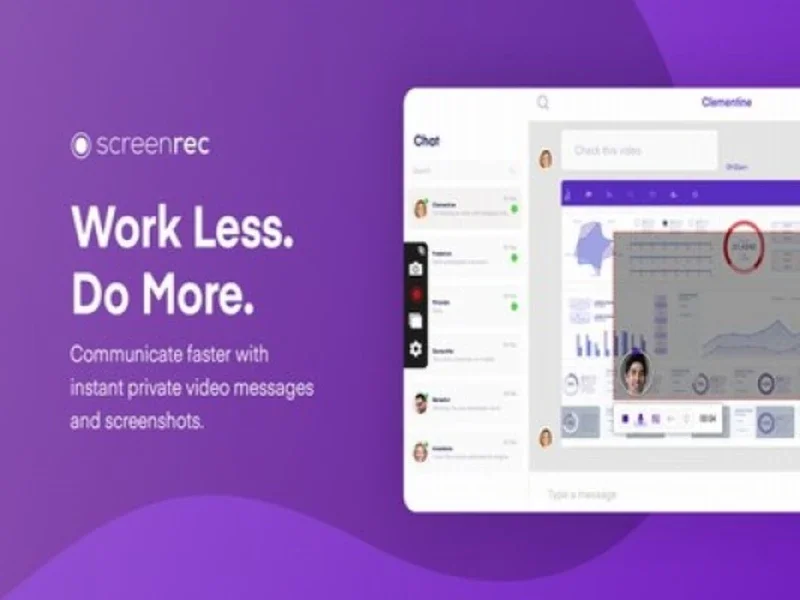
Screenrec records your screen or takes a screenshot with one click. Pick the capture area, press the button to finish, and a private sharing link is copied to your clipboard. Paste it with Ctrl + V into an email, a private chat or a website.
- Recording can include sound from the speakers or the microphone.
- Screenshots can cover the entire screen or a specific area.
- Screenshots can be edited with annotation tools.
Cloud Recording technology means no upload time, and no connection to DropBox, Google Drive, YouTube or Facebook is needed.
Download files
FileScreenrec_V5.0.13.exeEXE
Version5.0.13
ReleasedAug 5, 2025
Size371.8 KB
SHA-256
Get
64afb2c70f928f484aca6166060e696f30dcbd78f6219aede8c6aaf2abea2b87
Signed by TeddySoft OOD · valid until Nov 20, 2026File3.0.0EXE
Version3.0.0
ReleasedMar 11, 2024
Size371.5 KB
SHA-256
Get
2b364c5052c0c8f12f68907551655616d74f2e89f94ad791a93e58c9fd1c8f6c
Signed by TEDDYSOFT OOD · valid until Nov 18, 2023FileScreenRec_webinstall_all.exeEXE
Version2.0.8
ReleasedUnknown
Size430.6 KB
SHA-256
Get
3fe36d00445253bf669d03f37b9e57b936ca837110ca0156ce7190616327f1f2
Signed by TedySoft Ltd · valid until Aug 4, 2022FileScreenRec_webinstall_all.exeEXE
Version2.0.4
ReleasedUnknown
Size430.6 KB
SHA-256
Get
3fe36d00445253bf669d03f37b9e57b936ca837110ca0156ce7190616327f1f2
Signed by TedySoft Ltd · valid until Aug 4, 2022FileScreenRec_webinstall_all.exeEXE
Version2
ReleasedUnknown
Size430.6 KB
SHA-256
Get
3fe36d00445253bf669d03f37b9e57b936ca837110ca0156ce7190616327f1f2
Signed by TedySoft Ltd · valid until Aug 4, 2022System requirements
Available on:
Minimum OS:
Windows Windows Vista or later
Additional information
Developer
Latest release
5.0.13 · Aug 5, 2025
Size
371.8 KB
Category
File type
EXE
SHA-256
64afb2c70f928f484aca6166060e696f30dcbd78f6219aede8c6aaf2abea2b87
Digital signature
Signed by TeddySoft OOD · valid until Nov 20, 2026