Screenshots
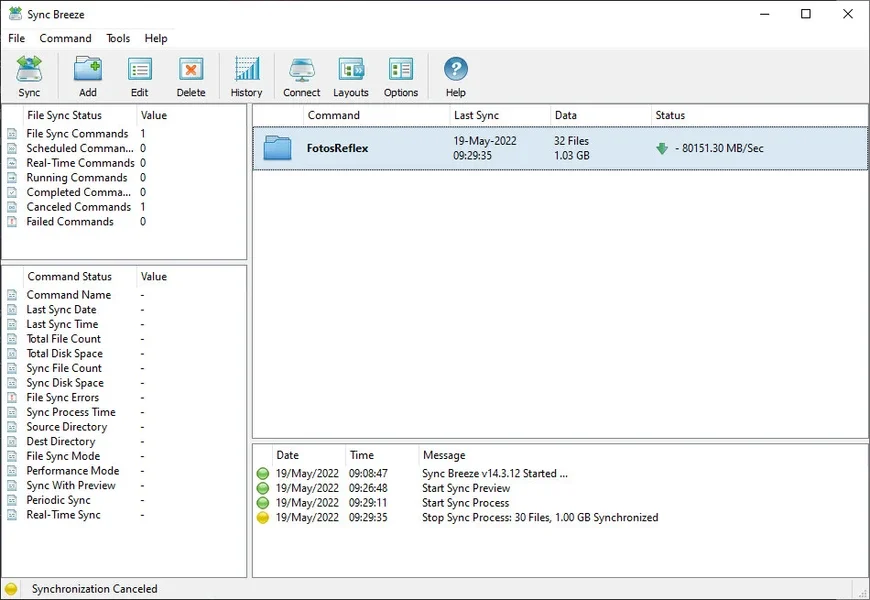
Description
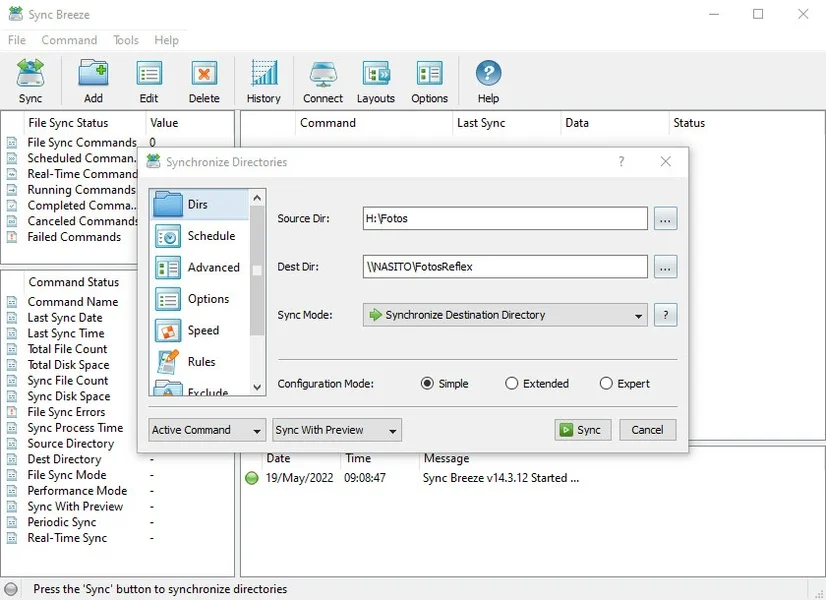
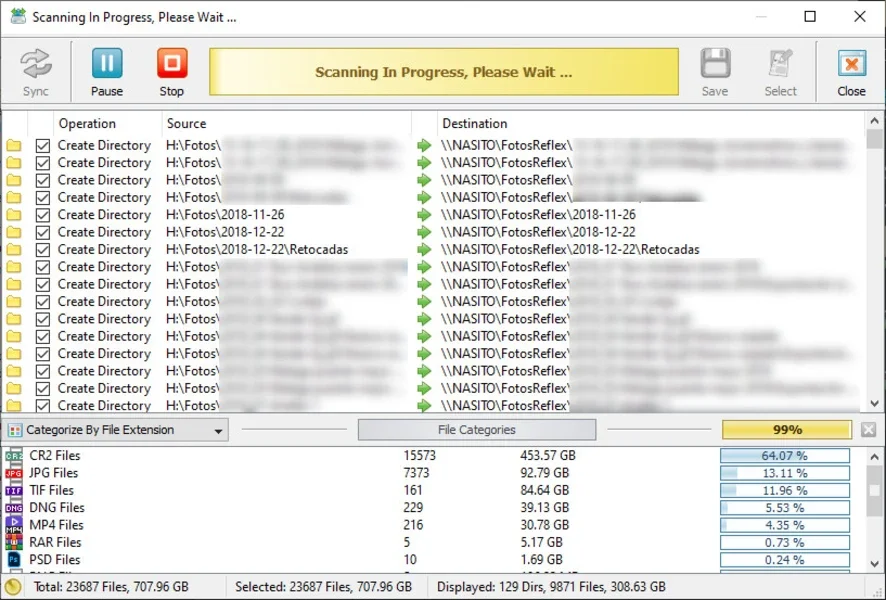
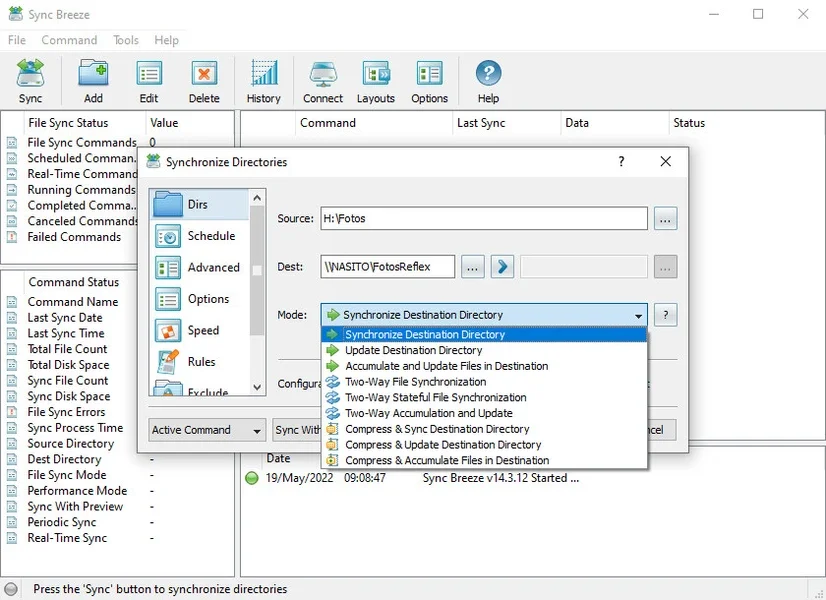
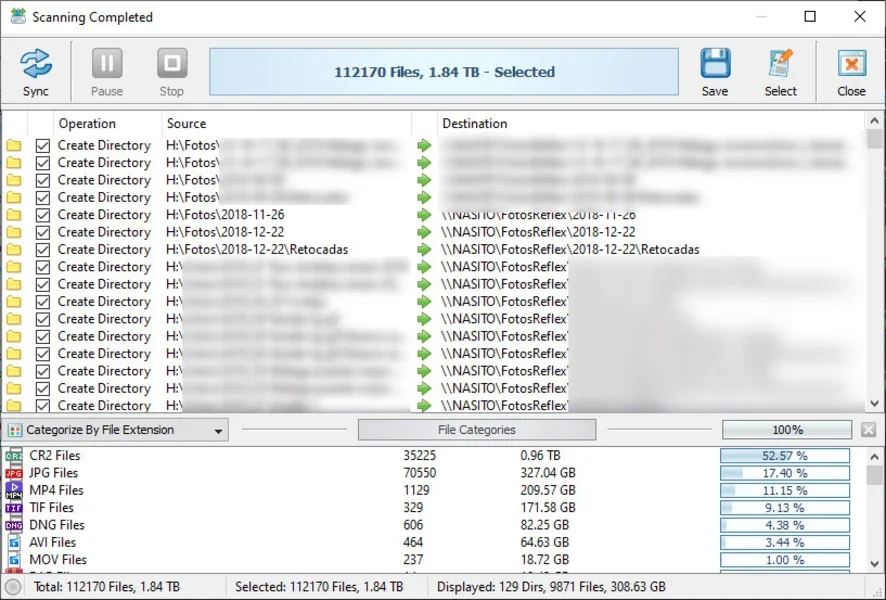
SyncBreeze copies files between computers, shared network points, NAS drives and other multimedia devices that share files over a local network. After installation you press Sync to start. Folders can be added for a one-time sync, and the direction is your choice: one-way or bidirectional.
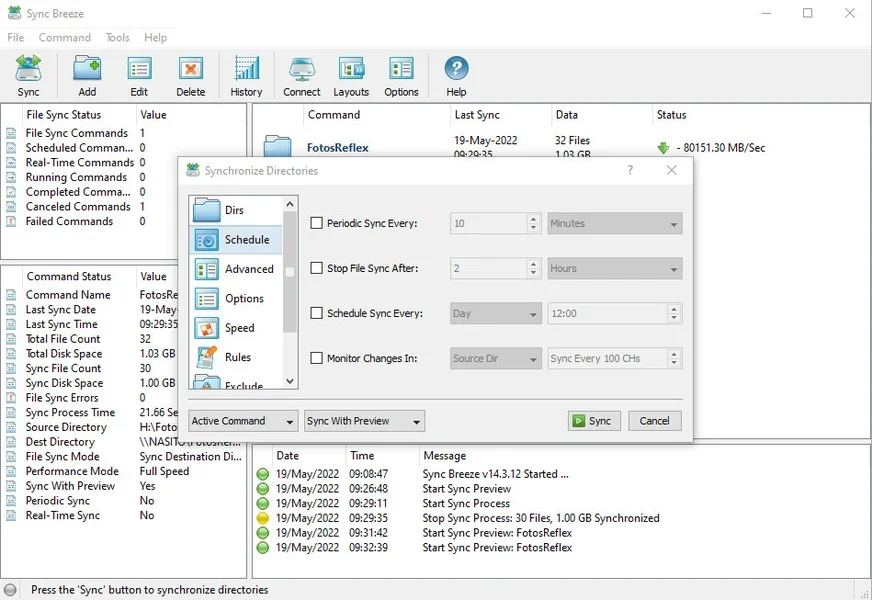
- Synchronization can run every set number of minutes or hours, daily at a specific time, or in real time.
- Backups can repeat periodically.
- Folders can be excluded.
- A periodic sync task can be created at a chosen interval.
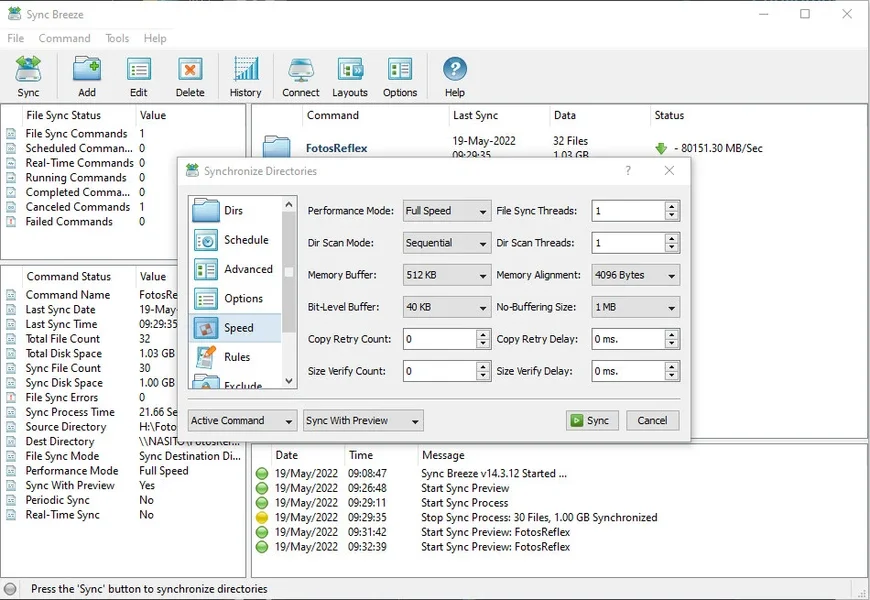
Background synchronization is supported, as is content streaming. Changes can be monitored without running a new data synchronization. If copying causes performance problems, such as a hard disk at 100% usage, the performance can be limited to medium or low speed. The configuration of synchronized folders can be exported to another device.
Download files
Filesyncbreeze-18-4-12.exeEXE
Version18.4.12
ReleasedOct 13, 2026
Size16.4 MB
SHA-256
Get
d0d5ebbeb28295c5c2342186e67fab80e30be527cbab871bde098c2d73224fb7
No digital signatureFilesyncbreeze-17.6.28.exeEXE
Version17.6.28
ReleasedJan 13, 2026
Size7.7 MB
SHA-256
Get
92af4db9c04209e24b41af9183e3f3c889204fcd7c18b8370d34b69536670738
Filesyncbreeze_v17.5.18_x64.exeEXE · 64-bit
Version17.5.18
ReleasedDec 11, 2025
Size9.6 MB
SHA-256
Get
bb523e355962f897453ba561edfc077beefd380d96024c316749622995d22d8e
No digital signatureFilesyncbreeze-17.5.18.exeEXE
Version17.5.18
ReleasedDec 1, 2025
Size7.7 MB
SHA-256
Get
4d75cd77ecb20cbd7bea765658e2b54f3a7b998c4fc387ed3c2b7cdac91f70e4
Filesyncbreeze-17.3.16.exeEXE
Version17.3.16
ReleasedOct 2, 2025
Size9.5 MB
SHA-256
Get
5a91bdf669bd6d198545d282ba4b87d1fe7ed9ceb2f8fc52722ae8b2c3839531
System requirements
Available on:
Minimum OS:
Windows XP or later
Additional information
Developer
Latest release
18.4.12 · Oct 13, 2026
Size
16.4 MB
File type
EXE
SHA-256
d0d5ebbeb28295c5c2342186e67fab80e30be527cbab871bde098c2d73224fb7
Digital signature
No digital signature