

Text Blaze 2.3.6 for Windows
Expands templates into any Windows app with keyboard shortcuts
Screenshots

Description
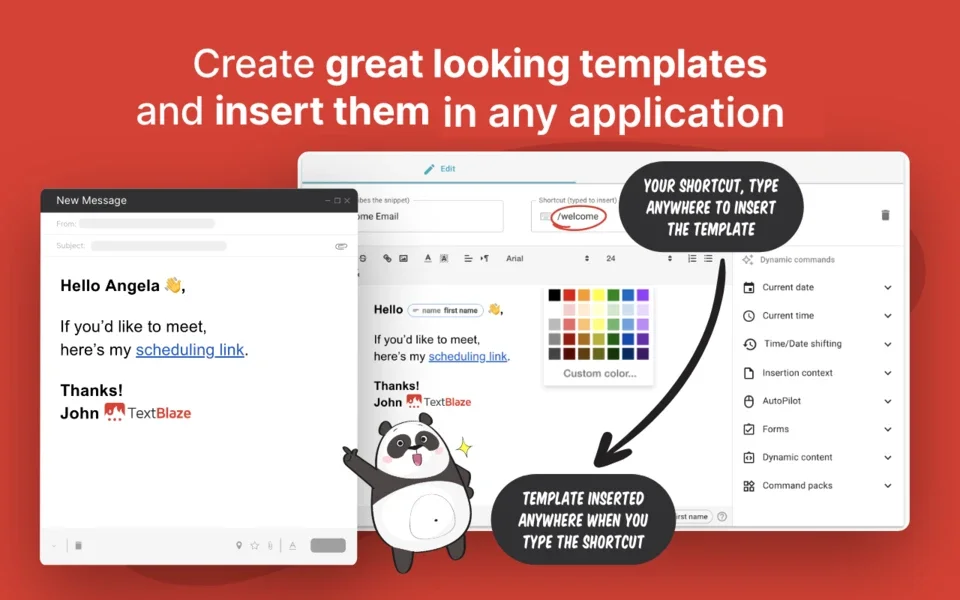
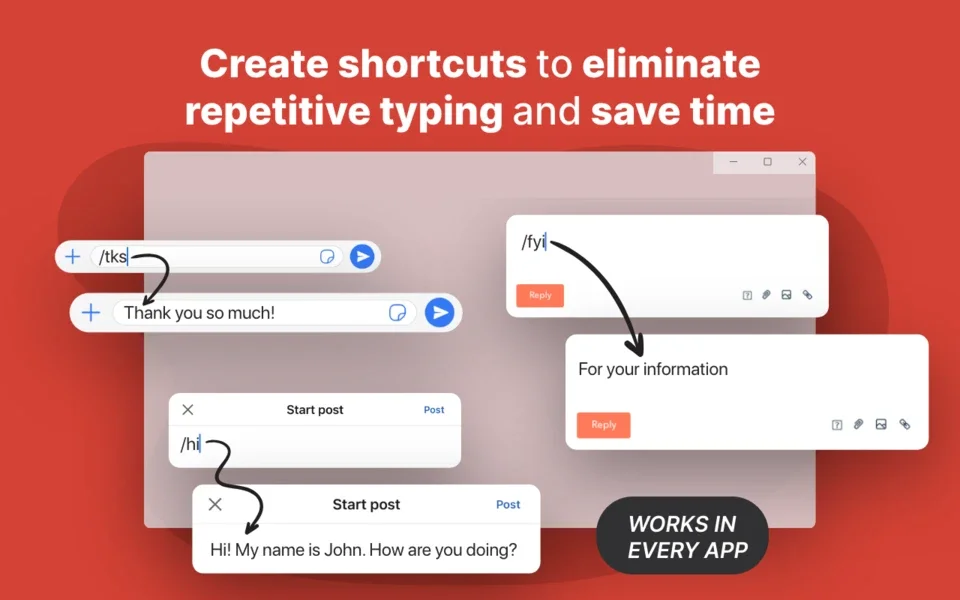
Text Blaze is a text expander for Windows. It inserts templates into any app using keyboard shortcuts, and it works with text fields in programs including MS Word, Notepad, Outlook, Notion, Chrome and Mail.
Building and filling forms
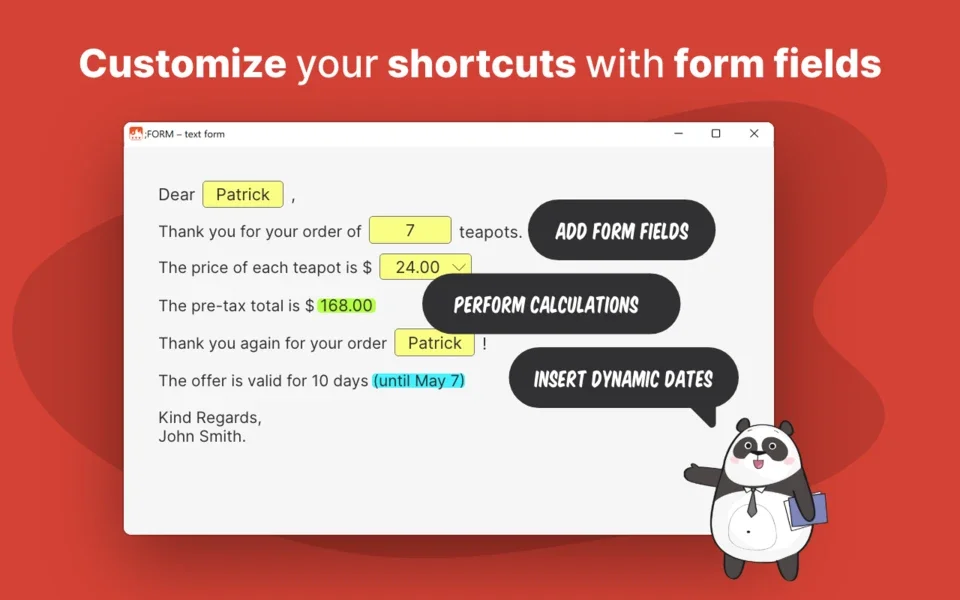
Templates can carry placeholders such as text fields and drop-down menus; dates and toggles are among the available field types. Forms can be built with fill fields that stay editable after the template is inserted. AutoPilot simulates key presses, including Tab to move between fields, so it can handle form filling or other keyboard workflows. Templates can use formulas, insert the current date automatically and perform date calculations. Formatting options include color and size changes, pictures, links and lists.
- Snippets can be shared and worked on by a team.
- Shared snippets update automatically when changes are made.
- You can search templates from any app with the Text Blaze Assistant.
Download files
f3b93d5419cf551eabb7125d93bdd71da7987bbbeac31c7f554647736cb0f24e
Signed by Blaze Today Inc. · valid until Feb 11, 20283bea12727f70c9df9f1586561aa39e19b9726ad29bd98ba12ec5d57d81d6e47b
Signed by Blaze Today Inc. · valid until Feb 11, 20287845f32a071dfcb38f5be6326af0f92c4a19f153e3a7d25d7fe9081d34134e28
Signed by Blaze Today Inc. · valid until Dec 10, 2024System requirements
Available on:
Minimum OS:
Windows XP or later
Additional information
Developer
Latest release
Size
File type
SHA-256
f3b93d5419cf551eabb7125d93bdd71da7987bbbeac31c7f554647736cb0f24e





