
USB AutoRunner 1.0 for Windows
Builds autorun files that launch chosen programs from a USB drive
Screenshots
Description
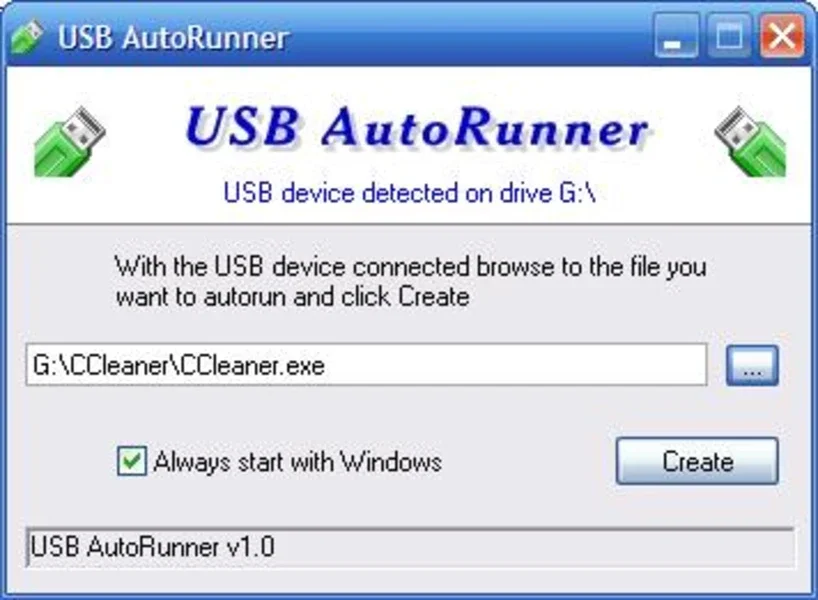
USB AutoRunner builds autorun files that point to programs stored on a USB drive. Insert the drive and the software you picked starts on its own. After you create an autorun file, eject the drive and insert it again before the changes take effect.
Creating one is a short job. You load the executable of the application each time you make a new autorun file. The file USB AutoRunner writes points back to that program on the drive, so it has to live there. Nothing gets installed on the host computer. The drive carries the autorun file and the program together, and the setup travels with it. Autorun runs whatever you chose, and the software you load can be a single executable. Once the file exists, every machine the drive goes into picks it up the same way. Reinserting the drive is the step people forget, and it is the one that makes the difference between a drive that runs something and a drive that sits there.
It runs on Windows and comes from Camtech. The license is proprietary and the price is free. The current version is 1.0.
Download files
e5ad7ad9f3a2608383fa7620dc30edf035156b117a688d5a2f96a1de10ee0a2b
No digital signatureSystem requirements
Available on:
Additional information
Developer
Latest release
Size
Category
File type
SHA-256
e5ad7ad9f3a2608383fa7620dc30edf035156b117a688d5a2f96a1de10ee0a2b