USB Image Tool 1.91 for Windows
SHA-256 listed
Backs up and restores USB drives as IMG or IMA files, no install needed
All ages
Age rating
Screenshots
Description
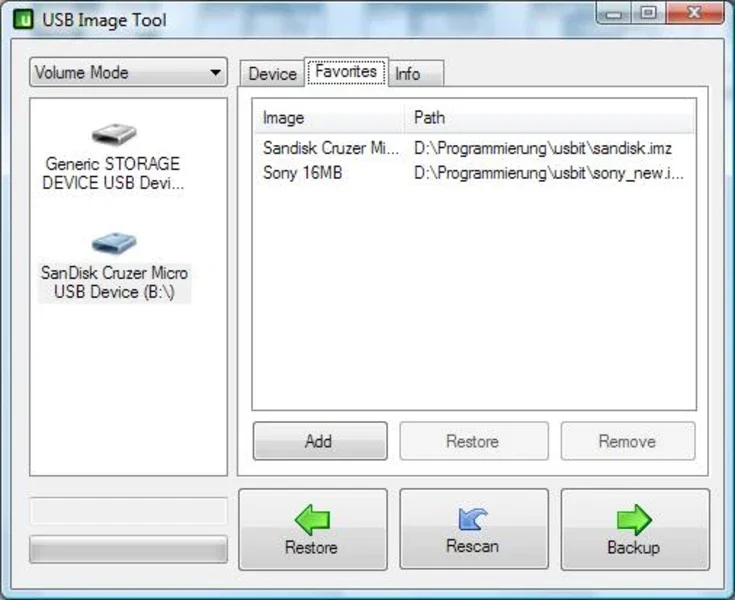
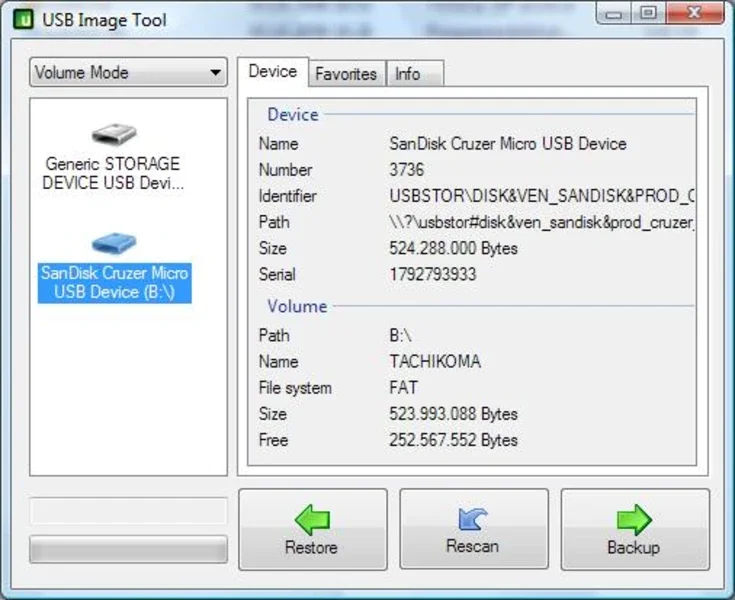
USB Image Tool creates an image of a USB drive and restores it later. Images come out in IMG or IMA format. Nothing needs installing: the program runs as-is, and you can copy it to a USB drive and run it from there.
Profiles let you copy a chosen backup and manage several of them, so more than one image can be kept on hand for a device. Recovery works from the same files the tool writes.
It is free to use.
Download files
File1.91ZIP
Version1.91
ReleasedJun 29, 2026
Size828.2 KB
SHA-256
Get
c7cc951a3ddb832f78232fe8619981deca1c379d8a4286c21d9cf553c626e8a5
File1.9.1.0ZIP
Version1.9.1.0
ReleasedMar 10, 2025
Size828.2 KB
SHA-256
Get
c7cc951a3ddb832f78232fe8619981deca1c379d8a4286c21d9cf553c626e8a5
Fileusb-image-tool-1.9.0.zipZIP
Version1.9.0
ReleasedAug 21, 2023
Size821.2 KB
SHA-256
Get
c57e634851b9f0ff981362414811e89b8d47186566b1f59a4cc3ecb560bb2d1c
Fileusb-image-tool-1.8.4.0.zipZIP
Version1.8.4.0
ReleasedApr 9, 2022
Size836.4 KB
SHA-256
Get
4790ae4ff88c902aa39ef449fbf475aa9d5f0a2c05363d8d2e104fe7c1daaf3d
Fileusb-image-tool-1.8.3.0.zipZIP
Version1.8.3.0
ReleasedApr 8, 2022
Size831.1 KB
SHA-256
Get
e9364d6f2ba1a5f057126a6504075b6c1c07cdcfa71018afe2da36deb9883787
System requirements
Available on:
Minimum OS:
Windows Windows 7 or later
Additional information
Developer
Latest release
1.91 · Jun 29, 2026
Size
828.2 KB
Category
File type
ZIP
SHA-256
c7cc951a3ddb832f78232fe8619981deca1c379d8a4286c21d9cf553c626e8a5





