
Xemu 0.8.139 for Windows
Xbox emulation on Windows with your own BIOS and a setup done in three steps
You are on macOS — this is the Windows version. See the macOS version
Screenshots

Description
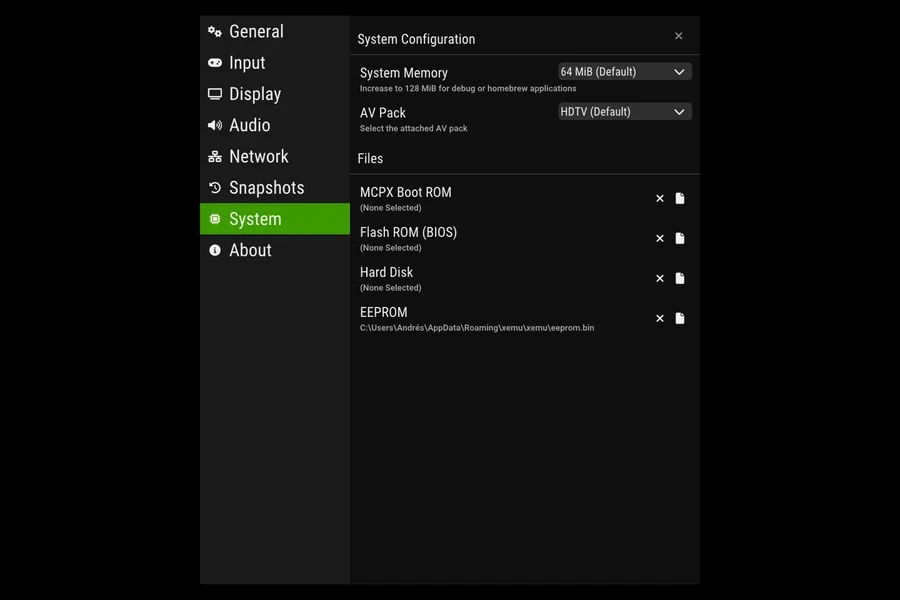
Xemu is an Xbox emulator for Windows. Setup runs through three steps in the System tab. First you pick the MCPX Boot ROM, usually a file named mcpx_1.0. Second comes the Flash ROM (BIOS), named Complex_4627. Third is the hard drive, something like xbox_hdd.qcow2.
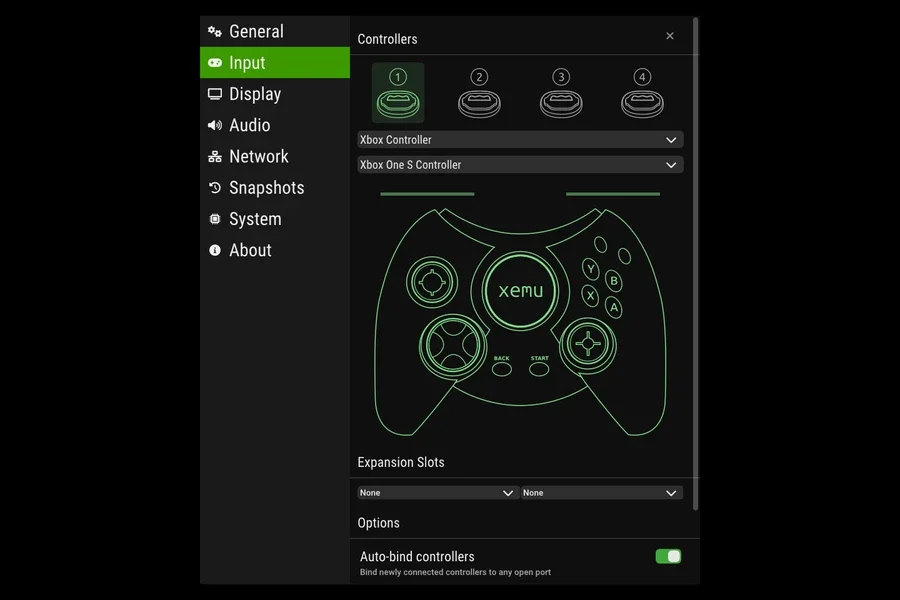
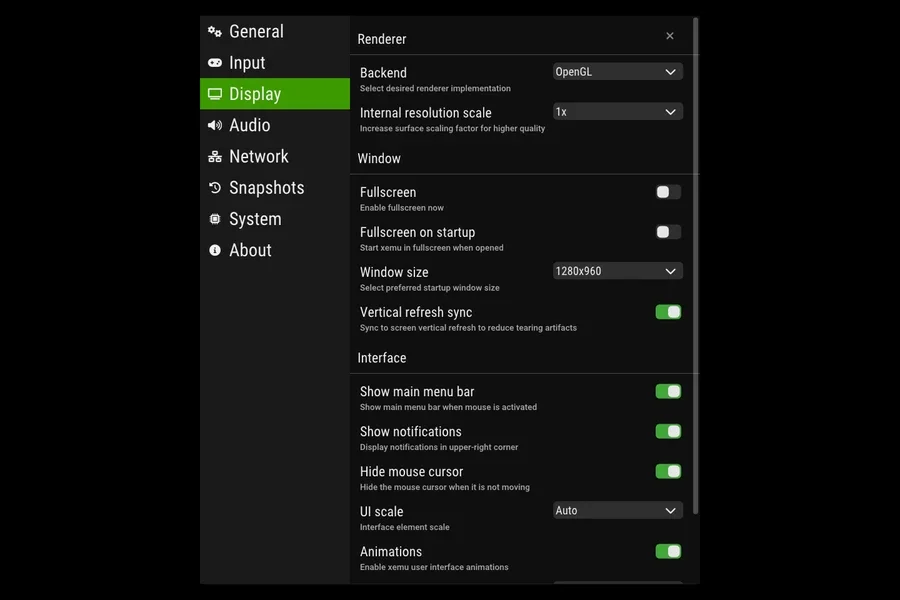
The emulator ships without a BIOS. You get it yourself, either online or by extracting it from your own console; pulling it from your own hardware is the recommended route. A compressed file with what you need sits on the Internet Archive under a search for MCPX Boot ROM. Once things are running, graphics options are adjustable in Configuration Options. Games start at their original resolution, and you can raise it as far as you like, 4K included. Xbox 360, Xbox One and Xbox Series X/S controllers are detected and configured automatically. Playing with the keyboard works too.
More than 900 titles in the compatibility list can be played from beginning to end, and under 10% of the official Xbox catalog will not run on Xemu.
Download files
fbb14dd7ea08120ca9ec99c955758786645af16a5058250553b3b7d7592e8701
bb6d8b3a82ca514a162ebd0f237a912143238bfc635311f9835768eb2ceedba4
153ede6595e472a12238ce4d51f4bc7bddcf632f281d4b95db56ebf06c1f2e31
b25a6c24a2c2c36a0843a153cd9ee59ca6833ef87bdcd855ba0824930e4ddd1d
a311e5355c2699e21409c7ec26e29a797b976e6edf2ee0552d8ea2dd2fb402c4
System requirements
Available on:
Additional information
Developer
Latest release
Size
File type
SHA-256
fbb14dd7ea08120ca9ec99c955758786645af16a5058250553b3b7d7592e8701





