
YUMI exFAT 1.0.4.3 for Windows
Makes a bootable multiboot USB from ISO files
Screenshots
Description
YUMI exFAT is a Windows utility that builds a bootable USB drive. The name stands for Your USB Multiboot Installer.
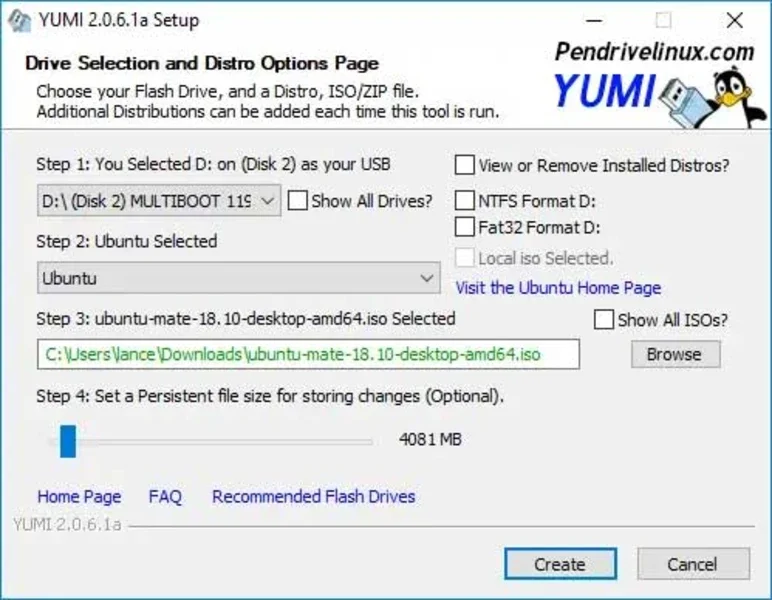
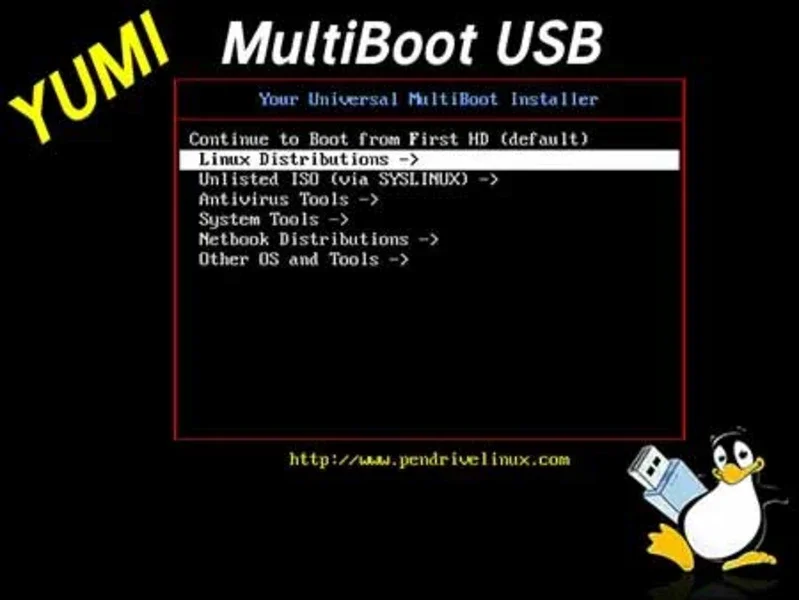
When you open it, you first choose where to install the multiboot tool. Next you pick the operating system image to add, and it has to be in ISO format. Several ISOs can sit on the same pendrive at once. At boot you select which installed system to start from the listed options, such as installed Linux distributions. It boots anything that can run from a computer or in Live USB mode, including diagnostic tools like MemTest86. A Linux distribution can be put alongside Windows 10 and Windows 11 installations. Using an external storage unit is recommended.
Backups can also be run from the same place. The latest version is 1.0.4.3.
Download files
c05319c4ff4f33d7284f105ffb8a716957ee277f01df186ed11949a9c30c345b
No digital signatureb7a495a0dec79e729fb73dc30f15a17b4c899a9e3dcd65bac063fe7ed6ab9dbd
No digital signature72844d6c5086825a693e6d75bb74c47414546fc334408636c1313a6a10ae84cb
No digital signature163cd553648cacbeea50efe33a227e561884f3aeeb84cba1671a9248e41d89c4
No digital signature1d697195e103fca9f90ce6dd68e3ef39d21346e610f7c22132eda44647db9df4
No digital signatureSystem requirements
Available on:
Additional information
Developer
Latest release
Size
File type
SHA-256
c05319c4ff4f33d7284f105ffb8a716957ee277f01df186ed11949a9c30c345b





