
ZoomIt 12.3 for Windows
SHA-256 listed
Magnifies the whole screen and lets you draw on it
All ages
Age rating
Screenshots
Description
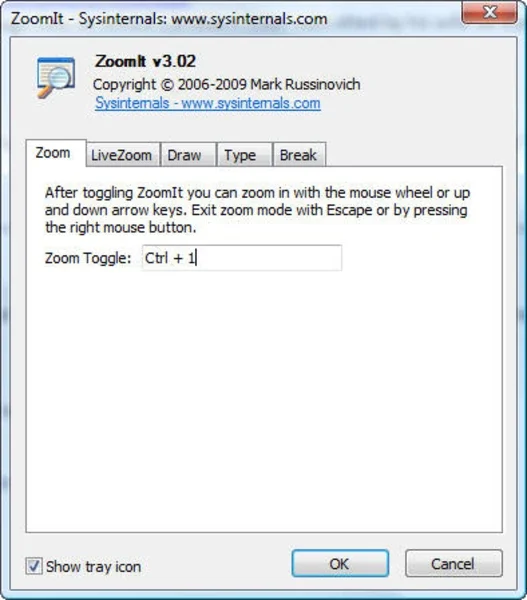
ZoomIt magnifies the screen, and the zoom fills the entire display rather than sitting in a small window. Use the mouse wheel or the plus and minus keys to change the magnification level. Ctrl+1 turns on the magnifier and switches draw mode on at the same time.
Drawing works while you are zoomed in. The r, g, b, and y keys pick red, green, blue, and yellow, and the pencil tip selects the magnifying options and the color.
To leave zoom, press Ctrl+2 or Esc, or press the right mouse button.
Download files
Filezoomit-12-3.zipZIP
Version12.3
ReleasedOct 20, 2026
Size242.0 MB
SHA-256
Get
47539809c8bebd0f58adf652ab990e0fb75215b55c23fad400e794d116d262e0
Filezoomit-12-11.zipZIP
Version12.11
ReleasedJul 10, 2026
Size24.2 MB
SHA-256
Get
adf6a271081ebefa9796691f7316bd45aa39cfe63e9c68ade269e1cf6d8b7d69
Filezoomit-10.0.zipZIP
Version10.0
ReleasedFeb 5, 2026
Size1.7 MB
SHA-256
Get
53558778b32b92d8d0859106d9d51a7309c82c034e312208465e6b16490cf9b5
Filezoomit-9.21.zipZIP
Version9.21
ReleasedNov 18, 2025
Size1.5 MB
SHA-256
Get
021333407aaeee07180fbd9e05fd509de659d0c45cb8cae9f2204a1ce23b8a82
Filezoomit-9.2.zipZIP
Version9.2
ReleasedNov 12, 2025
Size1.5 MB
SHA-256
Get
f10c889300f33e5dfa8736d0a17aec72c326a1f4d155216a5d1f171e542ea3f2
System requirements
Available on:
Additional information
Developer
Latest release
12.3 · Oct 20, 2026
Size
242.0 MB
File type
ZIP
SHA-256
47539809c8bebd0f58adf652ab990e0fb75215b55c23fad400e794d116d262e0





