Lookout - Assisted vision
Google LLC- EveryoneAge rating
- ProductivityCategory
- Nov 19, 2026Updated
- FreePrice
Links to the official Google Play listing of com.google.android.apps.accessibility.reveal. Last checked on Nov 20, 2026.
Screenshots

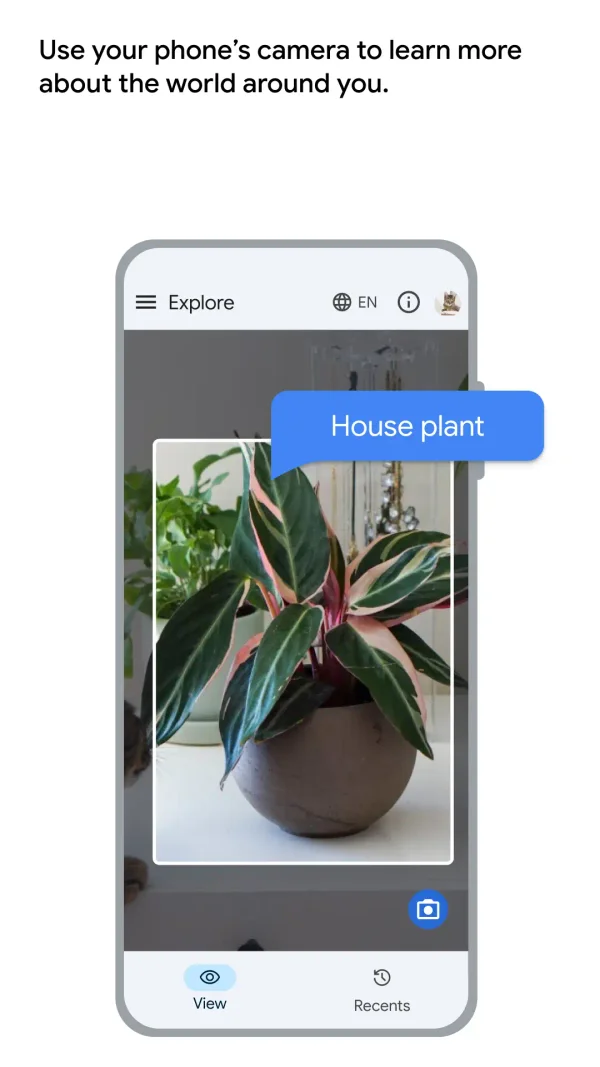

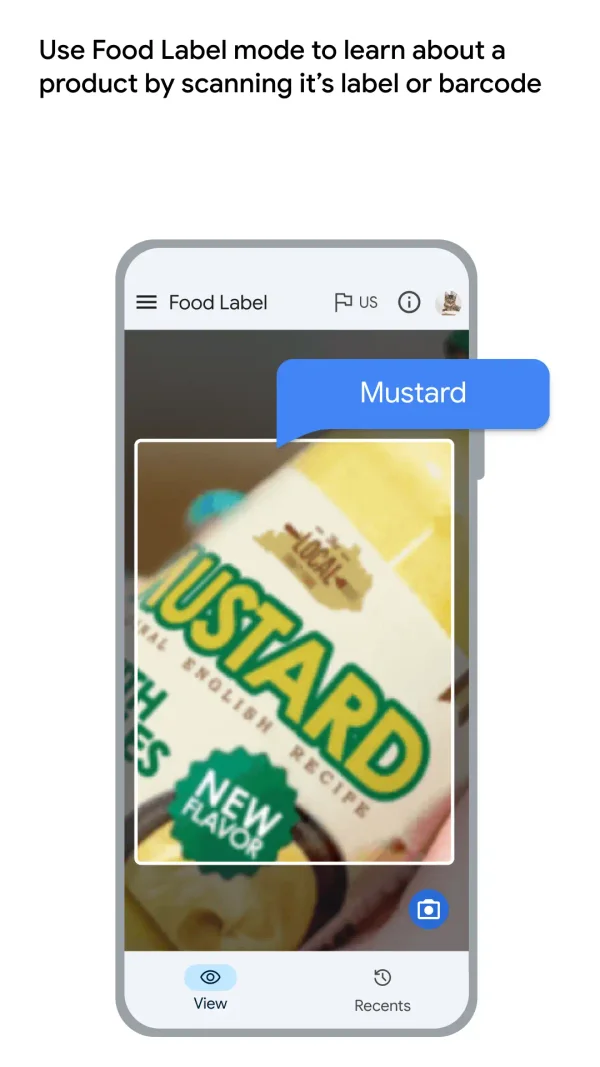

About this app
A visual assistant to help people with vision loss explore the world
Lookout uses computer vision and generative AI to assist people with low vision or blindness in getting things done faster and more easily. Using your phone's camera, Lookout makes it easier to get more information about the world around you and do daily tasks more efficiently like reading text & documents, sorting mail, putting away groceries, and more.
Built in collaboration with the blind and low-vision community, Lookout supports Google's mission to make the world's information universally accessible to everyone.
Lookout offers seven modes:
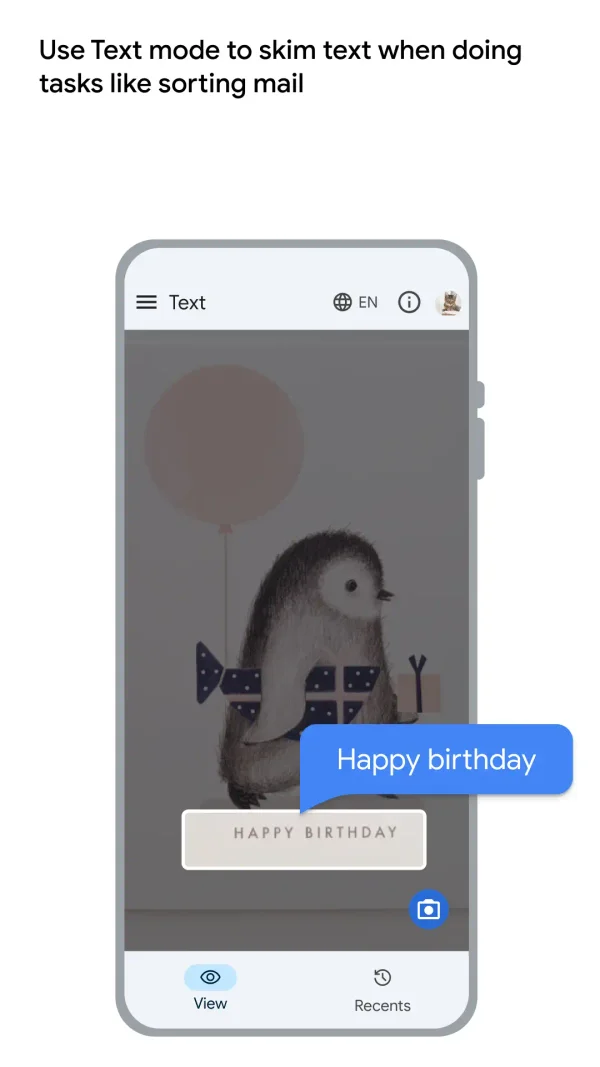
• <b>Text:</b> Scan text and hear it read aloud while doing things like sorting mail and reading signs, using Text mode.
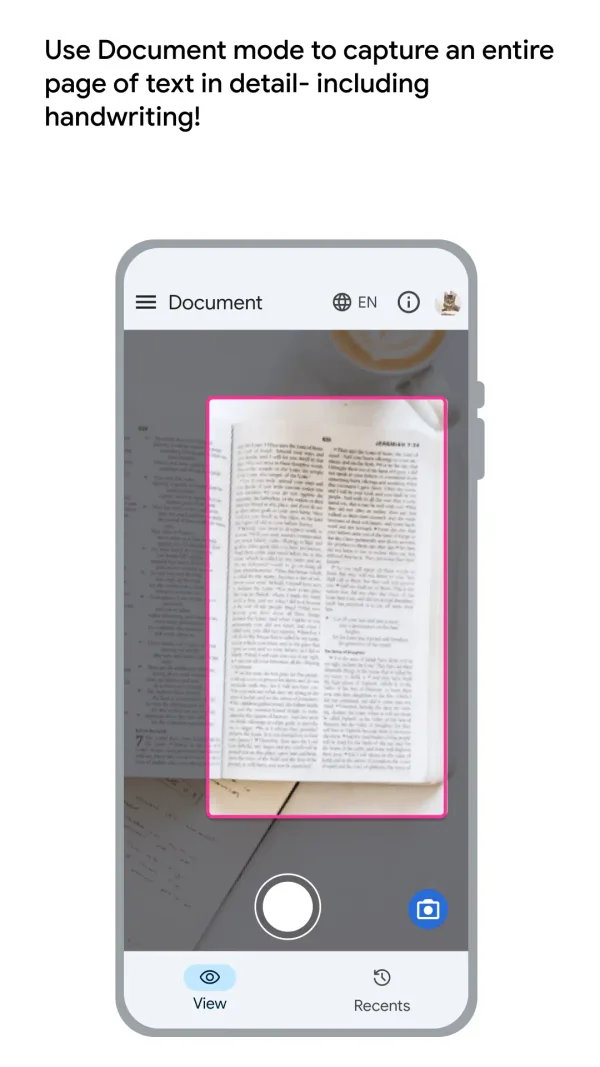
• <b>Documents:</b> Capture a whole page of text or handwriting using Documents mode. Available in over 30 languages.
• <b>Explore:</b> Identify objects, people, and text in surroundings using Explore mode.
• <b>Currency:</b> Identify banknotes quickly and reliably using Currency mode, with support for US Dollars, Euros, and Indian Rupees.
• <b>Food labels:</b> Identify packaged foods by their label or barcodes using Food labels mode. Available in over 20 countries.
• <b>Find:</b> Scan surroundings to find objects like doors, bathrooms, cups, vehicles, and more using Find mode. Find mode can also tell you the direction and distance to the object, depending on device capabilities.
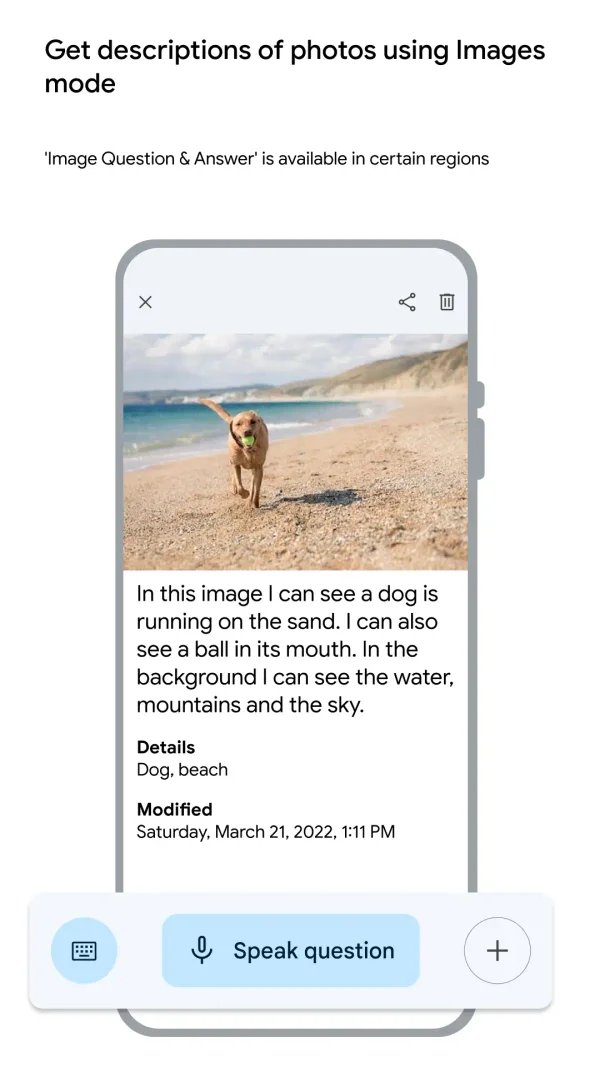
• <b>Images:</b> Capture, describe, and ask questions about an image using Images mode. Image descriptions and Q&A available globally in English only.
Lookout is available in more than 30 languages, and runs on devices with Android 6 and above. Devices with 2GB or more RAM are recommended.
Learn more about Lookout in the Help Center:
https://support.google.com/accessibility/android/answer/9031274
Data safety
What Google LLC declares on Google Play about the data this app collects and shares.
- No data shared with third partiesLearn more about how developers declare sharing
- This app may collect these data typesPersonal info, Messages and 7 others
- Data is encrypted in transit
- You can request that data be deleted
What’s new
Nov 19, 2026
• Choose from natural voices available in Reading settings
• Have Gemini describe your surroundings in Images mode (English only)
• Read in multiple languages with auto-language detection
• Support for Arabic language and right-to-left user interface
• Performance improvements and bug fixes.
Developer contact
- Websitegoogle.com
- Emailapps-help@google.com
- Privacy policygoogle.com
- Address1600 Amphitheatre Pkwy Mountain View, CA 94043 United States
Information
- Offered by
- Google LLC
- Category
- Productivity
- Updated
- Nov 19, 2026
- Released
- Mar 11, 2019
- Requires
- Android 6.0 or later
- Age rating
- Everyone
- Price
- Free
- Package name
- com.google.android.apps.accessibility.reveal
Similar apps
-
 Digital Wellbeing
Tools
-
 Google Voice
Communication
-
 Google Assistant Go
Tools
-
 FilterBox Notification Manager
Tools
-
 Gmail Go
Communication
-
 Robokiller - Spam Call Blocker
Communication
-
 Live Transcribe & notification
Communication
-
 HiNotes by HiDock
Productivity
-
 Sound Amplifier
Communication
-
 Right Gallery
Photography
-
 Storage Analyzer: Disk Cleaner
Productivity
-
 MagPie - Native speech
Productivity