Digital Material You 3
SOC Creations- USK ab 0 JahrenAltersfreigabe
- PersonalisierungKategorie
- 24.10.2026Aktualisiert
- 1,69 €Preis
Verlinkt auf den offiziellen Google Play-Eintrag von com.digitalmaterialyou3. Zuletzt geprüft am 25.11.2026.

Über diese App
Automatische Übersetzung von Google. Originalsprache: Englisch (Vereinigte Staaten).
Bringen Sie Material zu Ihrer Wear OS-Uhr.
Installation:
1. Stellen Sie sicher, dass Ihre Uhr über Bluetooth mit Ihrem Telefon verbunden ist.
2. Installieren Sie die Begleit-App, laden Sie sie herunter und öffnen Sie sie.
3. Gehen Sie zum Play Store der Uhr, geben Sie den genauen Namen der Uhr ein (mit korrekter Schreibweise und korrektem Abstand) und öffnen Sie den Eintrag. Wenn der Preis weiterhin angezeigt wird, warten Sie 2–5 Minuten oder starten Sie Ihr Zifferblatt neu.
4. Bitte versuchen Sie auch, das Zifferblatt über die Galaxy Wearable-App zu installieren (installieren Sie es, wenn es nicht installiert ist) > Zifferblätter > Heruntergeladen und wenden Sie es auf die Uhr an.
5. Sie können dieses Zifferblatt auch installieren, indem Sie im Webbrowser eines PCs oder Laptops auf den Google Play Store zugreifen. Stellen Sie sicher, dass Sie dasselbe Konto verwenden, über das Sie den Kauf getätigt haben, um eine doppelte Belastung zu vermeiden.
6. Wenn kein PC/Laptop verfügbar ist, können Sie den Webbrowser des Telefons verwenden. Gehen Sie zur Play Store-App und dann zum Zifferblatt. Klicken Sie auf die 3 Punkte in der oberen rechten Ecke und dann auf „Teilen“. Verwenden Sie den verfügbaren Browser, melden Sie sich bei dem Konto an, über das Sie den Kauf getätigt haben, und installieren Sie es dort.
Über das Zifferblatt:
Ein digitales Zifferblatt für Ihre Wear OS-Smartwatch, inspiriert von Material You von Google. Mit organischen Formen und Pastellfarben soll das Zifferblatt Ihre Uhr aufpeppen und Ihrem Telefon eine einheitliche Benutzeroberfläche verleihen.
- 4 anpassbare Komplikationen
- 1 unabhängige AOD-Komplikation
- 12 Farboptionen
- 2 Uhrschriftarten
- Batterie-Fortschrittsbalken
Weitere Informationen folgen in zukünftigen Updates.
Originaltext anzeigen
Installation:
1. Make sure you watch is connected to your phone via Bluetooth.
2. Install, download and open the companion app.
3. Go to the watch Play Store, and type the exact watch name(with correct spelling and spacing) and open listing. If price still appears, wait for 2-5 minutes or restart your watch face.
4. Please also try installing the watch face via Galaxy Wearable app(install it if not installed)> Watch Faces> Downloaded and apply it to watch.
5. You can also install this watch face by accessing the Google Play Store in the web browser in a PC or Laptop. Make sure you use the same account you made the purchase from to avoid double charge.
6. If PC/laptop not available, you can use the phone web browser. Head over to the Play Store app, then to the watch face. Click the 3 dots in the upper right hand corner then Share. Use the available browser, login to the account you made the purchase from and install it there.
About the watch face:
An Digital watch face for your Wear OS smartwatch inspired from Material You by Google. With organic shapes and pastel colors, the watch face aims to spice up your watch and bring a consistent UI with your phone.
- 4 customizable complications
- 1 Independent AOD Complication
- 12 color options
- 2 clock fonts
- Battery Progress Bar
More to come in future updates..
Datensicherheit
Was SOC Creations bei Google Play zu den Daten angibt, die diese App erfasst und weitergibt.
- Keine Daten werden mit Drittunternehmen oder -organisationen geteiltWeitere Informationen dazu, wie Entwickler Angaben zur Weitergabe von Daten machen
- Keine Daten erhobenWeitere Informationen dazu, wie Entwickler Angaben zur Datenerhebung machen
Kontakt zum Entwickler
- E-Mailnnprnsrsh@gmail.com
- Datenschutzerklärungdocs.google.com
- AdresseH 304 SHRIRAM SPURTHI APTS KUNDALAHALLI BROOKFIELD Bengaluru, Karnataka 560037 India
Informationen
- Angeboten von
- SOC Creations
- Kategorie
- Personalisierung
- Aktualisiert
- 24.10.2026
- Veröffentlicht
- 16.09.2023
- Altersfreigabe
- USK ab 0 Jahren
- Preis
- 1,69 €
- Paketname
- com.digitalmaterialyou3
Ähnliche Apps
-
 Another World 2 Watch Face
Personalisierung
-
 Dream Checker Watch Face
Personalisierung
-
 BubbleVerse Watch Face GTG4
Personalisierung
-
 CELEST5508 Cyber Watch
Personalisierung
-
 Radar Time Watch Face
Lifestyle
-
 Simple Anim Watch Face II
Personalisierung
-
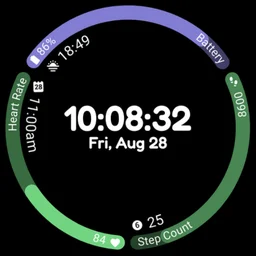 minimalist 04
Personalisierung
-
 SAM Four Block WatchFace SMA 9
Personalisierung
-
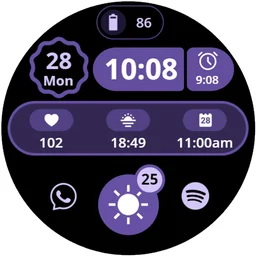 Watchface Material 2
Personalisierung
-
 Material You 3 Digital
Personalisierung
-
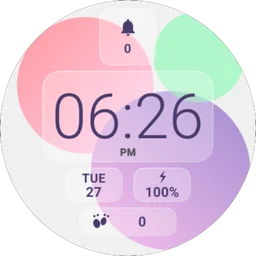 Glassmorphism - watch face
Personalisierung
-
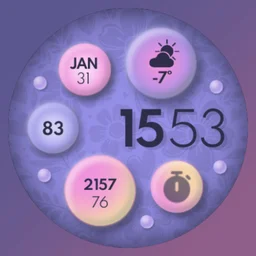 [69D] SweetPop Color WatchFace
Personalisierung