Digital Material You 3
SOC Creations- PEGI 3Classification d’âge
- PersonnalisationCatégorie
- 24/10/2026Mis à jour
- 1,69 €Prix
Renvoie vers la fiche Google Play officielle de com.digitalmaterialyou3. Dernière vérification le 26/11/2026.

Captures d’écran




À propos de cette application
Traduction automatique par Google. Langue d’origine : Anglais (États-Unis).
Apportez du matériel à votre montre Wear OS.
Installation:
1. Assurez-vous que votre montre est connectée à votre téléphone via Bluetooth.
2. Installez, téléchargez et ouvrez l'application compagnon.
3. Accédez au Play Store de la montre et saisissez le nom exact de la montre (avec l'orthographe et l'espacement corrects) et ouvrez la liste. Si le prix apparaît toujours, attendez 2 à 5 minutes ou redémarrez le cadran de votre montre.
4. Veuillez également essayer d'installer le cadran de la montre via l'application Galaxy Wearable (installez-le s'il n'est pas installé)> Cadrans de montre> Téléchargé et appliquez-le pour regarder.
5. Vous pouvez également installer ce cadran de montre en accédant au Google Play Store dans le navigateur Web d'un PC ou d'un ordinateur portable. Assurez-vous d'utiliser le même compte que celui sur lequel vous avez effectué l'achat pour éviter une double facturation.
6. Si le PC/ordinateur portable n'est pas disponible, vous pouvez utiliser le navigateur Web du téléphone. Rendez-vous sur l'application Play Store, puis sur le cadran de la montre. Cliquez sur les 3 points dans le coin supérieur droit puis sur Partager. Utilisez le navigateur disponible, connectez-vous au compte à partir duquel vous avez effectué l'achat et installez-le là-bas.
À propos du cadran de la montre :
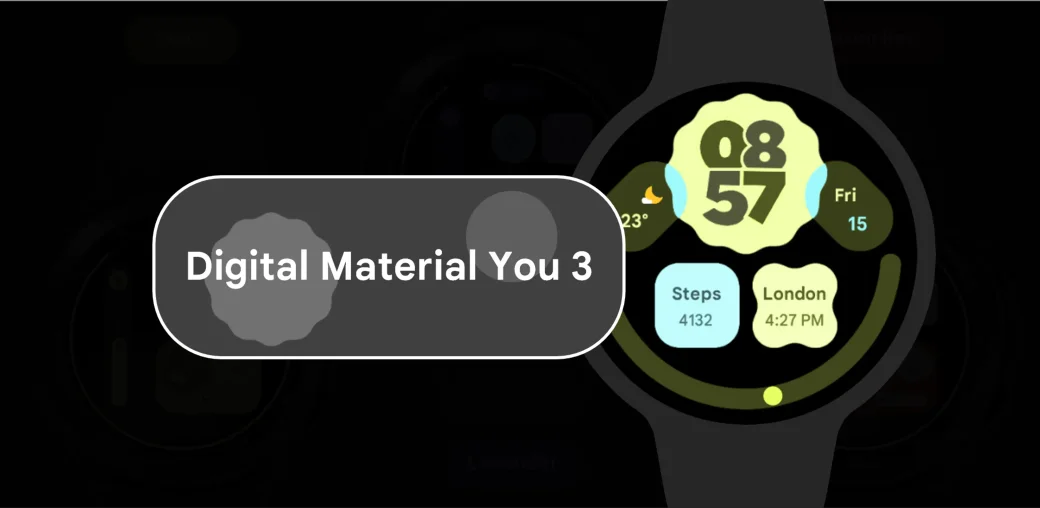
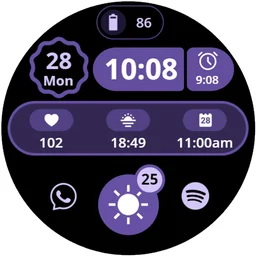
Un cadran de montre numérique pour votre montre intelligente Wear OS inspiré de Material You de Google. Avec des formes organiques et des couleurs pastel, le cadran de la montre vise à pimenter votre montre et à apporter une interface utilisateur cohérente avec votre téléphone.
- 4 complications personnalisables
- 1 complication AOD indépendante
- 12 options de couleurs
- 2 polices d'horloge
- Barre de progression de la batterie
Plus à venir dans les futures mises à jour.
Afficher le texte d’origine
Installation:
1. Make sure you watch is connected to your phone via Bluetooth.
2. Install, download and open the companion app.
3. Go to the watch Play Store, and type the exact watch name(with correct spelling and spacing) and open listing. If price still appears, wait for 2-5 minutes or restart your watch face.
4. Please also try installing the watch face via Galaxy Wearable app(install it if not installed)> Watch Faces> Downloaded and apply it to watch.
5. You can also install this watch face by accessing the Google Play Store in the web browser in a PC or Laptop. Make sure you use the same account you made the purchase from to avoid double charge.
6. If PC/laptop not available, you can use the phone web browser. Head over to the Play Store app, then to the watch face. Click the 3 dots in the upper right hand corner then Share. Use the available browser, login to the account you made the purchase from and install it there.
About the watch face:
An Digital watch face for your Wear OS smartwatch inspired from Material You by Google. With organic shapes and pastel colors, the watch face aims to spice up your watch and bring a consistent UI with your phone.
- 4 customizable complications
- 1 Independent AOD Complication
- 12 color options
- 2 clock fonts
- Battery Progress Bar
More to come in future updates..
Sécurité des données
Ce que SOC Creations déclare sur Google Play au sujet des données que cette application collecte et partage.
- Aucune donnée partagée avec des tiersEn savoir plus sur la manière dont les développeurs déclarent le partage
- Aucune donnée collectéeEn savoir plus sur la manière dont les développeurs déclarent la collecte
Coordonnées du développeur
- E-mailnnprnsrsh@gmail.com
- Politique de confidentialitédocs.google.com
- AdresseH 304 SHRIRAM SPURTHI APTS KUNDALAHALLI BROOKFIELD Bengaluru, Karnataka 560037 India
Informations
- Proposée par
- SOC Creations
- Catégorie
- Personnalisation
- Mis à jour
- 24/10/2026
- Publié
- 16/09/2023
- Classification d’âge
- PEGI 3
- Prix
- 1,69 €
- Nom du package
- com.digitalmaterialyou3
Applications similaires
-
 Another World 2 Watch Face
Personnalisation
-
 Dream Checker Watch Face
Personnalisation
-
 BubbleVerse Watch Face GTG4
Personnalisation
-
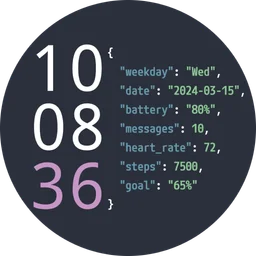 CELEST5508 Cyber Watch
Personnalisation
-
 Neon Orbit Watch Face
Personnalisation
-
 Radar Time Watch Face
Style de vie
-
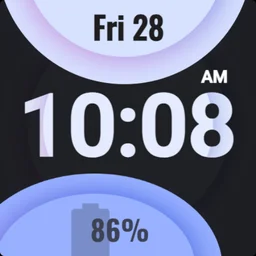 Simple Anim Watch Face II
Personnalisation
-
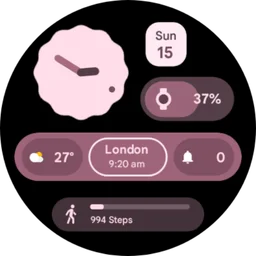 Analog Material You
Personnalisation
-
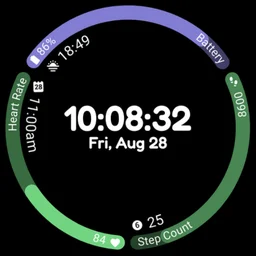 Style Quotidien Minimal
Personnalisation
-
 SAM Four Block WatchFace SMA 9
Personnalisation
-
 Watchface Material 2
Personnalisation
-
 Material You 3 Digital
Personnalisation