- Altersfreigabe4+
- KategorieGesundheit und Fitness
- EntwicklerBoyi Dai
- SprachenEnglisch
- Größe5,0 MB
3DSeg/JointAngles ist bei App Store derzeit möglicherweise nicht verfügbar
Bei unserer letzten Prüfung war der Store-Eintrag nicht erreichbar. Der Link führt weiterhin zur offiziellen App Store-Seite.
Screenshots
Info
Der Entwickler hat diesen Text nicht in Ihrer Sprache bereitgestellt.
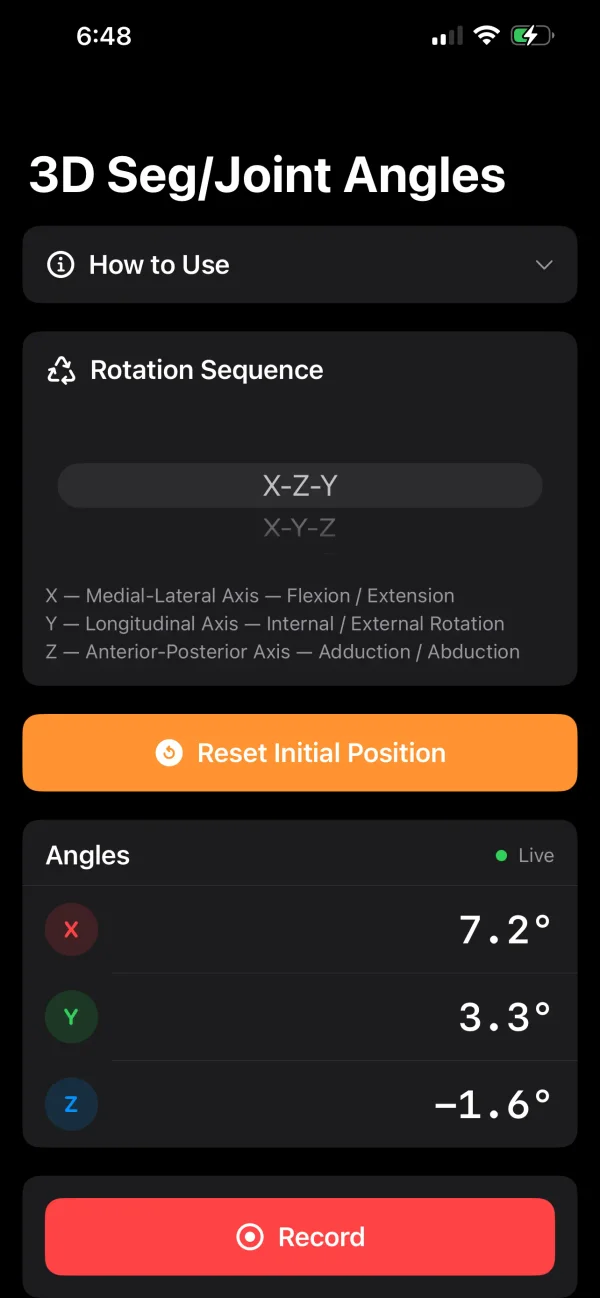
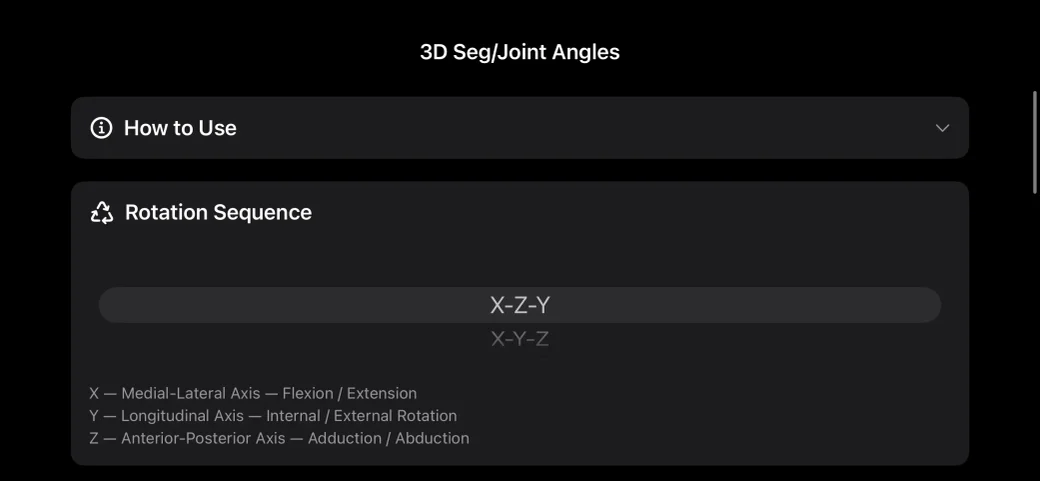
3D Seg/Joint Angles measures three-dimensional Cardan/Euler angles of body segments and joints using your iPhone's built-in motion sensors — no external hardware required.
Designed for biomechanics researchers, clinicians, physiotherapists, athletic trainers, and students, the app uses your iPhone's accelerometer, gyroscope, and magnetometer to compute the three rotational angles (about the X, Y, and Z axes) that describe how a body segment or joint has moved from a defined starting position.
HOW IT WORKS
Place the iPhone on a body segment (e.g., thigh, shank, forearm). Press "Set Initial Position" to define the reference frame. The app then continuously reports the three angles — in degrees — that describe the 3D rotation from that starting position to the current position, in real time at 60 Hz.
ROTATION SEQUENCES
Six standard Cardan/Euler rotation sequences are supported:
• X-Z-Y (default, recommended for most lower-limb joints)
• X-Y-Z
• Y-X-Z
• Y-Z-X
• Z-X-Y
• Z-Y-X
Select the sequence that matches your anatomical convention. Angles are always displayed in X, Y, Z order regardless of the sequence chosen.
PHONE AXES
• X axis — points to the right side of the phone (medial-lateral; flexion/extension)
• Y axis — points toward the top of the phone (longitudinal; internal/external rotation)
• Z axis — points out of the screen (anterior-posterior; abduction/adduction)
Positive and negative angle signs follow the right-hand rule applied to each physical axis of the phone.
RECORDING AND EXPORT
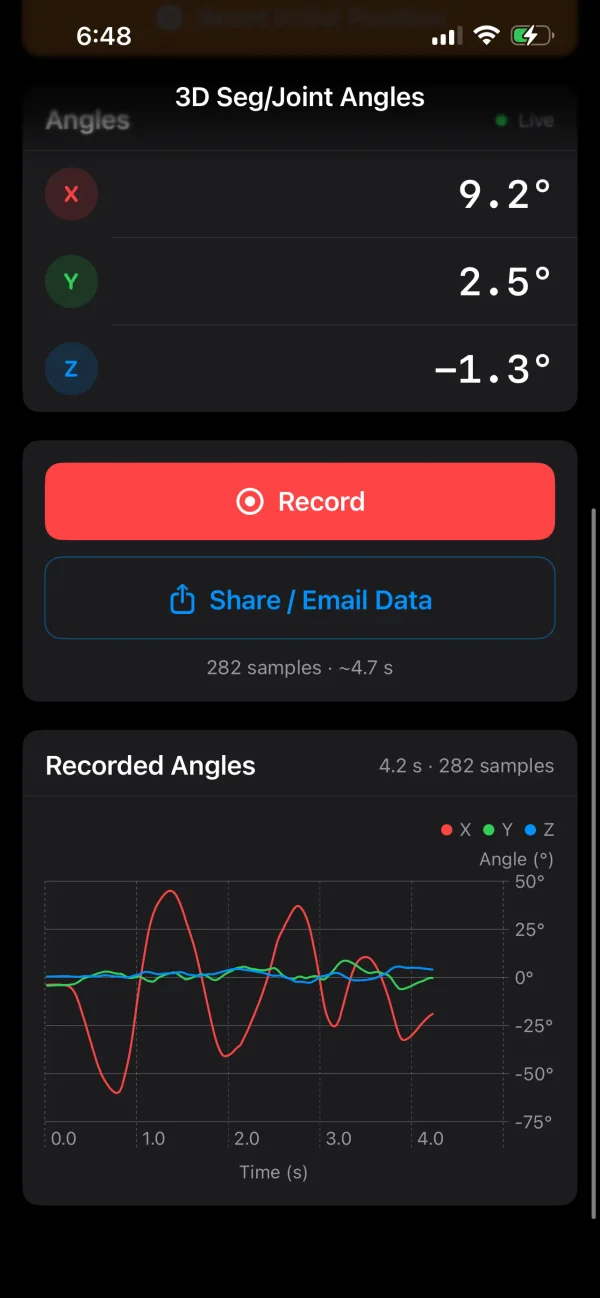
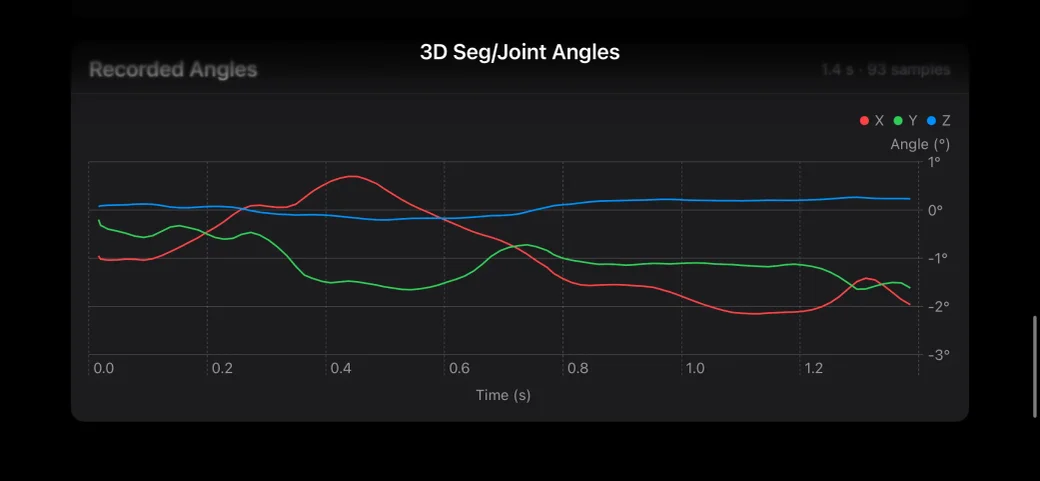
Start and stop recording with a single tap. After recording, the three angles are plotted over time directly in the app. Export the data as a CSV file via email, AirDrop, or any share destination for further analysis in Excel, MATLAB, or R.
KEY FEATURES
• Real-time 3D angle display at 60 Hz
• Six selectable Cardan/Euler rotation sequences
• Calibrate to any starting position
• Built-in angle time-series plot
• CSV export via iOS Share Sheet
• Works completely offline — no internet required
• No account or login needed
• All data stays on your device
IMPORTANT NOTES
• For accurate results, hold the phone still during calibration
• The Z axis requires the magnetometer to be valid — keep the phone away from strong magnetic fields
• This app is intended for research, education, and rehabilitation purposes. It is not a certified medical device.
App-Datenschutz
Was Boyi Dai im App Store zum Umgang dieser App mit Daten angibt.
-
Keine Daten erfasst
Der Entwickler erfasst keine Daten von dieser App.
Die Datenschutzpraktiken können variieren, zum Beispiel je nach den von Ihnen verwendeten Funktionen oder Ihrem Alter.
Informationen
- Anbieter
- Boyi Dai
- Kategorie
- Gesundheit und Fitness
- Version
- 1.0
- Aktualisiert
- 28.03.2026
- Veröffentlicht
- 28.03.2026
- Größe
- 5,0 MB
- Erfordert
- iOS 26.2 oder neuer
- Altersfreigabe
- 4+
- Sprachen
- Englisch
- Copyright
- © 2026 Boyi Dai
Das könnte Ihnen auch gefallen
-
 Eigen RunningGesundheit und Fitness
-
 Prowess: Running FormGesundheit und Fitness
-
 Stack PTGesundheit und Fitness
-
 FormSightGesundheit und Fitness
-
 AvaSciGesundheit und Fitness
-
 Gait Analysis VisionGesundheit und Fitness
-
 Run AiKGesundheit und Fitness
-
 hpe-Posture AnalysisKI Haltungs & Bewegungsanalyse
-
 Integra Biomechanics ScannerMedizin
-
 POSE Fitness AppGesundheit und Fitness