- Clasificación por edad4+
- CategoríaSalud y forma física
- DesarrolladorBoyi Dai
- IdiomasInglés
- Tamaño5,0 MB
Es posible que 3DSeg/JointAngles no esté disponible en App Store en este momento
No se pudo acceder a la ficha de la tienda en nuestra última comprobación. El enlace sigue llevando a la página oficial de App Store.
Capturas de pantalla
Acerca de
El desarrollador no ha proporcionado este texto en tu idioma.
3D Seg/Joint Angles measures three-dimensional Cardan/Euler angles of body segments and joints using your iPhone's built-in motion sensors — no external hardware required.
Designed for biomechanics researchers, clinicians, physiotherapists, athletic trainers, and students, the app uses your iPhone's accelerometer, gyroscope, and magnetometer to compute the three rotational angles (about the X, Y, and Z axes) that describe how a body segment or joint has moved from a defined starting position.
HOW IT WORKS
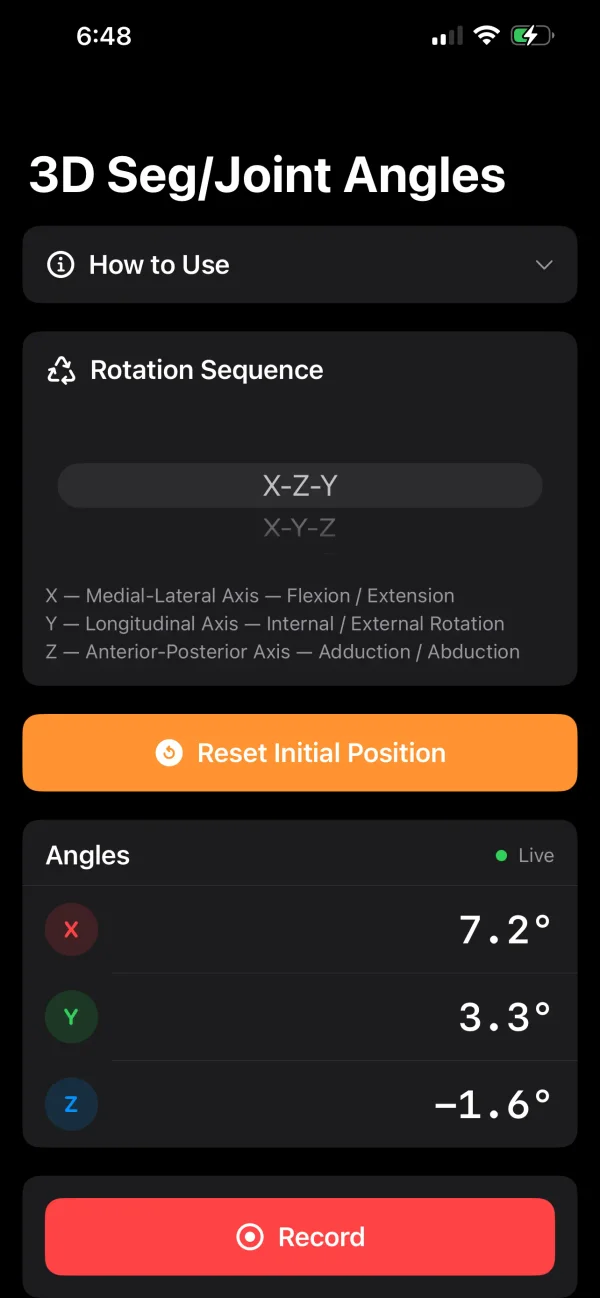
Place the iPhone on a body segment (e.g., thigh, shank, forearm). Press "Set Initial Position" to define the reference frame. The app then continuously reports the three angles — in degrees — that describe the 3D rotation from that starting position to the current position, in real time at 60 Hz.
ROTATION SEQUENCES
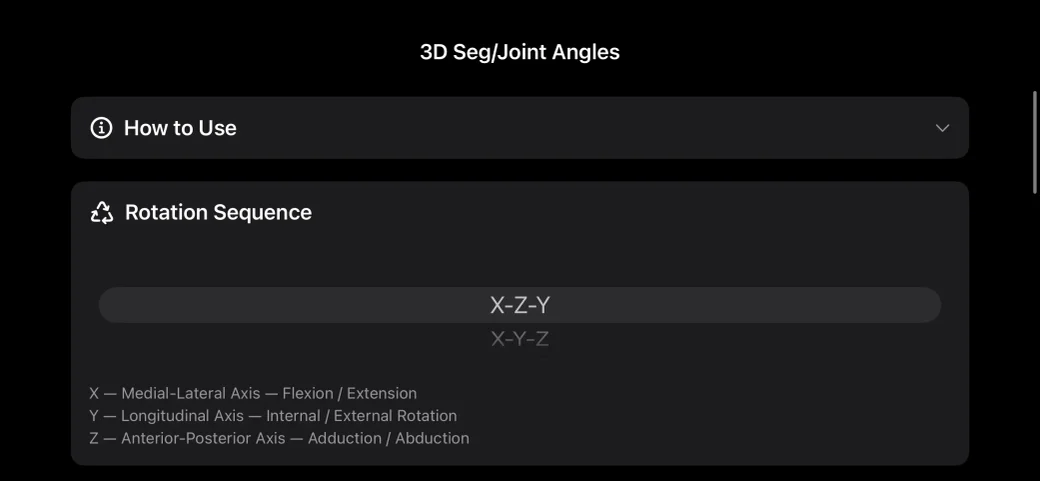
Six standard Cardan/Euler rotation sequences are supported:
• X-Z-Y (default, recommended for most lower-limb joints)
• X-Y-Z
• Y-X-Z
• Y-Z-X
• Z-X-Y
• Z-Y-X
Select the sequence that matches your anatomical convention. Angles are always displayed in X, Y, Z order regardless of the sequence chosen.
PHONE AXES
• X axis — points to the right side of the phone (medial-lateral; flexion/extension)
• Y axis — points toward the top of the phone (longitudinal; internal/external rotation)
• Z axis — points out of the screen (anterior-posterior; abduction/adduction)
Positive and negative angle signs follow the right-hand rule applied to each physical axis of the phone.
RECORDING AND EXPORT
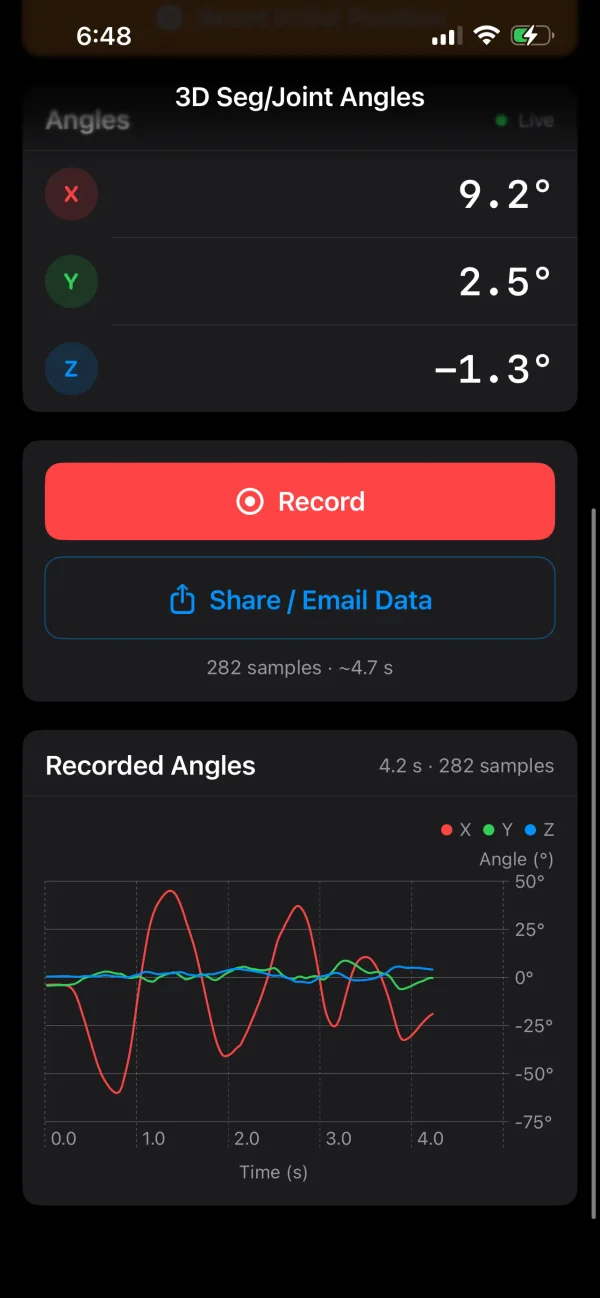
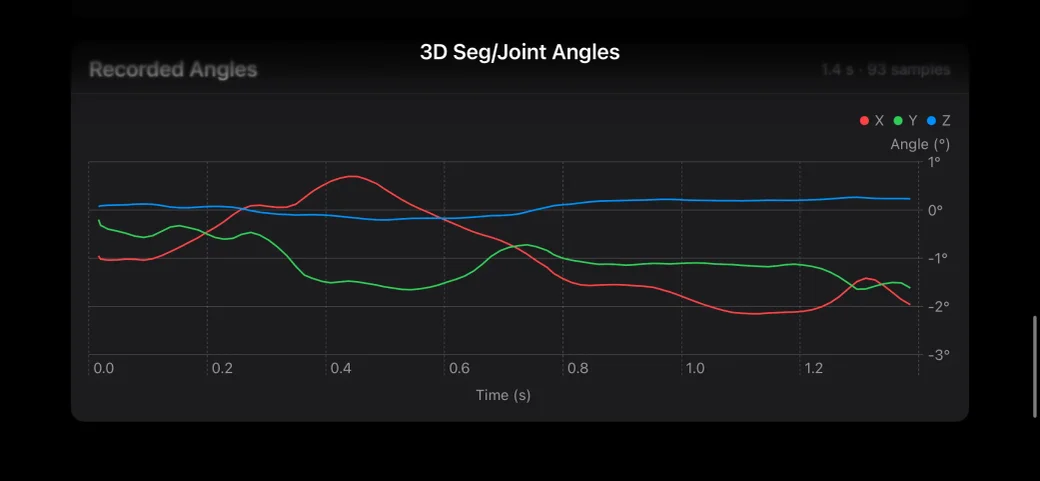
Start and stop recording with a single tap. After recording, the three angles are plotted over time directly in the app. Export the data as a CSV file via email, AirDrop, or any share destination for further analysis in Excel, MATLAB, or R.
KEY FEATURES
• Real-time 3D angle display at 60 Hz
• Six selectable Cardan/Euler rotation sequences
• Calibrate to any starting position
• Built-in angle time-series plot
• CSV export via iOS Share Sheet
• Works completely offline — no internet required
• No account or login needed
• All data stays on your device
IMPORTANT NOTES
• For accurate results, hold the phone still during calibration
• The Z axis requires the magnetometer to be valid — keep the phone away from strong magnetic fields
• This app is intended for research, education, and rehabilitation purposes. It is not a certified medical device.
Privacidad de la aplicación
Lo que Boyi Dai declara en App Store sobre cómo esta aplicación gestiona los datos.
-
No se recopilan datos
El desarrollador no recopila ningún dato de esta aplicación.
Las prácticas de privacidad pueden variar, por ejemplo, según las funciones que uses o tu edad.
Información
- Vendedor
- Boyi Dai
- Categoría
- Salud y forma física
- Versión
- 1.0
- Actualizado
- 28/3/2026
- Publicado
- 28/3/2026
- Tamaño
- 5,0 MB
- Requiere
- iOS 26.2 o posterior
- Clasificación por edad
- 4+
- Idiomas
- Inglés
- Copyright
- © 2026 Boyi Dai
Quizá también te guste
-
 Eigen RunningSalud y forma física
-
 Prowess: Running FormSalud y forma física
-
 Stack PTSalud y forma física
-
 FormSightSalud y forma física
-
 AvaSciSalud y forma física
-
 Gait Analysis VisionSalud y forma física
-
 Run AiKSalud y forma física
-
 hpe-Análisis de la posturaAnálisis de Postura con IA
-
 Integra Biomechanics ScannerMedicina
-
 POSE Fitness AppSalud y forma física