- 対象年齢4+
- カテゴリヘルスケア/フィットネス
- 開発元Boyi Dai
- 言語英語
- サイズ5.0 MB
App Storeの公式ページにリンクしています
Download.orgは3DSeg/JointAnglesのファイルを一切ホストしていません。ボタンを押すと、Boyi Daiが公開しているApp Storeのアプリページが開きます。ページの最終確認:2026/11/20。
スクリーンショット
概要
開発元はこのテキストをお使いの言語で提供していません。
3D Seg/Joint Angles measures three-dimensional Cardan/Euler angles of body segments and joints using your iPhone's built-in motion sensors — no external hardware required.
Designed for biomechanics researchers, clinicians, physiotherapists, athletic trainers, and students, the app uses your iPhone's accelerometer, gyroscope, and magnetometer to compute the three rotational angles (about the X, Y, and Z axes) that describe how a body segment or joint has moved from a defined starting position.
HOW IT WORKS
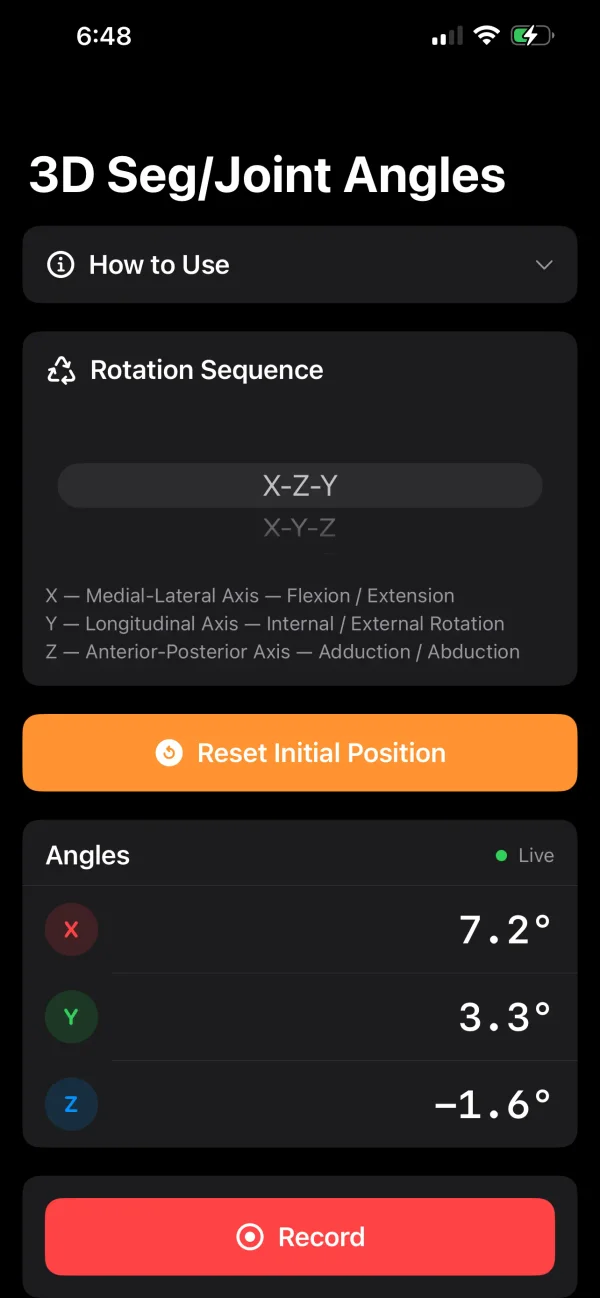
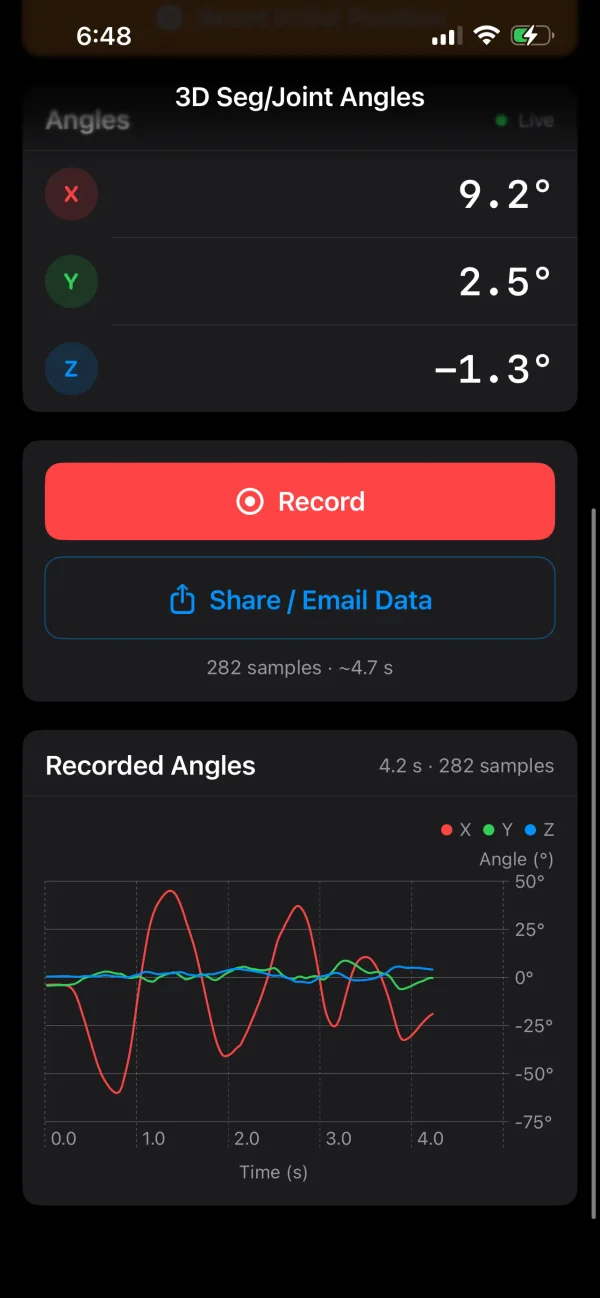
Place the iPhone on a body segment (e.g., thigh, shank, forearm). Press "Set Initial Position" to define the reference frame. The app then continuously reports the three angles — in degrees — that describe the 3D rotation from that starting position to the current position, in real time at 60 Hz.
ROTATION SEQUENCES
Six standard Cardan/Euler rotation sequences are supported:
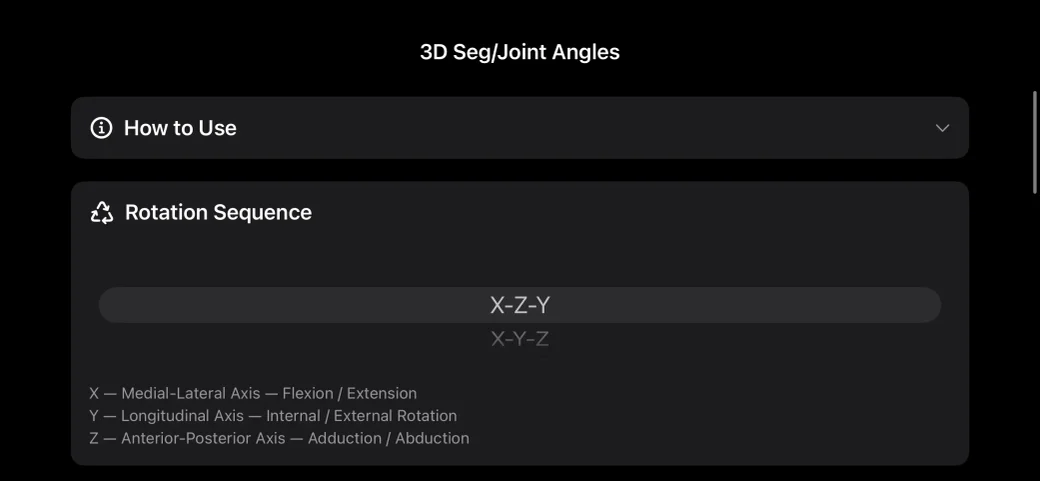
• X-Z-Y (default, recommended for most lower-limb joints)
• X-Y-Z
• Y-X-Z
• Y-Z-X
• Z-X-Y
• Z-Y-X
Select the sequence that matches your anatomical convention. Angles are always displayed in X, Y, Z order regardless of the sequence chosen.
PHONE AXES
• X axis — points to the right side of the phone (medial-lateral; flexion/extension)
• Y axis — points toward the top of the phone (longitudinal; internal/external rotation)
• Z axis — points out of the screen (anterior-posterior; abduction/adduction)
Positive and negative angle signs follow the right-hand rule applied to each physical axis of the phone.
RECORDING AND EXPORT
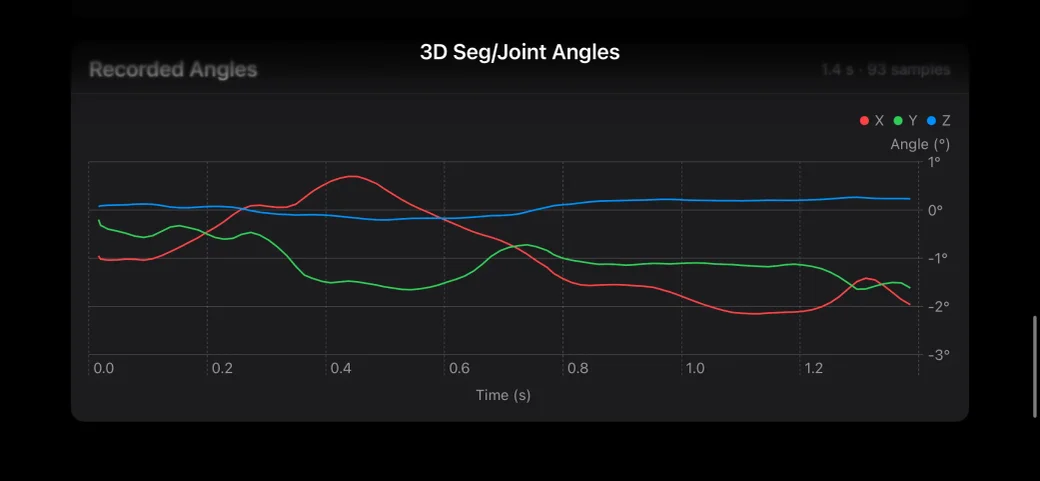
Start and stop recording with a single tap. After recording, the three angles are plotted over time directly in the app. Export the data as a CSV file via email, AirDrop, or any share destination for further analysis in Excel, MATLAB, or R.
KEY FEATURES
• Real-time 3D angle display at 60 Hz
• Six selectable Cardan/Euler rotation sequences
• Calibrate to any starting position
• Built-in angle time-series plot
• CSV export via iOS Share Sheet
• Works completely offline — no internet required
• No account or login needed
• All data stays on your device
IMPORTANT NOTES
• For accurate results, hold the phone still during calibration
• The Z axis requires the magnetometer to be valid — keep the phone away from strong magnetic fields
• This app is intended for research, education, and rehabilitation purposes. It is not a certified medical device.
アプリのプライバシー
このアプリのデータの取り扱いについて、Boyi DaiがApp Storeで申告している内容です。
-
データの収集なし
開発元はこのアプリからデータを収集しません。
プライバシーの取り扱いは、ご利用の機能やお客様の年齢などに応じて異なる場合があります。
情報
- 販売元
- Boyi Dai
- カテゴリ
- ヘルスケア/フィットネス
- バージョン
- 1.0
- 更新日
- 2026/3/28
- リリース
- 2026/3/28
- サイズ
- 5.0 MB
- 必要条件
- iOS 26.2以降
- 対象年齢
- 4+
- 価格
- 無料
- 言語
- 英語
- 著作権
- © 2026 Boyi Dai