3DSeg/JointAngles
3D Angles for Biomechanics
Dirancang untuk iPhone, iPad
Gratis
- Batasan usia4+
- KategoriKesehatan & Kebugaran
- PengembangBoyi Dai
- BahasaInggris
- Ukuran5,0 MB
Tertaut ke halaman resmi App Store
Download.org tidak menyimpan file 3DSeg/JointAngles apa pun. Tombol ini membuka halaman aplikasi di App Store, tempat Boyi Dai menerbitkannya. Halaman terakhir diperiksa pada 20/11/2026.
Tangkapan layar
Tentang
Pengembang belum menyediakan teks ini dalam bahasa Anda.
3D Seg/Joint Angles measures three-dimensional Cardan/Euler angles of body segments and joints using your iPhone's built-in motion sensors — no external hardware required.
Designed for biomechanics researchers, clinicians, physiotherapists, athletic trainers, and students, the app uses your iPhone's accelerometer, gyroscope, and magnetometer to compute the three rotational angles (about the X, Y, and Z axes) that describe how a body segment or joint has moved from a defined starting position.
HOW IT WORKS
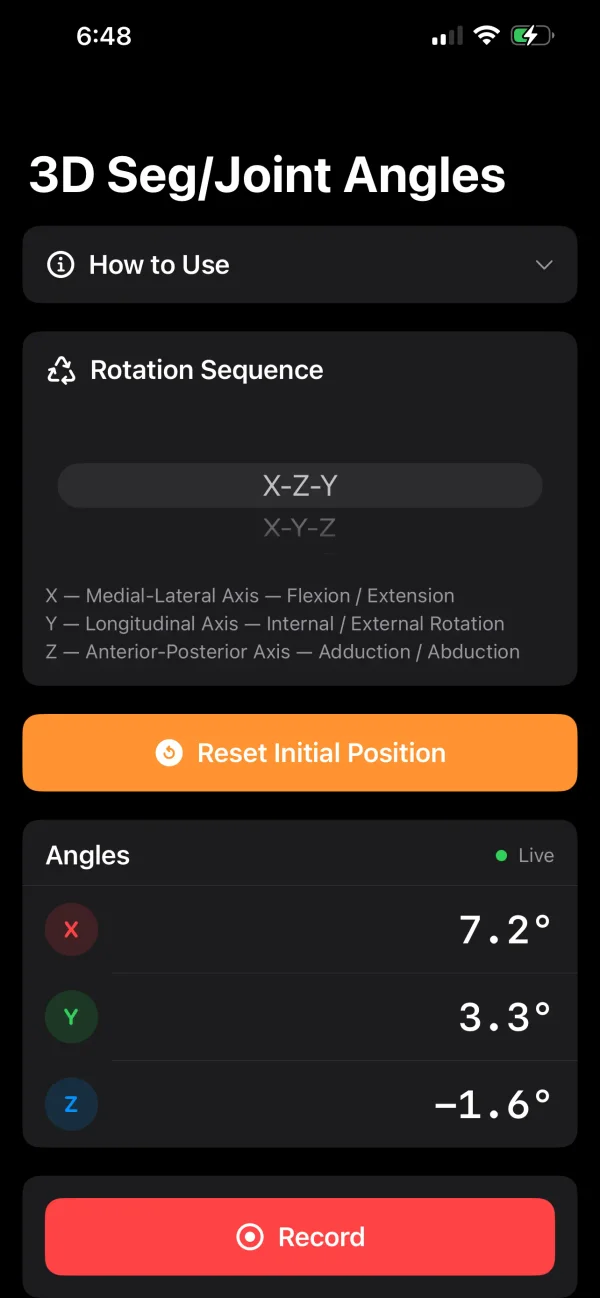
Place the iPhone on a body segment (e.g., thigh, shank, forearm). Press "Set Initial Position" to define the reference frame. The app then continuously reports the three angles — in degrees — that describe the 3D rotation from that starting position to the current position, in real time at 60 Hz.
ROTATION SEQUENCES
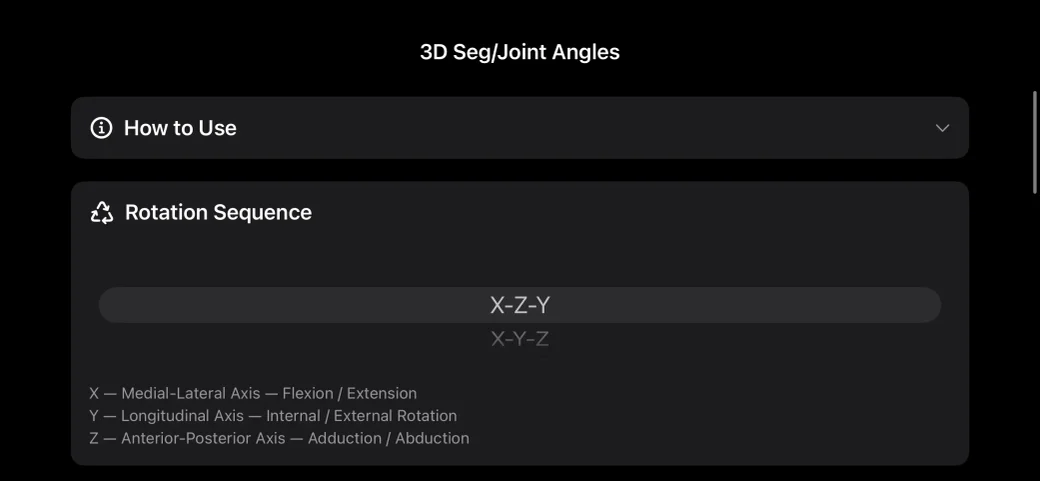
Six standard Cardan/Euler rotation sequences are supported:
• X-Z-Y (default, recommended for most lower-limb joints)
• X-Y-Z
• Y-X-Z
• Y-Z-X
• Z-X-Y
• Z-Y-X
Select the sequence that matches your anatomical convention. Angles are always displayed in X, Y, Z order regardless of the sequence chosen.
PHONE AXES
• X axis — points to the right side of the phone (medial-lateral; flexion/extension)
• Y axis — points toward the top of the phone (longitudinal; internal/external rotation)
• Z axis — points out of the screen (anterior-posterior; abduction/adduction)
Positive and negative angle signs follow the right-hand rule applied to each physical axis of the phone.
RECORDING AND EXPORT
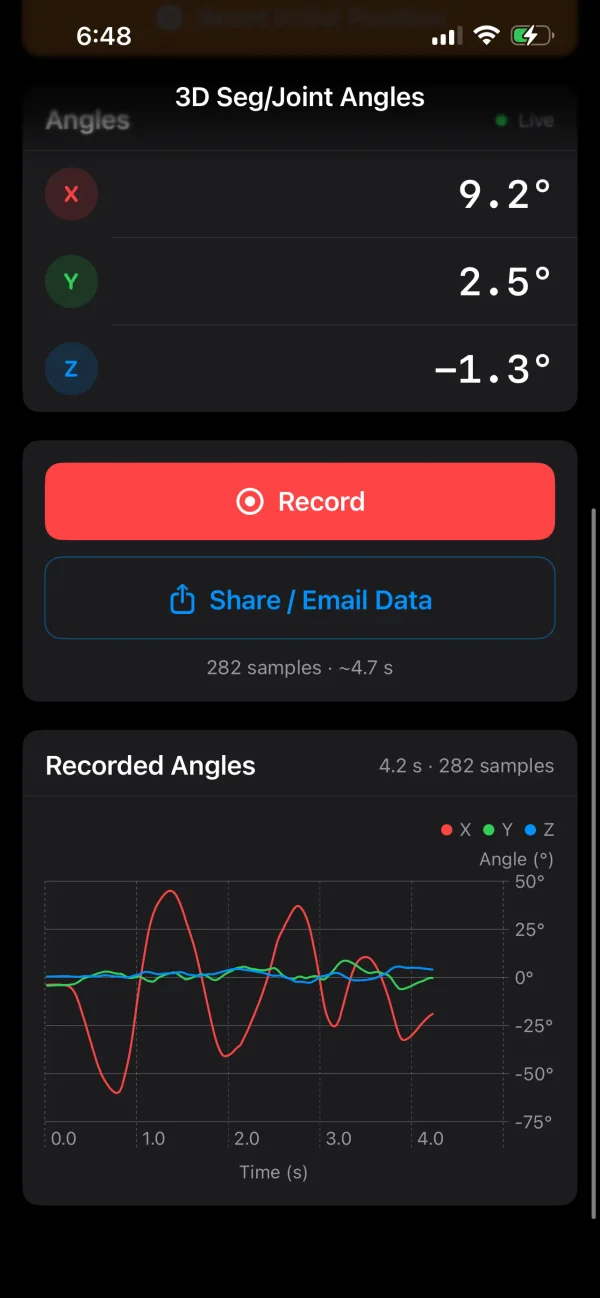
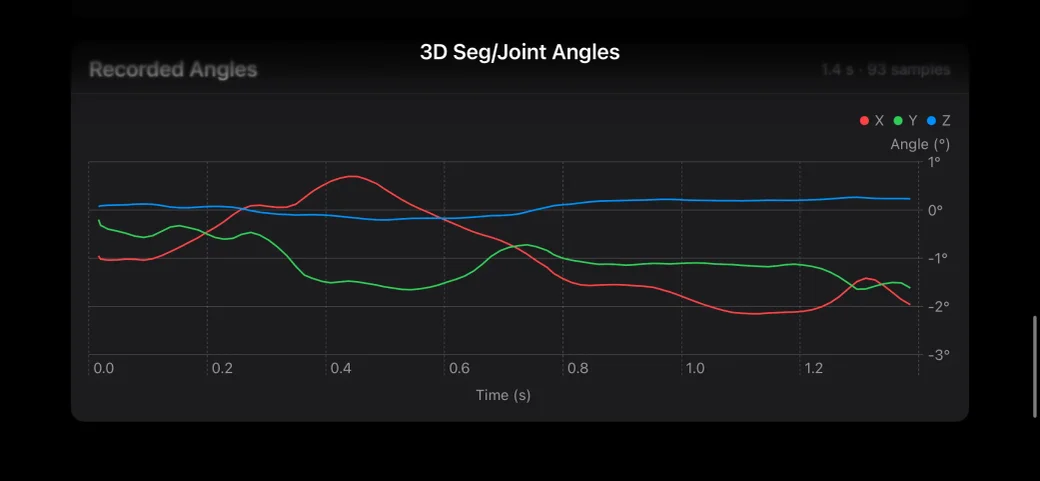
Start and stop recording with a single tap. After recording, the three angles are plotted over time directly in the app. Export the data as a CSV file via email, AirDrop, or any share destination for further analysis in Excel, MATLAB, or R.
KEY FEATURES
• Real-time 3D angle display at 60 Hz
• Six selectable Cardan/Euler rotation sequences
• Calibrate to any starting position
• Built-in angle time-series plot
• CSV export via iOS Share Sheet
• Works completely offline — no internet required
• No account or login needed
• All data stays on your device
IMPORTANT NOTES
• For accurate results, hold the phone still during calibration
• The Z axis requires the magnetometer to be valid — keep the phone away from strong magnetic fields
• This app is intended for research, education, and rehabilitation purposes. It is not a certified medical device.
Privasi aplikasi
Yang dinyatakan Boyi Dai di App Store tentang cara aplikasi ini menangani data.
-
Data tidak dikumpulkan
Pengembang tidak mengumpulkan data apa pun dari aplikasi ini.
Praktik privasi dapat bervariasi, misalnya berdasarkan fitur yang Anda gunakan atau usia Anda.
Informasi
- Penjual
- Boyi Dai
- Kategori
- Kesehatan & Kebugaran
- Versi
- 1.0
- Diperbarui
- 28/3/2026
- Dirilis
- 28/3/2026
- Ukuran
- 5,0 MB
- Memerlukan
- iOS 26.2 atau yang lebih baru
- Batasan usia
- 4+
- Harga
- Gratis
- Bahasa
- Inggris
- Hak cipta
- © 2026 Boyi Dai
Mungkin Anda juga suka
-
 Eigen RunningKesehatan & Kebugaran
-
 Prowess: Running FormKesehatan & Kebugaran
-
 Stack PTKesehatan & Kebugaran
-
 FormSightKesehatan & Kebugaran
-
 AvaSciKesehatan & Kebugaran
-
 Gait Analysis VisionKesehatan & Kebugaran
-
 Run AiKKesehatan & Kebugaran
-
 hpe-Posture AnalysisMedis
-
 Integra Biomechanics ScannerMedis
-
 POSE Fitness AppKesehatan & Kebugaran