
- Altersfreigabe4+
- KategorieBildung
- EntwicklerFUMIHIKO TSUMURA
- SprachenEnglisch+ 1 weitere
- Größe4,8 MB
AmberCue ist bei App Store derzeit möglicherweise nicht verfügbar
Bei unserer letzten Prüfung war der Store-Eintrag nicht erreichbar. Der Link führt weiterhin zur offiziellen App Store-Seite.
Screenshots
Info
Der Entwickler hat diesen Text nicht in Ihrer Sprache bereitgestellt.
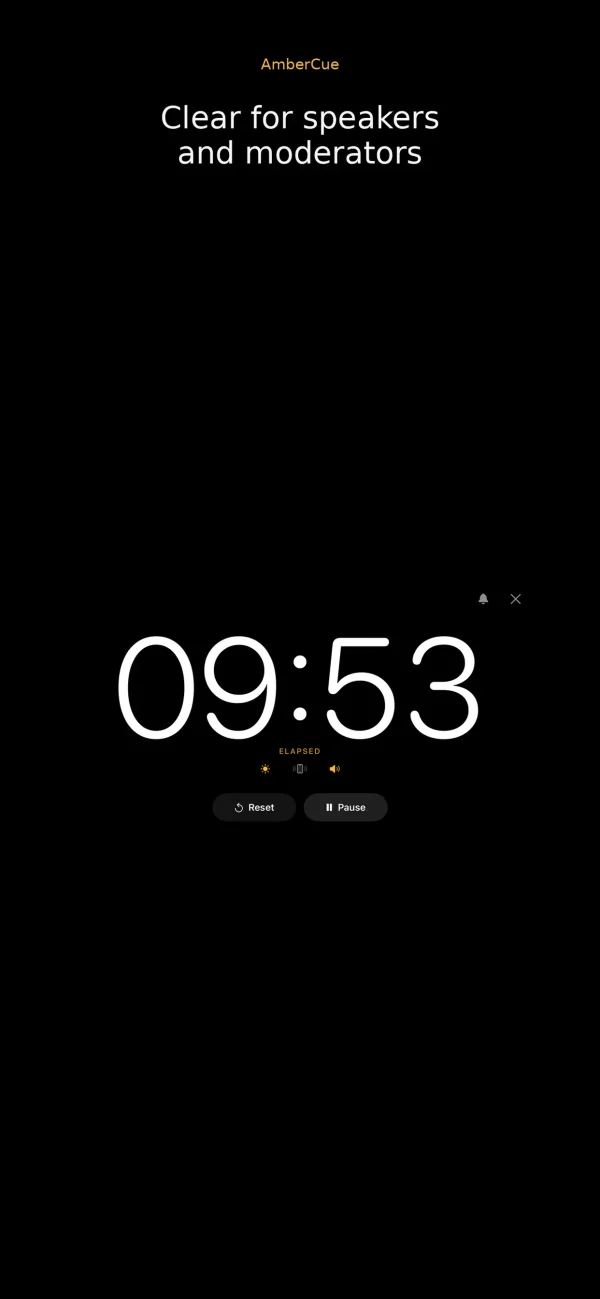
AmberCue is a simple timer designed for classes, academic presentations, lectures, and seminars.
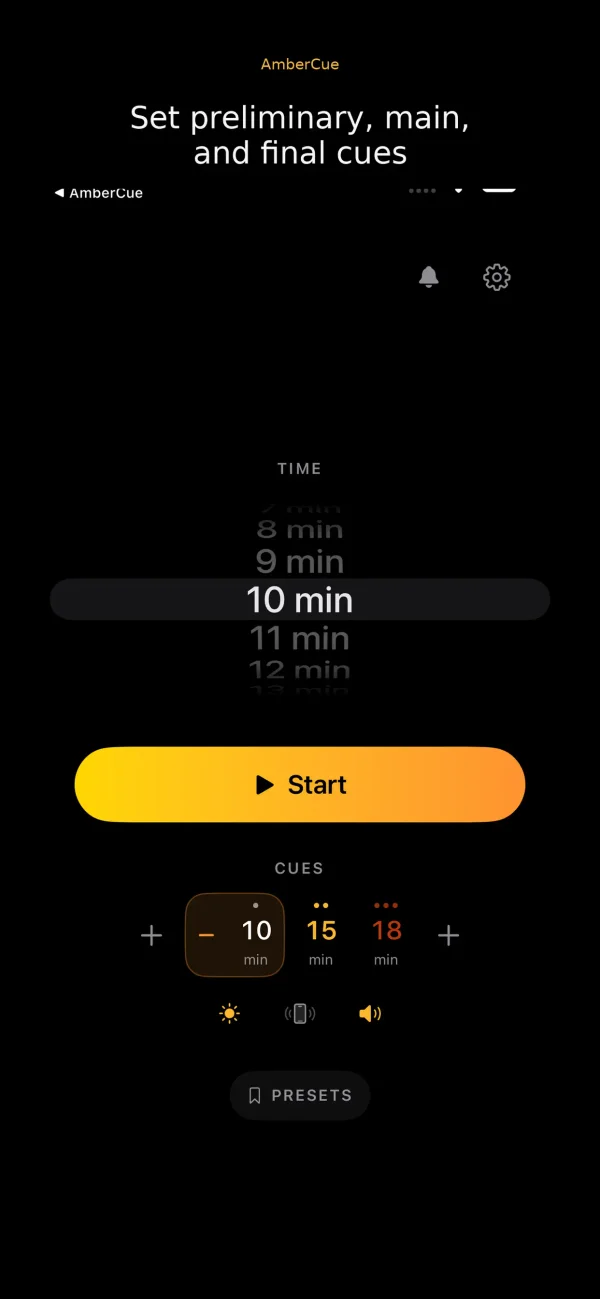
Set your presentation time and place Cues wherever you want to be notified along the way. When a Cue is reached, AmberCue lets you know with light, sound, and haptic feedback on iPhone.
For example, for a 15-minute presentation followed by 3 minutes of Q&A, you can set a preliminary Cue at 10 minutes, the main Cue at 15 minutes, and a final Cue at 18 minutes.
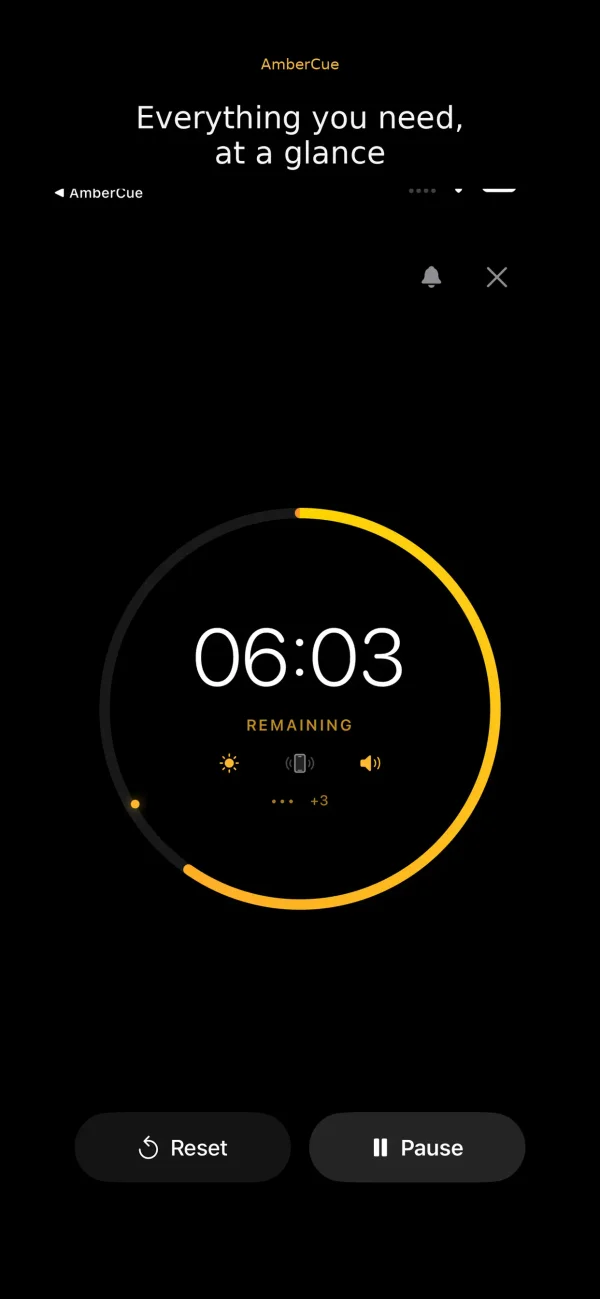
【Everything you need at a glance】
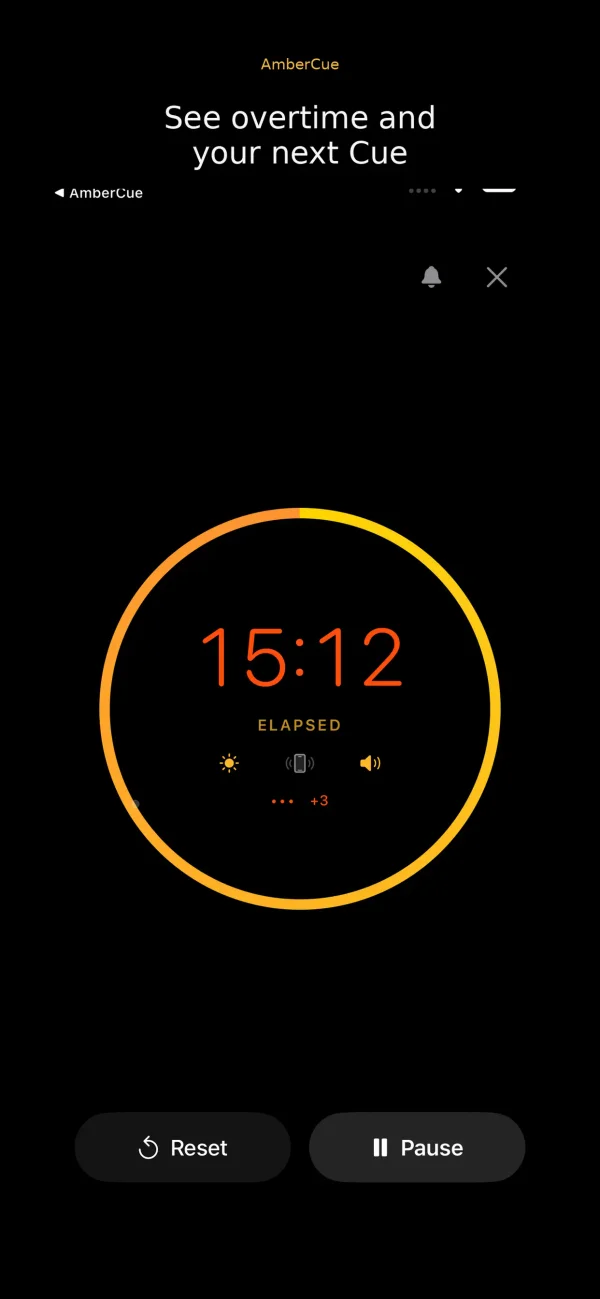
A large, simple display makes it easy to keep track of time while presenting. Tap the time to switch between remaining and elapsed time. Once the standard time has passed, AmberCue clearly shows how long the presentation has run over.
【Set Cues for important moments】
In addition to the standard time, you can set up to four Cues before or after it. When a Cue is reached, AmberCue can notify you with light, sound, and haptic feedback, so you can stay aware of important time points without constantly checking the clock.
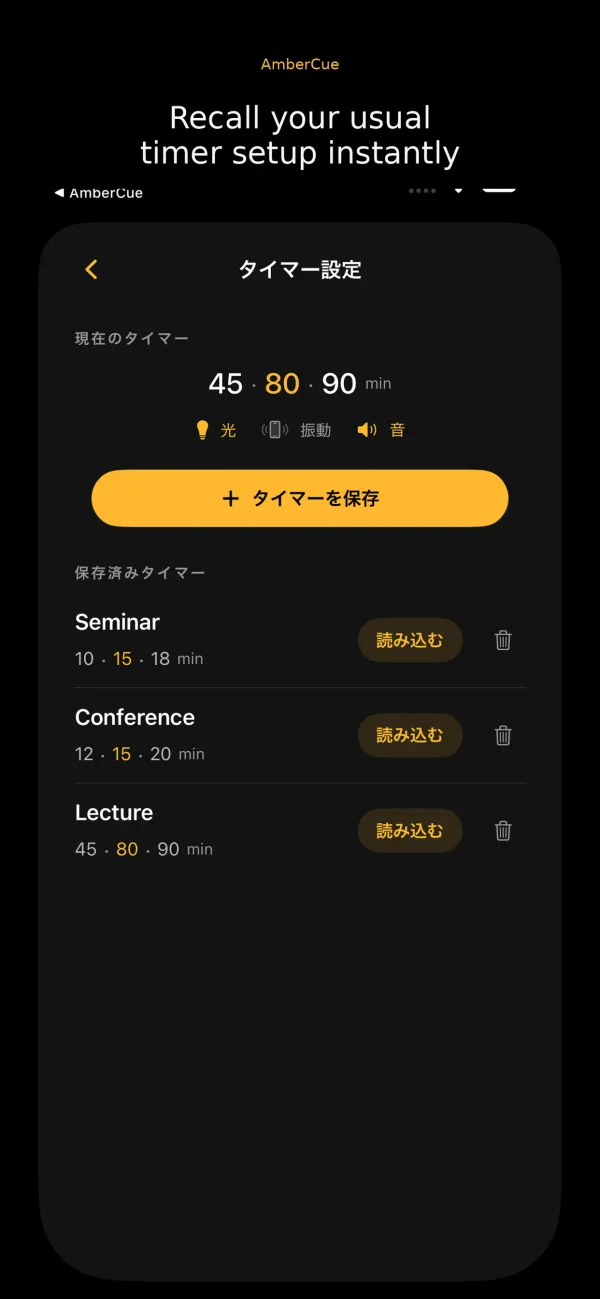
【Save your favorite setups】
Save frequently used timer setups as Presets for classes, presentations, lectures, and other situations. Your usual setup is ready whenever you need it.
【Portrait or landscape】
AmberCue works on both iPhone and iPad. Portrait mode provides a visual overview of your progress, while landscape mode emphasizes a large, highly visible time display. It can also be used by moderators or session chairs to show speakers how much time they have left.
【Key Features】
• Standard time plus multiple Cues
• Remaining / elapsed time display
• Overtime display
• Visual Cue notifications
• Three Cue sounds
• Haptic feedback on iPhone
• Save frequently used setups as Presets
• Portrait and landscape modes
• iPhone and iPad support
• No ads
• No in-app purchases
For classes, academic presentations, lectures, seminars, and anywhere else you need to keep a talk on time.
App-Datenschutz
Was FUMIHIKO TSUMURA im App Store zum Umgang dieser App mit Daten angibt.
-
Keine Daten erfasst
Der Entwickler erfasst keine Daten von dieser App.
Die Datenschutzpraktiken können variieren, zum Beispiel je nach den von Ihnen verwendeten Funktionen oder Ihrem Alter.
Informationen
- Anbieter
- FUMIHIKO TSUMURA
- Kategorie
- Bildung
- Version
- 1.0
- Aktualisiert
- 29.09.2026
- Veröffentlicht
- 29.09.2026
- Größe
- 4,8 MB
- Erfordert
- iOS 18.0 oder neuer
- Altersfreigabe
- 4+
- Sprachen
- Englisch, Japanisch
- Copyright
- © 2026 Fumihiko Tsumura
Das könnte Ihnen auch gefallen
-
 Salah Sense: GebetstrackerGebetszeiten & Rakat-Tracker
-
 Preclinical MCQBildung
-
 PalChat CommunicatorBildung
-
 Multiplication Tables proBildung
-
 IPA ReaderEnglisch lesen sprechen lernen
-
 Voice Reader - YOMIBildung
-
 Wusstest du? Smart FactsTäglich Neues lernen & Quiz
-
 Dot FunPunkte verbinden
-
 Skooture StudentBildung
-
 Braincup - GehirntrainingMathe, Gedächtnis & Fokus