
- Age rating4+
- CategoryEducation
- DeveloperFUMIHIKO TSUMURA
- LanguagesEnglish+ 1 more
- Size4.8 MB
Links to the official App Store page
Download.org hosts no file of AmberCue. The button opens its official App Store page, published by FUMIHIKO TSUMURA. Listing last checked on Nov 17, 2026.
Screenshots
About
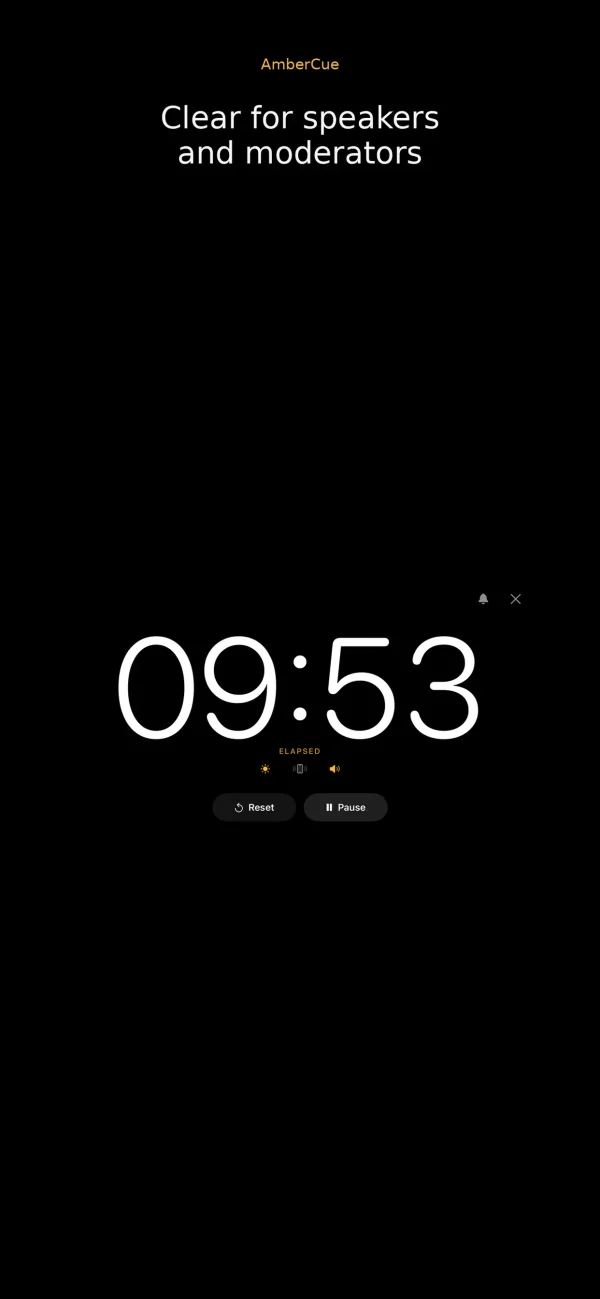
AmberCue is a simple timer designed for classes, academic presentations, lectures, and seminars.
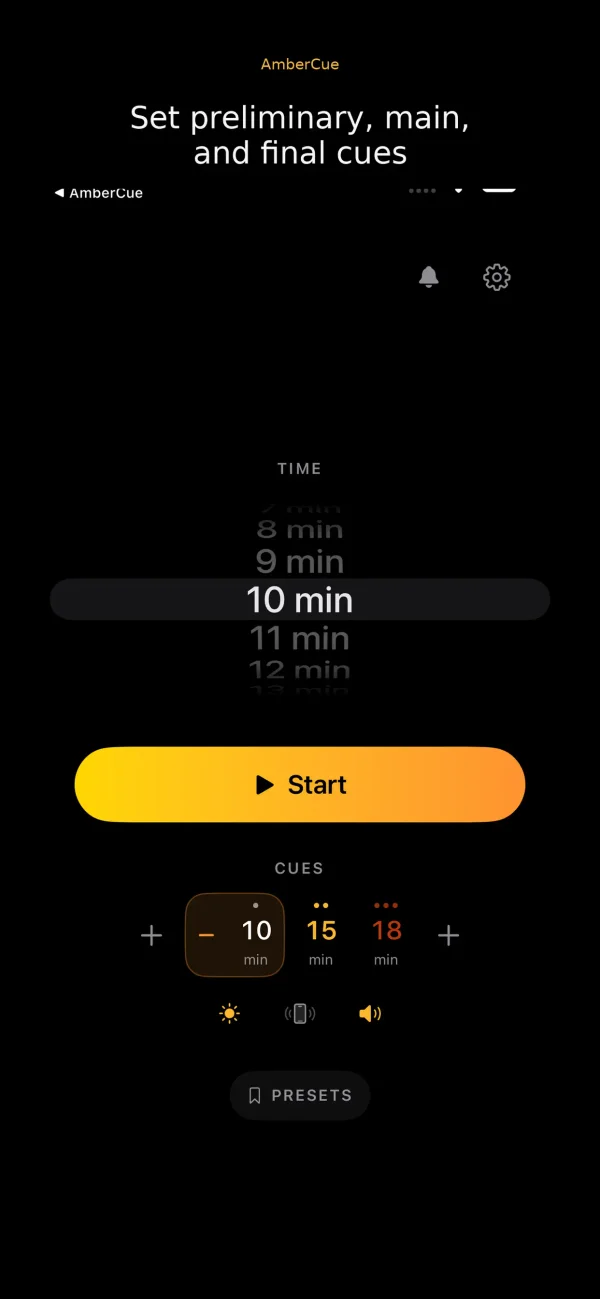
Set your presentation time and place Cues wherever you want to be notified along the way. When a Cue is reached, AmberCue lets you know with light, sound, and haptic feedback on iPhone.
For example, for a 15-minute presentation followed by 3 minutes of Q&A, you can set a preliminary Cue at 10 minutes, the main Cue at 15 minutes, and a final Cue at 18 minutes.
【Everything you need at a glance】
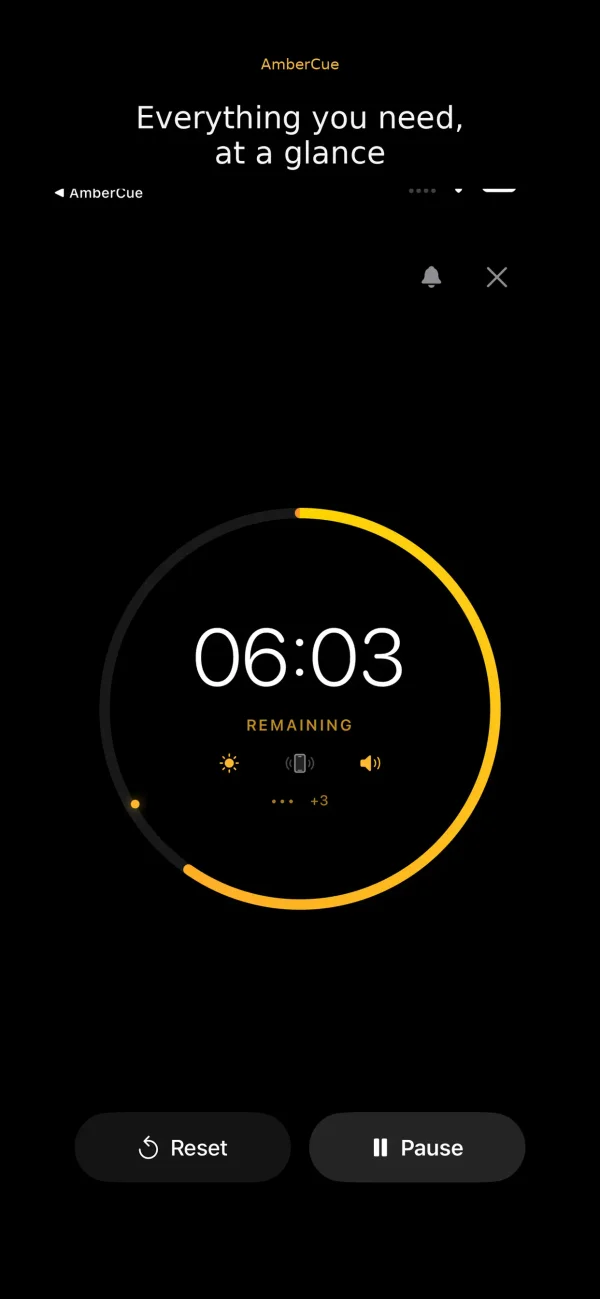
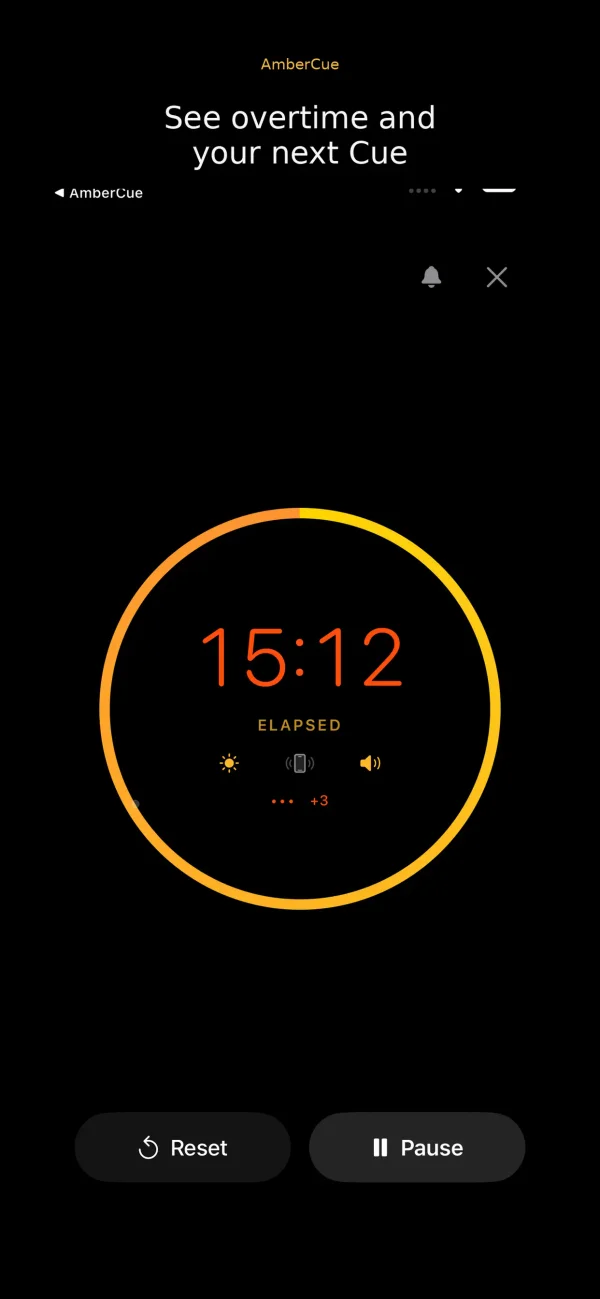
A large, simple display makes it easy to keep track of time while presenting. Tap the time to switch between remaining and elapsed time. Once the standard time has passed, AmberCue clearly shows how long the presentation has run over.
【Set Cues for important moments】
In addition to the standard time, you can set up to four Cues before or after it. When a Cue is reached, AmberCue can notify you with light, sound, and haptic feedback, so you can stay aware of important time points without constantly checking the clock.
【Save your favorite setups】
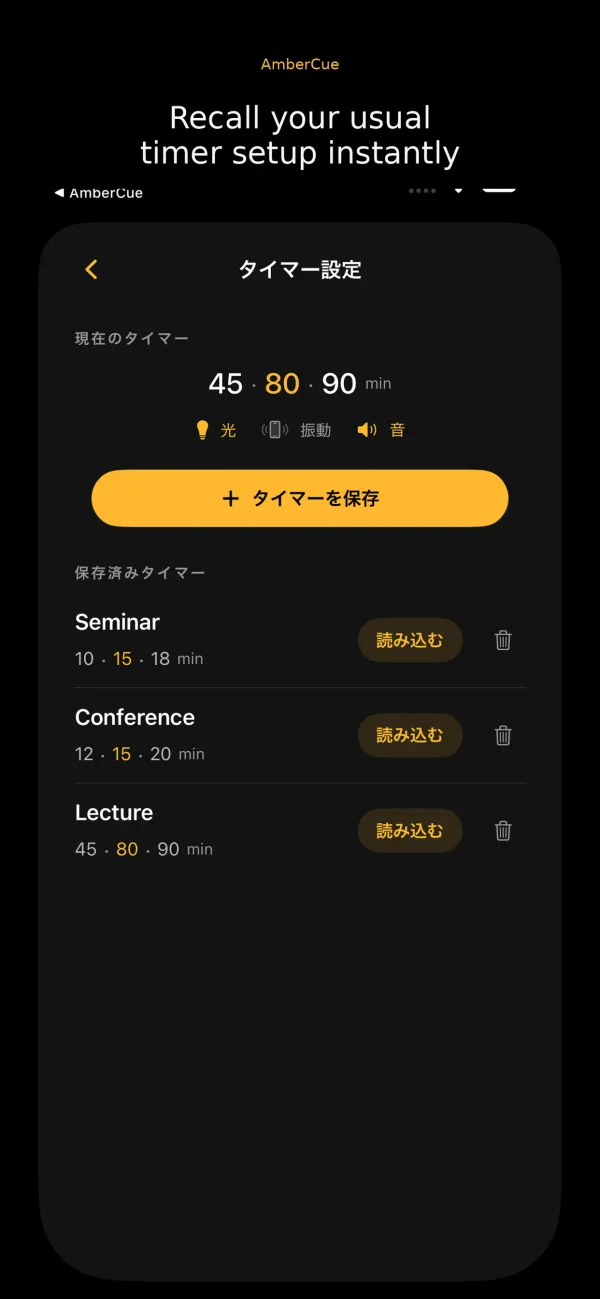
Save frequently used timer setups as Presets for classes, presentations, lectures, and other situations. Your usual setup is ready whenever you need it.
【Portrait or landscape】
AmberCue works on both iPhone and iPad. Portrait mode provides a visual overview of your progress, while landscape mode emphasizes a large, highly visible time display. It can also be used by moderators or session chairs to show speakers how much time they have left.
【Key Features】
• Standard time plus multiple Cues
• Remaining / elapsed time display
• Overtime display
• Visual Cue notifications
• Three Cue sounds
• Haptic feedback on iPhone
• Save frequently used setups as Presets
• Portrait and landscape modes
• iPhone and iPad support
• No ads
• No in-app purchases
For classes, academic presentations, lectures, seminars, and anywhere else you need to keep a talk on time.
App privacy
What FUMIHIKO TSUMURA declares on the App Store about how this app handles data.
-
Data not collected
The developer does not collect any data from this app.
Privacy practices may vary, for example with the features you use or your age.
Information
- Seller
- FUMIHIKO TSUMURA
- Category
- Education
- Version
- 1.0
- Updated
- Sep 29, 2026
- Released
- Sep 29, 2026
- Size
- 4.8 MB
- Requires
- iOS 18.0 or later
- Age rating
- 4+
- Price
- Free
- Languages
- English, Japanese
- Copyright
- © 2026 Fumihiko Tsumura
You might also like
-
 Salah Sense: Prayer TrackerPrayer Times & Rakah Counter
-
 Preclinical MCQMedMCQ
-
 PalChat CommunicatorTalk with pictures and words
-
 Multiplication Tables proEducation
-
 IPA ReaderLearn English Read & Translate
-
 Voice Reader - YOMIRead aloud, sync, save audio
-
 Daily Facts: Smart Facts LearnDid you Know?, Trivia & Games
-
 Dot FunConnect the Dots
-
 Skooture StudentEducation
-
 Braincup - Brain TrainingFocus, logic & math trainer