
- Clasificación por edad4+
- CategoríaEducación
- DesarrolladorFUMIHIKO TSUMURA
- IdiomasInglés+ 1 más
- Tamaño4,8 MB
Es posible que AmberCue no esté disponible en App Store en este momento
No se pudo acceder a la ficha de la tienda en nuestra última comprobación. El enlace sigue llevando a la página oficial de App Store.
Capturas de pantalla
Acerca de
El desarrollador no ha proporcionado este texto en tu idioma.
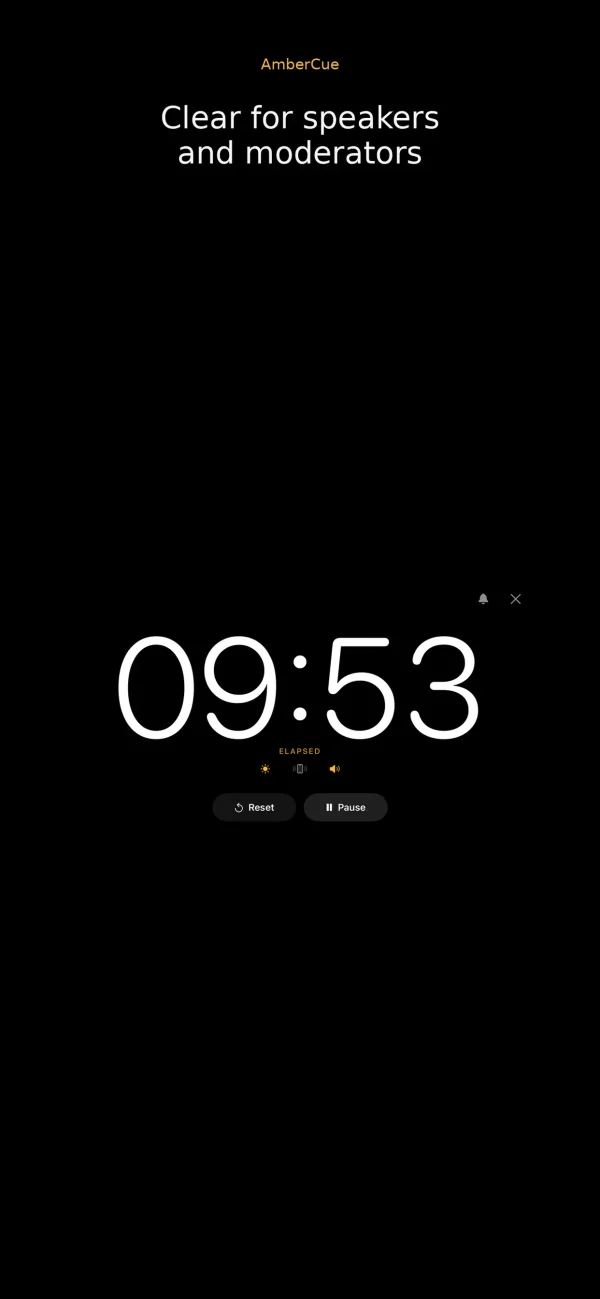
AmberCue is a simple timer designed for classes, academic presentations, lectures, and seminars.
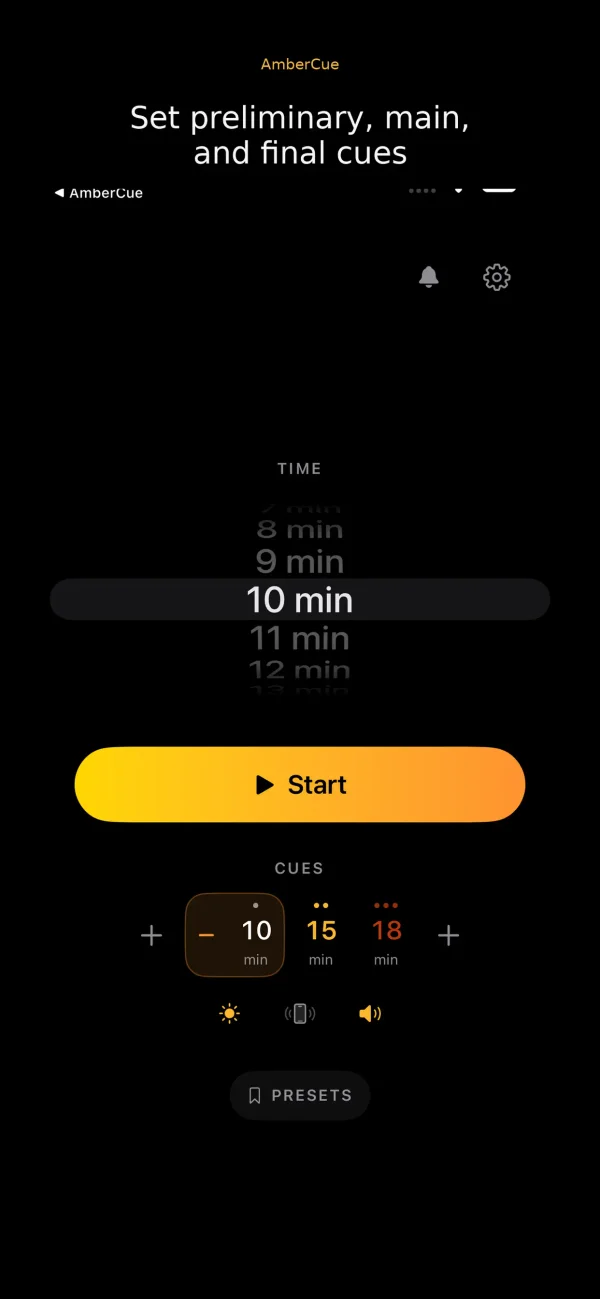
Set your presentation time and place Cues wherever you want to be notified along the way. When a Cue is reached, AmberCue lets you know with light, sound, and haptic feedback on iPhone.
For example, for a 15-minute presentation followed by 3 minutes of Q&A, you can set a preliminary Cue at 10 minutes, the main Cue at 15 minutes, and a final Cue at 18 minutes.
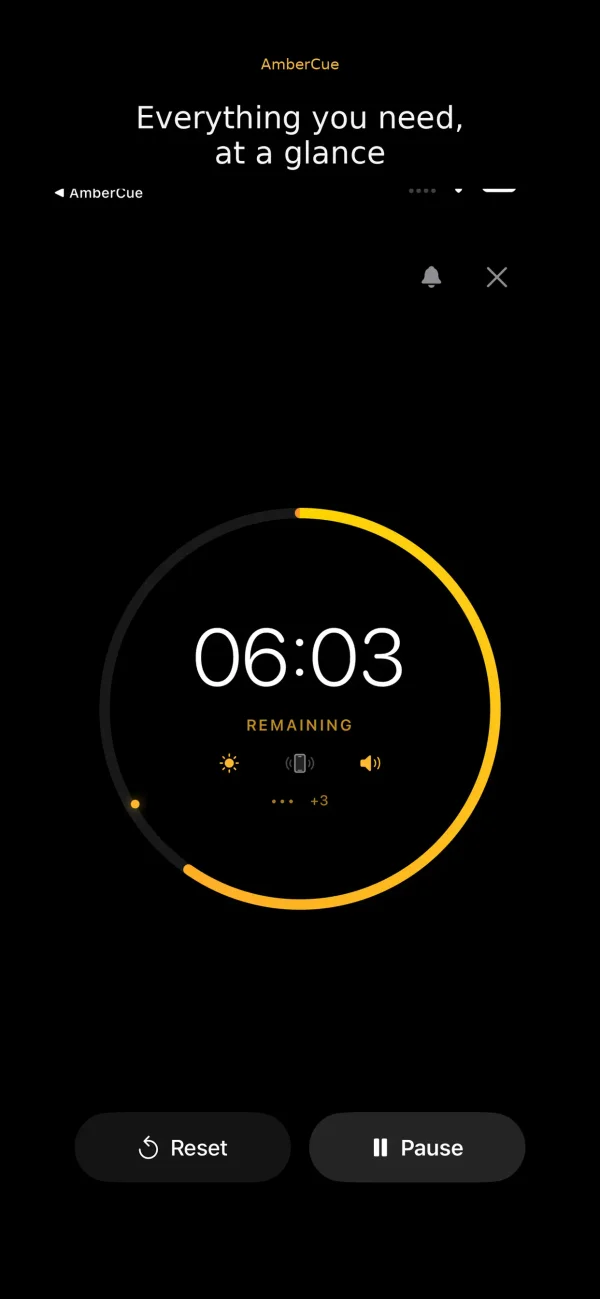
【Everything you need at a glance】
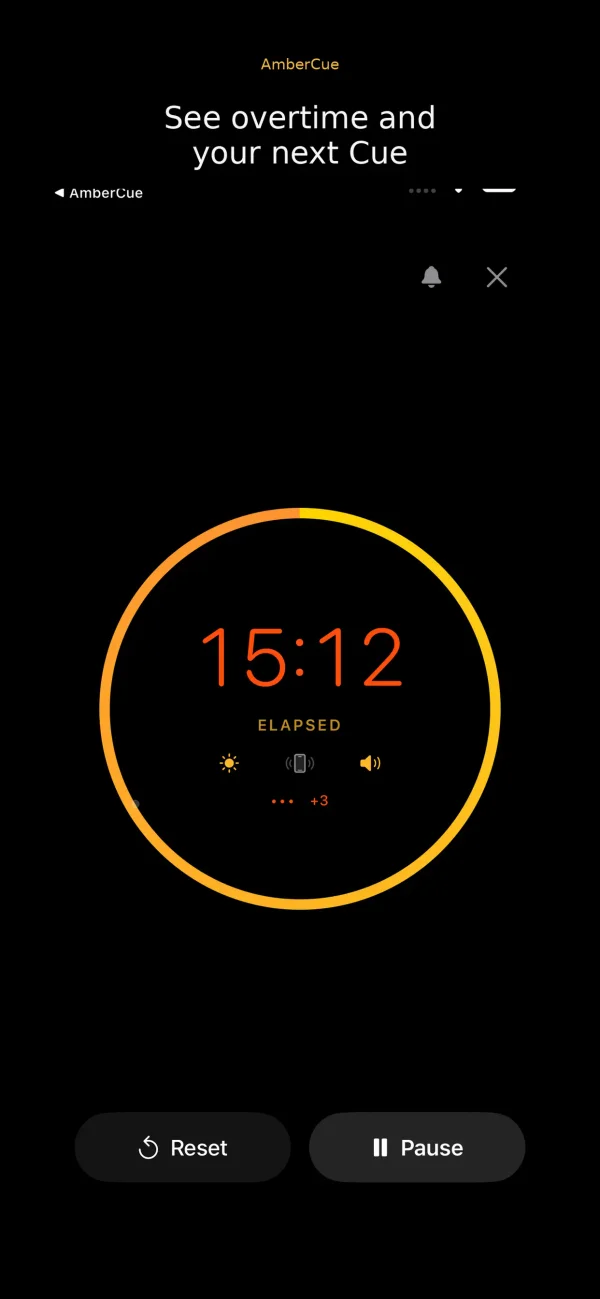
A large, simple display makes it easy to keep track of time while presenting. Tap the time to switch between remaining and elapsed time. Once the standard time has passed, AmberCue clearly shows how long the presentation has run over.
【Set Cues for important moments】
In addition to the standard time, you can set up to four Cues before or after it. When a Cue is reached, AmberCue can notify you with light, sound, and haptic feedback, so you can stay aware of important time points without constantly checking the clock.
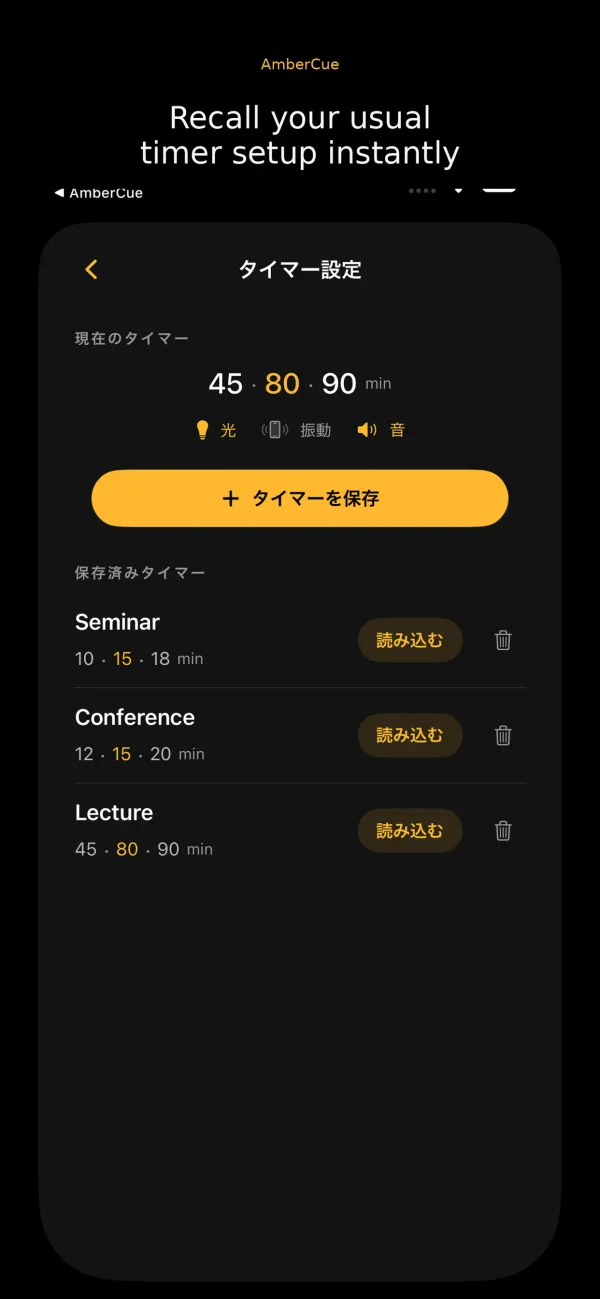
【Save your favorite setups】
Save frequently used timer setups as Presets for classes, presentations, lectures, and other situations. Your usual setup is ready whenever you need it.
【Portrait or landscape】
AmberCue works on both iPhone and iPad. Portrait mode provides a visual overview of your progress, while landscape mode emphasizes a large, highly visible time display. It can also be used by moderators or session chairs to show speakers how much time they have left.
【Key Features】
• Standard time plus multiple Cues
• Remaining / elapsed time display
• Overtime display
• Visual Cue notifications
• Three Cue sounds
• Haptic feedback on iPhone
• Save frequently used setups as Presets
• Portrait and landscape modes
• iPhone and iPad support
• No ads
• No in-app purchases
For classes, academic presentations, lectures, seminars, and anywhere else you need to keep a talk on time.
Privacidad de la aplicación
Lo que FUMIHIKO TSUMURA declara en App Store sobre cómo esta aplicación gestiona los datos.
-
No se recopilan datos
El desarrollador no recopila ningún dato de esta aplicación.
Las prácticas de privacidad pueden variar, por ejemplo, según las funciones que uses o tu edad.
Información
- Vendedor
- FUMIHIKO TSUMURA
- Categoría
- Educación
- Versión
- 1.0
- Actualizado
- 29/9/2026
- Publicado
- 29/9/2026
- Tamaño
- 4,8 MB
- Requiere
- iOS 18.0 o posterior
- Clasificación por edad
- 4+
- Idiomas
- Inglés, Japonés
- Copyright
- © 2026 Fumihiko Tsumura
Quizá también te guste
-
 Salah Sense: Prayer TrackerReferencia
-
 Preclinical MCQEducación
-
 PalChat CommunicatorEducación
-
 Multiplication Tables proEducación
-
 IPA ReaderAprende inglés: lee y traduce
-
 Voice Reader - YOMIRead aloud, sync, save audio
-
 Datos Curiosos: Smart FactsAprende algo nuevo cada día
-
 Dot FunUne los puntos
-
 Skooture StudentEducación
-
 Braincup - Brain TrainingEducación