
- Độ tuổi4+
- Danh mụcGiáo Dục
- Nhà phát triểnFUMIHIKO TSUMURA
- Ngôn ngữTiếng Anh+ 1 ngôn ngữ khác
- Kích thước4,8 MB
Liên kết đến trang App Store chính thức
Download.org không lưu trữ tệp nào của AmberCue. Nút này mở trang ứng dụng trên App Store, nơi FUMIHIKO TSUMURA phát hành ứng dụng. Trang được kiểm tra lần cuối: 17/11/2026.
Ảnh chụp màn hình


Giới thiệu
Nhà phát triển chưa cung cấp nội dung này bằng ngôn ngữ của bạn.
AmberCue is a simple timer designed for classes, academic presentations, lectures, and seminars.
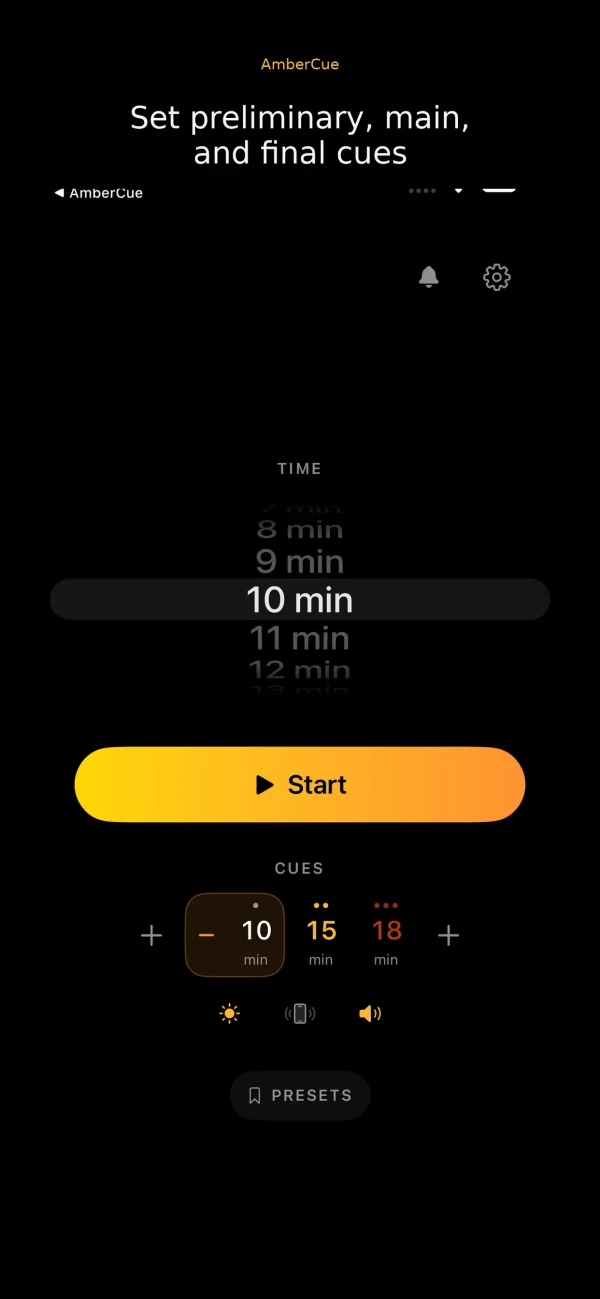
Set your presentation time and place Cues wherever you want to be notified along the way. When a Cue is reached, AmberCue lets you know with light, sound, and haptic feedback on iPhone.
For example, for a 15-minute presentation followed by 3 minutes of Q&A, you can set a preliminary Cue at 10 minutes, the main Cue at 15 minutes, and a final Cue at 18 minutes.
【Everything you need at a glance】
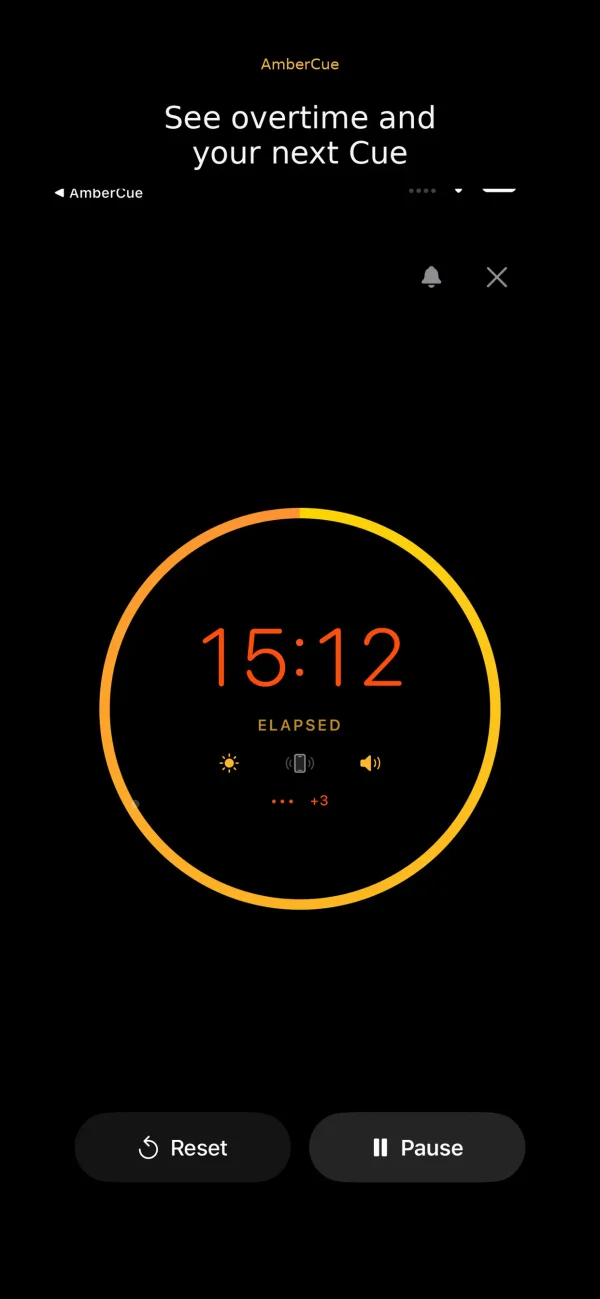
A large, simple display makes it easy to keep track of time while presenting. Tap the time to switch between remaining and elapsed time. Once the standard time has passed, AmberCue clearly shows how long the presentation has run over.
【Set Cues for important moments】
In addition to the standard time, you can set up to four Cues before or after it. When a Cue is reached, AmberCue can notify you with light, sound, and haptic feedback, so you can stay aware of important time points without constantly checking the clock.
【Save your favorite setups】
Save frequently used timer setups as Presets for classes, presentations, lectures, and other situations. Your usual setup is ready whenever you need it.
【Portrait or landscape】
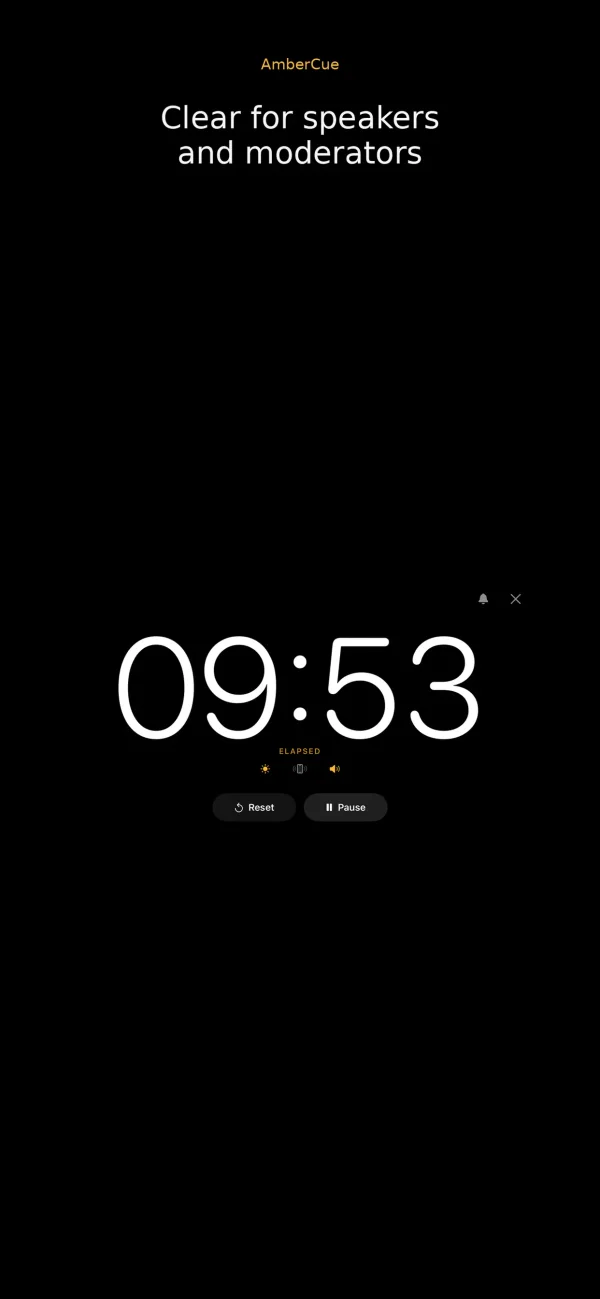
AmberCue works on both iPhone and iPad. Portrait mode provides a visual overview of your progress, while landscape mode emphasizes a large, highly visible time display. It can also be used by moderators or session chairs to show speakers how much time they have left.
【Key Features】
• Standard time plus multiple Cues
• Remaining / elapsed time display
• Overtime display
• Visual Cue notifications
• Three Cue sounds
• Haptic feedback on iPhone
• Save frequently used setups as Presets
• Portrait and landscape modes
• iPhone and iPad support
• No ads
• No in-app purchases
For classes, academic presentations, lectures, seminars, and anywhere else you need to keep a talk on time.
Quyền riêng tư của ứng dụng
Những gì FUMIHIKO TSUMURA khai báo trên App Store về cách ứng dụng này xử lý dữ liệu.
-
Dữ liệu không được thu thập
Nhà phát triển không thu thập bất kỳ dữ liệu nào từ ứng dụng này.
Phương thức đảm bảo quyền riêng tư có thể khác nhau, chẳng hạn như tuỳ theo các tính năng bạn sử dụng hoặc độ tuổi của bạn.
Thông tin
- Người bán
- FUMIHIKO TSUMURA
- Danh mục
- Giáo Dục
- Phiên bản
- 1.0
- Cập nhật
- 29/09/2026
- Phát hành
- 29/09/2026
- Kích thước
- 4,8 MB
- Yêu cầu
- iOS 18.0 trở lên
- Độ tuổi
- 4+
- Giá
- Miễn phí
- Ngôn ngữ
- Tiếng Anh, Tiếng Nhật
- Bản quyền
- © 2026 Fumihiko Tsumura
Có thể bạn cũng thích
-
 Salah Sense: Prayer TrackerTham Khảo
-
 Preclinical MCQGiáo Dục
-
 PalChat CommunicatorGiáo Dục
-
 Multiplication Tables proGiáo Dục
-
 IPA ReaderTiếng Anh: đọc nói dịch
-
 Voice Reader - YOMIGiáo Dục
-
 Daily Facts: Smart Facts LearnTham Khảo
-
 Dot FunGiáo Dục
-
 Skooture StudentGiáo Dục
-
 Braincup - Brain TrainingGiáo Dục