
CutKit 2
Layout optimizer
Entwickelt für iPhone, iPad, iPod touch
Kostenlos · In-App-Käufe
- Altersfreigabe4+
- KategorieDienstprogramme
- EntwicklerAndrii Kostiushyn
- SprachenEnglisch
- Größe24,7 MB
Verlinkt auf die offizielle App Store-Seite
Download.org hostet keine Datei von CutKit 2. Die Schaltfläche öffnet die App-Seite bei App Store, wo Andrii Kostiushyn die App veröffentlicht. Eintrag zuletzt geprüft am 18.11.2026.
Screenshots


Info
Der Entwickler hat diesen Text nicht in Ihrer Sprache bereitgestellt.
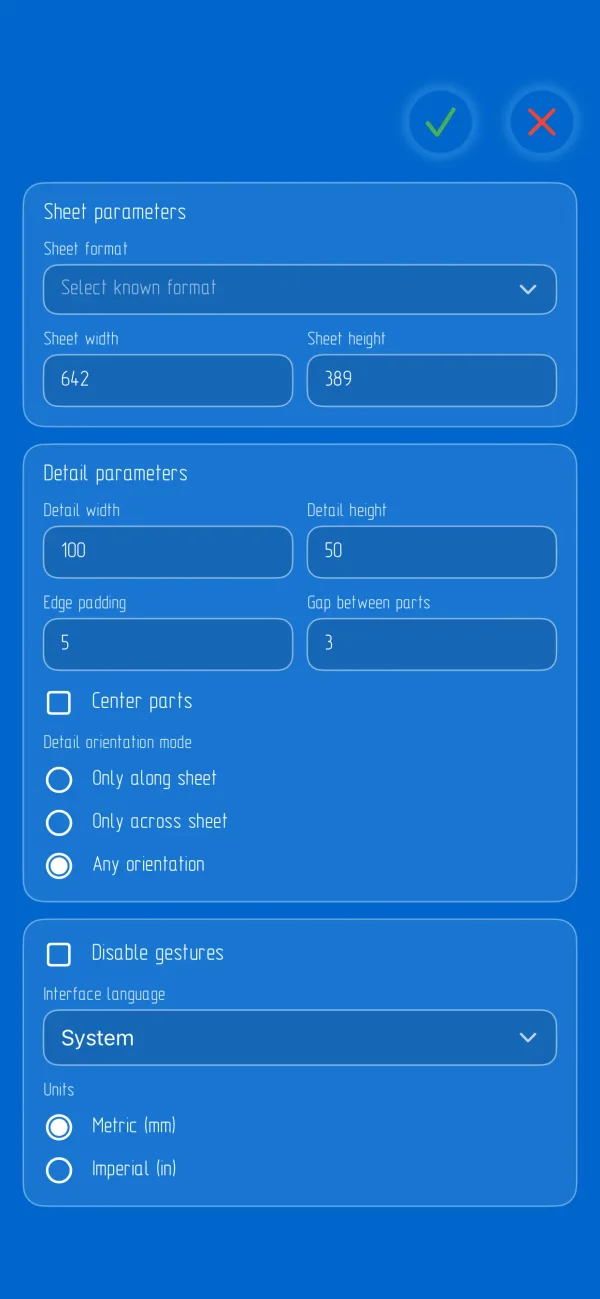
CutKit 2 is a precision layout optimizer designed for engineers, makers, and professionals who work with sheet materials. Whether you are cutting wood, metal, acrylic, vinyl, or PCB panels, CutKit helps you arrange parts efficiently and reduce waste.
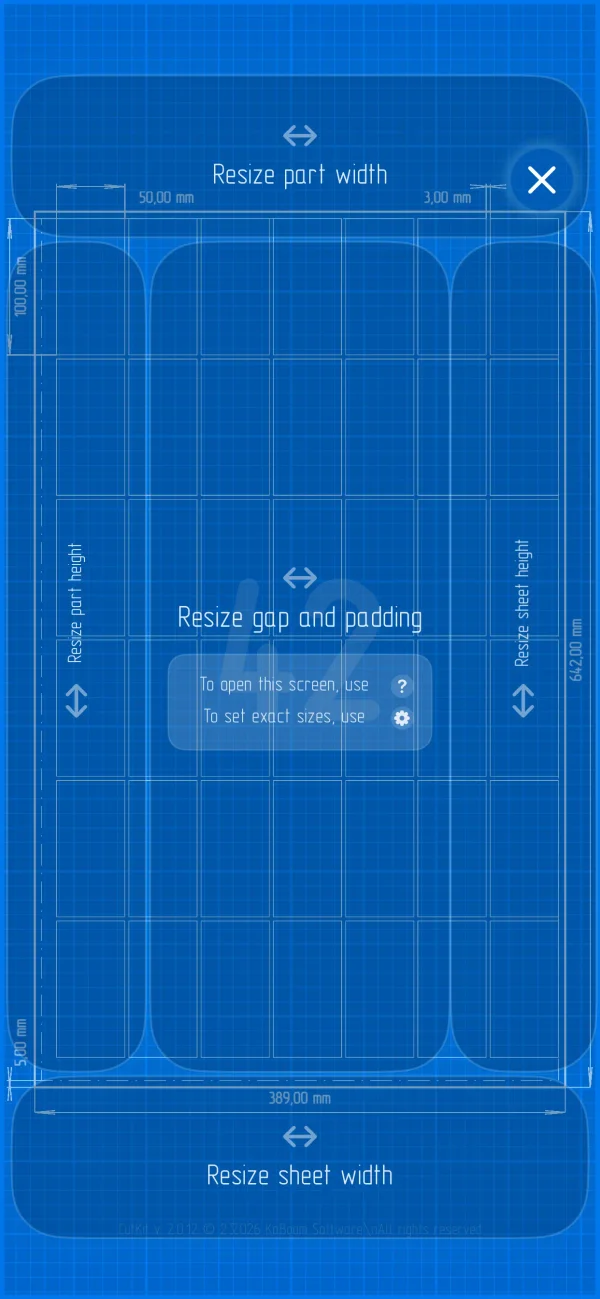
Instead of manually placing elements and guessing the best layout, CutKit automatically calculates optimal arrangements based on your input. The result is faster workflows, cleaner layouts, and measurable material savings.
KEY FEATURES
• Automatic layout optimization
Quickly arrange parts on a sheet with minimal waste. Focus on your work, not on manual positioning.
• Real-world use cases
Perfect for CNC cutting, PCB panelization, laser cutting, vinyl production, and workshop planning.
• Precision and control
Define exact dimensions, spacing, and constraints. Designed for engineering-grade accuracy.
• Metric and imperial units
Work seamlessly in millimeters or inches depending on your workflow.
• Clean and practical interface
No unnecessary complexity. Built for speed and clarity in real production environments.
• Multi-language support
Use the app in your preferred language, including extended and custom localizations.
WHY CUTKIT 2
Material cost is a hidden expense in many workflows. Even small inefficiencies scale quickly when repeated across multiple sheets and jobs. CutKit is built to minimize those losses.
Instead of spending time on manual trial-and-error layouts, you get a deterministic, repeatable process that delivers consistent results.
WHO IS IT FOR
• CNC operators
• Engineers and hardware developers
• PCB designers and manufacturers
• Makers and workshop owners
• Advertising and vinyl production specialists
If you work with rectangular parts and sheet materials, CutKit helps you do it faster and more efficiently.
WORKFLOW
1. Define your sheet size
2. Add parts with dimensions
3. Run optimization
4. Get a ready-to-use layout
No complex setup. No learning curve.
CUTKIT PHILOSOPHY
CutKit is built as a tool, not a toy. It prioritizes precision, speed, and practical value over visual noise or unnecessary features. Every function exists to solve a real problem.
Start optimizing your layouts today and reduce material waste from the very first sheet.
Terms of Use: https://www.apple.com/legal/internet-services/itunes/dev/stdeula/
Privacy Policy: https://kaboom420.github.io/cutkit2-privacy/
Neue Funktionen
Version 2.1.2 · 15.06.2026
CutKit 2.1.2 adds Advanced Mode for real cutting projects with multiple sheets, multiple part sizes, algorithm benchmarking, richer summaries, QR sharing, and PDF/DXF exports. You can also switch between the standard navigation menu and the floating menu. This update improves the guide, page swiping, localization, and overall polish.
App-Datenschutz
Was Andrii Kostiushyn im App Store zum Umgang dieser App mit Daten angibt.
-
Nicht mit Ihnen verknüpfte Daten
Können erfasst werden, sind aber nicht mit Ihrer Identität verknüpft.
- Kennungen
- Nutzungsdaten
- Diagnose
Die Datenschutzpraktiken können variieren, zum Beispiel je nach den von Ihnen verwendeten Funktionen oder Ihrem Alter.
Informationen
- Anbieter
- Andrii Kostiushyn
- Kategorie
- Dienstprogramme
- Version
- 2.1.2
- Aktualisiert
- 15.06.2026
- Veröffentlicht
- 21.04.2026
- Größe
- 24,7 MB
- Erfordert
- iOS 15.0 oder neuer
- Altersfreigabe
- 4+
- Preis
- Kostenlos
- In-App-Käufe
- Ja
- Sprachen
- Englisch
- Copyright
- © 2026 KaBoom Software
Das könnte Ihnen auch gefallen
-
 RollCut PanelPlattenzuschnitt & Restelager
-
 Cut-O-MatDienstprogramme
-
 MidiTX EditorDienstprogramme
-
 Axialmark: 3D CAD Model ViewerDienstprogramme
-
 RollCut: MetallzuschnittZuschnitt für Blech und Band
-
 Zuschnitt Holzrechner: CutlistSchnittliste, Kubikmeter Holz
-
 Glessio: Schnittlisten-OptOptimierte Holzzuschnittpläne
-
 CutFlow: Cut List OptimizerDienstprogramme
-
 LumberFitCalepinage & Découpe
-
 Presentation Maker - SlideDeckSlides Maker Fast & Beautiful