
CutKit 2
Layout optimizer
iPhone, iPad, iPod touch için tasarlandı
Ücretsiz · Uygulama içi satın alma
- Yaş sınırı4+
- KategoriYardımcılar
- GeliştiriciAndrii Kostiushyn
- Dillerİngilizce
- Boyut24,7 MB
Resmi App Store sayfasına bağlanır
Download.org, CutKit 2 için hiçbir dosya barındırmaz. Düğme, uygulamanın App Store üzerindeki sayfasını açar; uygulamayı orada Andrii Kostiushyn yayınlar. Sayfanın son kontrolü: 18.11.2026.
Ekran görüntüleri


Hakkında
Geliştirici bu metni dilinizde sunmamış.
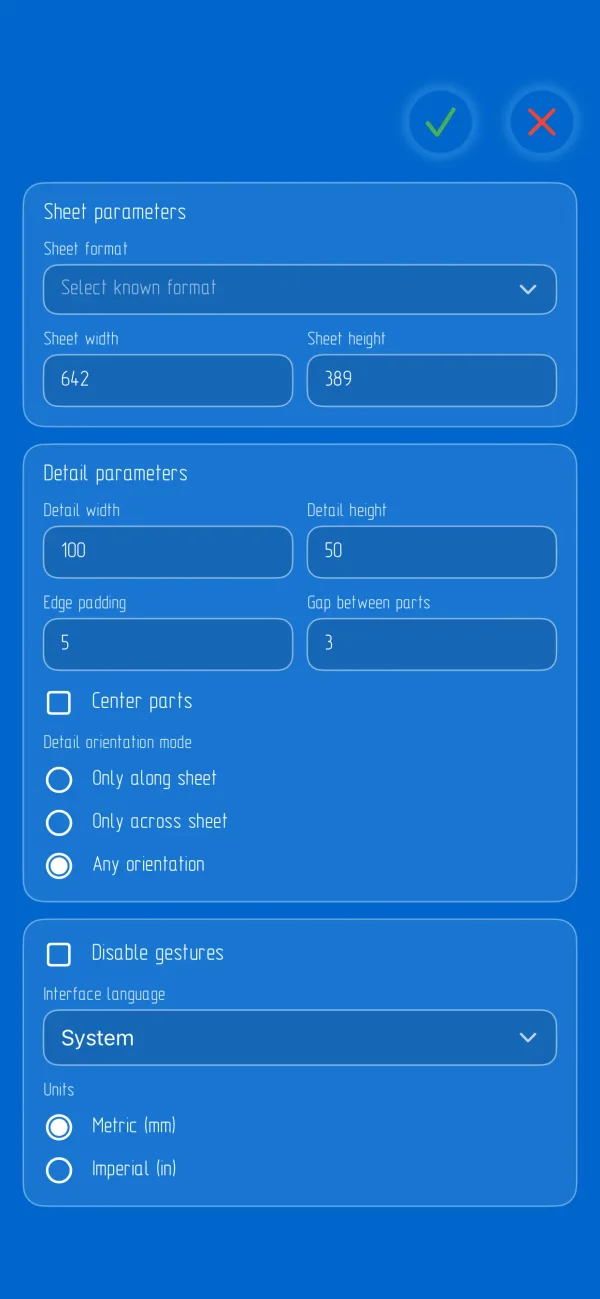
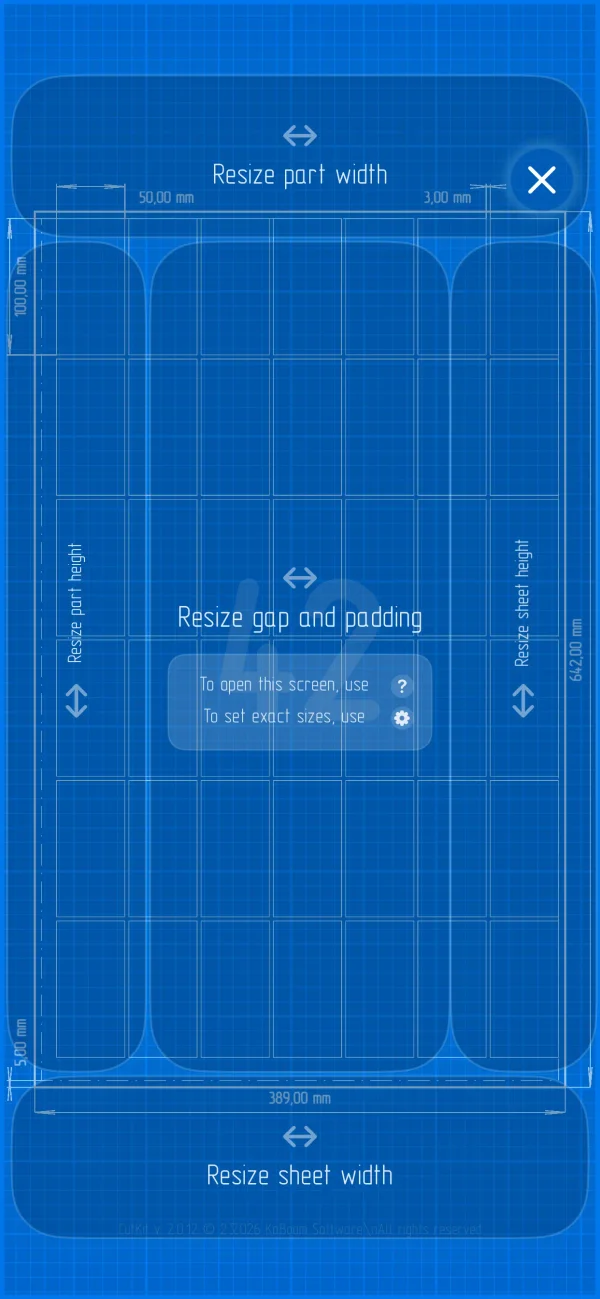
CutKit 2 is a precision layout optimizer designed for engineers, makers, and professionals who work with sheet materials. Whether you are cutting wood, metal, acrylic, vinyl, or PCB panels, CutKit helps you arrange parts efficiently and reduce waste.
Instead of manually placing elements and guessing the best layout, CutKit automatically calculates optimal arrangements based on your input. The result is faster workflows, cleaner layouts, and measurable material savings.
KEY FEATURES
• Automatic layout optimization
Quickly arrange parts on a sheet with minimal waste. Focus on your work, not on manual positioning.
• Real-world use cases
Perfect for CNC cutting, PCB panelization, laser cutting, vinyl production, and workshop planning.
• Precision and control
Define exact dimensions, spacing, and constraints. Designed for engineering-grade accuracy.
• Metric and imperial units
Work seamlessly in millimeters or inches depending on your workflow.
• Clean and practical interface
No unnecessary complexity. Built for speed and clarity in real production environments.
• Multi-language support
Use the app in your preferred language, including extended and custom localizations.
WHY CUTKIT 2
Material cost is a hidden expense in many workflows. Even small inefficiencies scale quickly when repeated across multiple sheets and jobs. CutKit is built to minimize those losses.
Instead of spending time on manual trial-and-error layouts, you get a deterministic, repeatable process that delivers consistent results.
WHO IS IT FOR
• CNC operators
• Engineers and hardware developers
• PCB designers and manufacturers
• Makers and workshop owners
• Advertising and vinyl production specialists
If you work with rectangular parts and sheet materials, CutKit helps you do it faster and more efficiently.
WORKFLOW
1. Define your sheet size
2. Add parts with dimensions
3. Run optimization
4. Get a ready-to-use layout
No complex setup. No learning curve.
CUTKIT PHILOSOPHY
CutKit is built as a tool, not a toy. It prioritizes precision, speed, and practical value over visual noise or unnecessary features. Every function exists to solve a real problem.
Start optimizing your layouts today and reduce material waste from the very first sheet.
Terms of Use: https://www.apple.com/legal/internet-services/itunes/dev/stdeula/
Privacy Policy: https://kaboom420.github.io/cutkit2-privacy/
Yenilikler
Sürüm 2.1.2 · 15.06.2026
CutKit 2.1.2 adds Advanced Mode for real cutting projects with multiple sheets, multiple part sizes, algorithm benchmarking, richer summaries, QR sharing, and PDF/DXF exports. You can also switch between the standard navigation menu and the floating menu. This update improves the guide, page swiping, localization, and overall polish.
Uygulama gizliliği
Bu uygulamanın verileri nasıl işlediği hakkında Andrii Kostiushyn tarafından App Store üzerinde yapılan beyan.
-
Sizinle ilişkilendirilmeyen veriler
Toplanabilir ancak kimliğinizle ilişkilendirilmez.
- Tanımlayıcılar
- Kullanım verileri
- Tanılama
Gizlilik uygulamaları, örneğin kullandığınız özelliklere veya yaşınıza göre değişiklik gösterebilir.
Bilgiler
- Satıcı
- Andrii Kostiushyn
- Kategori
- Yardımcılar
- Sürüm
- 2.1.2
- Güncellendi
- 15.06.2026
- Yayın tarihi
- 21.04.2026
- Boyut
- 24,7 MB
- Gereksinim
- iOS 15.0 veya sonrası
- Yaş sınırı
- 4+
- Fiyat
- Ücretsiz
- Uygulama içi satın alma
- Evet
- Diller
- İngilizce
- Telif hakkı
- © 2026 KaBoom Software
Bunları da beğenebilirsiniz
-
 RollCut PanelYardımcılar
-
 Cut-O-MatYardımcılar
-
 MidiTX EditorYardımcılar
-
 Axialmark: 3D CAD Model ViewerYardımcılar
-
 RollCut Metal Cut CalculatorYardımcılar
-
 Kesim Planı ve Kübaj: CutlistKereste metreküp, testere payı
-
 Glessio: Kesim Optimize EdiciOptimize ahşap kesim planları
-
 CutFlow: Cut List OptimizerYardımcılar
-
 LumberFitYardımcılar
-
 Presentation Maker - SlideDeckSlides Maker Fast & Beautiful