Floating Clock - Server Time
See seconds over other apps
Entwickelt für iPhone, iPad
Kostenlos
- Altersfreigabe4+
- KategorieDienstprogramme
- EntwicklerMoongil Jeon
- SprachenEnglisch+ 4 weitere
- Größe12,8 MB
Verlinkt auf die offizielle App Store-Seite
Download.org hostet keine Datei von Floating Clock - Server Time. Die Schaltfläche öffnet die App-Seite bei App Store, wo Moongil Jeon die App veröffentlicht. Eintrag zuletzt geprüft am 17.11.2026.
Screenshots



Info
Der Entwickler hat diesen Text nicht in Ihrer Sprache bereitgestellt.
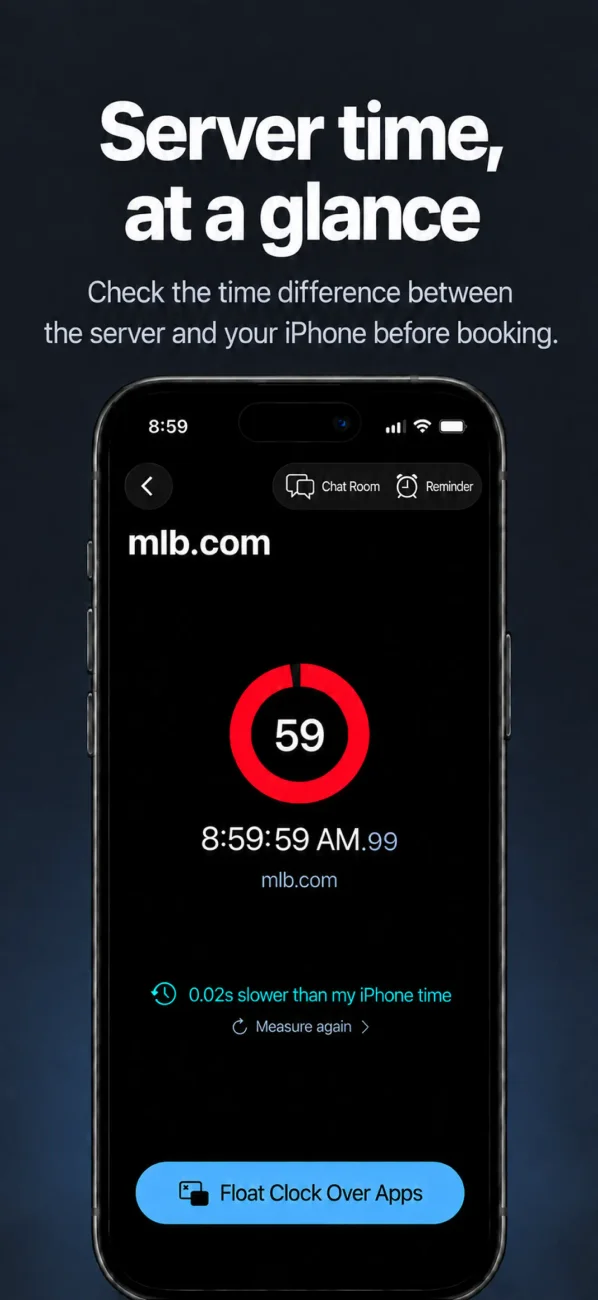
Keep a clock with seconds visible over other apps. Browse, buy tickets or wait for a product drop without switching back to check the time. You can also compare a website's server time with your iPhone's clock.
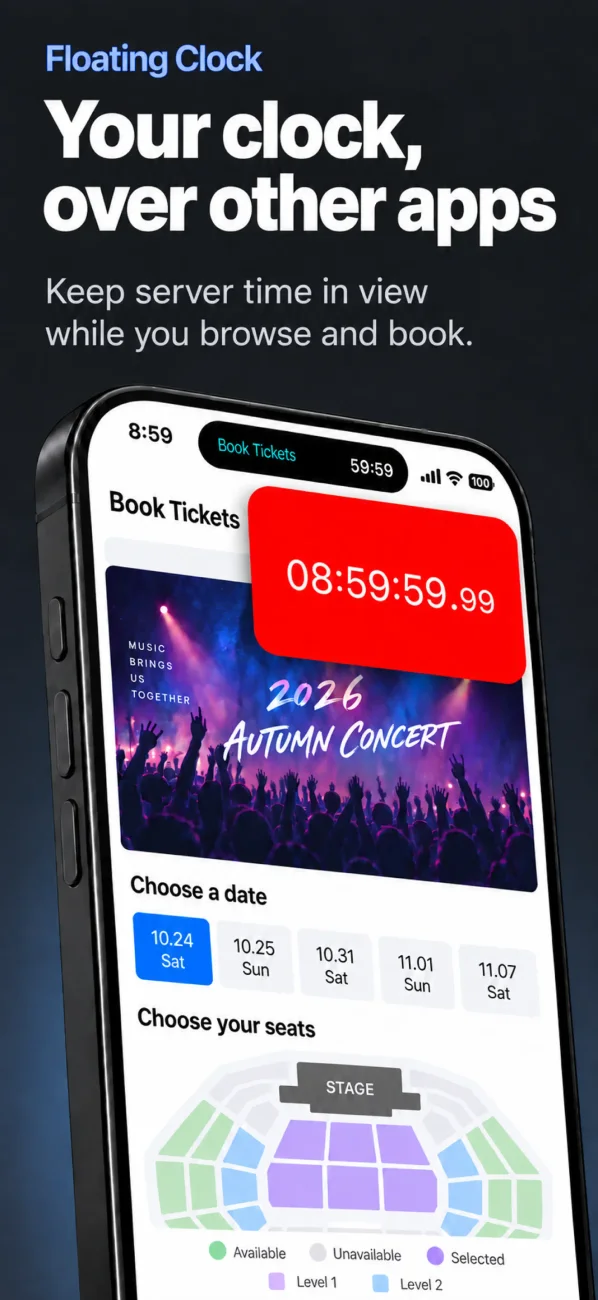
Keep a floating clock over other apps
• Use Picture in Picture (PiP) to keep a clock with seconds visible over another app.
• Choose your iPhone's current time or a website's measured server time.
• Choose how often the clock alerts you, with sound and color cues starting 10 seconds beforehand.
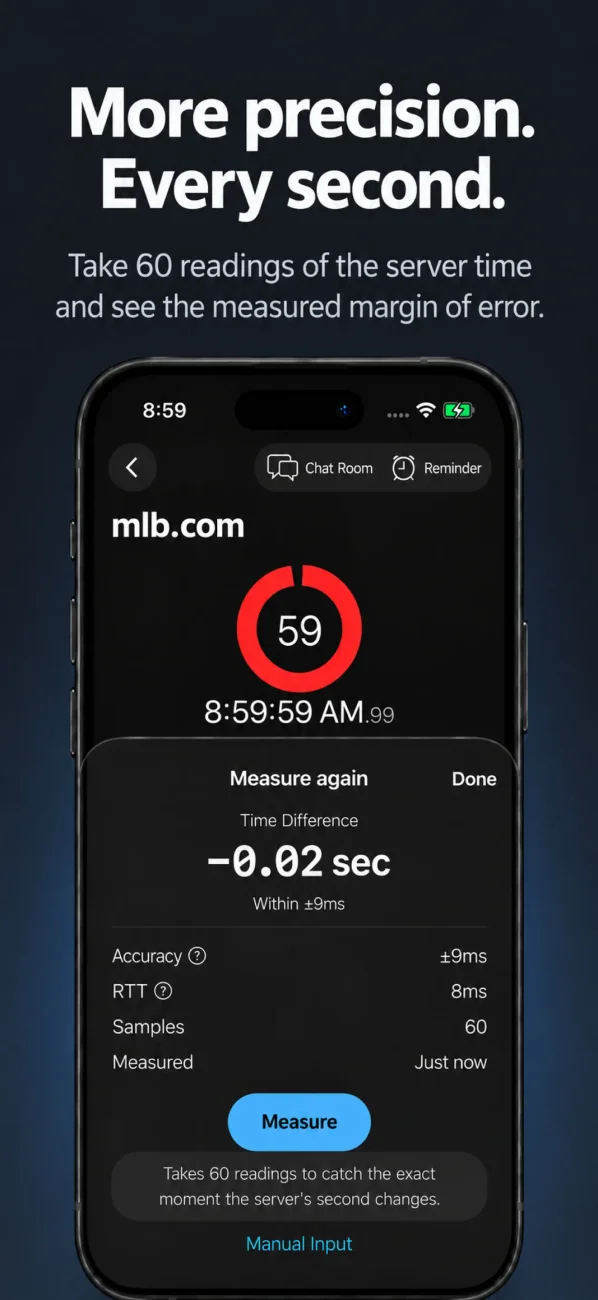
Check server time and the time difference
• When you open a site for the first time, the app measures its server time and shows how it differs from your iPhone's clock.
• Time is displayed in hundredths of a second. You can also check the estimated measurement error.
See the time on your Lock Screen and Dynamic Island
• Use Live Activities to see server time, down to the second, on your Lock Screen.
• On compatible iPhones, Dynamic Island shows the site's name and time.
Schedule reminders by server time
• Set a reminder for the top of the next hour or midnight tonight.
• Get a reminder beforehand or at the scheduled time.
iPhone Duo and iPad support
• Stand your Duo on a desk to view server time on a large clock.
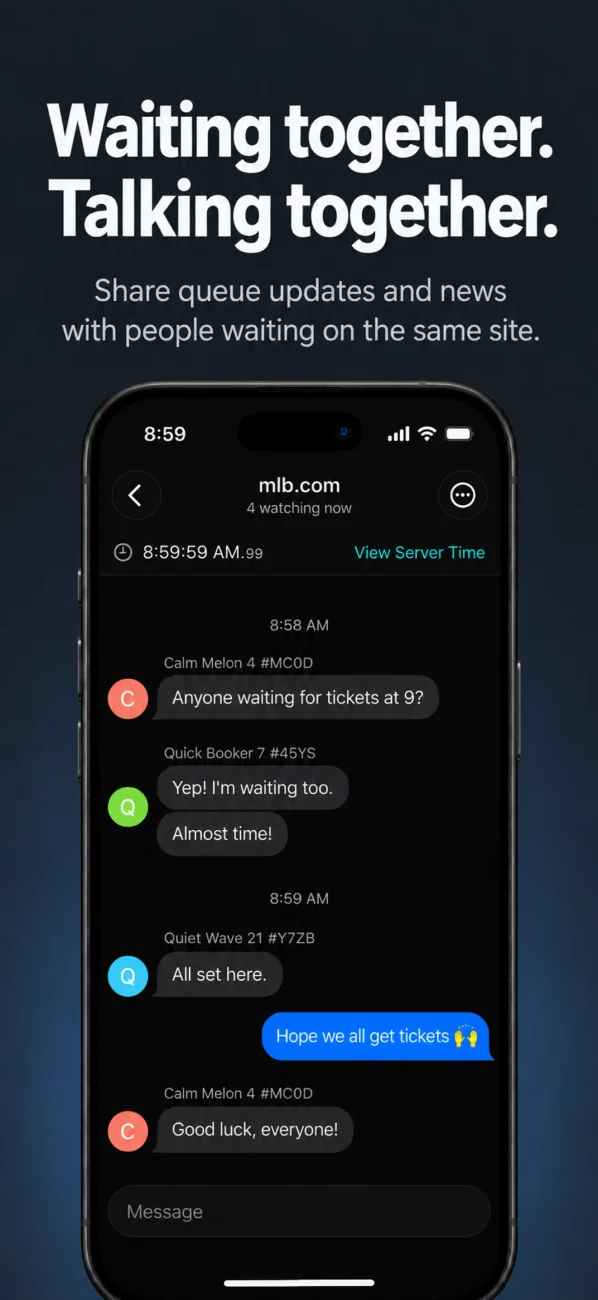
Chat while you wait
• Share queue numbers and server status in the chat room for your site, and react to messages with emoji.
• Join the Lounge to talk with other app users.
Neue Funktionen
Version 1.5.0 · 04.11.2026
• Added iPhone Duo and iPad support
• Added an option to keep the screen on while viewing the clock
• Usability and stability improvements
App-Datenschutz
Was Moongil Jeon im App Store zum Umgang dieser App mit Daten angibt.
-
Mit Ihnen verknüpfte Daten
Können erfasst und mit Ihrer Identität verknüpft werden.
- Standort
- Benutzerinhalte
- Kennungen
- Nutzungsdaten
-
Nicht mit Ihnen verknüpfte Daten
Können erfasst werden, sind aber nicht mit Ihrer Identität verknüpft.
- Diagnose
Die Datenschutzpraktiken können variieren, zum Beispiel je nach den von Ihnen verwendeten Funktionen oder Ihrem Alter.
Informationen
- Anbieter
- Moongil Jeon
- Kategorie
- Dienstprogramme
- Version
- 1.5.0
- Aktualisiert
- 04.11.2026
- Veröffentlicht
- 08.07.2024
- Größe
- 12,8 MB
- Erfordert
- iOS 16.4 oder neuer
- Altersfreigabe
- 4+
- Preis
- Kostenlos
- Sprachen
- Englisch, Japanisch, Koreanisch, Vereinf. Chinesisch, Tradit. Chinesisch
- Copyright
- Copyright © 2024-2025 Moongil Jeon
Das könnte Ihnen auch gefallen
-
 Second-SyncPiP-Timer für den Moment
-
 Floatory: Schwebende UhrBild-in-Bild-Uhr und Datenrate
-
 Floating Clock &StopWatchDienstprogramme
-
 더치트 - 사기피해 정보공유 공식 앱Dienstprogramme
-
 Clutter - Screenshots ordnenScreenshots einfach aufräumen
-
 iFloating Clock - RealtimeDienstprogramme
-
 Mobile IDentification AppDienstprogramme
-
 b.stageDienstprogramme
-
 悬浮时间-悬浮秒表悬浮窗控时助手Dienstprogramme
-
 LED Banner - LED Scroller AppDienstprogramme